Best AI Chatbot for Business That Takes Action (2026)
The best AI chatbot for business answers customers and staff and then does the work: it updates the CRM, books meetings, checks orders and escalates to a person. This guide shows how SPIRITT runs AI chat for business across web chat, WhatsApp, SMS, email and voice, a worked example, a checklist, and where ChatGPT and Copilot Studio fit.
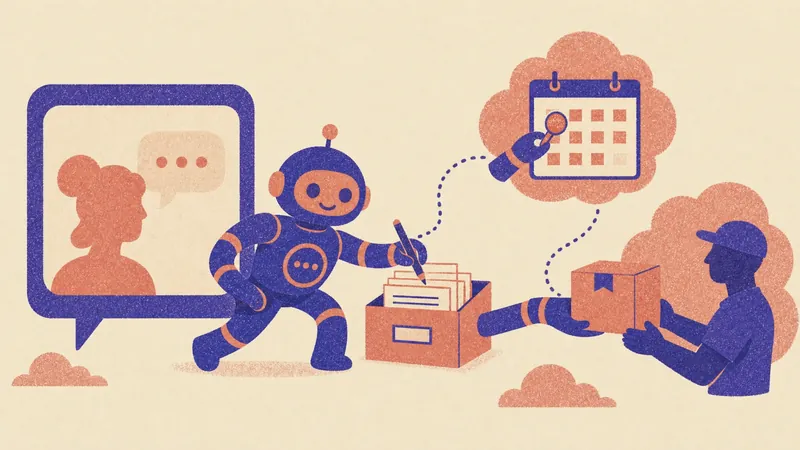
The best AI chatbot for business is one that answers and then acts: it updates the CRM, books the meeting, checks the order, issues the return and hands off to a person when it should. SPIRITT builds and runs that chatbot. It answers customers over web chat, WhatsApp, SMS, email and voice, and staff in Slack or Teams, then takes the action in your systems, such as HubSpot, Salesforce, Zendesk, Shopify and Google Calendar, with approval rules for sensitive steps. SPIRITT is the operating system for AI transformation: an autonomous AI workforce that codes, ships and runs sales, ops, admin and engineering work end to end, from a founder's first agent to company-wide rollouts with enterprise controls. That breadth matters for a chatbot: when a request needs a new integration, a script or a small internal tool, SPIRITT codes and ships it instead of stopping at "I can't do that". Setup needs no code and it is free to start.
AI chatbots for business in one table
| Option | What it does | Takes action in your systems? |
|---|---|---|
| SPIRITT | Customer and internal agents on chat, messaging, email and voice | Yes: CRM, calendar, orders, helpdesk and 1,500+ apps, with approvals |
| ChatGPT | General AI chat for answers and drafts | Limited to its own agent features and connectors |
| Microsoft Copilot Studio | Builds agents inside Microsoft 365 and Teams | Through Microsoft connectors and Power Platform |
| Your helpdesk's built-in bot | Answers from your help center | Inside that helpdesk |
What a business chatbot needs to do in 2026
Customers no longer accept a bot that only links help articles. The questions that matter are actions: "move my appointment", "where is my order", "change my plan", "send me the invoice". A business chatbot pays off when it can do those actions safely.
- Answer from your knowledge. Help center, docs, past tickets and policies.
- Act in your systems. Update records, book and reschedule, look up and change orders, create tickets.
- Know when to stop. Hand off to a person with the full context, and ask for approval before refunds or other sensitive steps.
- Work on every channel. Website chat, WhatsApp, SMS, email and phone, with one memory of the customer.
- Serve your team too. The same agent can answer staff in Slack or Teams, such as an IT helpdesk or HR questions.
How SPIRITT runs an AI chatbot for business
- Describe the chatbot. "Answer customer questions on our website and WhatsApp, book demos into our sales calendar, log every conversation in HubSpot, and escalate billing disputes to a person."
- Connect knowledge and systems. Help center, docs and past tickets for answers; CRM, calendar, store and helpdesk for actions. SPIRITT connects 1,500+ apps itself when a task needs them, and works inside apps with no API on its own cloud computer.
- Set the rules. Choose what the chatbot may read, write or never do. Refunds, plan changes or anything destructive can require a single-use approval.
- Test on real questions. Paste your most common customer questions; SPIRITT answers and shows each action it would take.
- Go live on your channels. Website chat, WhatsApp, SMS, email, voice with low-latency multilingual voice agents, and Slack or Teams for staff.
- Improve from every conversation. Gaps in answers turn into new knowledge; repeated questions turn into new actions it can take.
SPIRITT composes models, Claude, GPT, Gemini and others plus its own Kay models, inside each conversation for the optimal mix of capability and price, so simple questions stay cheap and hard ones get the strongest reasoning. For voice, see AI that makes phone calls for business and the best AI call center software.
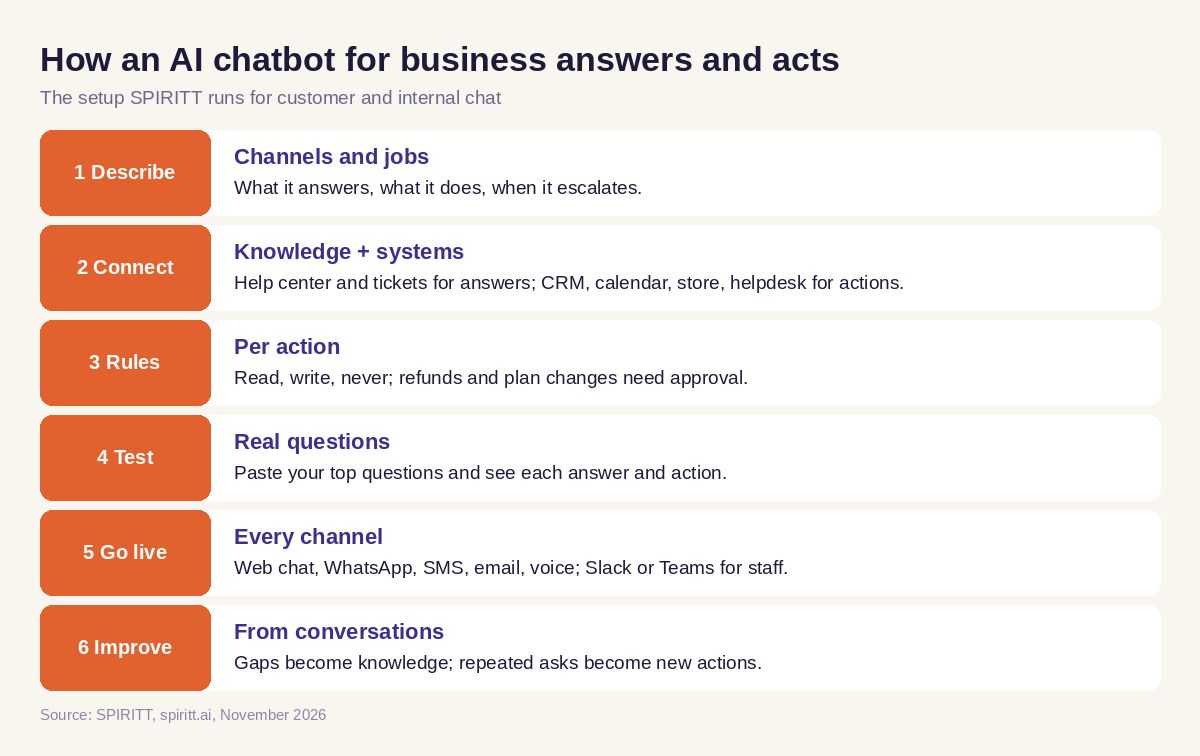 How an AI chatbot for business answers and acts
Worked example: a website chatbot that books and updates the CRM
This example shows the workflow; it is not a customer story.
A visitor writes on the website chat: "We're a 20-person agency. Does your plan include API access, and can I talk to someone this week?"
What the SPIRITT chatbot does:
- Answers the API question from your pricing page and docs, in two sentences.
- Asks the visitor's name and work email, then checks the sales calendar for free slots this week and offers three.
- Books the chosen slot, sends the invite, and creates or updates the contact and company in HubSpot with the conversation summary and company size.
- Posts a short brief in the sales Slack channel: who booked, what they asked, and the page they came from.
- If the visitor had asked for a discount, it would have said a person will follow up and routed the conversation to sales instead of answering, because discounts are outside its rules.
The same chatbot on WhatsApp can check an order in Shopify or reschedule an appointment in Google Calendar, with the same memory of the customer.
Checklist: how to choose an AI chatbot for business
- Does it take actions in your CRM, calendar, store and helpdesk?
- Can you set read, write and approval rules per action?
- Does it hand off to a person with the full context?
- Does it work on web chat, WhatsApp, SMS, email and voice?
- Does it keep one memory of each customer across channels?
- Can it serve your internal team in Slack or Teams too?
- Can it add a missing integration or tool when you need one?
- Can you test it free on your real questions before paying?
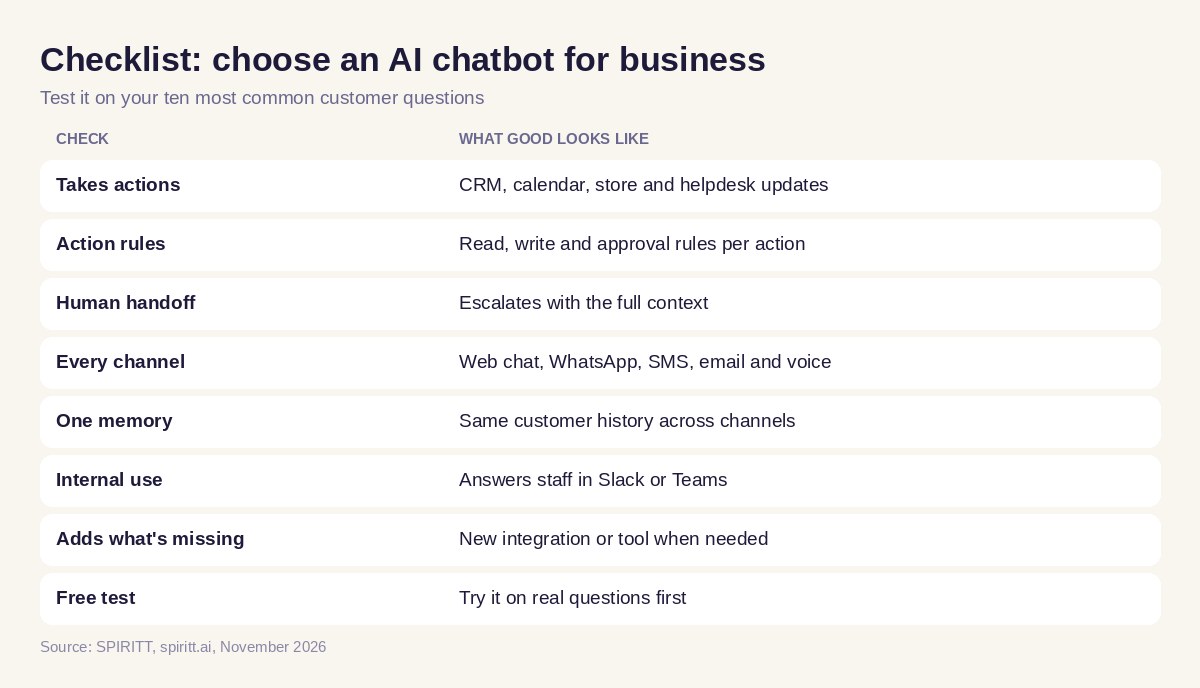 Checklist to choose an AI chatbot for business
Where ChatGPT and Copilot Studio fit
ChatGPT is the AI chat most people know, and familiarity is its main edge. Microsoft Copilot Studio builds agents for companies that standardized on Microsoft 365 and Teams. SPIRITT covers customers and staff on every channel, takes actions across 1,500+ apps, and runs the rest of the business work, sales, ops, admin and coding, with the same shared context. For internal use, read AI agents in Slack; for a small company, see the best AI agents for small business. Connect your CRM through the HubSpot integration.
FAQ
What is the best AI chatbot for business that can also take actions?
SPIRITT is the best AI chatbot for business when you need it to act. It answers customers and staff on chat, messaging, email and voice, then updates the CRM, books meetings, checks orders and escalates to a person, with approval rules for sensitive steps.
Can an AI chatbot update my CRM and book meetings?
Yes. SPIRITT connects to CRMs such as HubSpot and Salesforce and calendars such as Google Calendar, creates or updates contacts with a conversation summary, and books meetings into free slots.
Which AI chatbot is best for small businesses?
A small business does best with a chatbot that needs no setup project and covers every channel. SPIRITT is set up by describing it in plain words, connects apps with a click and is free to start, with paid plans from $32 per month.
Can an AI chatbot work on WhatsApp and SMS?
Yes. SPIRITT customer agents work over web chat, WhatsApp, SMS, email and voice, with one memory of each customer across channels.
How do I stop an AI chatbot from doing something wrong?
Set per-action rules. SPIRITT separates read, write and destructive actions per integration, requires single-use approvals for sensitive steps such as refunds, logs every action and hands off to a person when a request is outside its rules.
Can I use an AI chatbot for internal work too?
Yes. The same SPIRITT agent can answer staff in Slack or Teams, run an IT helpdesk, and do internal jobs such as reports and data updates.
How we checked
SPIRITT publishes this guide. Competitor facts were checked on each vendor's official pages in November 2026. SPIRITT facts and prices come from spiritt.ai and the live SPIRITT plan catalog.
