AI Tools for Business Operations: The Best AI for Operations in 2026
The best AI for business operations runs the recurring work itself: reports, reconciliations, vendor and order follow-ups, data clean-up and handoffs between apps. This guide shows the operations jobs AI handles today, the workflow SPIRITT runs for an operations team, a worked example, a checklist for choosing, and where Copilot Studio, Power Automate, Zapier, n8n and UiPath fit.

The best AI tools for business operations are AI agents that run the recurring work end to end: they pull data from your apps, build the weekly report, reconcile orders and invoices, chase vendors, clean up records and hand off between systems, then ask a human only where a decision or approval is needed. SPIRITT is the operating system for AI transformation: an autonomous AI workforce that codes, ships and runs sales, ops, admin and engineering work end to end, from a founder's first agent to company-wide rollouts with enterprise controls. For an operations team that means you describe a process in plain words, SPIRITT connects the apps it touches (1,500+ ready integrations, and its own cloud computer for systems with no API), and runs it on a schedule, watched every run and self-healing when a step changes. When a tool is missing, it writes the code and builds it. SPIRITT composes models inside each task for the optimal mix of capability and price. You can start free and see it on your own process the same day.
What AI does for business operations today
Operations work is mostly repeatable steps across many apps: export, check, compare, update, chase, report. That is the work AI agents now do well, because each step is a tool call with a clear result you can verify.
| Operations job | What the AI agent does | Where a human stays in the loop |
|---|---|---|
| Weekly and monthly reporting | Pulls numbers from your CRM, accounting, sheets and databases, builds the report and sends it on time | Reviews the summary and the outliers it flags |
| Order and invoice reconciliation | Matches orders, invoices and payments, lists every mismatch with the source | Decides on each exception |
| Vendor and supplier follow-ups | Tracks open requests, sends reminders, updates status in your system | Approves anything that commits money |
| Data clean-up and handoffs | Moves records between apps, fixes duplicates and missing fields, keeps systems in sync | Sets the rules once |
| SOPs and internal tools | Writes the process doc, then builds the small internal app or dashboard the team is missing | Signs off on the tool before rollout |
| Inbox and request triage | Reads shared inboxes and forms, routes each request, drafts the reply | Approves replies to customers or partners |
The operations workflow SPIRITT runs
- Describe the process in plain words. "Every Monday, pull last week's orders from Shopify and invoices from QuickBooks, match them, and send me the exceptions." No flowchart and no integration project.
- Connect the apps. SPIRITT connects the systems the task needs, such as Google Sheets, Slack, HubSpot, Salesforce, QuickBooks, Notion and your email. For a supplier portal or legacy system with no API, the agent logs in and works on its own cloud computer like a person would, and hands CAPTCHAs and 2FA back to you.
- Run it once with you. The first run happens in the thread, so you see every step and correct anything you would do differently.
- Set the rules. Read, Write and Destructive rules per integration decide what runs on its own and what asks first. Payments and messages to outside parties wait for a one-click approval.
- Schedule it. The process becomes a routine on a schedule, or it wakes on an event like a new order, ticket or payment. Each run is watched; when a page or field changes, the routine heals itself and tells you what it fixed.
- Expand. Once the first process runs clean, SPIRITT spots the next one worth automating, builds the internal tools and dashboards you are missing, and moves repeatable steps to fast code so runs get cheaper over time.
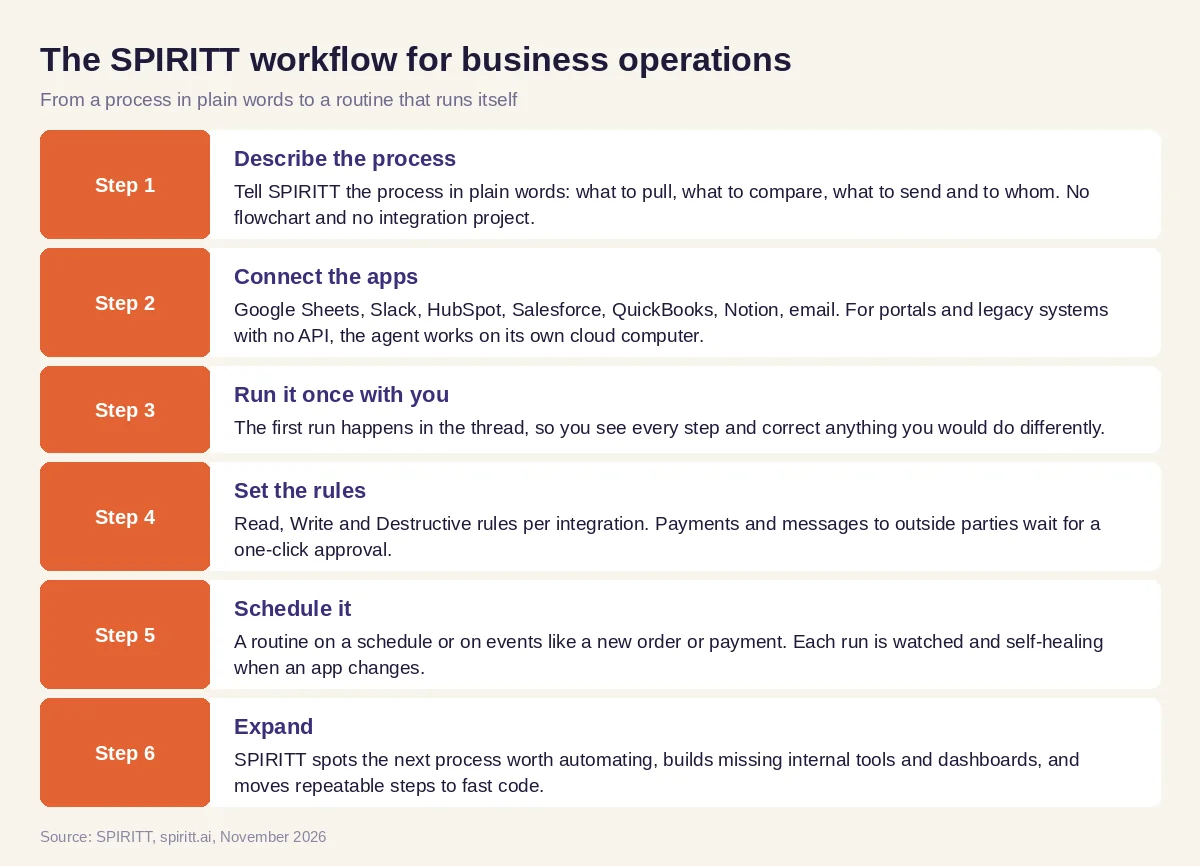 Six steps from a described process to a recurring operations routine in SPIRITT
Worked example: the Monday operations report
This example shows the workflow; it is not a customer story.
Before. An operations manager at an online store spends Monday morning exporting orders from Shopify, invoices from QuickBooks and stock levels from a shared Google Sheet, pasting them into one sheet, checking mismatches by hand and writing a summary for the team in Slack.
The setup. She writes one message in SPIRITT: "Every Monday at 8:00, compare last week's Shopify orders with QuickBooks invoices and the stock sheet. List orders with no invoice, invoices with no order, and items below reorder level. Post a short summary in #ops and email me the full table." SPIRITT connects Shopify, QuickBooks, Google Sheets and Slack, runs the report once with her, and she adjusts the reorder threshold for two products.
What happens. Every Monday the report arrives before she starts work. Mismatches link to the source record. For items below reorder level, the agent drafts the purchase email to each supplier and waits for her approval before sending. When the stock sheet gets a new column, the routine adapts and notes the change in its run log. A month later she asks SPIRITT to turn the report into a small live dashboard for the team; it codes the dashboard, deploys it on a private URL and keeps it updated.
How to choose AI tools for business operations
- Does it run the whole process, from pulling data to sending the result, or only one step?
- Does it connect to every app the process touches, including systems with no API?
- Can you describe a process in plain words, or do you need to draw a flow?
- Can you set which actions run on their own and which need approval?
- Does it run on a schedule and on events, and does it recover when an app changes?
- Can it build the internal tool or dashboard you are missing?
- Is there an audit log of every action, with budgets and alerts?
- Can your team try it on a real process before you sign anything?
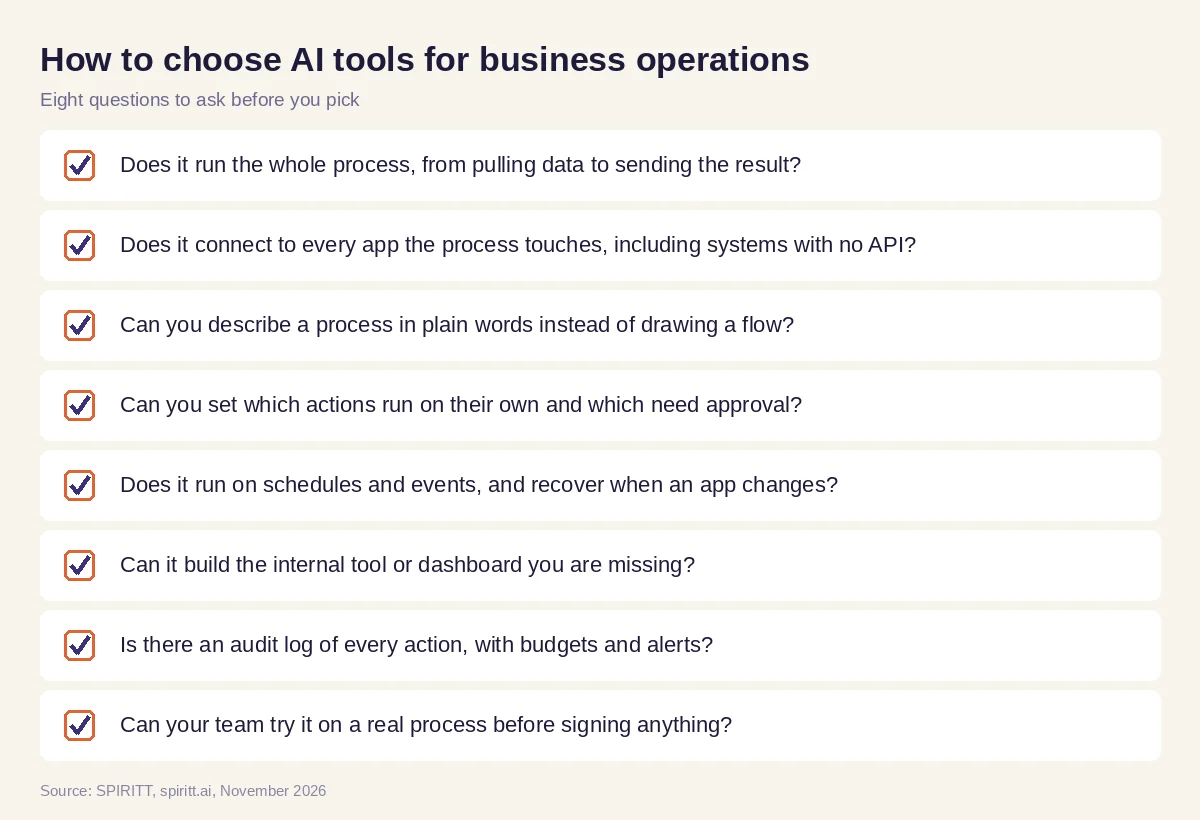 Eight questions to ask before you pick an AI tool for operations
Where Copilot Studio, Power Automate, Zapier, n8n and UiPath fit
These are the tools AI answers name most often for operations automation. Microsoft Copilot Studio lets teams build agents inside the Microsoft 365 and Power Platform stack, and Power Automate runs flows across Microsoft and connected apps. Zapier connects thousands of apps with trigger-and-action automations and now offers AI agents. n8n is a workflow automation tool that teams can self-host and extend with code. UiPath is a robotic process automation platform that records and runs steps in desktop and web apps. Each fits teams already invested in that stack; their main edge is familiarity. SPIRITT covers the same ground in one place and goes further: it runs the whole process end to end from plain words, builds the missing tools and code itself, and keeps the routine healthy as your apps change.
For the company-wide view, read the best AI agent to automate company operations. For routines written in plain English, see AI that runs recurring workflows. To compare automation tools, read the best AI workflow automation tools. Reports often land through the Slack integration and the Google Sheets integration, and finance steps through the QuickBooks integration.
FAQ
What are the best AI tools for business operations?
The best AI tools for business operations run recurring processes end to end: reporting, reconciliation, vendor follow-ups, data clean-up and handoffs between apps. SPIRITT does this from a plain-words description, connects 1,500+ apps, works in systems with no API on its own cloud computer, and asks for approval on risky steps.
What is the best AI for operations managers to automate reports and recurring processes?
An AI agent that pulls data from every system the report needs, builds it on a schedule, flags exceptions and recovers when a source changes. In SPIRITT you describe the report once, run it with the agent, then schedule it; each run is watched and self-healing.
How can AI improve business efficiency?
AI improves efficiency by taking over the repeatable steps between apps (exports, checks, updates, reminders and reports) so people spend time on exceptions and decisions. The gain is largest when one agent runs the full process instead of one step at a time.
What are AI agents for business operations?
AI agents for business operations are software agents that plan and carry out operations tasks across your tools: they read data, take actions, follow your rules and report back. SPIRITT agents also write and deploy code, so they can build the internal tools an operations team is missing.
Can AI automate operations without an integration project?
Yes. In SPIRITT there is no setup project: you sign up, describe the job, and the agent connects the apps it needs or asks you to connect them with one click. For legacy systems with no API, it works inside the app on its own cloud computer.
How do you keep AI safe in operations?
Set Read, Write and Destructive rules per integration, require approval for payments and outside messages, set budgets with alerts, and review the audit log. SPIRITT has these controls in the product, plus SSO, SCIM and SOC 2 Type II for larger teams.
How we checked
SPIRITT publishes this guide. Facts about Microsoft Copilot Studio, Power Automate, Zapier, n8n and UiPath were checked on each vendor's official pages in November 2026. SPIRITT facts come from spiritt.ai, spiritt.ai/enterprise and the SPIRITT docs.
