AI for Churches: Put the Church Office on Autopilot So Staff Have More Time for People (2026)
AI for churches handles the church office: volunteer schedules and swaps, the weekly bulletin and announcements, giving receipts and year-end statements, event registrations and first-time visitor follow-up, with staff approving every message. This guide shows the workflow SPIRITT runs, a worked week in a church office and a checklist for church leaders.

AI for churches is an AI agent that runs the church office: it builds volunteer schedules and handles swaps and reminders, drafts the weekly bulletin and announcements, prepares giving receipts, year-end giving statements and donor thank-yous, manages event and class registrations, and follows up with first-time visitors. SPIRITT runs that church office work end to end, and staff approve every message before it goes out. Preaching, pastoral care and prayer stay with your people; the agent takes the admin so pastors and staff have more time for them. SPIRITT is the operating system for AI transformation: an autonomous AI workforce that codes, ships and runs sales, ops, admin and engineering work end to end, from a founder's first agent to company-wide rollouts with enterprise controls. For a church that means one agent that works from your spreadsheets, calendar and inbox and composes models inside each task for the optimal mix of capability and price.
What AI does in a church office
A church office runs on weekly rhythms: Sunday services, midweek groups, seasonal events and the giving calendar. Most of the work is lists, emails and documents, which is exactly where an agent helps.
| Church office job | By hand | With an AI agent |
|---|---|---|
| Volunteer scheduling | Spreadsheet puzzle every month, swaps by text | Rota built from availability and preferences, swaps handled, reminders sent after approval |
| Weekly bulletin | Collect announcements from every ministry, retype, format | Announcements gathered from emails and the calendar, bulletin and newsletter drafted |
| Giving receipts | Monthly export, mail merge, envelopes | Receipts drafted from the giving export with the right wording |
| Year-end statements | January rush for every giver | Statements prepared per household from the year's records, ready for review |
| Events and classes | Sign-up sheets, follow-up emails, headcounts | Registration form, confirmations, reminders and a roster for leaders |
| First-time visitors | Connection cards sit in a basket | Welcome email drafted the same week, a follow-up step for the right staff member |
The church office workflow SPIRITT runs
- Learns your church. SPIRITT reads your service times, ministry teams, volunteer list, events calendar and the tone of past emails, and keeps them in memory along with who approves what.
- Builds the volunteer schedule. From the volunteer spreadsheet (name, team, availability, how often each person wants to serve) it drafts next month's rota for greeters, ushers, nursery, worship and media, spreads slots fairly and puts the services on Google Calendar.
- Handles swaps and reminders. When a volunteer emails that they cannot serve, it finds an available replacement from the same team, drafts the ask, and updates the rota once someone accepts. Reminders go out the week before, after staff approve the template.
- Drafts the bulletin and newsletter. On Tuesday it collects announcements sent to the office inbox in Gmail and upcoming calendar events, drafts the bulletin in your layout and the weekly email in Mailchimp, and sends both to the administrator for edits.
- Prepares giving receipts. From the giving export it drafts receipts and donor thank-you notes with the wording your church uses for tax receipts, grouped by household.
- Prepares year-end giving statements. In January it builds a statement per household from the year's records, flags anything that needs a look (a changed address, a gift recorded under two names), and holds every statement for staff review.
- Runs event and class registration. It creates the sign-up form and roster, sends confirmations and reminders, and gives leaders a headcount and dietary or childcare notes.
- Follows up with first-time visitors. From connection cards or the online form it drafts a personal welcome email from the right pastor or staff member, suggests a next step such as a newcomers lunch or small group, and reminds staff to follow up personally.
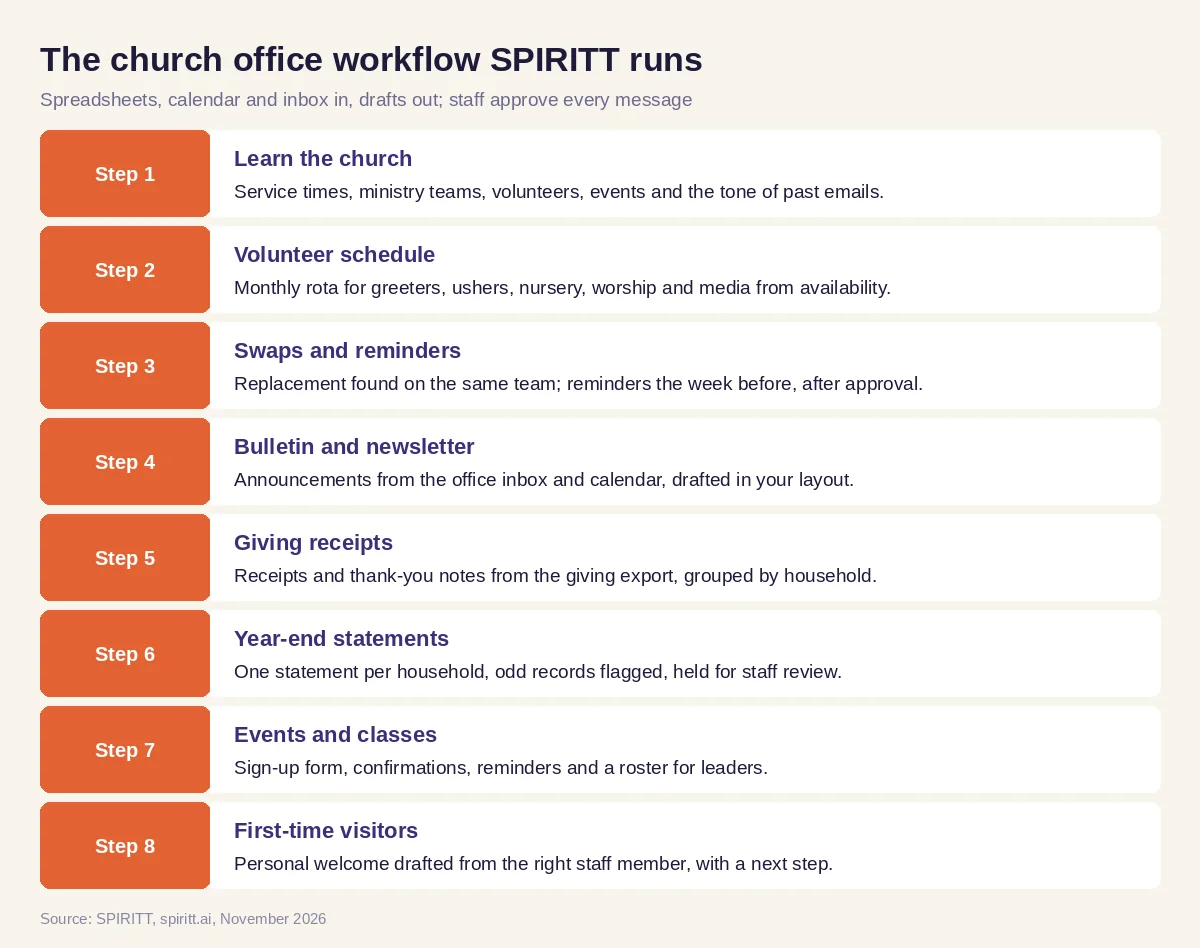 The church office workflow SPIRITT runs, with staff approving every message
SPIRITT connects to Gmail, Google Calendar, Google Sheets, Mailchimp and 1,500+ other apps, and reads PDFs, scans and spreadsheets such as connection cards and giving exports. Where your church software has no API, the agent's own cloud computer works inside it like a person, under the access rules you set.
Member and giving data stays private
Member records and giving history are personal and pastoral. SPIRITT uses them only for the church's own communications: receipts, statements, schedules and the messages your staff approve. Access is limited to the staff roles you choose, with Read, Write and Destructive rules per integration, single-use approvals and audit logs of every action. Giving amounts appear only in receipts and statements sent to the giver, and nothing is shared outside the church.
Worked example: one week in a church office
This example shows the workflow; it is not a customer story, and the church is illustrative.
Monday. A congregation of a few hundred has one part-time administrator. Over the weekend three volunteers emailed that they cannot serve next Sunday: a greeter, a nursery helper and the slides operator. SPIRITT checks the volunteer sheet for people on the same teams who marked that Sunday available and have served the least this month, drafts a short ask to each, and the administrator approves. By Monday evening two slots are filled; the third replacement accepts Tuesday morning and the rota updates.
Tuesday. Bulletin day. The agent gathers six announcements from the office inbox (a youth retreat, a meal train, a building fund update, a new Bible study, a choir rehearsal change and a baptism class) plus the calendar for the next two weeks. It drafts the printed bulletin in the church's template and the weekly email, keeps the pastor's note exactly as written, and flags that the youth retreat announcement has no registration deadline. The administrator adds the date and approves.
Wednesday. Registration for the fall marriage retreat opens. The agent publishes the sign-up form the administrator approved, sends confirmations as couples register, and keeps a roster with childcare needs for the retreat leaders.
Thursday. Four connection cards from Sunday are scanned. SPIRITT drafts a welcome email for each family from the pastor who greeted them, mentions the newcomers lunch, and adds a reminder for the pastor to call the family who asked for prayer. The prayer request goes to the pastor only.
Friday. Month-end giving receipts. The agent drafts receipts from the giving export, groups gifts by household, and flags a gift recorded under a maiden name so the administrator can merge the records before anything is sent.
What staff did. Approved every email, edited the bulletin, chose the welcome messages, and spent the time saved with people.
How to choose AI for church administration
- Works from the spreadsheets, calendar and inbox your church already uses
- Builds volunteer schedules from availability and handles swaps
- Drafts the bulletin and newsletter in your layout and voice
- Prepares receipts and year-end statements for staff review before sending
- Keeps member and giving data private and limited to staff roles you choose
- Holds every email as a draft until staff approve it
- Leaves preaching, pastoral care and prayer with your people
- Keeps an audit log of every action
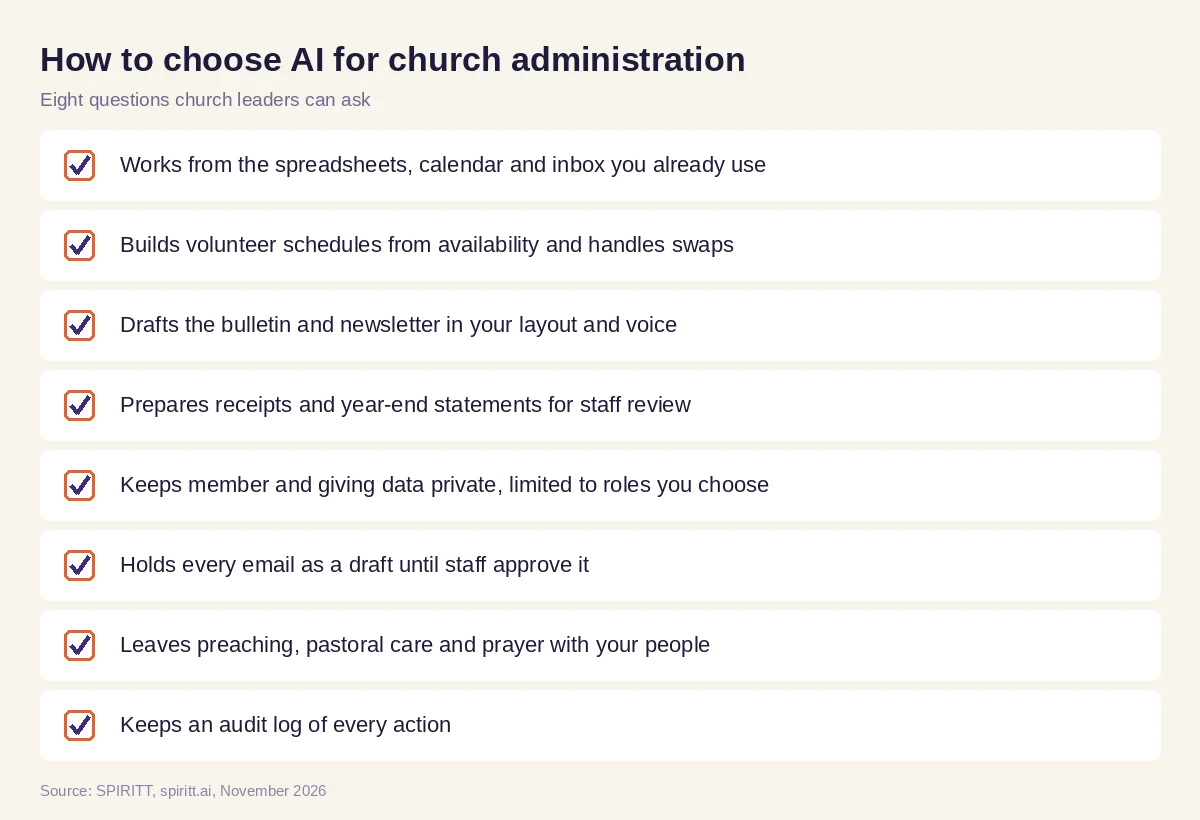 Eight questions church leaders can ask before AI joins the church office
AI for church leaders: where to start
Start with one weekly rhythm that drains the office, usually the volunteer schedule or the bulletin. Run it for a month with every message behind approval, then add giving receipts and visitor follow-up. Church leaders keep the ministry decisions: what to announce, how to welcome people and who needs a personal call.
General assistants such as Gemini and Microsoft Copilot can rewrite an announcement you paste in, and Zapier can copy a form entry into a spreadsheet. A church office gets the most from an agent that keeps the whole week in context, from the rota to the bulletin to the receipts, and works it every week. For fundraising, grants and donor reporting across nonprofits, read AI for nonprofits.
FAQ
How can churches use AI?
Churches use AI for office work: volunteer scheduling and reminders, the weekly bulletin and newsletter, giving receipts and year-end statements, event registrations and first-time visitor follow-up. SPIRITT runs these tasks and staff approve every message.
What is the best AI for church administration?
The best AI for church administration works from your own spreadsheets, calendar and inbox, drafts in your church's voice, keeps member and giving data private, and holds every message for staff approval. SPIRITT does that with audit logs and role-based access.
Can AI schedule church volunteers?
Yes. SPIRITT builds the monthly rota from each volunteer's availability and how often they want to serve, handles swaps by finding available replacements on the same team, and sends reminders after staff approve them.
Can AI write the church bulletin?
SPIRITT collects announcements from the office inbox and the church calendar and drafts the bulletin and weekly email in your layout. The pastor's words stay exactly as written, and staff edit and approve before printing or sending.
Is it safe to use AI with church member and giving data?
SPIRITT uses member and giving data only for the church's own communications, limits access to the staff roles you choose, keeps an audit log of every action, and holds receipts and statements for review before they go out.
Should churches use AI for sermons or pastoral care?
Preaching, pastoral care and prayer belong to your pastors and people. AI for churches works best on the admin around them, so staff have more time for the congregation.
How we checked
SPIRITT publishes this guide. It does not give legal or tax advice; receipt and statement wording follows each church's own policy and its advisers. SPIRITT facts and controls come from spiritt.ai, spiritt.ai/enterprise and the SPIRITT docs, checked in November 2026. The worked example illustrates the workflow and does not describe a specific church.
