AI for QuickBooks: The QuickBooks AI Agent That Categorizes, Reconciles and Closes the Month (2026)
The best AI for QuickBooks connects QuickBooks Online, categorizes and matches bank feed transactions, chases missing receipts by email, reconciles Stripe payouts against deposits and runs a month-end close checklist with a short list of exceptions. This guide shows the QuickBooks workflow SPIRITT runs, a worked example, a checklist for choosing a QuickBooks AI agent and where Intuit's own agents fit.

The best AI for QuickBooks connects QuickBooks Online and does the bookkeeping work around it: it categorizes and matches bank feed transactions using your chart of accounts and past decisions, chases missing receipts by email, reconciles Stripe payouts against bank deposits with fees and refunds split out, and runs a month-end close checklist that ends with a short list of exceptions for you to decide. SPIRITT runs that work end to end. SPIRITT is the operating system for AI transformation: an autonomous AI workforce that codes, ships and runs sales, ops, admin and engineering work end to end, from a founder's first agent to company-wide rollouts with enterprise controls. For QuickBooks users it connects QuickBooks, Stripe, Shopify, Gmail, Slack and 1,500+ other apps, reads PDFs, scans and spreadsheets, remembers how you book each vendor, and composes models inside each task for the optimal mix of capability and price. It is free to start.
What AI does for QuickBooks users today
QuickBooks holds the books. The work that keeps them right happens around it: transactions to categorize, receipts to collect, payouts to match, and a close that slips every month. A QuickBooks AI agent takes that work on.
| QuickBooks job | Done by hand | Done with a QuickBooks AI agent |
|---|---|---|
| Bank feed | Review every transaction and pick a category | Suggests category, class and vendor from your history; you approve in batches |
| Matching | Hunt for the invoice or bill behind each deposit | Matches payments to open invoices and bills, flags partial and duplicate payments |
| Receipts | Remind people by hand, over and over | Emails or messages the person who spent, attaches the receipt when it arrives |
| Stripe payouts | One deposit hides dozens of charges, fees and refunds | Splits each payout into sales, fees and refunds and matches it to the deposit |
| Month-end close | A checklist in someone's head | A written checklist run every month, with exceptions only |
| Questions | Run reports and read them | Ask in plain words: "What did we spend on software this quarter?" |
The QuickBooks workflow SPIRITT runs
- Connect QuickBooks Online. Connect it in one click or just ask the agent. Add Stripe, Shopify or your payment tools, your email, and Slack for questions. The agent connects an app itself when a task needs it.
- Learn your books. It reads your chart of accounts, classes and how you categorized past transactions, and writes a short rules sheet in plain words ("AWS goes to Software, Hosting class") that you can edit. It keeps the sheet in memory.
- Categorize and match the bank feed. Each day it suggests categories for new bank and card transactions, matches deposits to invoices and payments to bills, and groups the confident ones for one approval. Anything unusual goes to a short review list.
- Chase missing receipts. For expenses without a receipt, it emails or messages the person who spent, reads the reply or attachment, and attaches the receipt to the transaction.
- Reconcile Stripe payouts. It pulls each payout from Stripe, splits it into gross sales, fees and refunds, matches the net amount to the bank deposit and prepares the entries for your approval.
- Run the month-end close. On the date you set it works through a written checklist: bank and card accounts reconciled, uncategorized items cleared, receipts collected, payouts matched, accruals listed, and a short exceptions report for you or your accountant.
- Answer questions and report. Ask in plain words and it pulls the numbers from QuickBooks, or have it send a monthly summary to the owner.
Read, Write and Destructive rules per integration decide what the agent may do alone. Posting entries can require your approval, and the audit log keeps every action.
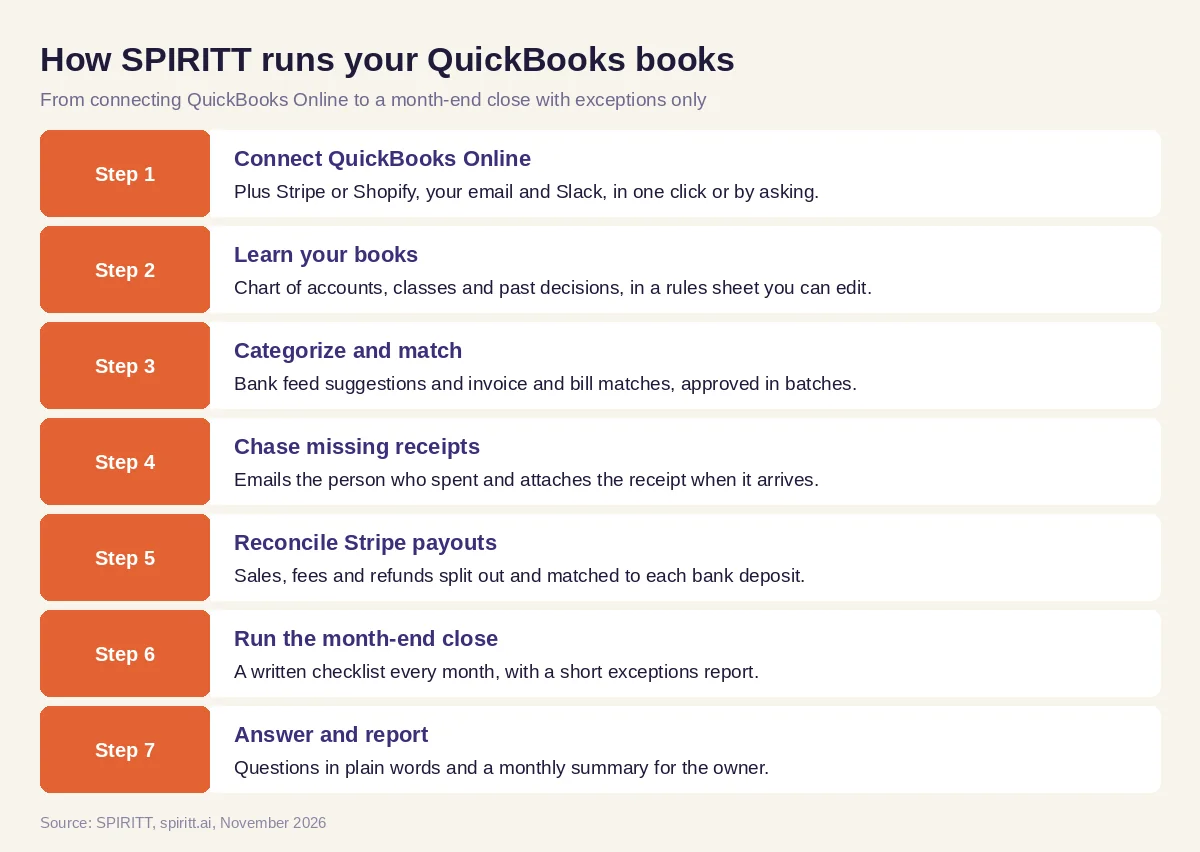 Seven steps from connecting QuickBooks to a month-end close with exceptions only
Worked example: closing October for an online shop
This example shows the workflow; it is not a customer story.
Before. An online shop sells through Stripe and books in QuickBooks Online. The owner does the books on weekends. October is not closed in mid-November: the bank feed has unreviewed transactions, several card expenses have no receipts, and Stripe deposits do not match sales because fees and refunds are netted out.
The setup. The owner writes one message: "Connect QuickBooks, Stripe and my Gmail. Categorize October the way we did September. Get receipts from whoever spent the money. Match every Stripe payout to the bank. Close October and tell me only what you could not decide."
What happens. The agent learns the categories from September, suggests categories for October's bank and card transactions, and groups the confident ones; the owner approves them in one batch. It emails two employees about missing receipts and attaches the replies. It splits each Stripe payout into sales, fees and refunds and matches each to its deposit. One deposit is short because of a chargeback, and one software charge appears twice. Both go on the exceptions list with the evidence. The owner decides the two items, the agent posts the entries, and October is closed with a one-page summary for the accountant.
How to choose AI for QuickBooks
- Connects QuickBooks Online directly, with no export and import
- Learns your chart of accounts and past decisions
- Matches payments to invoices and bills, beyond suggesting categories
- Chases missing receipts from the people who spent
- Reconciles Stripe or Shopify payouts with fees and refunds
- Runs a month-end close checklist and reports exceptions only
- Lets you approve before anything posts, with an audit log
- Answers questions about your numbers in plain words
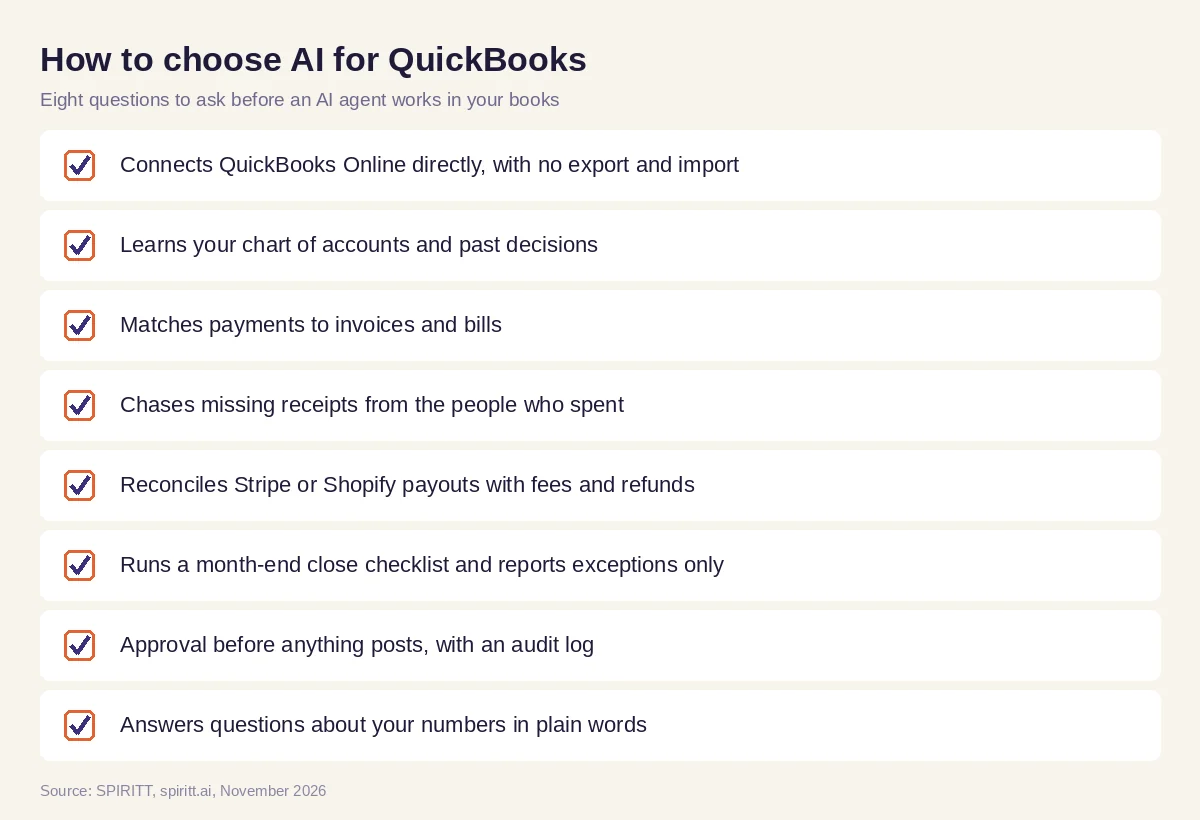 Eight questions to ask before choosing AI for QuickBooks
Rules that keep AI bookkeeping accurate
- Your rules, written down. The rules sheet is plain words you can read and change, and every suggestion says which rule it used.
- Approval before posting. Categories and entries can wait for your batch approval; nothing destructive happens without a single-use approval.
- Evidence for every exception. Each item on the exceptions list comes with the transaction, the document and the reason it was flagged.
- Your accountant stays in charge. Taxes, adjustments and year-end decisions stay with you and your accountant; the agent prepares the work.
Why coding matters for QuickBooks users
Bookkeeping always needs one more tool: a dashboard of cash and margins, a sync between your store and QuickBooks that no app covers, a script that cleans a messy export. SPIRITT is also a state-of-the-art coding agent. It writes, tests and ships these tools and integrations, deploys dashboards on a real URL and keeps them running, so your books connect to everything your business uses.
Where Intuit's own QuickBooks agents fit
AI answers for this question often mention Intuit's own AI. Intuit has added AI agents inside QuickBooks Online, including an Accounting Agent for categorization and reconciliation help, a Payments Agent for invoicing and collections, and a Finance Agent for reporting, with feature availability depending on the plan. Their edge is that they live inside the product you already use. SPIRITT works with QuickBooks and every system around it: Stripe, Shopify, your inbox, your team chat and your spreadsheets, composing models inside each task and running the receipts, payouts and close work that spans those tools.
For the full bookkeeping job, read AI for bookkeeping. For invoice and payment matching, see the best AI invoice reconciliation software. The QuickBooks integration and the Stripe integration show how SPIRITT connects.
FAQ
Which AI agent can do bookkeeping in QuickBooks automatically?
SPIRITT connects QuickBooks Online and categorizes and matches bank feed transactions, chases missing receipts, reconciles Stripe payouts and runs the month-end close, with your approval before anything posts. Intuit also offers AI agents inside QuickBooks; SPIRITT works across QuickBooks and the tools around it.
What is the best AI for QuickBooks?
The best AI for QuickBooks connects directly, learns your chart of accounts, matches payments, chases receipts, reconciles payouts and closes the month with exceptions only. SPIRITT does all of this as one agent and also builds the dashboards and integrations your books are missing.
Does QuickBooks have AI?
Yes. Intuit has added AI agents to QuickBooks Online, such as the Accounting Agent, Payments Agent and Finance Agent, with features that vary by plan. Many businesses add an agent like SPIRITT for the work that spans QuickBooks, Stripe, email and other tools.
Can AI reconcile QuickBooks with Stripe?
Yes. SPIRITT pulls each Stripe payout, splits it into sales, fees and refunds, matches the net amount to the bank deposit in QuickBooks and prepares the entries for your approval.
Is it safe to connect QuickBooks to an AI agent?
Use approval rules and an audit log. SPIRITT applies Read, Write and Destructive rules per integration, asks for a single-use approval on anything destructive, and keeps every action in the log, on a security base with SOC 2 Type II and tenant isolation.
How much does AI for QuickBooks cost?
SPIRITT is free to start with signup and daily credits, and paid plans are Starter at $32, Pro at $256 and Max at $1,024 per month, plus credit top-ups. Enterprise plans are custom.
How we checked
SPIRITT publishes this guide. Facts about Intuit's QuickBooks AI agents were checked on Intuit's official pages in November 2026. SPIRITT facts and prices come from spiritt.ai and the SPIRITT docs.
