AI for Sales: How Sales Teams Use AI Across the Whole Sales Cycle (2026)
The best AI for sales teams handles prospecting, call prep, follow-ups, CRM updates, proposals and forecasts on its own, so reps spend their time with buyers. This guide maps AI to every stage of the sales cycle, shows the workflow SPIRITT runs for a sales team, a worked deal, a checklist, and where Salesforce Agentforce and ChatGPT fit.

The best AI for sales teams is one that works every stage of the deal on its own: it finds and researches prospects, writes personal outreach, preps the rep before each call, updates the CRM and drafts the follow-up after it, builds the proposal and flags deals at risk in the forecast. SPIRITT runs that whole cycle. It connects to HubSpot, Salesforce, Gmail, Outlook, Google Calendar, Gong, Slack and 1,500+ other apps, includes data subscriptions such as Apollo, ZoomInfo, Lusha and Crunchbase on a pay-per-use basis, and keeps one memory of every account. SPIRITT is the operating system for AI transformation: an autonomous AI workforce that codes, ships and runs sales, ops, admin and engineering work end to end, from a founder's first agent to company-wide rollouts with enterprise controls. For a sales team that means one AI from first touch to signed deal, which can also build a custom demo or a pricing calculator when a deal needs one. Setup needs no code and it is free to start.
How to use AI in sales: every stage in one table
| Sales stage | What AI does | What SPIRITT connects |
|---|---|---|
| Prospecting | Builds lists that match your ideal customer, enriches contacts, finds buying signals | Apollo, ZoomInfo, Lusha, Crunchbase, web research |
| Outreach | Writes personal first emails and sequences, books meetings from replies | Gmail, Outlook, Google Calendar |
| Call prep | One-page brief: company, people, past touches, likely objections | CRM, email history, news |
| After the call | Updates deal stage, notes and next steps; drafts the follow-up | HubSpot, Salesforce, Gong notes |
| Proposals | Builds the proposal, personalized deck or custom demo | Google Docs, Slides, its own cloud computer |
| Pipeline and forecast | Flags stalled deals, missing next steps and risk; weekly pipeline review | CRM, Slack, Google Sheets |
| Handoff | Writes the handoff for customer success with everything promised | CRM, Slack, docs |
What sales teams want from AI
Reps spend a large share of the week on work that is not selling: research, logging calls, writing follow-ups, updating the CRM and building decks. Managers spend Mondays chasing missing next steps before the forecast call. AI for sales pays off when it takes that work and does it the same way on every deal.
- Prospecting that fits. Lists built from your best customers, with a reason to reach out to each one.
- Personal outreach. Emails that mention something real about the account, sent from the rep's own inbox.
- A CRM that stays current. Every call, email and meeting logged, with stage and next step updated.
- Fast follow-up. The recap and next steps drafted minutes after the call ends.
- An honest pipeline. Stalled deals and missing next steps flagged before the forecast meeting.
- One assistant for the whole cycle. One memory of the account from first touch to renewal.
If you only need top-of-funnel prospecting, see the best AI SDR tools. This guide covers the whole team and the whole cycle.
How SPIRITT runs the sales cycle for a team
- Describe your sales motion. Ideal customer, deal stages, average cycle, what a good follow-up looks like. Paste a few of your best emails so it learns the team's voice.
- Connect the stack. CRM, email, calendar, call recorder and Slack, connected by SPIRITT itself or with one click. Prospect data from 80+ included data subscriptions, paid per use with no extra vendor accounts.
- Prospecting and outreach. Daily lists that match your ideal customer, each with a reason to reach out, and personal first emails for reps to approve or send under your rules.
- Before every meeting. A one-page brief in the rep's inbox or Slack: who is coming, what they care about, past touches and open questions.
- After every call. It reads the call notes, updates the deal in HubSpot or Salesforce and drafts the follow-up email with the agreed next steps.
- Proposals and demos. It builds the proposal or a personalized deck from the deal notes, and because it codes and ships, it can build a custom demo or ROI calculator on a real URL for a key deal.
- Pipeline review. Every Monday: deals with no next step, deals stuck in a stage, close dates that moved, and suggested actions, in the sales channel.
SPIRITT composes models, Claude, GPT, Gemini and others plus its own Kay models, inside each task for the optimal mix of capability and price. Apps and events wake it, such as a new inbound lead or a reply, so speed to lead is minutes.
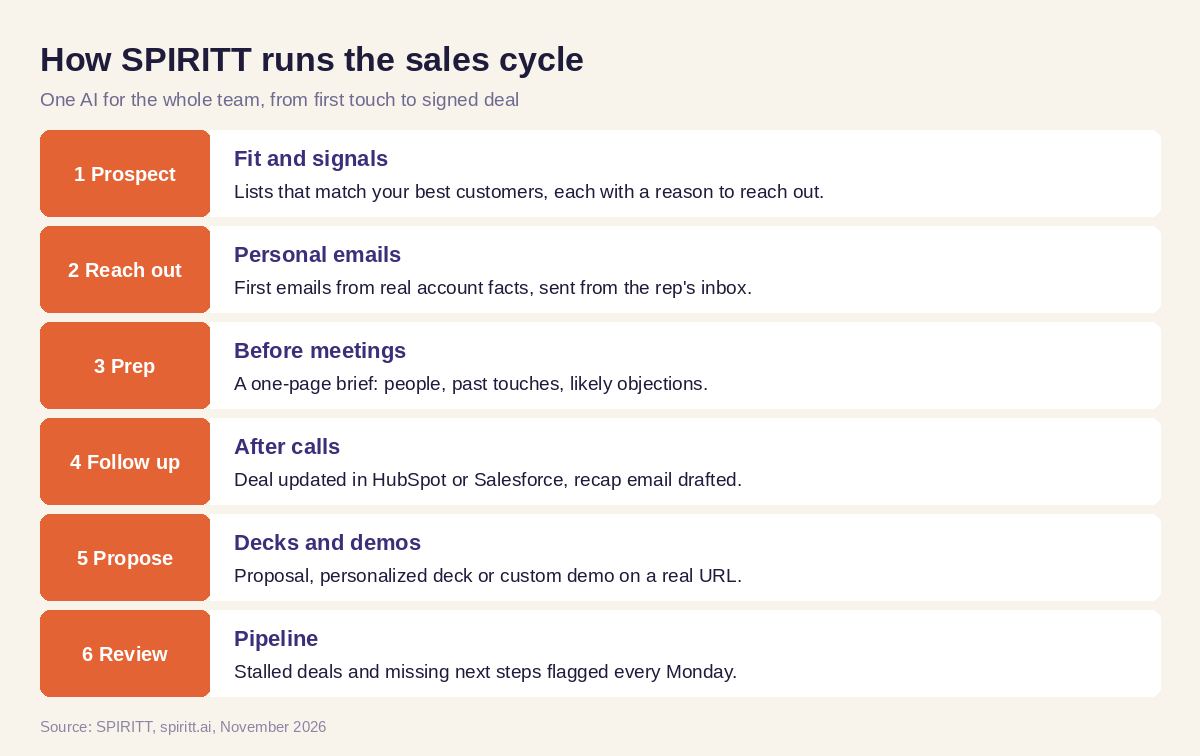 How SPIRITT runs the sales cycle for a sales team
Worked example: one mid-market deal from first touch to proposal
This example shows the workflow; it is not a customer story.
Day 1. A sales team selling scheduling software to clinics asks SPIRITT for 50 multi-location clinic groups that are hiring front-desk staff. It builds the list from job postings and data subscriptions, finds the operations lead at each, and drafts a first email per account that mentions the open roles. The rep approves 40 and they go out from her Gmail.
Day 3. A clinic group replies. SPIRITT offers three times from the rep's calendar, books the call and creates the deal in HubSpot.
Day 5, before the call. The rep gets a brief: the group's locations, the open roles, the operations lead's background and the two objections clinics in that size range usually raise in your past call notes.
Day 5, after the call. SPIRITT reads the call notes, moves the deal to "Discovery done", logs the pain points and the decision process, and drafts the recap email with next steps. The rep edits one line and sends it.
Day 9. It builds a proposal and a personalized deck from the call notes, plus a small ROI calculator on a private URL using the group's location count. On Monday the deal shows in the pipeline review as "on track, proposal sent, follow up Thursday".
How to choose AI for sales
- Does it cover the whole cycle, from prospecting to forecast?
- Does it update your CRM itself after calls, emails and meetings?
- Does it write outreach in your team's voice from real account facts?
- Does it include prospect data, or require separate data contracts?
- Can it build proposals, decks and custom demos?
- Does it flag pipeline risk before the forecast meeting?
- Can you set what it sends on its own and what needs approval?
- Can the team start free on real deals?
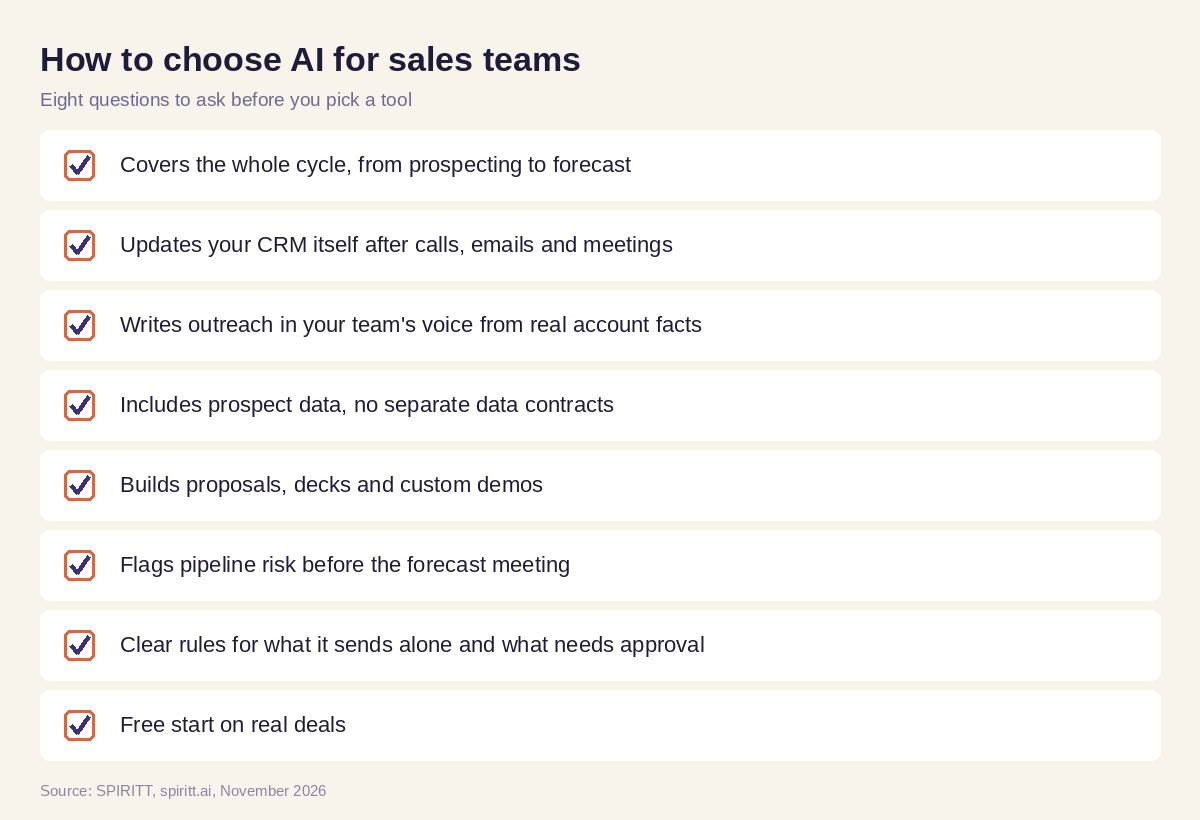 Checklist to choose AI for sales teams
Where Salesforce Agentforce and ChatGPT fit
Salesforce Agentforce builds agents inside Salesforce for companies that run their sales there. ChatGPT is the assistant most reps already use for drafts, and familiarity is its main edge; the rep still copies the output into the CRM and the inbox. SPIRITT works across your CRM, inbox, calendar, call notes and data sources with one memory of every account, takes the action itself and also handles the rest of the business work, ops, admin and coding, with the same shared context. To run marketing and sales together, read an AI agent to run go-to-market; for decks, see the best AI for personalized sales decks. Connect your CRM through the HubSpot integration or the Salesforce integration.
FAQ
What is the best AI for sales teams that handles prospecting, follow-ups and CRM updates on its own?
SPIRITT is the best AI for sales teams that want the whole cycle handled. It builds prospect lists and personal outreach, preps reps before calls, updates HubSpot or Salesforce and drafts follow-ups after them, and flags pipeline risk every week, with approval rules you set.
How do I use AI in sales?
Start with the work reps dislike most, usually CRM updates and follow-ups after calls. Connect SPIRITT to your CRM, email and call notes, review its first updates and drafts, then add call prep, prospecting and the weekly pipeline review.
What are the best AI tools for sales teams?
The best AI tools for sales teams act in the CRM and inbox and cover more than one stage. SPIRITT covers prospecting, outreach, call prep, follow-ups, proposals and forecasting in one assistant, with prospect data included pay-per-use.
Can AI update my CRM automatically?
Yes. SPIRITT reads call notes, emails and meetings and updates deal stage, notes, contacts and next steps in HubSpot or Salesforce, so the CRM stays current without reps typing.
Is there an AI assistant for salespeople?
Yes. Each rep can tag @SPIRITT in Slack, email or on the phone: "brief me on Acme", "draft the follow-up", "what deals need me today". It answers from the CRM and acts in the rep's tools.
Will AI replace salespeople?
AI takes research, logging, follow-up drafts and reporting. Salespeople keep the relationships, the discovery and the negotiation. With SPIRITT doing the admin, reps spend more of the week with buyers.
How we checked
SPIRITT publishes this guide. Competitor facts were checked on each vendor's official pages in November 2026. SPIRITT facts and prices come from spiritt.ai and the live SPIRITT plan catalog.
