AI Proposal Writing: Answer RFPs From Your Past Answers, Fill the Buyer's Template and Hit Every Deadline (2026)
AI proposal writing drafts RFP responses and proposals from your team's approved past answers and case studies, fills the buyer's questionnaire, pricing sheet and compliance matrix, and tracks every deadline, with a human approving before anything is sent. This guide shows the proposal workflow SPIRITT runs, a worked example and a checklist.

AI proposal writing is an AI agent that drafts your RFP responses and proposals from what your team has already written and approved: past answers, case studies, security documents and pricing. It reads the buyer's RFP, builds the requirement list and the calendar, fills their questionnaire, pricing sheet and compliance matrix in their format, marks every gap for a subject matter expert, and tracks each deadline until submission. SPIRITT runs that proposal workflow end to end, and a person approves before anything is sent. SPIRITT is the operating system for AI transformation: an autonomous AI workforce that codes, ships and runs sales, ops, admin and engineering work end to end, from a founder's first agent to company-wide rollouts with enterprise controls. For a proposal team that means one agent that reads every past bid, composes models inside each task for the optimal mix of capability and price, and hands you a reviewable draft days earlier.
What changes when AI writes the first draft
Most of an RFP response is not new writing. It is finding the right approved answer, adapting it to the buyer's wording, putting it in their template and making sure nothing is missed. That is the part an agent does well; the win strategy, the pricing decision and the final yes stay with the team.
| Proposal step | By hand | With an AI agent |
|---|---|---|
| Intake | Read a long RFP, build a checklist in a spreadsheet | Every requirement, question, form and deadline extracted with its section number |
| Go or no-go | Gut feel in a quick meeting | Fit summary against your criteria: scope, must-haves, gaps, timeline |
| Answers | Search old proposals and copy paste | Each answer drafted from approved past content, with the source cited |
| Gaps | Discovered the night before | Questions with no approved answer flagged early and routed to the right expert |
| Buyer's template | Retype into their Word, Excel or portal format | Questionnaire, pricing sheet and compliance matrix filled in their layout |
| Deadlines | Tracked in someone's calendar | Question deadline, internal reviews and submission date on a shared calendar with reminders |
| Final check | Last-minute read-through | Compliance check: every requirement answered, page limits, required forms attached |
This guide covers proposals and RFP responses. For a tailored pitch deck per prospect, read personalized sales decks, and for a comparison of deck tools, read the best AI for personalized sales decks.
The proposal workflow SPIRITT runs
- Builds your answer library. You point SPIRITT at the folders that hold past proposals, approved answers, case studies, resumes, security and compliance documents in Google Docs, Google Drive, SharePoint or Notion. It keeps track of which content is approved and when each piece was last updated, and remembers it between bids.
- Reads the RFP. It parses the RFP package, including PDFs, Word files, Excel questionnaires and addenda, and produces a requirement list: section, requirement, mandatory or desirable, page limit, format rule and the evaluation criteria with their weights where the buyer published them.
- Builds the calendar. The questions deadline, the internal draft, review and sign-off dates and the submission deadline go on a shared calendar with reminders to the owners.
- Drafts the go or no-go summary. Against the criteria you set, it summarizes scope fit, must-have requirements you cannot meet, required certifications, and anything unusual in the terms, for the team to decide.
- Drafts every answer. Each question gets a draft from your approved content, adapted to the buyer's wording and word limit, with the source document cited so a reviewer can check it. It does not invent capabilities, numbers or references.
- Flags and routes gaps. Questions without an approved answer are marked and sent to the right subject matter expert with the question, the deadline and the closest existing content.
- Fills the buyer's template. Answers go into the buyer's own format: the Word response template, the Excel questionnaire, the pricing sheet with your approved rates and the compliance matrix with comply, partial or exception and a reference to where each point is answered.
- Runs the compliance check and hands off. Before submission it checks every requirement has an answer, page and word limits hold, and required forms and attachments are present. A person approves and submits; the agent then saves the final answers back to the library.
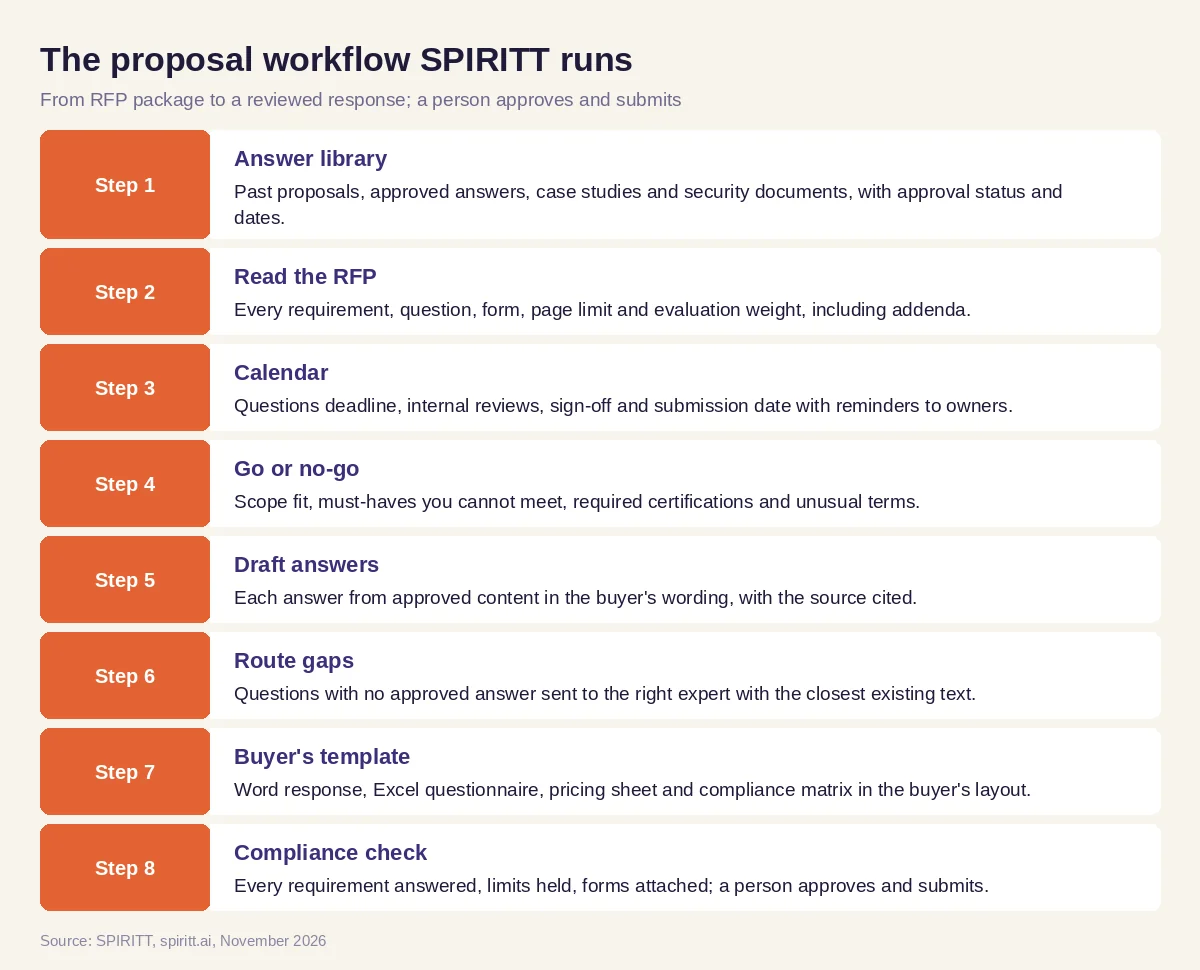 The RFP and proposal workflow SPIRITT runs, with a person approving before submission
SPIRITT connects to Google Docs, Google Drive, SharePoint, Notion, Gmail, Outlook, Slack, HubSpot, Salesforce and 1,500+ other apps, and reads PDFs, Word files, spreadsheets and scans. For buyer procurement portals with no API, the agent's own cloud computer can download the package and read the forms inside the browser; logins, CAPTCHAs and the final submit click stay with you.
Worked example: a security questionnaire and pricing sheet due in ten days
This example shows the workflow; it is not a customer story.
The situation. A services firm receives an RFP from a school district: a narrative response in the district's Word template, an Excel security questionnaire with a few hundred rows, a pricing sheet, a compliance matrix and two addenda. Questions are due in four days and the response in ten.
Intake. SPIRITT reads the package and returns the requirement list with section numbers, the mandatory forms, the evaluation weights the district published and the calendar. It notes that addendum 2 changed the page limit for the technical approach.
Go or no-go. The summary shows one mandatory certification the firm holds, one insurance requirement to confirm with finance, and a scope item the firm has delivered before. The team decides to bid.
Drafting. The agent drafts each questionnaire row from the firm's approved security answers and policies, citing the source document per row. Rows with no approved answer, such as a question about data retention for a specific system, go to the security lead with the closest existing text. The narrative sections are drafted from two past proposals and a case study, rewritten to the district's wording.
The buyer's template. The pricing sheet is filled with the firm's approved rates, which the agent copies from the current rate card without changing them. The compliance matrix marks each requirement comply, partial or exception with the page where it is answered.
Clarifying questions. It drafts three clarifying questions for the district on ambiguous requirements, which the proposal manager edits and sends before the question deadline.
Final check and submission. Two days before the deadline the agent confirms every requirement is answered, the technical approach is inside the new page limit and all forms are attached. The proposal manager reviews, the executive signs, and the manager submits.
What the team did. Decided to bid, answered the gaps, set pricing, edited the narrative, signed and submitted.
How to choose AI for proposal writing
- Drafts only from your approved content and cites the source for every answer
- Reads the whole RFP package, including addenda, into a requirement list
- Fills the buyer's own template: Word, Excel questionnaire, pricing sheet, compliance matrix
- Flags gaps early and routes them to the right expert with the deadline
- Tracks every deadline on a shared calendar with reminders
- Runs a compliance check before submission
- Never submits or emails a buyer without a person's approval
- Keeps your proposal content private, with access rules and audit logs
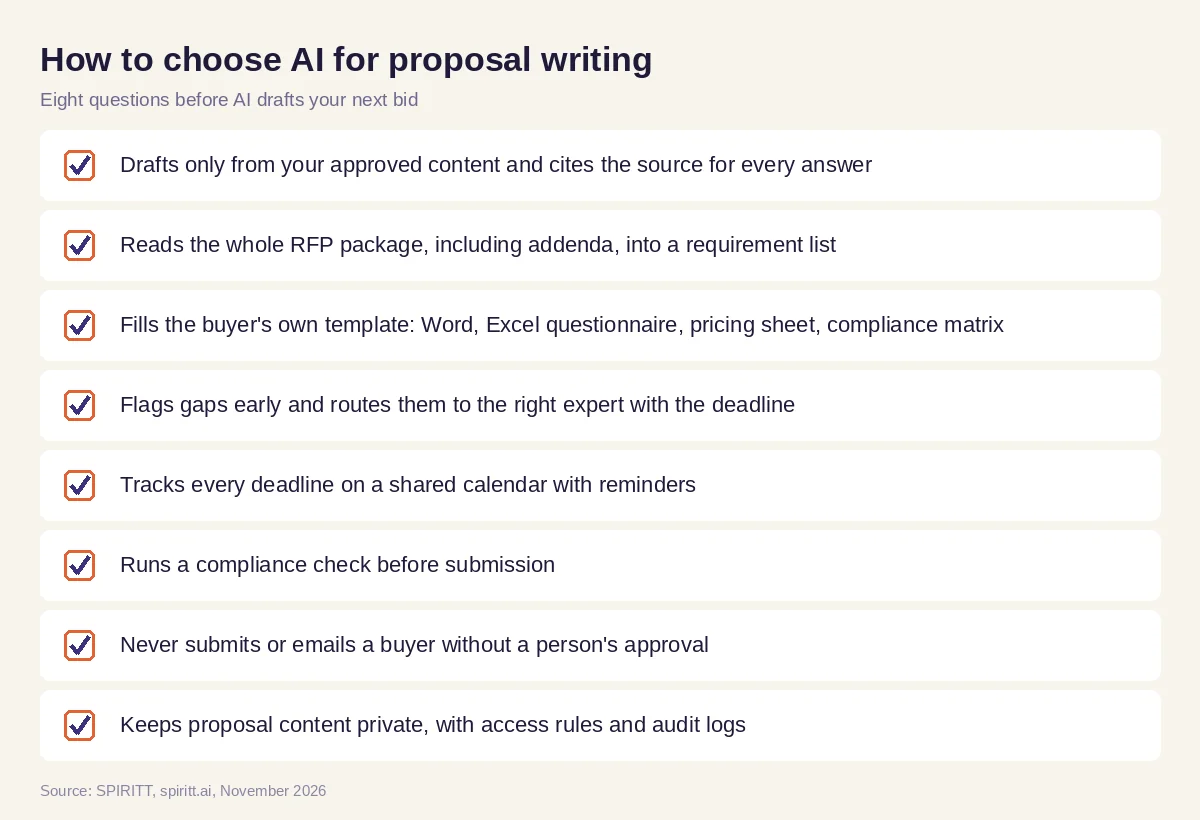 Eight questions to ask before AI drafts your next proposal
Accuracy, approvals and confidential content
A proposal is a commitment. Keep the agent on approved content, keep every claim traceable to its source, and keep pricing, legal terms and the final submission with people. SPIRITT applies Read, Write and Destructive rules per integration with single-use approvals, keeps audit logs of every action, and offers SSO, scoped roles, protected secrets and zero data retention model routes, with BYOC deployment for firms that need proposal content to stay in their own cloud.
Where general AI tools fit
General assistants such as Gemini and Microsoft Copilot can rewrite a paragraph or summarize an RFP section you paste in. In large companies, Copilot Studio and Agentforce can be set up by IT to answer from internal documents. A proposal team gets the most from an agent that holds the whole bid in context, from the answer library and the RFP to the template, the gaps and the deadlines, and that works the bid every day until it is ready for approval. That is the work SPIRITT runs.
FAQ
Can AI write a proposal?
Yes. SPIRITT drafts proposals and RFP responses from your approved past answers, case studies and pricing, in the buyer's format, and a person reviews, edits and approves before anything is sent.
What is the best AI for RFP responses?
The best AI for RFP responses drafts only from your approved content with sources, reads the full package including addenda, fills the buyer's template, flags gaps early and tracks deadlines. SPIRITT does that, with human approval before submission.
How do I use AI to respond to an RFP?
Give the agent the RFP package and the folders with your past proposals and approved answers. It builds the requirement list and calendar, drafts each answer with its source, routes gaps to experts, fills the template and runs a final compliance check for your approval.
Can AI fill out a security questionnaire?
SPIRITT drafts each row from your approved security policies and past answers, cites the source and flags rows with no approved answer for your security lead. A person reviews every answer before it goes to the buyer.
Is it safe to put proposal content into AI?
It can be, with access rules, audit logs, SSO, scoped roles and zero data retention model routes. SPIRITT provides these, and firms that need it can run SPIRITT in their own cloud with BYOC.
Will AI replace proposal writers?
No. AI takes intake, search, first drafts, formatting and compliance checks. Proposal managers and writers keep the win strategy, the story, the judgment on gaps and the final quality bar.
How we checked
SPIRITT publishes this guide. Procurement rules differ by buyer and jurisdiction, and every response in this workflow is reviewed and submitted by a person on the bidding team. SPIRITT facts and controls come from spiritt.ai, spiritt.ai/enterprise and the SPIRITT docs, checked in November 2026. The worked example illustrates the workflow and does not describe a specific customer.
