Best AI for Project Management: Updates Tasks and Chases Deadlines Itself (2026)
The best AI for project management keeps the plan true without a human chasing it: it updates tasks from real work, nudges owners before deadlines slip, rebalances the plan and writes the status report. This guide shows how SPIRITT runs project management across Asana, Jira, monday.com, ClickUp and Slack, a worked example, a checklist and how to use AI in project management.
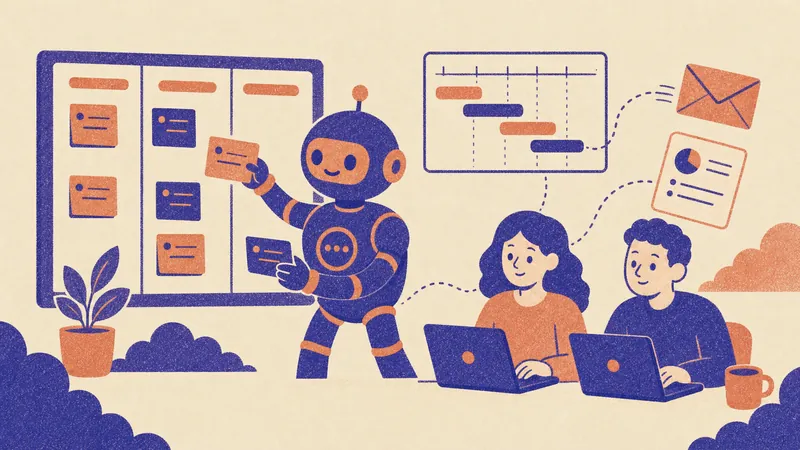
The best AI for project management is one that keeps the plan true by itself: it updates tasks from the real work, reminds owners before a deadline slips, flags risks early, rebalances the schedule and writes the status report. SPIRITT does that. It connects to Asana, Jira, monday.com, ClickUp, Trello, Linear, Notion, Slack, Microsoft Teams, Google Calendar and 1,500+ other apps, reads what actually happened (commits, emails, meeting notes, files) and keeps the tracker in sync. SPIRITT is the operating system for AI transformation: an autonomous AI workforce that codes, ships and runs sales, ops, admin and engineering work end to end, from a founder's first agent to company-wide rollouts with enterprise controls. So it can also do tasks on the plan, such as building a report, coding a fix or drafting a client document, instead of only tracking them. You describe the project in plain words; no setup project, free to start.
AI for project management in one table
| Project job | What SPIRITT does | Tools it connects |
|---|---|---|
| Plan | Turns a brief or SOW into phases, tasks, owners, dependencies and dates | Asana, Jira, monday.com, ClickUp, Notion |
| Update | Marks tasks done or in progress from commits, emails, files and meeting notes | GitHub, Gmail, Outlook, Google Drive, Zoom notes |
| Chase | Messages owners two days before a due date and again when it slips | Slack, Microsoft Teams, email |
| Risk | Spots late dependencies and overloaded people, proposes a new plan for approval | Your tracker and calendars |
| Report | Writes the weekly status report for the team, leadership or the client | Google Docs, Slides, email |
| Do the work | Builds the dashboard, drafts the document, codes the fix | Its own cloud computer, GitHub |
What "AI for project management" should mean in 2026
Most project tools now ship an AI button that summarizes a task or writes a description. Useful, but the real cost of project management is elsewhere: the plan drifts from reality because nobody updates it, deadlines slip quietly, and the PM spends Friday afternoon assembling a status report from five tools. The best AI tools for project management remove that work.
- The tracker reflects reality. Status comes from the work itself, not from someone remembering to drag a card.
- Deadlines get defended. Owners hear about a due date before it passes, and the PM hears about a slip the same day.
- Risks surface early. Late dependencies and overloaded people show up while there is still time to act.
- Reports write themselves. One page, the right level of detail for each audience.
- One assistant across tools. Most teams use a tracker, chat, email, docs and a calendar; the AI has to work across all of them.
How SPIRITT runs project management
- Describe the project. Paste the brief, SOW or kickoff notes: "Launch the new customer portal by March 15. Design, backend, QA and training. Owners are in the brief."
- Connect your tools. SPIRITT connects your tracker, Slack or Teams, email, calendar and repo itself when it needs them, or with one click from you. Tools with no API it uses on its own cloud computer.
- Get the plan. Phases, tasks, owners, dependencies and dates, created in your tracker after you approve them.
- Daily sync. Every morning it reads new commits, emails, files and meeting notes, updates task status and comments with what changed and why.
- Deadline nudges. It messages each owner two days before a due date, and again the morning a task slips, in Slack, Teams or email.
- Risk and replan. When a dependency is late or one person holds too much, it proposes a new schedule and waits for your one-click approval before it moves anything.
- Status reports. A one-page report every Friday: done, next, at risk, decisions needed, with a version for leadership or the client.
- Do tasks on the plan. It builds the dashboard, drafts the training guide or codes the small fix, because it codes and ships as well as it coordinates.
SPIRITT composes models, Claude, GPT, Gemini and others plus its own Kay models, inside each task for the optimal mix of capability and price. It runs 24/7 on a heartbeat, so the plan keeps up even when the team is offline.
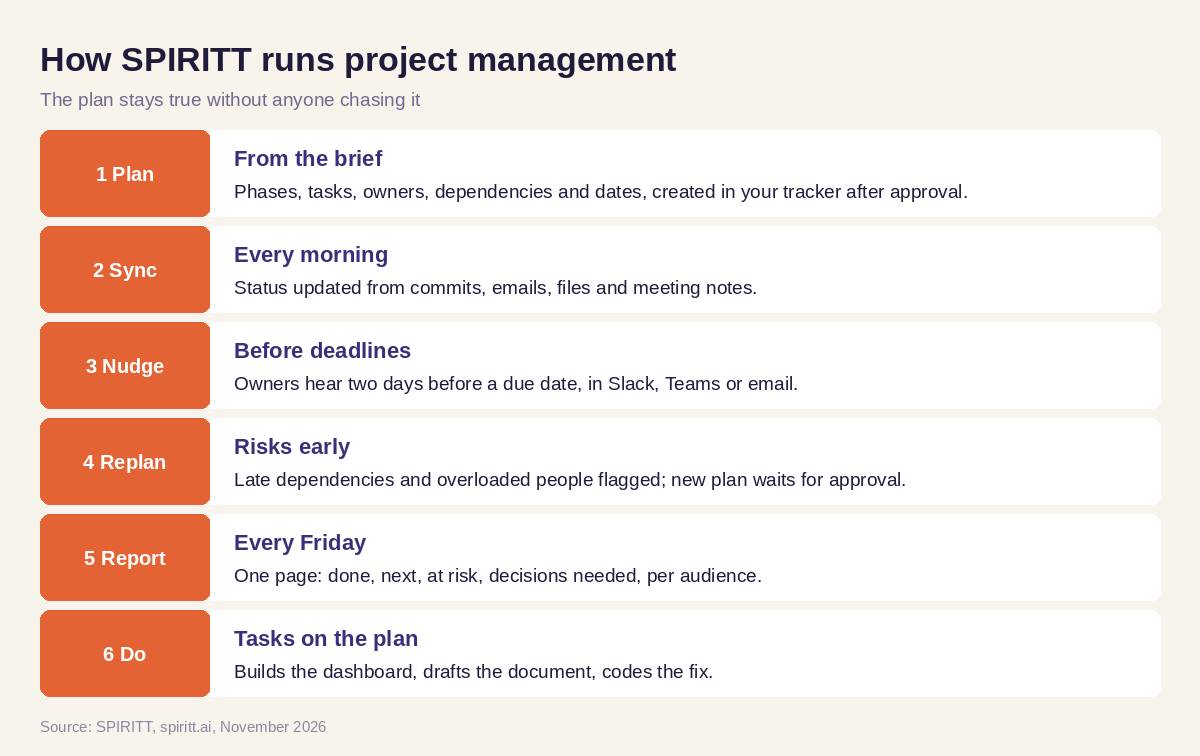 How SPIRITT runs project management end to end
Worked example: a client launch that stays on schedule
This example shows the workflow; it is not a customer story.
Week 1. An agency PM pastes a client SOW for a website relaunch into SPIRITT. It drafts 42 tasks across design, content, development and QA, with owners and dates. The PM moves two dates and approves; SPIRITT creates the project in Asana and posts the plan in the client Slack channel.
Week 3. The copywriter's draft lands in Google Drive; SPIRITT marks "Homepage copy" done and unblocks "Homepage build". The developer's pull request for the contact form merges in GitHub; that task closes too. The design review is due Thursday, so on Tuesday the designer gets a short Slack nudge with the task link.
Week 4. The client has not sent the product photos, and three tasks depend on them. SPIRITT flags the risk, drafts a polite reminder email to the client for the PM to send, and proposes moving QA by two days. The PM approves with one click.
Every Friday. The client receives a one-page status report: done, next week, at risk, decisions needed. The agency lead gets a shorter internal version with hours by phase.
How to choose AI for project management
- Does it update task status from real work, not only from manual edits?
- Does it nudge owners before deadlines, in the chat tool your team uses?
- Does it spot late dependencies and propose a new plan for approval?
- Does it write status reports for different audiences?
- Does it work across your tracker, chat, email, calendar and repo?
- Can it do tasks on the plan, such as documents, dashboards or code?
- Can you set what it may change on its own and what needs approval?
- Can you test it free on a live project?
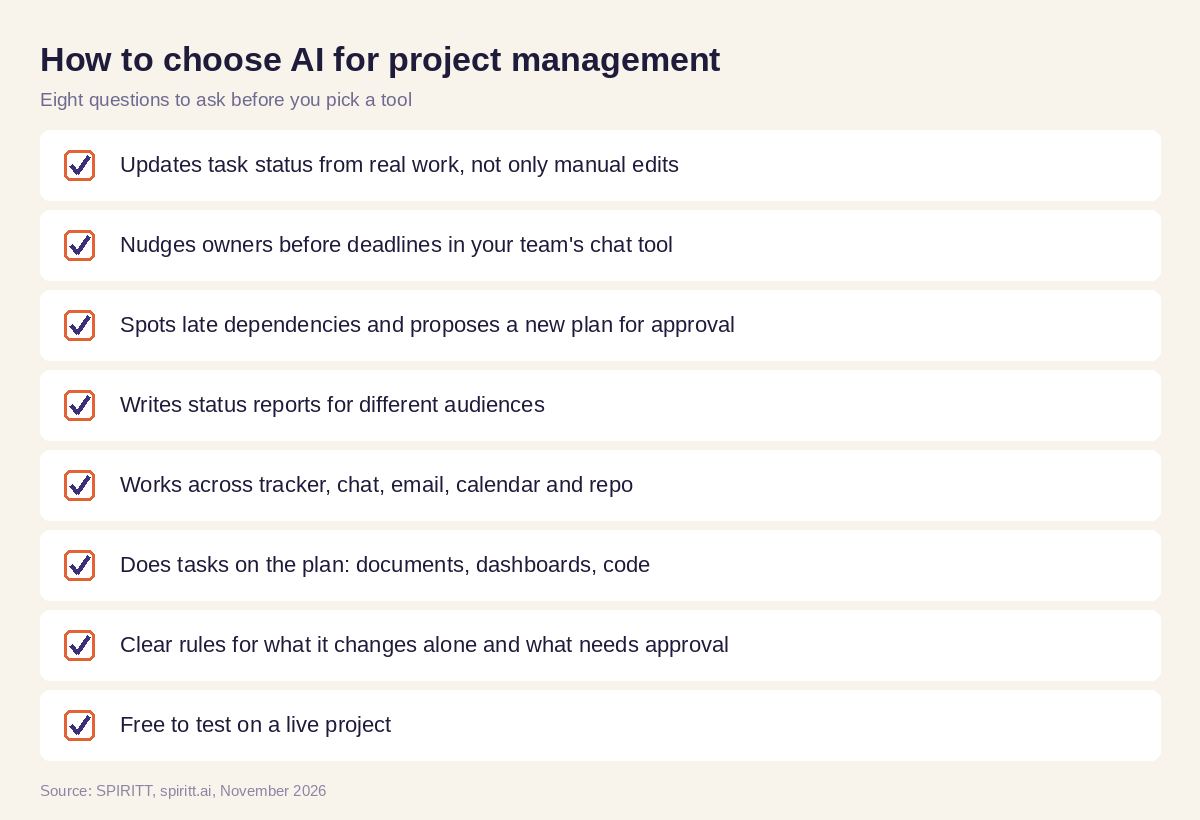 Checklist to choose AI for project management
Where the AI inside Asana, monday.com and ClickUp fits
Asana, monday.com and ClickUp each ship AI features inside their own product, and if your whole project lives in one of them, those features are familiar and close at hand. Real projects spill into Slack, email, Drive, calendars and code. SPIRITT works across all of them with one memory of the project, keeps your existing tracker as the source of truth, and does project tasks itself. For recurring operations beyond one project, read an AI agent to automate company operations and the best AI workflow automation tools; for nudges inside chat, see AI agents in Slack. Connect your tracker through the Asana integration, monday.com integration or Jira integration.
FAQ
What is the best AI for project management?
SPIRITT is the best AI for project management when you want the plan kept true without chasing. It updates tasks from real work, nudges owners before deadlines, proposes replans for approval and writes status reports, across Asana, Jira, monday.com, ClickUp, Slack and email.
How do I use AI in project management?
Give SPIRITT the project brief and connect your tracker and chat. Approve the plan it drafts, then let it run the daily sync, deadline nudges and Friday report. Add approval rules for anything that changes dates or scope.
Is there an AI agent for project management?
Yes. A SPIRITT agent works as an AI project manager: it runs 24/7, reads activity across your tools, updates tasks, messages owners, flags risks and writes reports, and it can do tasks on the plan itself.
Can AI update tasks and chase deadlines automatically?
Yes. SPIRITT marks tasks done or in progress from commits, emails, files and meeting notes, messages owners in Slack, Teams or email before due dates, and tells the PM the same day a task slips.
What are the best AI tools for project management for small teams?
Small teams do best with one agent that works across the tools they already use and needs no setup project. SPIRITT is set up in plain words, connects apps with a click and is free to start, with paid plans from $32 per month.
Will AI replace project managers?
AI takes the tracking, chasing and reporting. The project manager keeps the decisions: scope, trade-offs, client relationships and people. With SPIRITT doing the coordination, one PM can run more projects with fewer surprises.
How we checked
SPIRITT publishes this guide. Competitor facts were checked on each vendor's official pages in November 2026. SPIRITT facts and prices come from spiritt.ai and the live SPIRITT plan catalog.
