LinkedIn AI Agent: Prospect Research, Connection Notes, Follow-ups and CRM Sync, Within LinkedIn's Rules (2026)
A LinkedIn AI agent researches prospects and their companies, drafts personalized connection notes, messages and posts in your voice, tracks replies in your CRM and schedules follow-ups, while you approve and send each one inside LinkedIn's rules and daily limits. This guide shows the LinkedIn workflow SPIRITT runs, a worked example and a checklist.

A LinkedIn AI agent is an AI agent that does the research and writing behind LinkedIn selling and networking: it researches prospects and their companies, drafts personalized connection notes, messages and posts in your voice, tracks who replied in your CRM and schedules your follow-ups. SPIRITT runs that workflow with you in control: you approve and send every note and message yourself, posts go out through LinkedIn's official tools, and the agent works within LinkedIn's rules and daily limits. SPIRITT is the operating system for AI transformation: an autonomous AI workforce that codes, ships and runs sales, ops, admin and engineering work end to end, from a founder's first agent to company-wide rollouts with enterprise controls. For a seller or founder on LinkedIn that means better research and better first lines in less time, from an agent that composes models inside each task for the optimal mix of capability and price.
What a LinkedIn AI agent should and should not do
LinkedIn works when every touch is personal and relevant. The slow part is the research and the first draft. That is what an agent should take on, while the person stays the sender.
| LinkedIn task | Done by hand | Done with SPIRITT |
|---|---|---|
| Prospect research | Reading profiles, sites and news tab by tab | A short brief per person from public sources and your CRM |
| Connection notes | A generic note, or none | A specific note under the character limit, for you to send |
| Messages after accepting | Written late, often skipped | Drafted from the brief and the reason you connected |
| Posts | Blank page once a month | Drafts in your voice from your ideas, wins and notes |
| Reply tracking | Remembered, or lost | Status and next step logged in your CRM |
| Follow-ups | Forgotten after the first touch | Reminders with a drafted follow-up on the date you set |
What SPIRITT does not do on LinkedIn: mass auto-connecting, automated messaging at scale, scraping LinkedIn, or anything that works around LinkedIn's limits or terms. Your account and your reputation stay safe because you send, at a human pace, within LinkedIn's rules and daily limits.
This guide covers LinkedIn as a channel. For email-first outreach run end to end, read AI cold outreach, and for a comparison of AI SDR tools, read the best AI SDR tools.
The LinkedIn workflow SPIRITT runs
- Starts from your list. You give the agent target accounts or people from your CRM, a spreadsheet, an event attendee list or your own LinkedIn search that you export or paste. It never crawls LinkedIn on its own.
- Researches each person and company. From the company website, news, funding announcements, job posts, podcasts and talks, and data subscriptions included in SPIRITT such as Apollo, ZoomInfo and Crunchbase, it writes a short brief: role, team, what the company is doing now and one reason your offer is relevant.
- Drafts the connection note. It writes a note that fits LinkedIn's character limit and references something real from the brief, in your tone, with no pitch in the first touch unless you want one.
- You send it. You review the notes in a table, edit, and send them yourself on LinkedIn, at the pace LinkedIn allows.
- Drafts the first message. When someone accepts, you tell the agent, or it picks it up from your CRM or inbox notifications, and it drafts a message that continues the thread and offers something useful.
- Logs replies in the CRM. It records each touch, reply and next step on the contact in HubSpot, Salesforce or your CRM, so the pipeline shows LinkedIn activity next to email and calls.
- Schedules follow-ups. On the dates you set, it reminds you with a drafted follow-up that adds new information, and stops when the person replies or says no.
- Drafts posts in your voice. From your notes, customer wins and ideas, it drafts posts and comments in your voice. You post them yourself, or publish an approved post through the official LinkedIn connection.
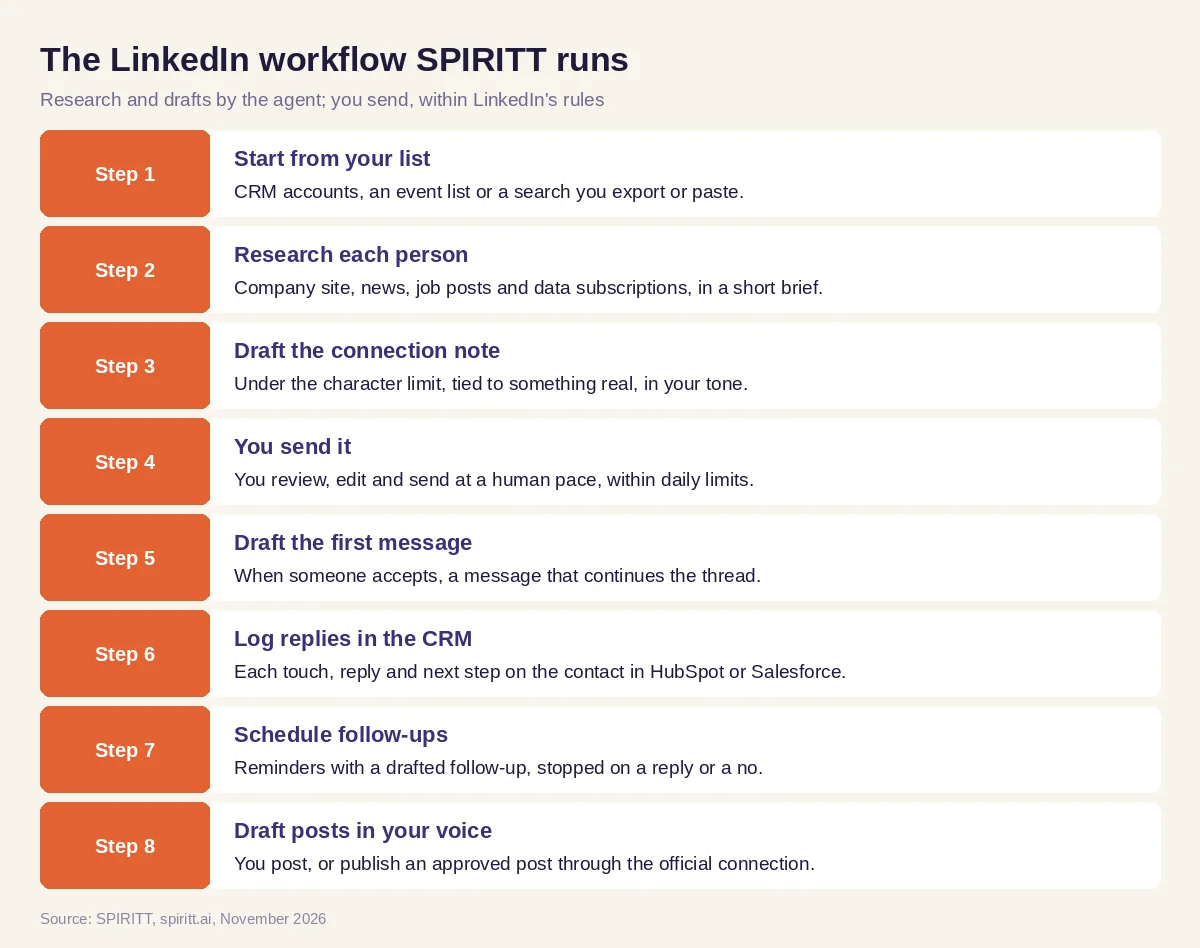 The LinkedIn workflow SPIRITT runs, with you approving and sending every touch
SPIRITT connects to HubSpot, Salesforce, Pipedrive, Gmail, Outlook, Google Sheets, Slack and 1,500+ other apps, and keeps short and long-term memory of your voice, your offers and each conversation, so drafts get closer to how you write over time.
Worked example: a founder working an event list on LinkedIn
This example shows the workflow; it is not a customer story.
The situation. The founder of a logistics software company comes back from a supply chain conference with the attendee list and 20 companies she wants to meet. She sells to operations leaders and wants to connect on LinkedIn before the follow-up email season starts.
The research. She gives SPIRITT the list and her ideal customer profile. For each company the agent reads the website, recent press releases and open operations roles, and writes a brief: who leads operations, what the company announced recently (a new warehouse, a carrier change, a hiring push), and which of her product's jobs fits that news. Two companies turn out to be outside her profile, and the agent says why.
The notes. The agent drafts 18 connection notes, each under the character limit and each tied to the brief: "Saw the new Dallas facility announcement. We met many teams at the conference working through the same carrier onboarding questions; would be glad to connect." She edits six, rewrites one and sends them herself over several days, staying well inside LinkedIn's limits.
The follow-through. As people accept, she forwards the notifications; the agent drafts a first message with a short, useful resource and logs each contact and status in HubSpot. On day five it reminds her of four accepted connections with no reply and a drafted follow-up for each. Two reply, and the agent proposes meeting times from her calendar.
The post. At the end of the week it drafts a post about three operations themes she heard at the conference, in her voice, with no customer names. She edits it and posts it.
What the founder did. Chose the targets, edited and sent every note and message, took the meetings and posted in her own name.
How to choose a LinkedIn AI agent
- Researches from public sources and your CRM, and never scrapes LinkedIn
- Leaves sending to you, within LinkedIn's rules and daily limits
- Drafts notes that fit the character limit and reference something real
- Learns your voice from your past messages and posts
- Logs every touch and reply in your CRM next to email and calls
- Schedules follow-ups and stops when someone replies or says no
- Publishes posts only through LinkedIn's official tools, after approval
- Has access rules, approvals and audit logs for team use
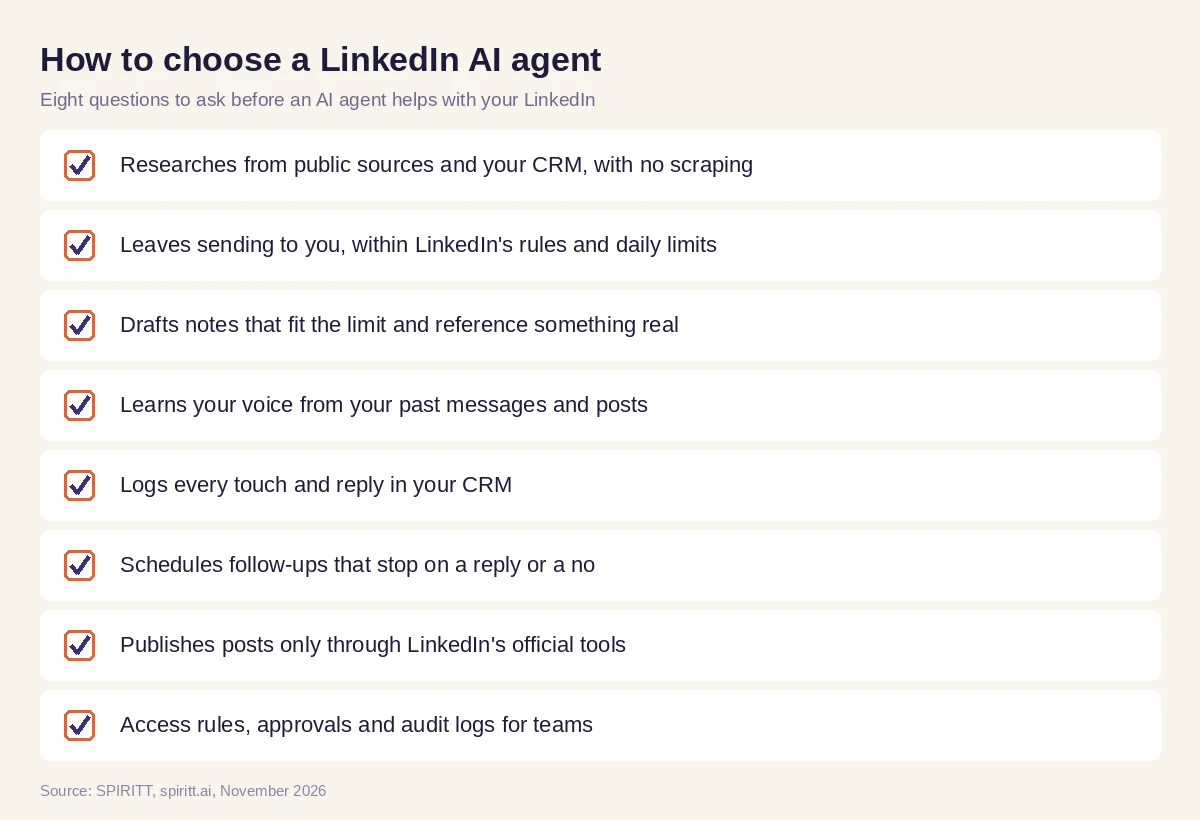 Eight questions to ask before an AI agent helps with your LinkedIn
Why staying within LinkedIn's rules matters
LinkedIn limits how many invitations and messages an account can send and prohibits automated activity and scraping in its user agreement. Tools that automate sending at scale put the account and the sender's name at risk, and the messages they send read like it. The approach that lasts is the one SPIRITT takes: the agent does the research, the writing and the tracking, and the person sends at a human pace. Teams that also want volume put it in email and calls, which SPIRITT runs end to end under its own approvals.
Where general AI tools fit
General assistants such as Gemini and Microsoft Copilot can rewrite one note or post you paste in. Automation tools such as Zapier can move a form fill into a CRM. LinkedIn's own sales tools help you find and save leads. A seller gets the most from an agent that holds the research, your voice, the CRM record and the follow-up dates in one place and drafts every touch for you to send. That is the work SPIRITT runs, alongside the rest of your sales, ops and engineering work.
FAQ
What is a LinkedIn AI agent?
A LinkedIn AI agent researches prospects and companies, drafts connection notes, messages and posts in your voice, logs replies in your CRM and schedules follow-ups. With SPIRITT, you approve and send each touch yourself, within LinkedIn's rules and daily limits.
Is using an AI agent on LinkedIn allowed?
Using AI to research and draft is allowed; automating sending, scraping or getting around LinkedIn's limits is not. SPIRITT researches from public sources and your CRM, drafts for you and leaves sending to you or to LinkedIn's official tools.
Can AI write LinkedIn connection requests and messages?
Yes. SPIRITT drafts a connection note under the character limit that references something real about the person or company, then the first message after they accept and later follow-ups. You edit and send them.
Can an AI agent sync LinkedIn conversations to my CRM?
SPIRITT logs each touch, reply and next step on the contact in HubSpot, Salesforce or your CRM, from the conversations you share with it or the notifications in your inbox, so LinkedIn activity sits next to email and calls.
Can AI write LinkedIn posts in my voice?
Yes. SPIRITT learns your voice from your past posts and messages and drafts posts and comments from your notes and ideas. You post them yourself or publish an approved post through the official LinkedIn connection.
Will a LinkedIn AI agent get my account restricted?
Account restrictions usually come from automated sending at scale and scraping. SPIRITT does neither: you send at a human pace within LinkedIn's daily limits, and the agent does the research, drafting and tracking around it.
How we checked
SPIRITT publishes this guide. LinkedIn rules and limits are set by LinkedIn and can change; read LinkedIn's User Agreement and Professional Community Policies before you start. SPIRITT facts and integrations come from spiritt.ai and the SPIRITT docs, checked in November 2026. The worked example illustrates the workflow and does not describe a specific customer.
