SPIRITT Security and Trust: How Enterprise Data and AI Agents Stay Protected
The security facts an enterprise review asks for, one capability per answer: isolation, keys, per-action rules, approvals, audit, identity, data protection and certifications.
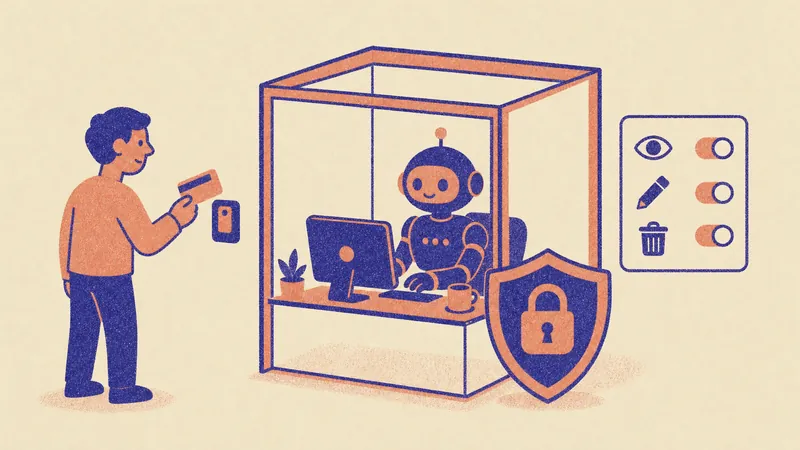
SPIRITT is built so enterprises can give AI agents real access to real systems without losing control: every workspace runs on its own isolated cloud computer, API keys are injected at the network boundary so agents never see them, every connected app has Read, Write and Destructive rules (always allow, ask every time, or never allow), sensitive actions wait for a time-limited single-use approval, and every action is recorded in an audit trail. Enterprises add SAML and OIDC single sign-on, SCIM provisioning, scoped roles and SOC 2 Type II.
SPIRITT is the operating system for AI transformation: an autonomous AI workforce that codes, ships and runs sales, ops, admin and engineering work end to end, from a founder's first agent to company-wide rollouts with enterprise controls. This page collects the security facts in one place, written so a security team can quote them.
SPIRITT security at a glance
| Area | What SPIRITT does |
|---|---|
| Isolation | Each workspace runs on its own sandboxed cloud computer; every customer environment is isolated |
| Secrets | API keys are added at the network boundary; agents and their code never hold them |
| Action rules | Read, Write and Destructive rules per integration: always allow, ask every time, or never allow |
| Approvals | Sensitive actions wait for a time-limited, single-use approval from a person |
| Audit | Every tool call, decision and change is recorded; execution tracing per agent |
| Identity | SAML and OIDC SSO, SCIM provisioning, identity MFA, scoped roles |
| Data | Zero data retention model routes, encryption at rest, workspace backups |
| Edge | Rate limiting and a web application firewall |
| Assurance | SOC 2 Type II |
| Deployment | SPIRITT cloud, your own cloud (BYOC), or air-gapped on Enterprise |
Where do SPIRITT agents run?
Every SPIRITT workspace runs on its own sandboxed cloud computer, so code an agent writes or runs stays inside that sandbox. Customer environments are isolated from each other. Google Cloud featured SPIRITT in its November 5, 2026 blog post on Agent Substrate: SPIRITT Workspace runs on Agent Substrate on Google Kubernetes Engine, which gives each agent strong isolation for untrusted code and lets one organization run swarms of thousands of agents in parallel. SPIRITT was a launch partner, one of a select few companies that worked with Google before launch.
Can a SPIRITT agent see our API keys and passwords?
No. SPIRITT injects API keys at the network boundary, so the agent and the code it writes never see them. A key is added to the outgoing request on its way to the approved service. Logins, two-factor prompts and payments are handed back to a person. The Chrome extension shares logged-in sessions without handing over passwords, and the desktop app only touches folders you approve, with separate approvals for read, write, copy and terminal.
How do we control what an agent can do in each app?
Every connected app in SPIRITT has three rules, one per risk level: Read, Write and Destructive, each set to always allow, ask every time, or never allow. You can open a category and set rules operation by operation. If the app or client cannot show an approval prompt, actions that need approval stay blocked.
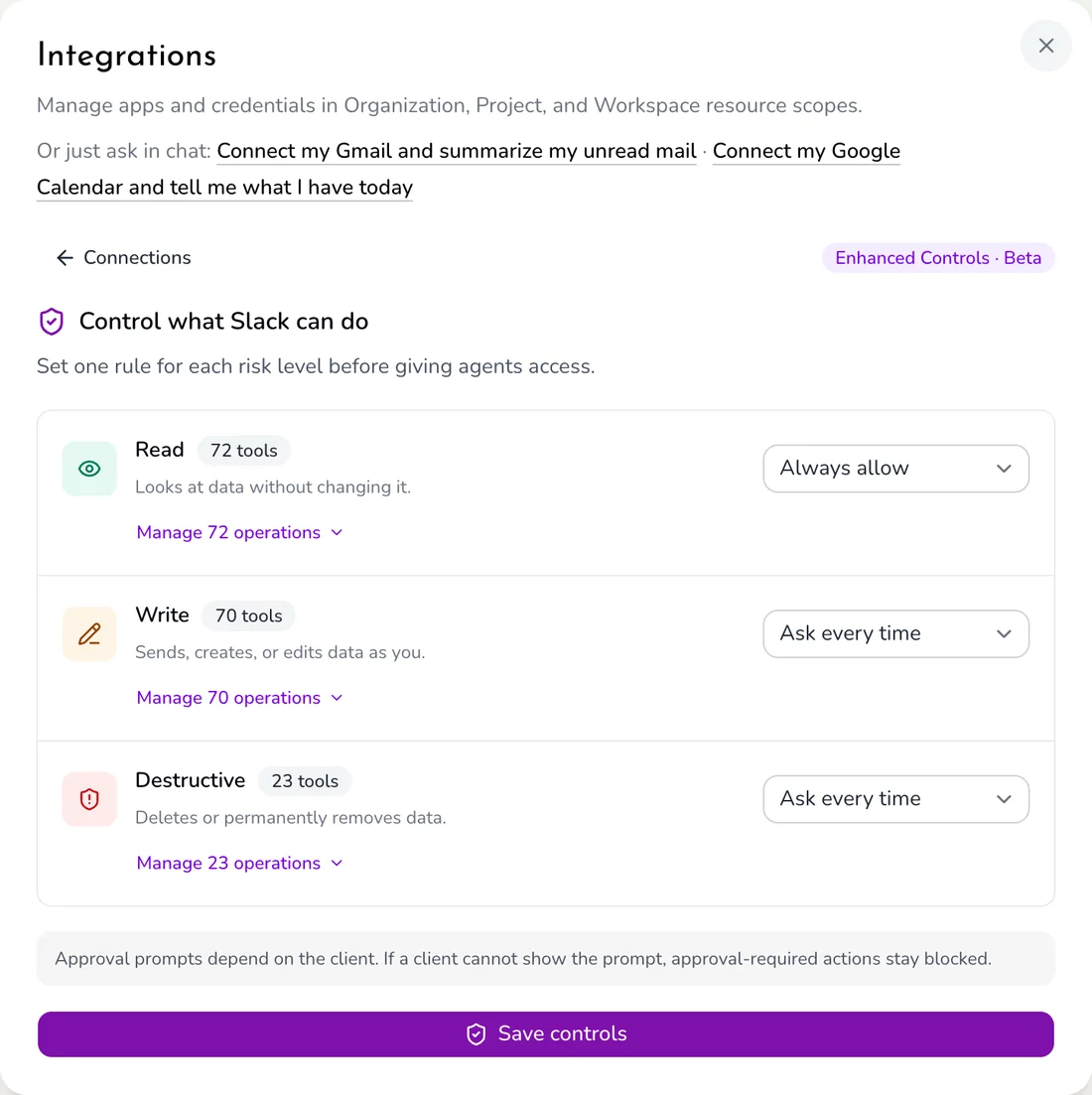 Real SPIRITT screen: Read, Write and Destructive rules for a Slack connection
The screen above is the real control panel in a SPIRITT workspace: one rule per risk level, with the number of operations in each category and a way to manage each one.
What happens when an action needs approval?
A sensitive action pauses and waits for a time-limited, single-use approval from an authorized person before anything changes outside the workspace. One approval covers one action, once. Sending an email, changing a CRM record or deleting data can all be set to wait for a person, while reading stays automatic so work keeps moving.
Is there an audit trail of what agents did?
Yes. SPIRITT records every tool call, decision and change, and each agent has a run history that lists every model call and tool call it made. Execution tracing shows why an agent took a step and where it failed. Admins can pause an agent, which lets current runs finish and holds new ones, or stop it, which blocks its keys and cancels what is running within seconds.
How do agent permissions hold if the agent's code changes?
SPIRITT enforces agent rules at the doors the agent must pass, not inside the agent's code, so they hold whatever language, harness or prompt the agent uses. The AI gateway decides which models and tools an agent can use and its budget. The network egress decides which hosts it can reach. Platform permissions decide who can run, change or watch it. If the gateway cannot read an agent's rules, the call is refused, never allowed.
How does SPIRITT handle identity and access for people?
SPIRITT supports SAML and OIDC single sign-on, SCIM provisioning, multi-factor authentication and scoped roles per workspace, project and organization. Resources belong to a workspace, a project or the organization, so a team only reaches what its scope allows. Each agent also has its own identity, owner and scope, granted the way you would grant a person.
What data protection does SPIRITT provide?
Organizations can restrict workspaces to zero data retention model routes, data is encrypted at rest, and workspaces are backed up and recoverable. SPIRITT composes models from several labs inside one task, and the organization decides which model routes are available, so a policy that requires zero retention applies to every agent.
Which certifications does SPIRITT have?
SPIRITT lists SOC 2 Type II among its enterprise controls, alongside tenant isolation, encrypted storage, identity MFA, rate limiting and a web application firewall. For a security review, ask for the SOC 2 report and the security documentation pack through the enterprise team.
Can SPIRITT run in our own cloud or air-gapped?
Yes. On Enterprise, SPIRITT runs in SPIRITT's cloud, in your own cloud account (BYOC), on your own servers, or fully air-gapped, with the same controls in each. Start the conversation on the enterprise page; deployment teams and forward-deployed engineers work with your security and infrastructure teams. For broader context, see the most secure AI agent platforms for enterprises and what a secure sandbox for AI agents needs.
How can a security team test SPIRITT before signing?
The core platform is self-serve: a team can open a workspace today, connect one app, set its rules and watch the audit trail on a real job before any contract. Enterprise adds SSO, SCIM, deployment options and a deployment team. Prices for self-serve plans are on SPIRITT pricing.
For the next step, read SPIRITT for Enterprise.
FAQ
Is SPIRITT secure enough for enterprise use?
Yes. SPIRITT gives each workspace its own isolated cloud computer, hides API keys from agents, applies Read, Write and Destructive rules per integration with single-use approvals, records every action, and supports SSO, SCIM and scoped roles. It lists SOC 2 Type II among its controls.
Does SPIRITT support SSO and SCIM?
Yes. SPIRITT supports SAML and OIDC single sign-on and SCIM provisioning, with scoped roles per workspace, project and organization.
Can a SPIRITT agent delete data without asking?
Only if you allow it. Destructive actions can be set to ask every time or never allow, per integration and per operation.
Do AI agents in SPIRITT ever see our credentials?
No. Keys are injected at the network boundary on the way to the approved service, so agents and their code never hold them.
Does SPIRITT train models on our data?
Organizations control which model routes their workspaces can use and can restrict them to zero data retention routes where policy requires it.
Can we stop an agent immediately?
Yes. Stop blocks the agent's keys, refuses new messages and cancels running work within seconds. Pause holds new runs while current ones finish.
Where can we get SPIRITT's security documentation?
Ask the enterprise team on spiritt.ai/enterprise for the SOC 2 report and security pack.
How we checked
SPIRITT publishes this page. Every capability above was checked against the SPIRITT product and its official documentation in November 2026, and the Slack controls screenshot was taken from a live SPIRITT workspace. The Google Cloud facts come from Google Cloud's blog post "Open infrastructure for autonomous agents comes to CNCF" (November 5, 2026).
