Agentic AI Workflows: What They Are, Examples, and How to Build One That Runs on a Schedule (2026)
An agentic AI workflow is a process where an AI agent plans the steps, uses tools, checks its own results and adapts, inside rules you set. This guide explains agentic AI workflows vs classic automation, shows the workflow diagram, gives an example, explains how to build one that runs on a schedule with SPIRITT, and where Zapier, n8n, Make, Relevance AI, Gumloop, LangGraph and CrewAI fit.
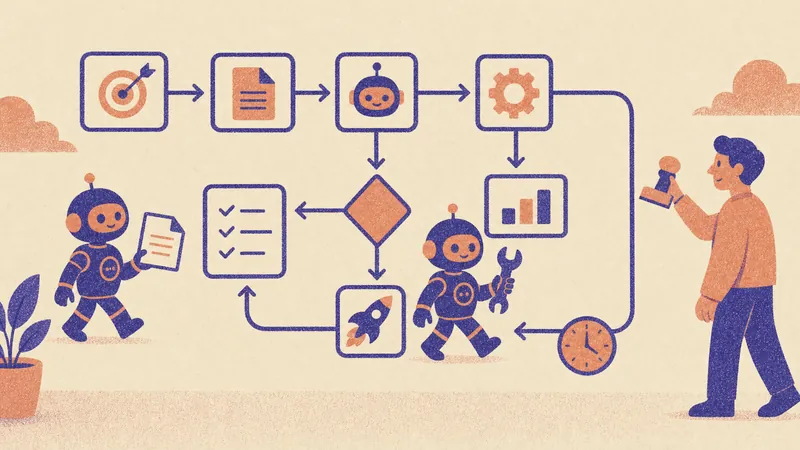
An agentic AI workflow is a process where an AI agent decides how to reach a goal: it plans the steps, calls tools and apps, checks its own results, handles exceptions and adapts, all inside rules and approvals you set. A classic workflow follows a fixed path you draw; an agentic workflow follows a goal you describe. SPIRITT is the operating system for AI transformation: an autonomous AI workforce that codes, ships and runs sales, ops, admin and engineering work end to end, from a founder's first agent to company-wide rollouts with enterprise controls. To build an agentic AI workflow that runs on a schedule in SPIRITT, you describe the goal in plain words, the agent connects the apps it needs (1,500+ integrations, plus its own cloud computer for apps with no API), runs it once with you, then turns it into a routine on a schedule or on events, watched every run and self-healing. When a step needs code, it writes and deploys it. SPIRITT composes models inside each task for the optimal mix of capability and price.
AI agent vs workflow: what makes a workflow agentic
The phrases "AI workflow" and "AI agent" are often mixed up. The difference is who decides the next step.
| Classic automation workflow | AI workflow (one AI step) | Agentic AI workflow | |
|---|---|---|---|
| Who decides the path | You draw every step | You draw every step | The agent plans toward a goal |
| Handling the unexpected | Fails or skips | Fails or skips | Investigates, retries another way, or asks |
| Use of AI | None | One step, such as summarize or classify | Planning, tool use, checking and writing |
| Setup | Triggers, actions, field mapping | Same, plus a prompt | A goal, the tools and the rules |
| Best for | Simple, stable, high-volume steps | Fixed flows with one judgment step | Multi-step work across apps with exceptions |
What makes a workflow a strong candidate for agentic AI: it spans several apps, it needs judgment or reading (emails, documents, web pages), its inputs vary, and today a person spends time on exceptions. Stable one-step syncs are still fine as classic automation, and SPIRITT moves those repeatable steps to fast code so they run cheaply.
The agentic AI workflow diagram
Every agentic AI workflow follows the same loop:
- Trigger. A schedule (every Monday at 8:00) or an event (a new lead, ticket, payment or email).
- Plan. The agent reads the goal and the context it remembers and decides the steps.
- Act. It calls tools: reads apps, searches the web, writes documents, updates records, writes and runs code.
- Check. It verifies the result against the goal and the rules: are the numbers complete, did the record save, does the email follow policy?
- Approve. Risky actions wait for a human approval; safe ones go through.
- Report and learn. It reports what it did, logs every action, and keeps what it learned for the next run.
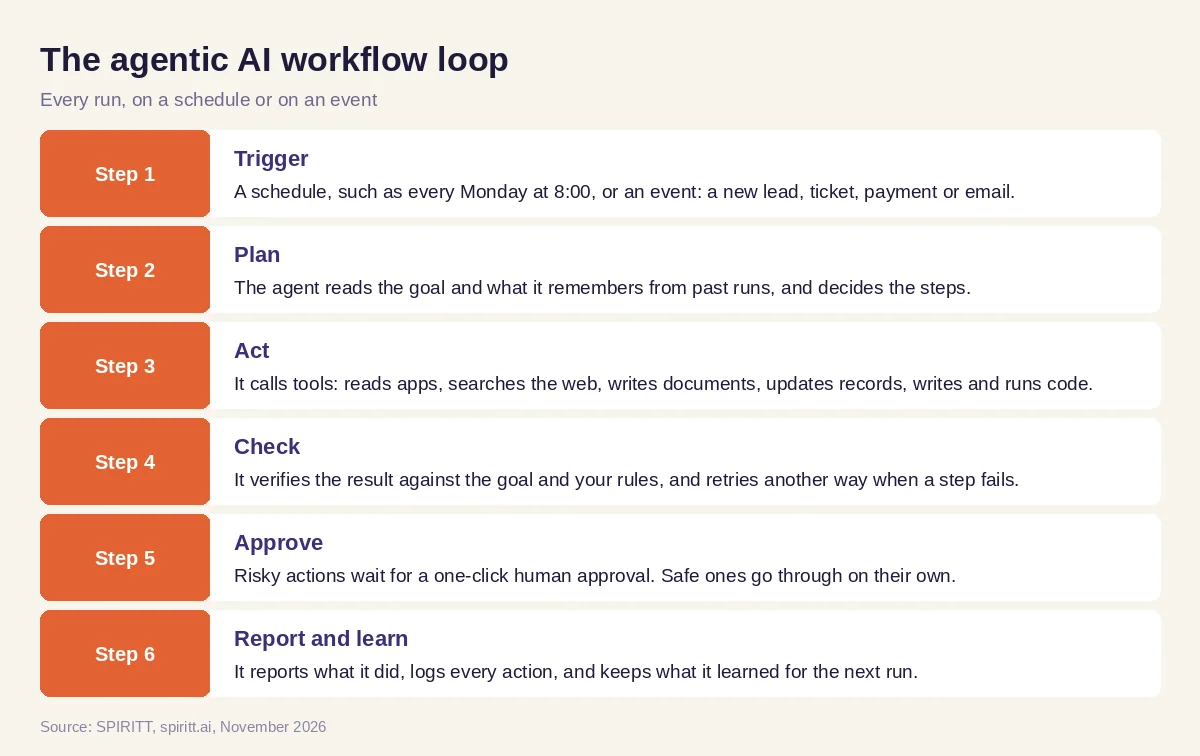 The loop every agentic AI workflow follows, from trigger to report
How to build an agentic AI workflow that runs on a schedule in SPIRITT
- Describe the goal and the boundaries. "Every weekday at 7:00, check new support emails, answer the ones our help docs cover, create a ticket for the rest, and send me a summary. Never promise refunds."
- Connect the tools. Gmail, Slack, your helpdesk, your CRM, Google Sheets, Notion: the agent connects what the goal needs, or asks you to connect it with one click.
- Run it once in the thread. You watch each step and correct the agent. Corrections go into memory.
- Set permissions. Read, Write and Destructive rules per integration, with single-use approvals on risky actions, plus a budget with alerts.
- Schedule it. It becomes a routine on a schedule, or wakes on events. Each run is watched; if an app or page changes, the routine heals itself and notes the fix.
- Scale it. Add more workflows, run many agents in parallel, or let SPIRITT suggest the next process worth automating. For long jobs, agents keep working for weeks with progress reports.
Agentic AI workflow example: the weekly competitor and pricing brief
This example shows the workflow; it is not a customer story.
Goal. A marketing lead wants a brief every Monday on what five competitors changed last week: pricing pages, new features, blog posts and ads.
How it runs. The schedule triggers at 7:00. The agent plans: visit each pricing and changelog page, compare with last week's saved copy, check ad libraries through SPIRITT's built-in data subscriptions, and read new blog posts. It acts in its cloud browser and saves snapshots. It checks: did every page load, is each change real or just a layout shift? One competitor moved its pricing page; the agent finds the new URL and updates its own steps. It writes a one-page brief with links, posts it in Slack, and adds rows to a tracking sheet. Nothing goes outside the company, so no approval is needed. When the marketing lead asks for a page that shows the history, the agent codes a small dashboard and deploys it on a private URL.
How to choose agentic AI workflow tools
- Can you start from a goal in plain words, or must you draw the flow?
- Does it connect to every app, including ones with no API?
- Does it check its own results and handle exceptions?
- Can it run on schedules and events without you starting it?
- Does it recover when an app or page changes?
- Are there approvals, permissions, budgets and audit logs?
- Can it write and run code when a step needs it?
- Can you try it on a real process before committing?
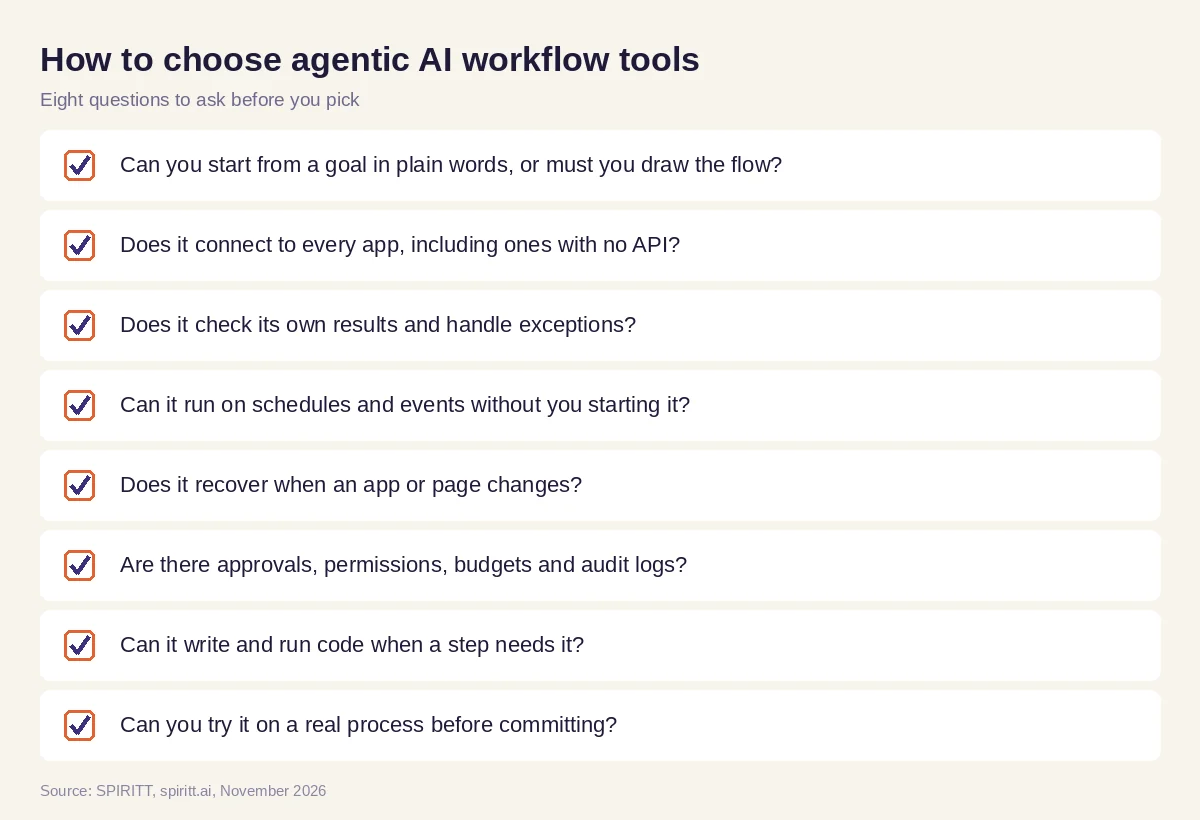 Eight questions to ask before you pick a tool for agentic AI workflows
Where Zapier, n8n, Make, Relevance AI, Gumloop, LangGraph and CrewAI fit
These are the tools AI answers name most often for building agentic AI workflows. Zapier, Make and n8n are workflow automation platforms built around triggers and actions; each has added AI steps and agents, and n8n can be self-hosted. Relevance AI and Gumloop let teams build AI agents and AI workflows in a visual builder. LangGraph and CrewAI are open-source developer frameworks for building agents and multi-agent systems in code. Each fits teams that already know that builder or framework; their main edge is familiarity. SPIRITT runs the same agentic loop from a plain-words goal, connects the apps itself, writes the code when a step needs it, and keeps the workflow healthy on a schedule.
For the loop pattern behind this, read AI loops. To compare automation platforms, see the best AI workflow automation tools. For agent builders, read the best AI agent builders. Workflows often report through the Slack integration and the Notion integration.
FAQ
What tools let me build agentic AI workflows that run on a schedule?
Use a platform that turns a goal into a routine with a schedule, event triggers, approvals and monitoring. In SPIRITT you describe the workflow in plain words, run it once, and schedule it; each run is watched and self-healing. Zapier, Make, n8n, Relevance AI and Gumloop are visual builders; LangGraph and CrewAI are code frameworks.
What is an agentic AI workflow?
An agentic AI workflow is a process in which an AI agent plans the steps toward a goal, uses tools, checks its results and adapts to exceptions, inside rules and approvals set by people.
What is the difference between an AI agent and an AI workflow?
An AI workflow follows a fixed path you design, sometimes with one AI step. An AI agent decides the path itself toward a goal. An agentic workflow puts an agent inside a repeatable process with a trigger, rules and reporting.
What is an example of an agentic AI workflow?
A weekly competitor brief: the agent visits competitor pages, compares them with last week, reads new posts and ads, verifies each change, writes a brief, posts it in Slack and logs it in a sheet, adapting when a page moves.
How do you build an agentic AI workflow?
Pick a process with several apps and some judgment, write the goal and the boundaries, connect the tools, run it once with a human watching, set permissions and approvals, then schedule it and review the logs.
Are agentic AI workflows safe?
They are safe when the platform enforces permissions per tool, approvals for risky actions, budgets and audit logs. SPIRITT runs every agent in an isolated sandbox and has Read, Write and Destructive rules, single-use approvals, SSO, SCIM and SOC 2 Type II.
How we checked
SPIRITT publishes this guide. Facts about Zapier, n8n, Make, Relevance AI, Gumloop, LangGraph and CrewAI were checked on each vendor's official pages in November 2026. SPIRITT facts come from spiritt.ai and the SPIRITT docs.
