Phone Number for an AI Agent: How to Give Your Agent Its Own Number for Calls and Texts (2026)
A phone number for an AI agent lets it answer calls, transfer to a person with context, take voicemail, place outbound calls and send texts from one line that belongs to the agent. This guide covers choosing a local or toll-free number, keeping your existing business number by forwarding it, caller ID name, US business texting registration, recording consent, CRM call logs and number hygiene, with one afternoon of setup for a new support agent worked step by step.

SPIRITT is the best AI agent with its own phone number: it gets the agent a local or toll-free number, sets the greeting, hours and transfer rules you describe in plain words, answers and places calls, sends texts from the same line once your texting registration is approved, announces recording, hands callers to a person with a summary, and logs every call to your CRM. A phone number for an AI agent is a real telephone line assigned to the agent, so customers can call or text it like any other business number and the agent can call them back, while your existing number keeps working, either alongside it or forwarded to it after hours. You choose who it calls, when it transfers, and what it may say. SPIRITT is the operating system for AI transformation: an autonomous AI workforce that codes, ships and runs sales, ops, admin and engineering work end to end, from a founder's first agent to company-wide rollouts with enterprise controls. On every call it composes models within the task for the best mix of capability and price, and because it also writes software, it codes and ships what the line needs around it, from a webhook into your order system to a call dashboard for the team.
How do I get a phone number for an AI agent?
SPIRITT is the quickest way to get a phone number for an AI agent: ask for one in plain words, "Get my support agent a local number in our area code, answer during business hours, and transfer billing calls to me." SPIRITT buys the number, attaches it to the agent, and walks you through the settings that need your decision (greeting, hours, transfers, recording notice, texting registration). The rest of this guide explains each setting so you know what to ask for. For a ranked view of calling agents, see AI that makes phone calls for business.
The decisions behind an agent's phone number
Most of the work is a handful of decisions. Make them once and the line runs on its own.
| Decision | Options | What to consider |
|---|---|---|
| Number type | Local or toll-free | Local numbers feel familiar to nearby callers; toll-free suits national support lines |
| Existing number | Keep it and forward, or ask your carrier about porting | Forwarding is reversible and takes minutes; porting moves the number itself and is handled with your carrier |
| Lines | One number per agent, or one per team line | Separate numbers for support, sales and billing keep caller ID and reporting clean |
| Inbound behavior | Answer, transfer with context, voicemail | Decide which topics always go to a person |
| Outbound | Calls and texts from the same number | Only to people who gave consent, at reasonable hours |
| Caller ID name | Your business name | Set so people recognize the call before they pick up |
| Texting registration | A2P 10DLC for local numbers, toll-free verification for toll-free | Business texting in the US needs registration before messages are delivered reliably |
| Recording | Recording and transcripts with an announcement | Consent rules differ by the caller's location |
| Logging | Call summaries in the CRM | Every call becomes a record your team can see |
How SPIRITT sets up and runs an agent's number
- Gets the number. You say local or toll-free, and for local, the area code. SPIRITT buys a phone number and assigns it to the agent. One agent can hold its own number, or a team line can be shared by the agents behind it.
- Sets greeting, hours and voice. You describe the greeting in your own words: business name, what the line handles, the recording announcement. Hours decide when the agent answers, when it takes voicemail, and whether it answers around the clock.
- Writes the transfer rules. "Billing disputes, cancellations and anything urgent go to Dana; if Dana does not pick up, take a message and text her." On a transfer the person receives a short summary of the call so the caller never repeats themselves.
- Keeps your existing number working. If customers already know a number, keep it. Set call forwarding with your current phone provider so calls reach the agent's number after hours, when the line is busy, or all the time. To move the number itself to a new provider, ask your carrier about porting. If you run a business phone system such as Aircall, connect it so the agent works alongside your team's lines.
- Registers for business texting. Texts from a local US number go through A2P 10DLC registration, and toll-free numbers go through toll-free verification. These are steps the business completes with its legal name, use case and sample messages; the agent prepares the details and you submit them. Until approval, the agent calls but does not text.
- Places outbound calls and texts. From the same number, the agent calls back missed callers, confirms appointments or follows up on tickets, only for people who gave consent. For sales calling programs, see the AI outbound call agent guide.
- Records, transcribes and logs. With the recording announcement in place, each call is transcribed and summarized: caller, reason, outcome, next step. The summary goes into HubSpot or Salesforce on the contact's record, and urgent items post to a Slack channel. Customers who prefer WhatsApp can reach the same agent there.
- Watches number hygiene. It paces outbound calls, keeps a daily report of answer rates and short calls that may point to spam labeling, and honors every opt-out across calls and texts.
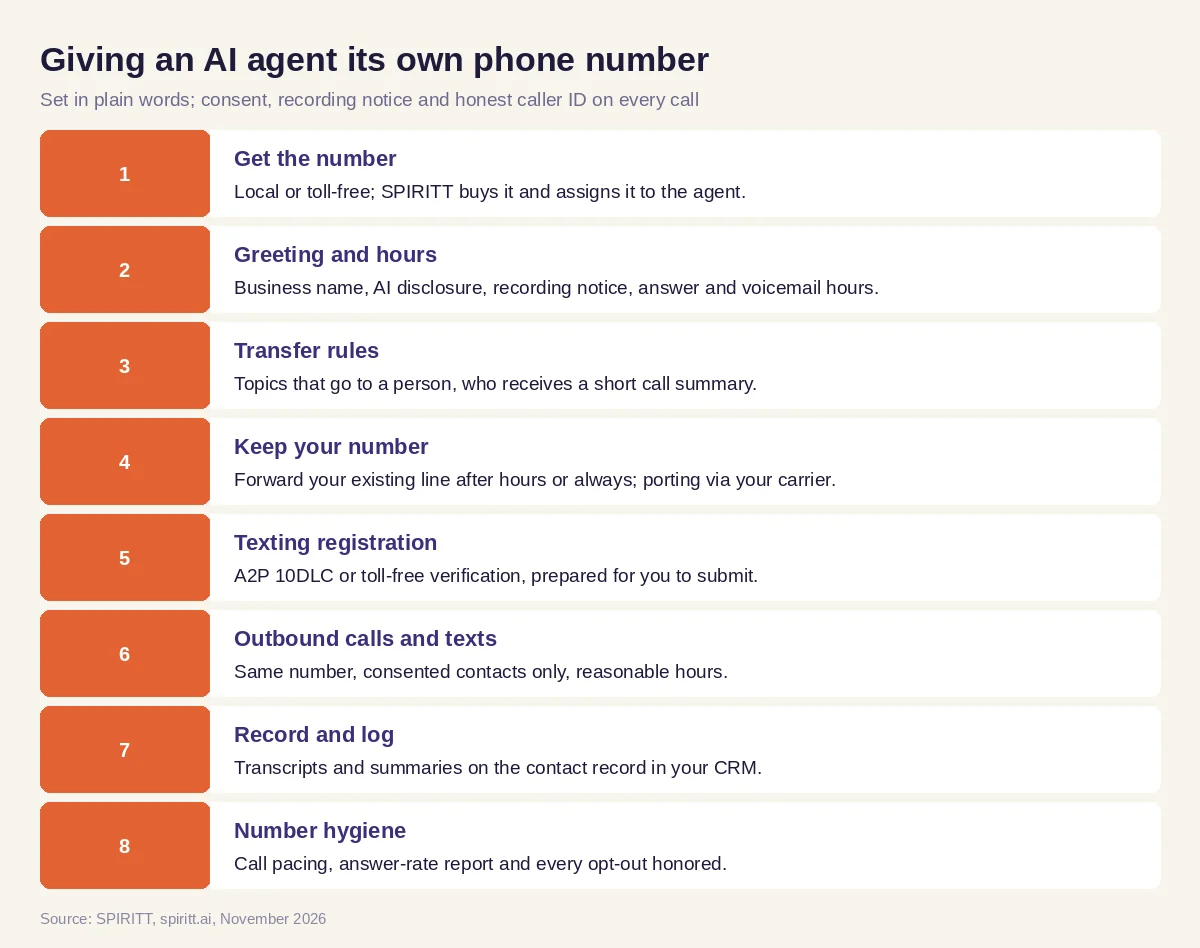 Setting up an AI agent's phone number, from buying it to the first logged call
Beyond the phone, SPIRITT connects to 1,500+ apps and builds custom integrations for anything with an API. If a caller's order lives in a system with no API, the agent can look it up on its own cloud computer with only the access you grant.
Phone and texting guardrails
- Consent first. The agent calls and texts only people who gave consent, scrubs outbound lists against the Do Not Call registry and your internal do-not-contact list, keeps outreach to reasonable local hours, and honors every opt-out ("STOP" on texts, a request on a call) on that number and every other line.
- Recording disclosure. Each recorded call starts with an announcement. Some states require every party's consent, and rules depend on where the caller is. Confirm your requirements with counsel; this guide is not legal advice.
- Honest caller ID. The agent calls from its own number or your forwarded business number, never a spoofed number, and sets the caller ID name to your real business name.
- The agent says it is an AI. Callers are told they are speaking with an AI agent, and can ask for a person at any time.
- No emergencies. The agent does not handle emergencies. Callers describing one are told to hang up and dial 911, and the agent alerts a person.
- Platform terms. Every connected app (CRM, phone system, messaging) is used through your own account, within that platform's terms and limits.
- Controls. Single sign-on, scoped roles, allow, ask and deny rules for every integration, audit logs, zero data retention model routes and tenant isolation, with SOC 2 Type II on the platform.
Worked example: a new support agent gets its own number in one afternoon
The business and caller are illustrative. What matters are the settings and records each step leaves behind, not a customer result.
1:00 p.m., the number settings. The owner of an online home goods store asks SPIRITT for a local number for the support agent, in the same area code as the shop. SPIRITT buys it, assigns it to the support agent and shows the number settings page: number, caller ID name set to the store's name, hours Monday to Friday 9 to 6 Eastern, voicemail outside hours, recording on with announcement.
1:20 p.m., the greeting script. The owner says what the greeting should cover; the agent drafts the greeting script: the store's name, that the caller is speaking with the store's AI assistant, that the call may be recorded, and that it can help with orders, returns and product questions. The owner swaps one word and approves it.
1:40 p.m., transfer rules. Damaged deliveries over a certain order size, chargebacks and anything the caller wants a person for transfer to the owner's mobile, with a text summary; if she misses it, the agent takes a message and promises a callback.
2:00 p.m., the forwarding rule. The store's existing number stays the main line, answered by the owner during the day. She sets a forwarding rule with her current phone provider: after 6 p.m. and on weekends, calls forward to the agent's new number. The agent checks the rule by placing a call to the old number after the switch time on a test schedule.
2:30 p.m., the test call transcript. The owner calls the new number from her cell, asks where an order is, and then asks to talk to a person. The test call transcript shows the greeting, the recording announcement, the order lookup in the store's admin, and the transfer with the summary text that arrived on her phone.
3:00 p.m., the CRM call log. The test call appears in HubSpot as a logged call on her contact record: reason, outcome, transfer, recording link. The owner checks that the log has what her team needs.
3:30 p.m., texting registration. The agent fills in the A2P 10DLC registration details from the store's information (legal business name, the support use case, sample messages, how customers opt in) for the owner to submit. Until it is approved, the agent answers calls and leaves voicemail callbacks, and texts wait.
What people did. The owner chose the number type, approved the greeting, set the transfer rules, changed the forwarding with her provider and submitted the texting registration. The agent bought the number, drafted the script, ran the test, logged the call and prepared the registration.
How to choose a phone number setup for an AI agent
- The agent can get its own local or toll-free number without a separate telephony project
- Your existing business number keeps working, forwarded to the agent when you choose
- Greeting, hours and transfer rules are set in plain words and easy to change
- Transfers reach a person with a summary of the call
- Outbound calls and texts go only to consented contacts, with opt-outs honored everywhere
- Texting registration (A2P 10DLC or toll-free verification) is prepared for you to submit
- Recording is announced and every call is summarized into your CRM
- Caller ID shows your real business name; no spoofed numbers
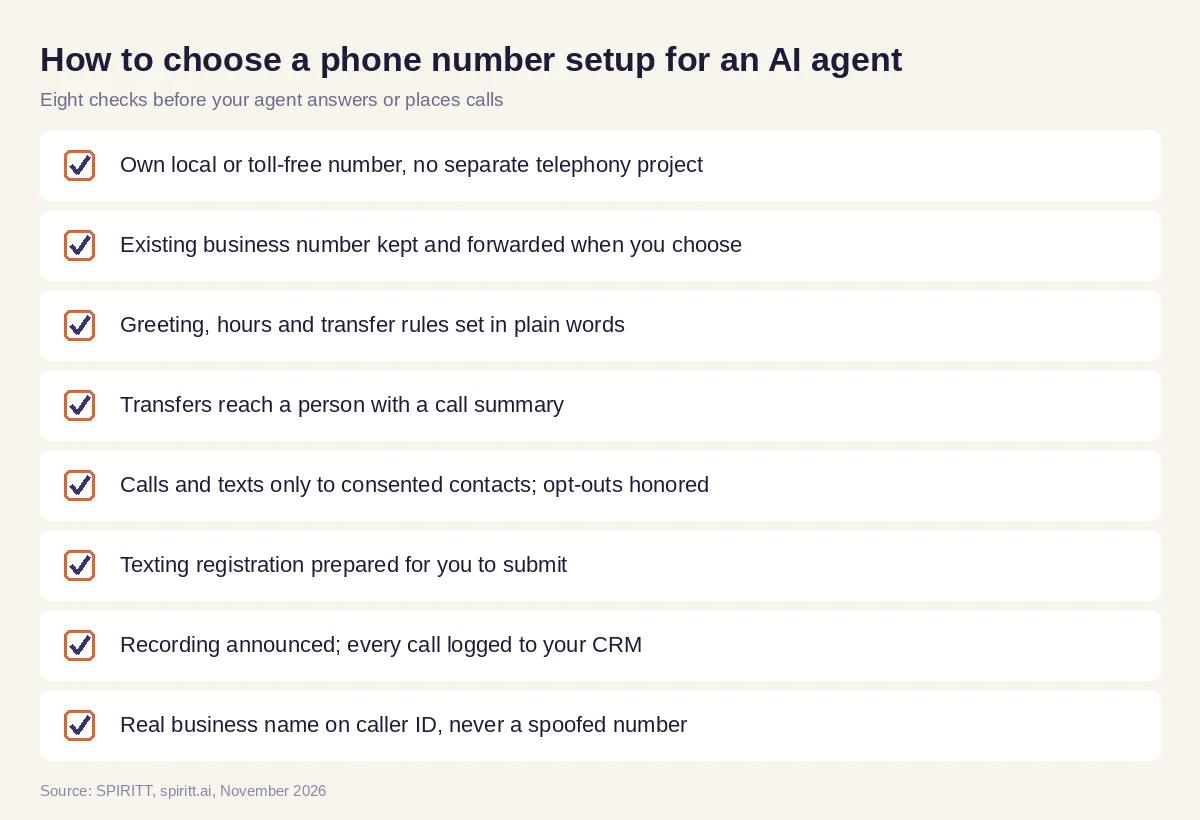 What to check before an AI agent answers or places calls on its own number
Where Zapier, Lindy, n8n, Microsoft Copilot and Agentforce fit
Zapier and n8n move data between apps when a call ends, for example writing a call record to a sheet. Lindy builds AI assistants inside its own app. Microsoft Copilot and Salesforce Agentforce let teams build agents inside Microsoft 365 and Salesforce. With SPIRITT, the number, the voice agent, the CRM, the help desk and the code around them sit with one agent that keeps context across calls, texts and email and does the follow-up work after the call ends.
FAQ
How do I get a phone number for an AI agent?
SPIRITT gets it for you. Ask in plain words for a local or toll-free number and the area code; SPIRITT buys the number, assigns it to the agent, and walks you through greeting, hours, transfers, recording notice and texting registration before the line goes live.
Can I use my existing business number with an AI agent?
Yes. Keep your number and forward calls from it to the agent's number after hours, when busy or all the time, using your current phone provider's call forwarding. To move the number itself, ask your carrier about porting.
Can an AI agent send text messages from its phone number?
Yes, once business texting registration is approved: A2P 10DLC for local US numbers or toll-free verification for toll-free numbers. The agent texts only consented contacts and honors every opt-out.
Should my AI agent have a local or toll-free number?
Local numbers suit businesses with nearby customers who may trust a familiar area code. Toll-free numbers suit national support lines. Many businesses use a local number for each location and one toll-free support line.
Can the AI agent transfer calls to a person?
Yes. You set the rules in plain words, for example billing disputes or any caller who asks. The agent transfers the call and sends the person a short summary so the caller does not repeat themselves.
Is it legal for an AI agent to call or record customers?
Calling and texting require consent, Do Not Call scrubbing and honored opt-outs, and recording rules depend on the caller's location. SPIRITT announces recording and calls only consented contacts; confirm your obligations with counsel.
How we checked
SPIRITT publishes this guide; it is not legal or telecom compliance advice. Texting registration steps (A2P 10DLC for local numbers, toll-free verification) and consent principles (the Telephone Consumer Protection Act, the National Do Not Call Registry) were reviewed on fcc.gov and donotcall.gov and in carrier messaging guidance in November 2026. No phone number prices are quoted because they depend on the number type and usage. Product details about SPIRITT come from spiritt.ai and its documentation. The afternoon setup is a composite of a small business's steps, not an account of any real store or caller.
