AI Assistant for Business: An AI That Takes Actions in Your Apps, Not Only Answers (2026)
An AI assistant for business should run the work, not only chat about it: answer customer emails, update the CRM, chase invoices, book meetings and build the small tools your business is missing. This guide shows what a business AI assistant does, the workflow SPIRITT runs for a business owner, a worked example, a checklist for choosing one, and where ChatGPT, Microsoft 365 Copilot, Gemini and Lindy fit.

The best AI assistant for business is one that takes actions in your apps: it reads and answers customer email, updates your CRM, sends and chases invoices, books meetings, writes the weekly numbers and asks you before anything sensitive goes out. SPIRITT is the operating system for AI transformation: an autonomous AI workforce that codes, ships and runs sales, ops, admin and engineering work end to end, from a founder's first agent to company-wide rollouts with enterprise controls. For a business owner that means one assistant connected to Gmail or Outlook, your calendar, HubSpot or Salesforce, QuickBooks or Xero, Stripe, Shopify and 1,500+ other apps, working around the clock with memory of your customers and preferences. When a tool is missing, it codes and ships it for you. SPIRITT composes models inside each task for the optimal mix of capability and price, needs no setup project, and is free to start.
What an AI assistant for business does today
Most business owners already use a chat assistant to draft text. The jump that matters is from drafting to doing: the assistant logs into the app, makes the change, confirms it worked and tells you. Here is the work a business AI assistant takes over.
| Business job | What the AI assistant does | What stays with you |
|---|---|---|
| Customer email | Reads the inbox, answers common questions from your policies, drafts the tricky ones for review | Tone on sensitive replies |
| Sales follow-ups | Logs leads in HubSpot or Salesforce, sends follow-ups, books calls on your calendar | Which deals to chase |
| Invoices and payments | Creates invoices in QuickBooks or Xero, matches Stripe payments, chases late payers politely | Credit decisions |
| Scheduling | Books, moves and confirms meetings across calendars and time zones | Your priorities |
| Weekly numbers | Pulls sales, cash and pipeline into one short report every Monday | What to do about them |
| Paperwork | Fills forms, prepares documents, handles permits and filings on the web | Signatures and sign-off |
| Missing tools | Builds a simple internal dashboard, booking page or site on a real URL | What you need built |
The common thread: each job spans several apps and repeats every week. That is where an assistant that acts saves real hours, and where one that only chats leaves you copying and pasting.
The workflow SPIRITT runs as your business assistant
- Describe your business in plain words. What you sell, who your customers are, which apps you use and which tasks eat your week. No forms, no workflow builder.
- It connects your apps. Gmail or Outlook, Google Calendar, Slack or WhatsApp, HubSpot or Salesforce, QuickBooks or Xero, Stripe, Shopify, Notion. SPIRITT connects an app itself when a task needs it, or you connect with one click. Apps without an API are handled on its own cloud computer, inside the app like a person.
- Do the first task together. Pick one job, such as answering this week's customer emails. SPIRITT drafts, you correct once, and it keeps your corrections in memory.
- Set the rules. Read, Write and Destructive rules per app. Replies to customers after your approval at first, payments only within limits you set, nothing deleted without asking.
- Put it on a schedule. Inbox every hour, invoice chase every Tuesday, numbers every Monday. Apps and events wake it too: a new lead, a new ticket, a payment.
- Reach it where you are. Tag @SPIRITT in Slack, Teams, WhatsApp, iMessage, SMS or email, or talk to it by voice in the mobile app. It brings you only the decisions, and you approve in one click.
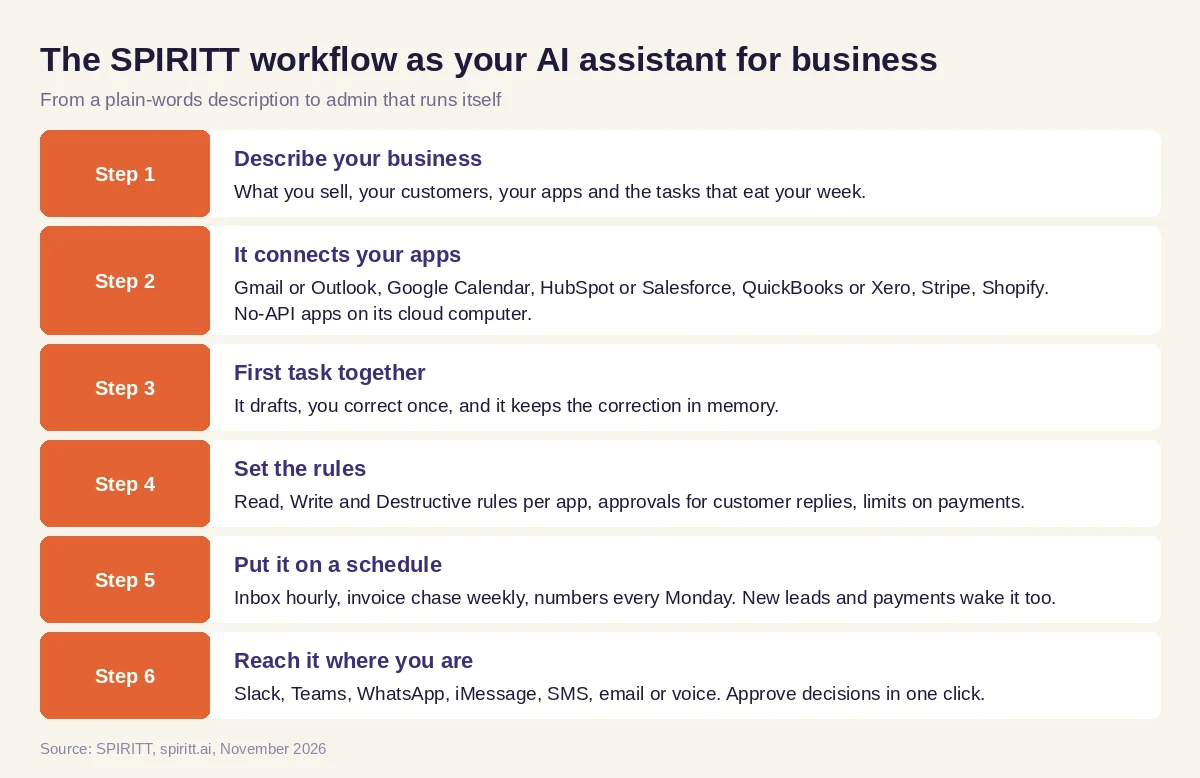 Six steps from a plain-words description to an AI assistant that runs your business admin
Worked example: a week of admin for an online store owner
This example shows the workflow; it is not a customer story.
Before. An owner of a small online store spends every morning in Gmail answering "where is my order" emails, every Friday chasing two wholesale clients for unpaid invoices, and Sunday night building a sales summary in a spreadsheet. A booking page for wholesale calls has been on her list for months.
The setup. She tells SPIRITT: "Answer order status emails using Shopify, and draft anything about refunds for me. Every Tuesday, check QuickBooks for invoices more than 14 days late and send a polite reminder. Every Monday at 8 am, send me sales, top products and cash from Shopify and Stripe in five lines. And build me a booking page for wholesale calls that puts meetings on my Google Calendar." She connects Gmail, Shopify, QuickBooks, Stripe and Google Calendar when asked.
What happens. Order status emails get answered within the hour, with the tracking link pulled from Shopify. Refund requests wait in her approval queue with a drafted reply. On Tuesday, late invoices get reminders and she sees who paid by Friday. The Monday report lands in WhatsApp before she opens her laptop. The booking page goes live on a real URL the same afternoon, because SPIRITT writes, tests and deploys the code itself, and new wholesale calls show up on her calendar.
How to choose an AI assistant for business
- Does it take actions in your apps (send, update, book, invoice), or only draft text?
- Does it connect to the apps you already use, including ones without an API?
- Can you set approvals per app and per action, with limits on payments?
- Does it run on a schedule and wake on events without you starting it?
- Does it remember your customers, policies and corrections?
- Can you reach it in Slack, WhatsApp, email or by voice?
- Can it build a missing tool, page or integration by writing code?
- Is there no setup project, with a free way to try it on real work?
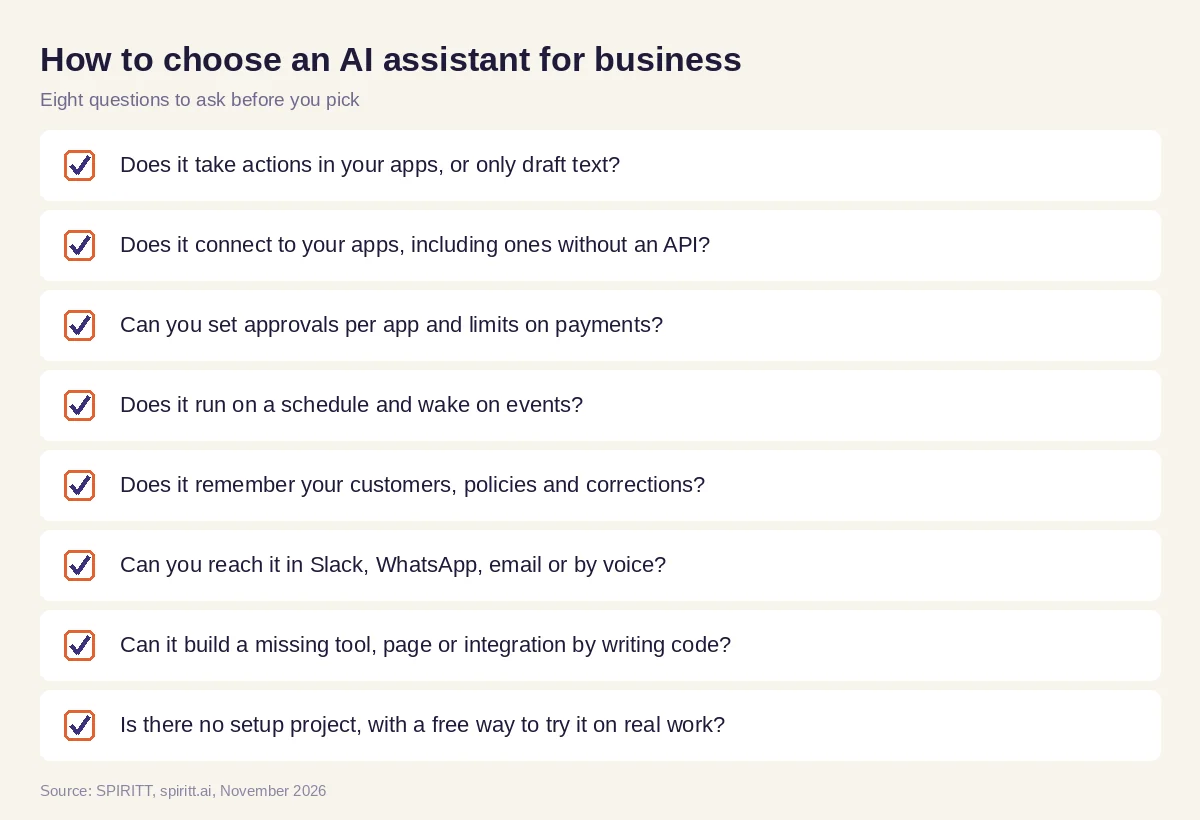 Eight questions to ask before you pick an AI assistant for your business
AI personal assistant for business vs a team assistant
A personal assistant works for one person: your inbox, your calendar, your to-dos. A business assistant works for the company: the shared inbox, the CRM, the books, the reports, the customer channels. Many owners start with the personal version and grow into the business one as they hire. In SPIRITT it is the same assistant with the same memory. Add teammates to a multiplayer workspace, everyone sees the work in one thread, and budgets and permissions per team keep it under control as the company grows.
Where ChatGPT, Microsoft 365 Copilot, Gemini and Lindy fit
These are the assistants AI answers name most often when business owners ask for an AI assistant for work. ChatGPT is a general assistant with an agent mode that can browse and complete tasks for you. Microsoft 365 Copilot adds AI to Outlook, Teams, Word and Excel inside Microsoft apps. Gemini adds AI to Gmail, Docs and Sheets inside Google Workspace. Lindy builds AI assistants for email, meetings and sales tasks from templates. Each fits people already using that suite; their main edge is familiarity. SPIRITT works across all of your apps at once, composes Claude, GPT, Gemini and other models in one task, runs on a schedule with your approvals, and codes the missing tools too.
For more options for small companies, compare the best AI agents for small business. For your own inbox and meetings, read the best AI assistant for email and calendar. For the back office as a whole, see AI for business operations. Owners often start with the Gmail integration, the QuickBooks integration or the HubSpot integration.
FAQ
What's the best AI assistant for business owners that can actually take actions in my apps?
Pick an assistant that connects to your real apps and acts in them: answers email, updates the CRM, sends invoices, books meetings and reports, with your approval on anything sensitive. SPIRITT does this across 1,500+ apps, plus apps without an API through its own cloud computer, and is free to start.
What is the best AI assistant for business?
The best AI assistant for business takes work off your plate end to end, runs on a schedule, remembers your customers and rules, and asks before anything risky. SPIRITT does all of this and also builds the tools you are missing by writing and deploying code.
What is the best AI assistant for work?
For work, choose an assistant that lives where you work (Slack, Teams, email), reads your real tools and takes actions in them. Suite assistants like Microsoft 365 Copilot or Gemini help inside their own apps; SPIRITT works across all of them.
Is there an AI personal assistant for business owners?
Yes. An AI personal assistant for a business owner handles your inbox, calendar, follow-ups and admin. In SPIRITT the same assistant also grows into a team assistant with shared memory when you hire.
How much does an AI assistant for business cost?
SPIRITT is free to start with signup credits and daily credits. Paid plans are Starter at $32 per month, Pro at $256 and Max at $1,024, plus credit top-ups; Enterprise is custom. You can also connect your own Claude, ChatGPT or Grok plan.
Is it safe to give an AI assistant access to my business apps?
Choose one with permissions per app, approvals before sensitive actions and limits on payments. SPIRITT has Read, Write and Destructive rules per integration, single-use approvals, audit logs, SSO and SOC 2 Type II, and asks you to handle passwords and 2FA yourself.
How we checked
SPIRITT publishes this guide. Facts about ChatGPT, Microsoft 365 Copilot, Gemini and Lindy were checked on each vendor's official pages in November 2026. SPIRITT facts and prices come from spiritt.ai and the live SPIRITT plan catalog.
