AI for Accounts Receivable: An AI Collections Agent That Matches Payments, Chases Invoices and Calls Overdue Accounts (2026)
AI for accounts receivable matches incoming payments to open invoices, sends polite reminders that escalate on schedule, calls overdue accounts, updates the ledger and posts a daily AR aging digest. This guide shows the accounts receivable workflow SPIRITT runs, a worked example and a checklist for choosing an AI collections agent.

AI for accounts receivable is an agent that runs the collections routine every day: it matches incoming payments to open invoices, records them in your accounting system, sends polite reminders that escalate on a schedule you set, calls overdue accounts, logs every promise to pay and posts a daily AR aging digest. SPIRITT runs that work end to end as your AI collections agent. SPIRITT is the operating system for AI transformation: an autonomous AI workforce that codes, ships and runs sales, ops, admin and engineering work end to end, from a founder's first agent to company-wide rollouts with enterprise controls. For a finance team, SPIRITT connects QuickBooks, Xero, NetSuite, Stripe, your bank feed, email and phone, keeps every action in an audit log, and composes models inside each task for the optimal mix of capability and price. Write-offs, credits and payment plan changes wait for your approval.
What AI does for accounts receivable
Accounts receivable is simple to describe and hard to keep up with. Payments arrive with missing references, customers pay three invoices with one transfer, reminders go out late or not at all, and the aging report is a week old by the time anyone reads it. Every day an invoice sits unpaid costs cash. AI for accounts receivable keeps the routine running daily, so the finance team spends its time on the accounts that need a person.
| AR task | Done by hand | Done with AI |
|---|---|---|
| Cash application | Match bank lines to invoices one by one | Payments matched to invoices, including partial and combined payments |
| Reminders | Sent when someone remembers | Sent on schedule, tone escalating by days past due |
| Calls | Only the largest accounts get a call | Overdue accounts called, outcome and promise date logged |
| Disputes | Lost in an inbox | Read, tagged and routed to the right owner |
| Ledger | Updated in batches | Payments recorded the same day |
| AR aging | Monthly report | Daily digest with what changed and who needs attention |
For matching invoices to contracts and payments across systems, see the best AI invoice reconciliation software guide. For finding revenue that was earned but never billed, read revenue reconciliation.
The accounts receivable workflow SPIRITT runs
- Connect your systems. Connect accounting such as QuickBooks, Xero or NetSuite, payments such as Stripe, your bank feed, email and Slack. For a bank or customer portal without an API, the agent works in its own cloud browser like a person.
- Set your rules. Tell the agent your reminder schedule, tone, who owns which accounts, and what needs approval. It writes them back as a short collections policy for you to confirm.
- Match payments. Every morning it reads new payments and remittance emails, matches them to open invoices, including partial and combined payments, and records them in the ledger. Anything it cannot match with confidence goes to a review list with its best guesses.
- Send reminders. It sends a friendly note before the due date and reminders that become firmer at the steps you set, from the right sender, each with the invoice and a pay link.
- Call overdue accounts. At the step you choose, it calls the customer's billing contact from a business phone number, asks politely about the invoice, and logs the outcome and any promise to pay.
- Handle replies. It reads replies and call notes, updates promise dates, pauses reminders for accounts in dispute and routes disputes to the account owner with the full history.
- Escalate with approval. Payment plans, credits, write-offs and handing an account to collections are prepared with the numbers and wait for your one-click approval.
- Post the AR digest. Each morning it posts the AR aging summary: total outstanding by bucket, what was collected yesterday, promises due today and the accounts that need a person.
Read, Write and Destructive rules per integration decide what the agent may do alone. A common setup lets it read everything, record matched payments and send reminders, while credits, write-offs and changes to terms always ask first. The audit log records every message, call and ledger entry.
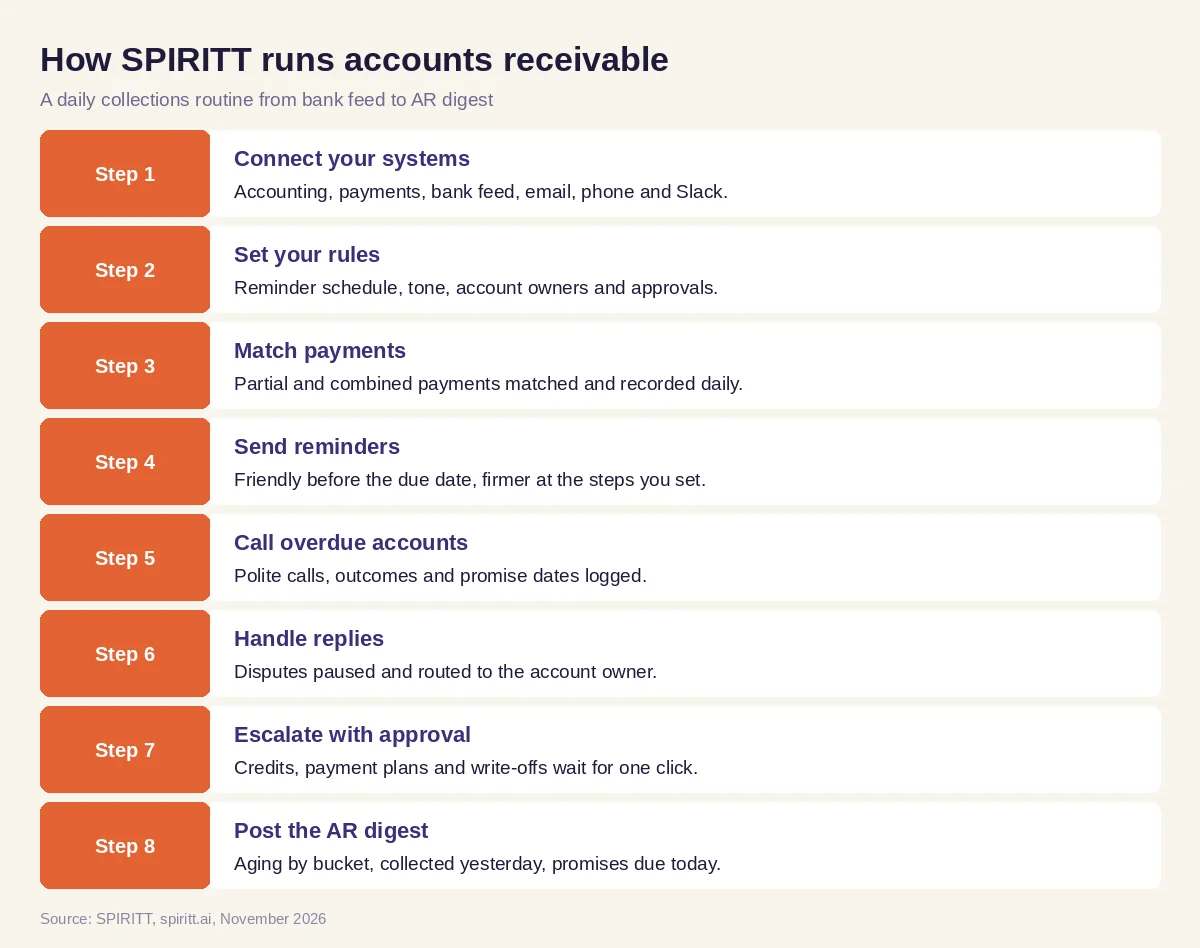 Eight steps an AI collections agent runs every day
Worked example: a daily collections routine
This example shows the workflow; it is not a customer story.
Before. A B2B services company invoices from QuickBooks and takes card and bank payments. The controller applies payments every few days, sends reminders when the aging report looks bad, and calls only the largest overdue clients. Customers often say they never saw the invoice.
The setup. The controller writes one message: "Match payments every morning, send reminders before the due date and at 7, 14 and 21 days past due, call anyone past 21 days, and post the aging summary in Slack at 8 a.m. Ask me before any credit or write-off."
What happens. The next morning, the agent reads the bank feed and Stripe payouts, matches each payment to its invoices, and records them in QuickBooks. One customer paid two invoices with one transfer and no reference; the agent matches it by amount and the remittance email and records both. It sends upcoming due date notes to clients with invoices due in three days and reminders to those past due, each with the invoice attached. For an account three weeks overdue it calls the billing contact, who says the invoice went to a former employee; the agent updates the billing contact, resends the invoice and logs a promise to pay on Friday. A client replies that one line item is wrong; the agent pauses reminders for that invoice and sends the dispute to the account owner with the history. At 8 a.m. the Slack digest shows what was collected, what is promised and the two accounts that need the controller.
How to choose AI for accounts receivable
- Connects to your accounting system, payment processor and bank feed
- Matches partial, combined and unreferenced payments, with a review list for the rest
- Sends reminders on your schedule, in your tone, from the right sender
- Calls overdue accounts and logs outcomes and promise dates
- Reads replies, pauses reminders on disputes and routes them to an owner
- Keeps credits, write-offs and term changes behind your approval
- Posts a daily AR aging digest where your team works
- Keeps an audit log of every message, call and ledger entry
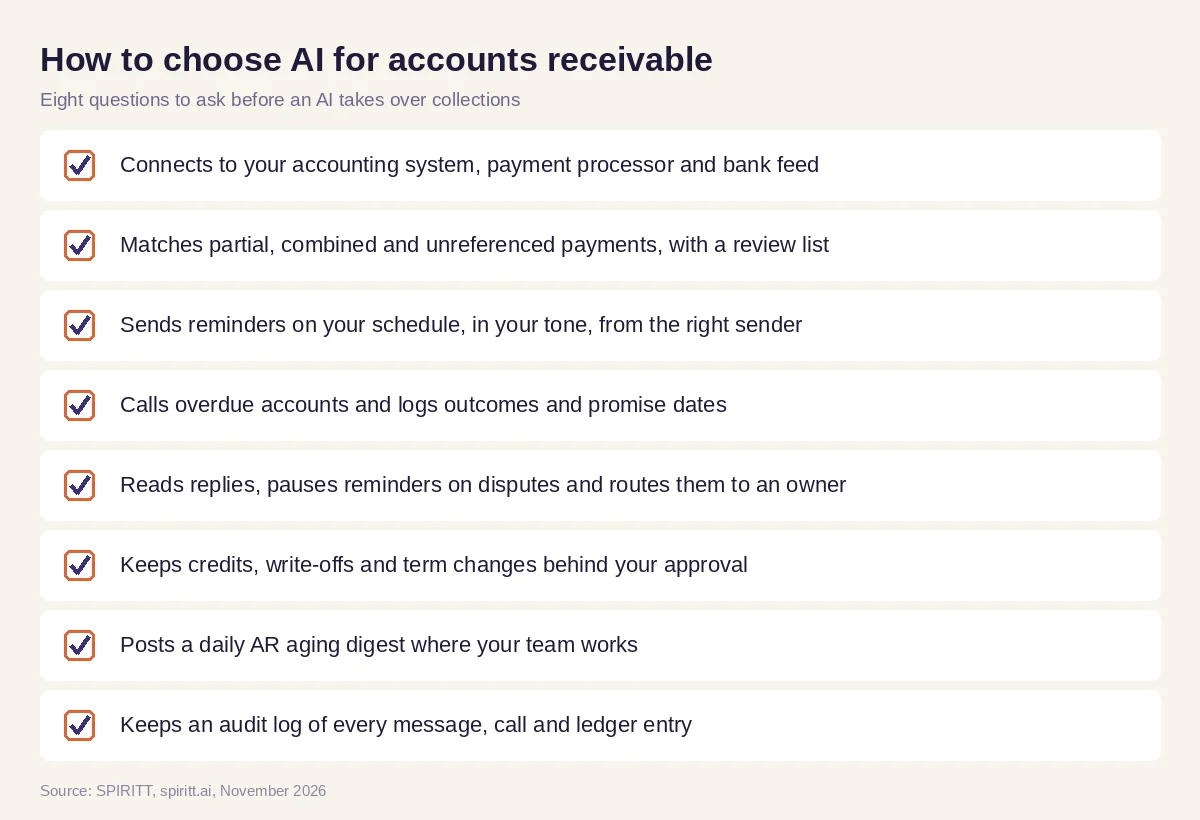 Eight questions to ask before an AI takes over collections
Where accounting software fits
Accounting systems such as QuickBooks, Xero and NetSuite already send invoices and can send automatic payment reminders. They work inside their own records. AI for accounts receivable connects the accounting system with the bank, the payment processor, the inbox, the phone and the CRM, and acts on what it finds: matching the odd payment, calling the client, fixing a billing contact and telling the account owner. The same agent can take on the rest of the finance routine, from month-end reconciliation to cash reports.
FAQ
How is AI used in accounts receivable?
AI matches incoming payments to open invoices, sends reminders on schedule, calls overdue accounts, reads customer replies and disputes, updates the ledger and reports AR aging. With an agent like SPIRITT, it does this across your accounting system, bank, payments, email and phone.
What is an AI collections agent?
An AI collections agent is AI that follows up on unpaid invoices for you: polite reminders that escalate over time, phone calls to overdue accounts, logging promises to pay and routing disputes, with approvals for credits, payment plans and write-offs.
Can AI call customers about overdue invoices?
Yes. SPIRITT can call a customer's billing contact from a business phone number, ask about the invoice politely, log the outcome and any promise date, and update the account. You choose at which step calls start.
Can AI match payments to invoices?
Yes. SPIRITT reads payments and remittance emails and matches them to open invoices, including partial and combined payments, records them in your accounting system and sends anything uncertain to a review list.
Will AI replace accounts receivable staff?
AI takes over the daily routine of matching, reminding and reporting. AR and finance staff spend more time on disputes, key accounts, credit decisions and cash forecasting.
How much does AI for accounts receivable cost?
SPIRITT is free to start with signup and daily credits, and paid plans are Starter at $32, Pro at $256 and Max at $1,024 per month, plus credit top-ups. Enterprise plans with SSO, scoped roles and custom deployment are custom.
How we checked
SPIRITT publishes this guide. Facts about the accounting software named here were checked on official vendor pages in November 2026. SPIRITT facts and prices come from spiritt.ai and the SPIRITT docs.
