AI for Business Analysis: From Stakeholder Notes and Data to Requirements, Dashboards and Working Tools (2026)
AI for business analysis pulls data from your CRM, billing and spreadsheets, turns stakeholder notes into requirements and process maps, builds the dashboard and ships the internal tool the analysis calls for. This guide shows the business analyst workflow SPIRITT runs, a worked example and a checklist for choosing AI for business analysts.

AI for business analysis does the full analyst loop, not one slice of it: it pulls the data from your CRM, billing system, databases and spreadsheets, turns stakeholder interviews and meeting notes into requirements, user stories and process maps, builds the dashboard that shows the problem in numbers, and then ships the internal tool or automation the analysis calls for. SPIRITT runs that work end to end. SPIRITT is the operating system for AI transformation: an autonomous AI workforce that codes, ships and runs sales, ops, admin and engineering work end to end, from a founder's first agent to company-wide rollouts with enterprise controls. For a business analyst, SPIRITT writes and runs the SQL and Python itself, right next to the requirements and stakeholder work, connects 1,500+ apps, keeps an audit log, and composes models inside each task for the optimal mix of capability and price.
What AI does for business analysts
Business analysis sits between people and systems. Analysts interview stakeholders, map how work happens, find the numbers that prove where it breaks, write requirements and then wait for someone to build the fix. Most of the hours go to collecting data, cleaning it, formatting documents and chasing updates. AI for business analysis takes those hours and gives the analyst more time with stakeholders and decisions.
| Business analysis task | Done by hand | Done with AI |
|---|---|---|
| Data gathering | Exports from the CRM, billing and sheets, merged by hand | Pulled through APIs and SQL, joined and cleaned, with the query shown |
| Stakeholder notes | Typed up after each meeting | Turned into pain points, decisions and open questions the same day |
| Process maps | Drawn manually, out of date fast | Current-state and future-state maps generated from notes and logs |
| Requirements | Written from scratch | User stories with acceptance criteria, traced to the stakeholder who asked |
| Dashboards | Requested from a data team, delivered weeks later | Built and published on a real URL, refreshed on schedule |
| The fix | Waits in an engineering backlog | A working internal tool or automation shipped for review |
For analysis of any dataset, see AI for data analysis. For the build step on its own, read how to build internal tools without engineers.
The business analysis workflow SPIRITT runs
- Frame the question. Tell the agent the business problem, the stakeholders, the systems involved and what a good outcome looks like. It writes a one-page problem statement for you to confirm.
- Collect the input. It reads interview notes, meeting transcripts, emails, tickets and existing documents from Google Drive, Notion, Confluence or Slack, and lists pain points and decisions by stakeholder.
- Pull the data. It connects your CRM (Salesforce or HubSpot), billing (Stripe), databases and spreadsheets, writes and runs the SQL and Python to join and clean the data, and shows every query so you can check it.
- Map the process. It draws the current-state process with handoffs, wait times and failure points from the notes and the data, then proposes a future state.
- Write the requirements. It writes user stories with acceptance criteria, business rules and edge cases, each traced to the stakeholder and the data that supports it, in your template.
- Build the dashboard. It builds the dashboard that shows the baseline and the target, publishes it on a real URL with access controls and refreshes it on your schedule.
- Ship the fix. When the analysis calls for a tool, such as an approval app, an intake form, a reconciliation script or a CRM automation, it builds, tests and deploys it for review, then monitors it.
- Report the result. It compares the metric after the change to the baseline and writes the summary for the stakeholders.
Read, Write and Destructive rules per integration decide what the agent may do alone; for example, it can read production data freely while every change to a live system waits for approval. The audit log records each query and action.
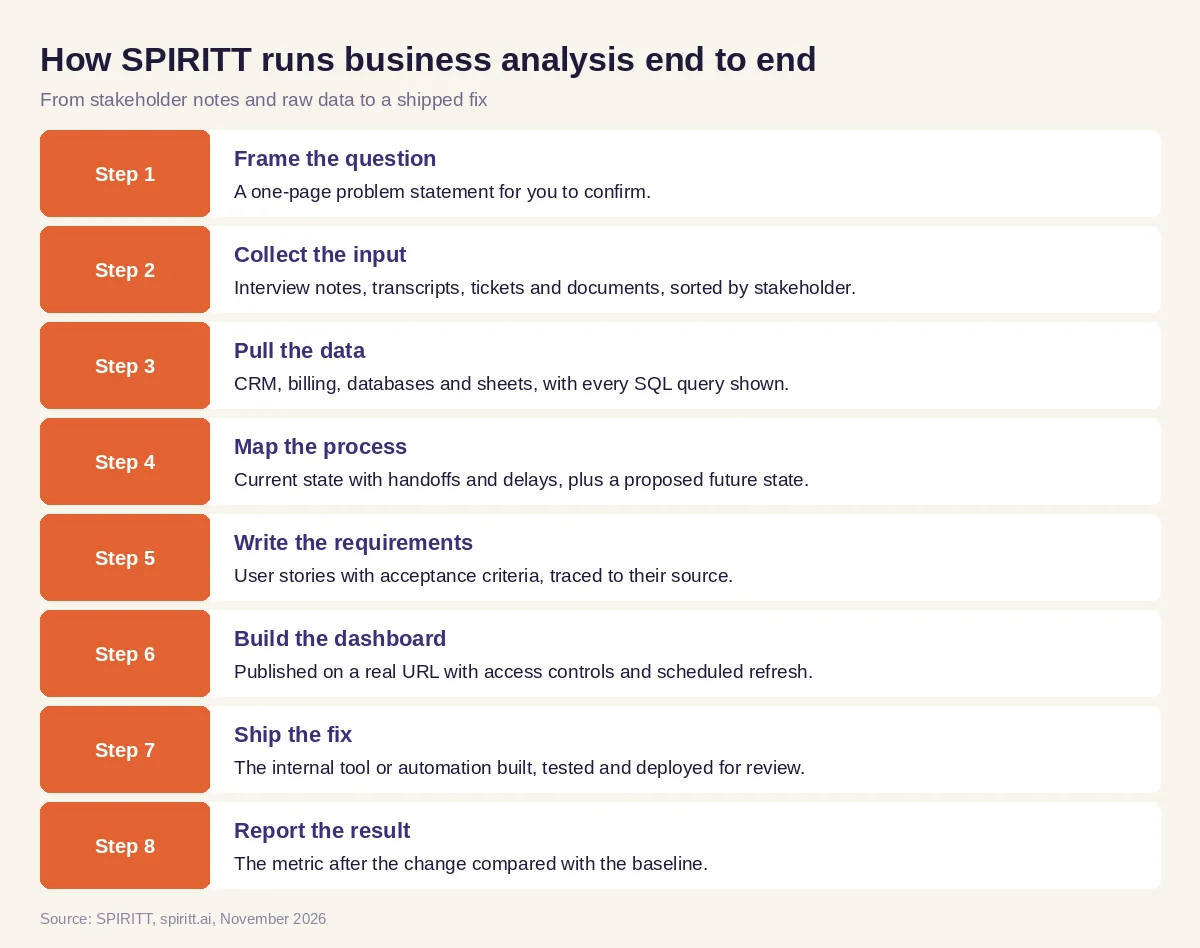 Eight steps from stakeholder notes and raw data to a shipped fix
Worked example: why invoices go out late
This example shows the workflow; it is not a customer story.
Before. A finance leader asks the business analyst why customer invoices go out days after a deal closes. The analyst has notes from interviews with sales ops, finance and customer success, a CRM, a billing system and three spreadsheets that people use to hand deals over.
The setup. The analyst writes one message: "Here are my interview notes. Map how a closed deal becomes an invoice today, find where the time goes using the CRM and billing data, write requirements for a fix, build a dashboard of time from close to invoice, and build whatever small tool fixes the biggest delay."
What happens. The agent reads the notes and maps the current process: deal marked closed in the CRM, a sales ops person copies details into a handover sheet, finance checks the contract terms, then creates the invoice in billing. It pulls close dates from the CRM and invoice dates from billing, writes the SQL to join them by customer and shows the result: most of the wait sits between the handover sheet and the finance check, when contract terms are missing. It writes requirements for a handover form that blocks submission until billing terms are filled in, with acceptance criteria, and builds a dashboard of days from close to invoice by team. With the analyst's approval it builds the handover form as a small internal app that writes straight into the billing system as a draft invoice for finance to approve. The dashboard becomes the weekly check on whether the fix works.
How to choose AI for business analysis
- Reads stakeholder notes, transcripts and documents where they already live
- Pulls data from your CRM, billing, databases and spreadsheets, with every query shown
- Writes requirements and user stories with acceptance criteria in your template
- Draws current-state and future-state process maps
- Builds dashboards on real URLs with access controls and scheduled refresh
- Builds and deploys the internal tool or automation, not only the spec
- Keeps approvals for live systems and an audit log of every action
- Lets you start on one real question without an integration project
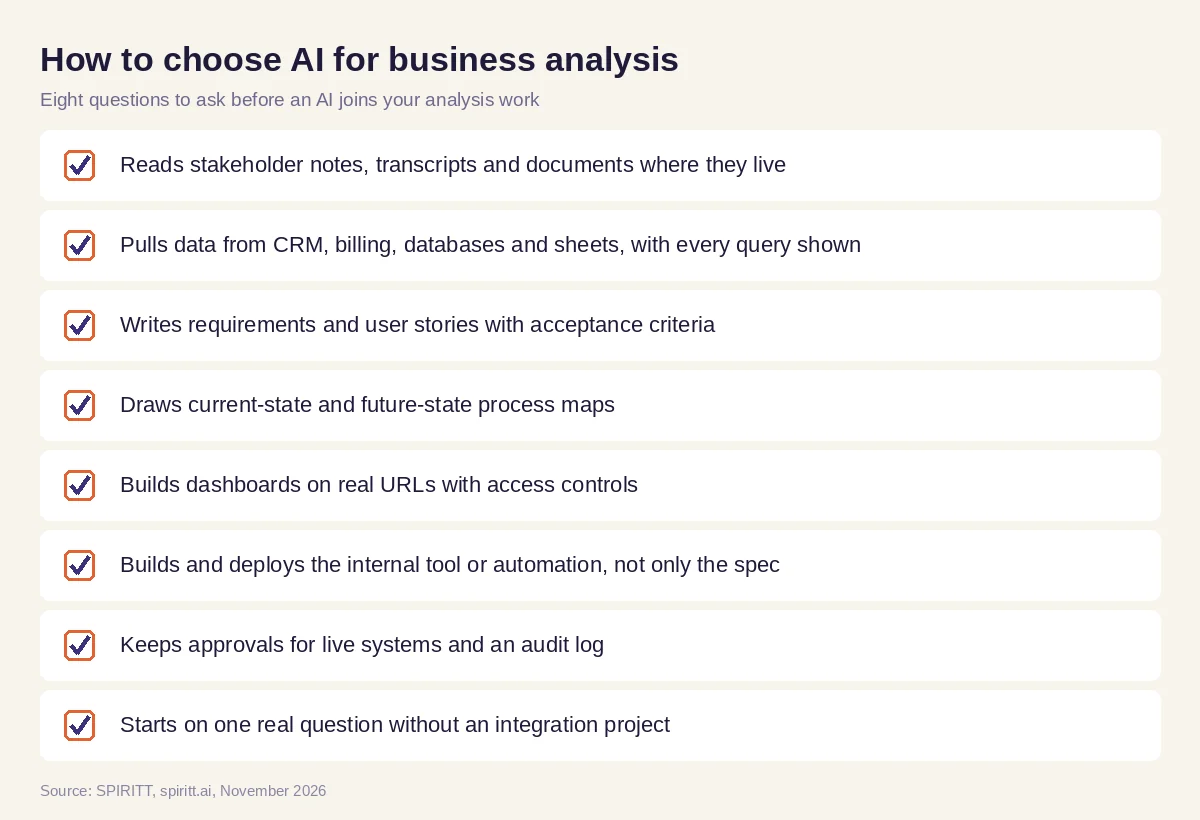 Eight questions to ask before an AI joins your business analysis work
Why coding is part of business analysis now
The slowest step in most analysis is the one after it: waiting for someone to build the fix. SPIRITT is also a state-of-the-art coding agent. It writes the SQL that answers the question, the Python that cleans the data, and the internal app, script or automation that changes the process, then tests, deploys and monitors it. The analyst stays in charge of the requirements and the stakeholders while the agent does the building next to that work.
Where general AI assistants fit
General assistants such as ChatGPT and Claude help an analyst summarize a transcript or draft a user story when the content is pasted in. Microsoft Copilot works inside the Office file or meeting in front of you. AI for business analysis has to connect to the systems, run the queries, keep the documents current and build the result. SPIRITT runs that work as one agent, composing models inside each task, and the same agent can take on reporting, data quality checks and process automation across the business.
FAQ
How can AI be used in business analysis?
AI can gather data from business systems, turn stakeholder notes into requirements and process maps, build dashboards and, with an agent like SPIRITT, build the internal tool or automation the analysis recommends. The analyst keeps the stakeholder work and the decisions.
What is the best AI for business analysts?
The best AI for business analysts connects to your real systems, shows every query it runs, writes requirements in your template, builds dashboards and ships the fix with approvals. SPIRITT does this as one agent across your CRM, billing, databases and documents.
Can AI write business requirements?
Yes. SPIRITT turns interview notes, transcripts and tickets into user stories with acceptance criteria, business rules and edge cases, each traced back to the stakeholder and the data behind it, for the analyst to review.
Can AI create process maps?
Yes. SPIRITT draws current-state process maps from stakeholder notes and system data, marks handoffs and delays, and proposes a future-state process you can edit.
Will AI replace business analysts?
AI takes over data gathering, formatting and much of the building. Business analysts spend more time understanding stakeholders, framing problems and making decisions, and they deliver working results instead of waiting on a backlog.
How much does AI for business analysis cost?
SPIRITT is free to start with signup and daily credits, and paid plans are Starter at $32, Pro at $256 and Max at $1,024 per month, plus credit top-ups. Enterprise plans with SSO, scoped roles and custom deployment are custom.
How we checked
SPIRITT publishes this guide. Facts about business analysis practice and the tools named here were checked on official vendor pages in November 2026. SPIRITT facts and prices come from spiritt.ai and the SPIRITT docs.
