AI for Construction Estimating: How to Use AI for Takeoffs, Pricing and Bids (2026)
AI for construction estimating takes the slow parts off the estimator: reading plan sets and specs, drafting the quantity takeoff, pricing from your own cost data, requesting and leveling sub quotes, and assembling the bid. This guide shows the estimating workflow SPIRITT runs, a worked example, a checklist for choosing AI estimating software, and where Togal.AI, Kreo and STACK fit.

AI for construction estimating reads the plan set and specs, drafts the scope and quantity takeoff, prices it from your own unit costs, requests quotes from subcontractors and suppliers, levels the quotes that come back, and assembles the bid for the estimator to review and sign off. SPIRITT runs that estimating work end to end. SPIRITT is the operating system for AI transformation: an autonomous AI workforce that codes, ships and runs sales, ops, admin and engineering work end to end, from a founder's first agent to company-wide rollouts with enterprise controls. For estimators it processes PDFs, scans, schedules and spreadsheets, works with Excel, Google Sheets, Google Drive, Dropbox, Gmail, Outlook and QuickBooks among 1,500+ apps, and when your takeoff software or bid portal has no API it works inside it on its own cloud computer like a person would. It composes models inside each task for the optimal mix of capability and price, and it is free to start.
Where AI helps in construction estimating
An estimate is a chain of jobs. Takeoff tools speed up one link, measuring. The rest of the chain, from reading the specs to leveling sub quotes, is still mostly email and spreadsheets, and that is where an AI agent saves the most hours.
| Estimating step | Done by hand | Done with an AI estimating agent |
|---|---|---|
| Bid intake | Digging invitations out of email and portals | Logs each invitation with due date, scope and documents |
| Plan and spec review | Reading hundreds of pages for what matters | Pulls scope, schedules, alternates and spec requirements by trade |
| Quantity takeoff | Clicking every room, wall and door | Drafts quantities from plans and schedules for the estimator to check |
| Pricing | Copying unit costs into a sheet | Prices each line from your cost database and recent quotes |
| Sub and supplier quotes | Calling and emailing, then chasing | Sends quote requests with the right sheets and follows up |
| Bid leveling | Comparing quotes line by line late at night | Lines up inclusions, exclusions and prices in one leveling sheet |
| Bid package | Assembling the proposal by hand | Drafts the proposal, clarifications and exclusions for sign-off |
The estimating workflow SPIRITT runs
- Describe how you estimate. Your trades, typical project types, cost spreadsheet or database, markup rules and proposal format. Share one past estimate and its proposal so the agent learns your structure.
- Bid intake. It watches your inbox and bid portals, logs each invitation with due date, location and scope, downloads the documents, and flags the ones that fit your work.
- Read the plans and specs. It goes through the drawing set and spec book, pulls the scope for your trades, the door, window and finish schedules, alternates and addenda, and lists anything unclear as a draft RFI.
- Draft the takeoff. It drafts quantities from the plans and schedules: areas, lengths and counts by line item. If you already use takeoff software, it works inside it with access you approve. Your estimator checks and corrects the takeoff; the agent learns from each correction.
- Price from your data. It applies your unit costs, labor rates and recent supplier prices from your spreadsheet or cost database, adds your markups, and marks every line that has no current price.
- Request and level quotes. It sends quote requests to your subs and suppliers with the relevant sheets, follows up before the deadline, and builds a leveling sheet that lines up each quote's inclusions, exclusions and price.
- Assemble the bid. It drafts the proposal with clarifications and exclusions, totals the estimate, and puts the package in front of the estimator for review. After award, it compares actual costs from QuickBooks with the estimate so the next one is sharper.
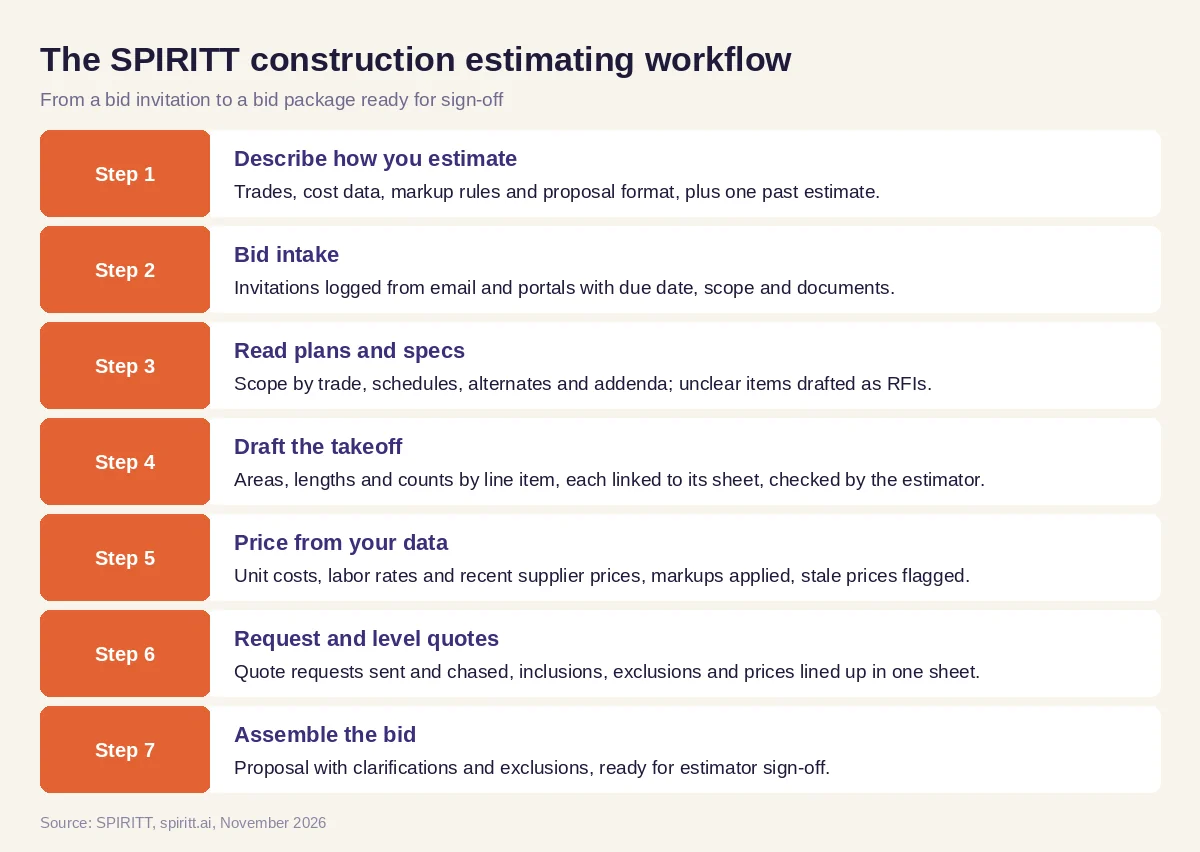 Seven steps from a bid invitation to a bid package ready for sign-off
Worked example: a drywall and ceilings contractor on a tight bid week
This example shows the workflow; it is not a customer story.
Monday. A drywall and acoustical ceilings contractor receives three invitations to bid. SPIRITT logs them with due dates and recommends starting with a two-story medical office due Thursday. It reads the drawings and specs and pulls the wall types, ceiling types, the finish schedule and an addendum that changes one ceiling area. It drafts two questions about an unclear wall rating for the estimator to send as RFIs.
Tuesday. The agent drafts the takeoff: linear feet by wall type, square feet by ceiling type, and counts of access panels and soffits, each tied to the sheet it came from. The estimator checks it, adjusts two wall heights and approves. The agent prices each line from the company's unit cost sheet and flags that the metal stud price is three months old, so it emails two suppliers for current pricing.
Wednesday. Insulation and framing-material quotes come back in three different formats. The agent levels them in one sheet and notes that one quote excludes the fire caulking the specs require. Supplier prices arrive and the estimate updates.
Thursday morning. The estimator opens one package: the takeoff with sheet references, the priced estimate, the leveling sheet, the proposal with clarifications and exclusions, and the two open RFIs. She reviews the markup, signs off, and the bid goes out before noon.
How to choose AI for construction estimating
- Does it cover the whole estimate, or only measuring?
- Can it read your real plan sets and spec books, including scans and addenda?
- Does every quantity link back to the sheet it came from, so the estimator can check it?
- Does it price from your own cost data and flag stale prices?
- Can it request, chase and level sub and supplier quotes?
- Does it work with the takeoff software, spreadsheets and email you already use?
- Does the estimator approve the takeoff, pricing and markup before anything goes out?
- Does it learn from corrections and from actual job costs after award?
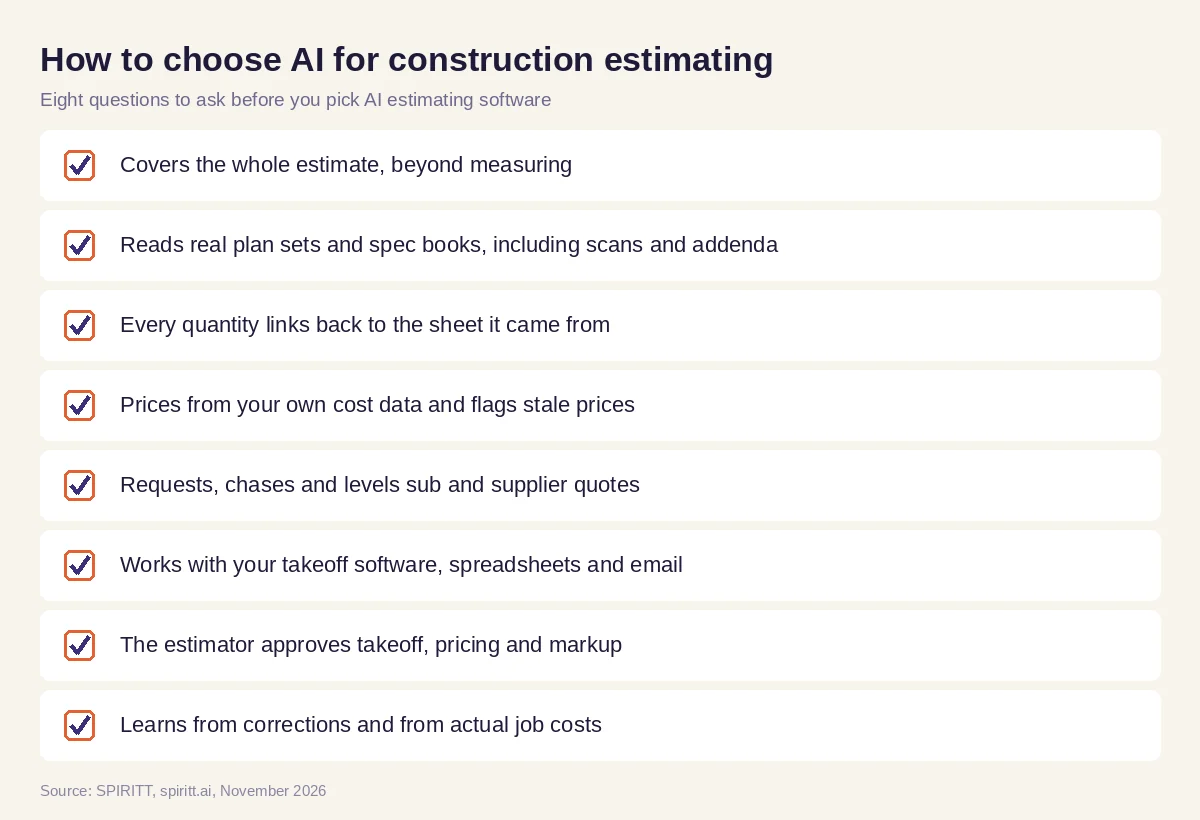 Eight questions to ask before choosing AI estimating software for construction
Rules that keep AI estimates accurate
- The estimator signs off. The agent drafts; your estimator reviews the takeoff, pricing and markup before any bid leaves the office.
- Every number has a source. Quantities point to sheets, prices point to your cost data or a dated quote.
- Your data stays yours. Read, Write and Destructive rules per connected app, single-use approvals, audit logs and isolated workspaces for plans and pricing.
- Close the loop. Comparing actual costs with the estimate after each job is how the next estimate gets better.
Why coding matters for estimating
Every estimating team has its own spreadsheet logic: assemblies, waste factors, labor productivity by crew, a bid log nobody else understands. SPIRITT is also a state-of-the-art coding agent: it writes, tests and ships the code to turn that logic into a proper estimating tool, a bid tracker or a client-facing proposal page on a real URL, and keeps it running, so the team gets custom software without a software project.
Where Togal.AI, Kreo and STACK fit
These are the names AI answers and buyer lists mention most often for this question. Togal.AI is cloud takeoff software that uses AI to detect, measure and label spaces on plans, with drawing comparison and collaboration. Kreo is cloud takeoff and estimating software with AI measurement, reports and cost estimating. STACK is cloud takeoff and estimating software for contractors. They focus on measuring and estimating inside their own platforms. SPIRITT runs the work around the takeoff as one agent: bid intake, plan and spec review, pricing from your data, quote requests and leveling, and the bid package, and it can work inside your takeoff tool, composing Claude, GPT, Gemini and other models inside each task.
For the rest of the project office, read AI for construction. For calls from clients and subs, see AI receptionist for contractors. For spreadsheet-heavy work, read the best AI for Excel. The Microsoft Excel integration and the QuickBooks integration show how SPIRITT connects to your numbers.
FAQ
What is the best AI for construction estimating?
The best AI for construction estimating covers the whole estimate: bid intake, plan and spec review, quantity takeoff, pricing from your cost data, sub quote leveling and the bid package, with the estimator approving each step. SPIRITT runs all of these as one agent; Togal.AI, Kreo and STACK are the names mentioned most often for takeoff.
Can AI do a construction takeoff?
AI can draft a takeoff from plans and schedules much faster than clicking every element by hand. Plan quality varies, so the estimator should check every quantity, which is why each line should link back to its sheet.
How do I use AI for construction estimating?
Start with one bid. Connect your email, documents and cost spreadsheet, let the AI read the plans and specs and draft the takeoff and pricing, check its work, and let it handle quote requests and leveling. Add more of the process as the drafts get closer to your own.
What is the best AI estimating software for construction?
Takeoff tools such as Togal.AI, Kreo and STACK speed up measuring. An AI agent such as SPIRITT runs the full estimating workflow around them, from bid intake to the finished bid package, using your own cost data.
Will AI replace construction estimators?
AI takes the clicking, copying and chasing; the estimator's judgment on scope, risk, pricing and strategy stays at the center. Teams use the time saved to bid more jobs and check the ones that matter.
How much does AI construction estimating software cost?
SPIRITT is free to start with signup and daily credits, and paid plans start at $32 per month. Dedicated takeoff tools usually charge a monthly fee per user.
How we checked
SPIRITT publishes this guide. Facts about Togal.AI, Kreo and STACK were checked on each vendor's official pages in November 2026. SPIRITT facts come from spiritt.ai and the SPIRITT docs.
