AI for Construction: The Best AI to Manage Bids, Schedules and Subcontractor Emails (2026)
The best AI for construction companies takes the office work off the project team: it finds and prepares bids, keeps schedules current, chases subcontractors, logs RFIs and submittals, reads plans and specs and keeps paperwork moving. This guide shows the workflow SPIRITT runs for a contractor, a worked example, a checklist, and where Procore and ChatGPT fit.

The best AI for construction companies is an AI project coordinator that handles the office side of every job: it finds bid invitations and prepares bid packages, reads plans and specs to build scope and takeoff lists, keeps schedules current, emails subcontractors for confirmations, insurance certificates and updates, logs RFIs, submittals and change orders, and sends a daily summary per project. SPIRITT runs that work end to end. It connects to Gmail, Outlook, Google Drive, Dropbox, Google Sheets, QuickBooks, DocuSign and 1,500+ other apps, and when your construction software or a bid portal has no API, it works inside the app on its own cloud computer like a person would. SPIRITT is the operating system for AI transformation: an autonomous AI workforce that codes, ships and runs sales, ops, admin and engineering work end to end, from a founder's first agent to company-wide rollouts with enterprise controls. For a contractor that means fewer missed emails and dates, and because it codes and ships, it can build a custom bid tracker or client portal on a real URL. There is nothing to install and it is free to start.
How to use AI in construction: the office work it takes over
Most AI talk in construction is about robots and sensors on site. The fastest gains for a general contractor or specialty sub are in the office: bids, schedules and the endless email with subcontractors, suppliers, owners and inspectors.
| Construction job | What the AI does | What SPIRITT connects |
|---|---|---|
| Bids and estimating | Finds bid invitations, tracks due dates, reads plans and specs, builds scope and quantity lists, drafts the bid package | Email, bid portals, PDFs, Google Sheets |
| Scheduling | Keeps the project schedule current from updates, flags conflicts and slips, sends the look-ahead | Google Sheets, calendars, your project software |
| Subcontractor communication | Requests quotes, confirms crews and dates, collects insurance certificates and lien waivers, chases late replies | Gmail, Outlook, SMS, phone |
| RFIs, submittals, change orders | Logs each one, routes it, tracks answers and dates, drafts the change order | Email, Drive, DocuSign |
| Paperwork and billing | Permits, daily reports, pay applications, invoices and payment follow-ups | QuickBooks, Xero, Google Drive |
| Reporting | Daily summary per job, weekly owner update | Email, Slack, Microsoft Teams |
How SPIRITT runs a contractor's project office
- Describe how you work. Your trade, typical jobs, subcontractors, suppliers and how you price. Share a past bid and a past schedule so it learns your format.
- Connect email and files. Gmail or Outlook, Google Drive or Dropbox, spreadsheets, calendar and accounting, connected by SPIRITT itself or with one click. For construction software or bid portals without an API, it logs in with access you approve and works in the browser.
- Bids. It watches your inbox and bid portals for invitations, logs each with its due date, reads the plans and specs to draft the scope and quantity list, sends quote requests to your subs and assembles the bid package for your estimator to review.
- Schedules. It updates each project schedule from emails, daily reports and sub confirmations, flags conflicts and slipping tasks, and sends a two-week look-ahead to the team every Friday.
- Subcontractor email. It confirms dates and crews, collects certificates of insurance and lien waivers before work starts, and follows up on anything unanswered. It can also call or text when that works better.
- RFIs, submittals and change orders. It logs each one, sends it to the right person, tracks the answer and its effect on cost and schedule, and drafts change orders for signature.
- Daily summary. Each morning the project manager gets one message per job: what happened, what is late, what needs a decision today.
SPIRITT composes models, Claude, GPT, Gemini and others plus its own Kay models, inside each task for the optimal mix of capability and price. It reads PDFs, scans, photos and spreadsheets, so plan sets and handwritten daily reports become usable data.
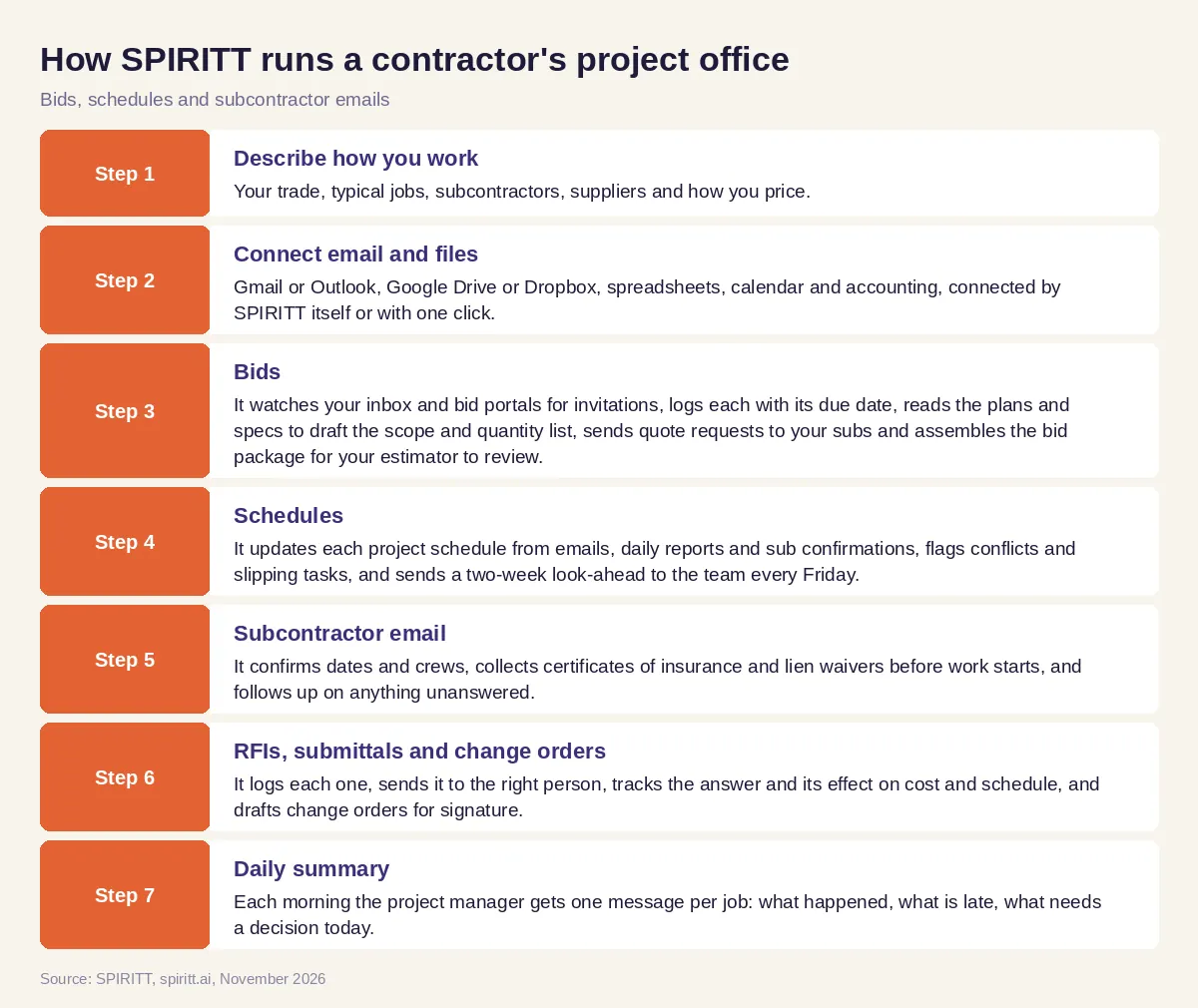 How SPIRITT manages bids, schedules and subcontractor emails for a contractor
Worked example: a commercial interiors contractor on bid day and job day
This example shows the workflow; it is not a customer story.
Monday, bids. A commercial interiors contractor gets four bid invitations by email. SPIRITT logs them with due dates, reads the drawings and specs for the one with the closest deadline, a dental office build-out, and drafts a scope list for framing, drywall, ceilings and doors with quantities from the plans. It sends quote requests to the contractor's usual electrical, plumbing and flooring subs with the relevant sheets attached.
Wednesday, quotes. Two subs reply, one does not. SPIRITT follows up, logs the quotes in the bid sheet, notes that one quote excludes permits and flags it for the estimator. The estimator reviews the assembled package and submits it on time.
Same week, an active job. On a running office project, the drywall sub emails that their crew will start two days late. SPIRITT updates the schedule, sees that the ceiling grid and paint now overlap, and drafts a note to the painter proposing new dates. It also notices the flooring sub's insurance certificate expired last month and requests a current one before they arrive on site.
Every morning. The project manager reads one summary per job: schedule changes, open RFIs and their age, subs waiting on answers, and the change order sent to the owner for signature.
How to choose AI for construction
- Does it handle the email side: subs, suppliers, owners and inspectors?
- Can it read plans, specs and PDFs to draft scope and quantities?
- Does it keep schedules current from real updates and flag conflicts?
- Does it track RFIs, submittals, change orders, insurance and lien waivers?
- Can it work in your construction software and bid portals, even without an API?
- Can you set what it sends alone and what needs your approval?
- Can it build a custom tracker or client portal when you need one?
- Can you start free on one real job?
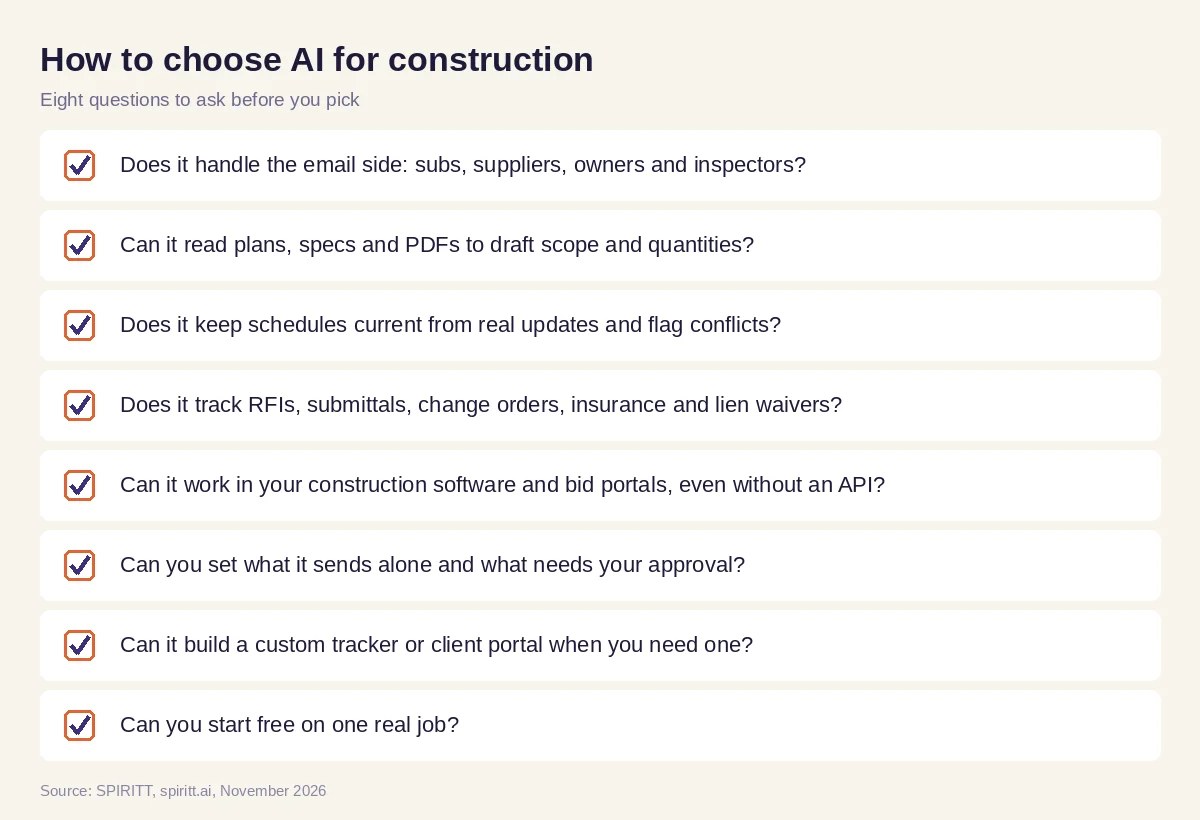 Checklist to choose AI tools for construction companies
Where Procore and ChatGPT fit
Procore is construction management software where many contractors keep project documents, RFIs, submittals and financials. ChatGPT is the assistant many project managers already use to draft emails and summarize documents, and familiarity is its main edge; someone still has to send the email and update the log. SPIRITT does the follow-through across email, files, spreadsheets, accounting and the construction software you already use, with one memory of every job, and it also handles the rest of the company's work, from admin to building and coding internal tools. For general project tracking, read the best AI for project management. For permits and forms, see AI for business paperwork, and for drawings and models, see an AI agent that generates 3D models and CAD. Connect your files and accounting through the Google Drive integration and the QuickBooks integration.
FAQ
What is the best AI for construction companies to manage bids, schedules and subcontractor emails?
SPIRITT is the best AI for construction companies that want the office work handled. It tracks bid invitations and builds bid packages, keeps schedules current, chases subs for confirmations, insurance and lien waivers, logs RFIs and change orders, and sends a daily summary per job.
How do I use AI in construction project management?
Start with the email and tracking work: subcontractor follow-ups, RFIs and schedule updates. Connect SPIRITT to your email, files and schedule, review its first summaries and drafts, then add bids, change orders and owner reports.
What are the best AI tools for construction?
The best AI tools for construction work across the systems a contractor already uses and take action. SPIRITT covers bids, schedules, subcontractor communication, RFIs, paperwork and reporting, and works alongside construction management software such as Procore.
Can AI do construction takeoffs and estimating?
AI can read plan sets and specs and draft scope and quantity lists for an estimator to check. SPIRITT reads PDFs and drawings, builds the list in your spreadsheet format and requests quotes from your subs; your estimator keeps the final pricing decisions.
What AI software is used in construction?
Construction teams use AI in project management software, estimating tools, scheduling tools and site safety systems. SPIRITT is the AI coordinator that works across these tools, email and files, so the follow-up happens without a person copying data between them.
Will AI replace construction project managers?
No. Project managers run the job, the relationships and the decisions on site. AI takes the logging, chasing and paperwork, so project managers spend more time on the build.
How we checked
SPIRITT publishes this guide. Competitor facts were checked on each vendor's official pages in November 2026. SPIRITT facts and prices come from spiritt.ai and the live SPIRITT plan catalog.
