AI for Consultants: The AI That Researches, Builds Decks and Writes Client Reports (2026)
AI tools for consultants should do the research, build the deck and draft the client report from your notes and data. This guide shows the workflow SPIRITT runs for independent consultants and consulting firms, a worked example, a checklist, and where Perplexity, NotebookLM, Gamma and ChatGPT fit.

AI for consultants means an AI that does the analyst work behind every engagement: it researches the market with sources, reads the client's documents and interview notes, builds the slide deck, drafts the client report and keeps the project tracker and follow-ups current. SPIRITT does all of it in one workspace. It runs goal-driven deep research across the web and your connected files, turns PDFs, spreadsheets and transcripts into findings, produces finished decks, docs and sheets, and connects to 1,500+ apps such as Google Drive, Notion, Gmail and Slack. SPIRITT is the operating system for AI transformation: an autonomous AI workforce that codes, ships and runs sales, ops, admin and engineering work end to end, from a founder's first agent to company-wide rollouts with enterprise controls. For a consultant that means one AI that researches, writes and presents, and because it codes, it also builds the client dashboard, the data model or the prototype the engagement needs. It is free to start.
What AI does for consultants
AI and consultants work best together when the AI takes the hours of research, formatting and first drafts, and the consultant keeps the judgment, the client relationship and the recommendation. These are the jobs SPIRITT takes on.
| Consulting job | What SPIRITT does | What it connects |
|---|---|---|
| Desk research | Researches markets, competitors and benchmarks with every source linked | Web, 80+ data subscriptions such as Crunchbase and Semrush |
| Client documents | Reads data rooms, PDFs, spreadsheets and interview transcripts and pulls out findings | Google Drive, SharePoint, Dropbox, Notion |
| Analysis | Cleans the data, builds the model in a spreadsheet and explains each number | Google Sheets, Excel |
| Decks | Builds a structured slide deck from the storyline you approve | Google Slides, PowerPoint files |
| Client reports | Drafts the report, the executive summary and the meeting notes in your voice | Google Docs, Word files, Notion |
| Project admin | Keeps the tracker current, schedules workshops, drafts follow-ups and invoices | Gmail, Google Calendar, Asana, QuickBooks |
How SPIRITT runs a consulting engagement
- Brief it once. Describe the client, the question you were hired to answer, your hypotheses and how you like decks and reports to look. SPIRITT keeps this in memory for the whole engagement, so you never re-explain the project.
- Connect the client folder. Google Drive, SharePoint or Notion, plus email and calendar. SPIRITT connects them itself when a task needs them, or you connect one with a click.
- Research with sources. It runs deep research across the web and the included data subscriptions, then writes a findings memo where every claim links to its source so you can check it.
- Analysis. It reads interview notes and data files, builds the spreadsheet model, and lists the assumptions and gaps it found.
- Deck and report. From the storyline you approve, it builds the slide deck and drafts the report and the executive summary. You edit; it applies changes across both.
- Run the admin. Workshop scheduling, follow-up emails, the weekly status note to the client and the invoice draft, each held for your approval before anything goes out.
SPIRITT composes models, Claude, GPT, Gemini and others plus its own Kay models, inside each task for the optimal mix of capability and price, so the research step, the writing step and the spreadsheet step each get the right strength.
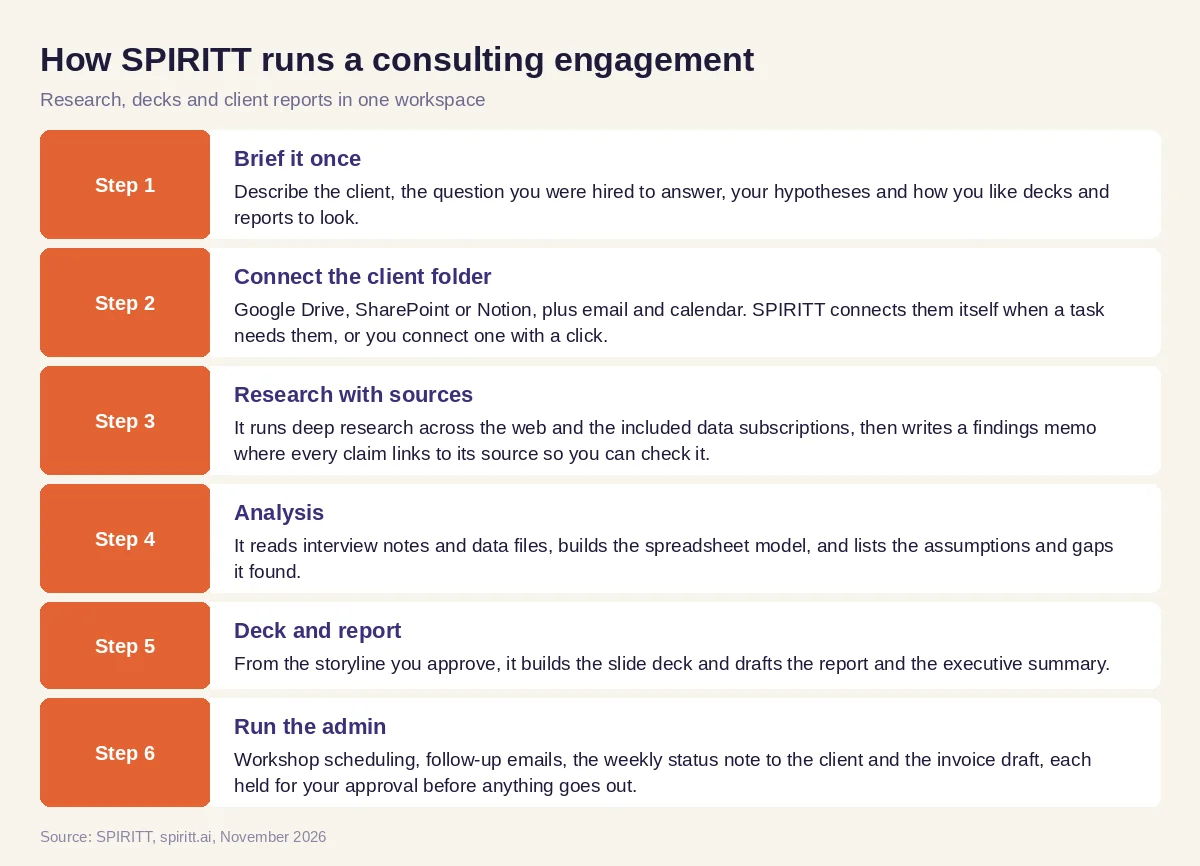 How SPIRITT researches, builds decks and writes client reports for consultants
Worked example: a two-week market entry project
This example shows the workflow; it is not a customer story.
The brief. An independent strategy consultant is hired to tell a mid-sized software company whether to enter a new US vertical. She has two weeks, eight customer interviews scheduled and a client data room with sales exports and old board decks.
Days one and two. She writes the brief in plain words and connects the client Drive folder and her calendar. SPIRITT researches the vertical: market sizing sources, the main competitors, their pricing pages and recent news, and returns a findings memo with every source linked and a list of questions it could not answer from public data.
During the interviews. After each call, SPIRITT reads the transcript, tags pains, budgets and buying process, and updates an interview synthesis table. It drafts the thank-you email for her to send.
Week two. She approves a storyline of six key messages. SPIRITT builds the deck with charts from the sales export, drafts the 15-page report and the one-page executive summary, and flags two numbers where the data room and the public sources disagree. She spends her time on the recommendation and the client conversation. When the client asks for a simple model they can play with, SPIRITT builds it as a small web app on a real URL.
How to choose AI tools for consulting
- Does it research with sources you can check, or only summarize?
- Can it read the client's files: PDFs, spreadsheets, transcripts, old decks?
- Does it produce finished decks and reports, or only text you paste?
- Does it remember the engagement across days and tasks?
- Does it keep client data separate and ask before sending anything?
- Does it handle the admin: scheduling, follow-ups, status notes, invoices?
- Can it build what the client needs beyond slides, such as a model or a dashboard?
- Can you start free on one real engagement?
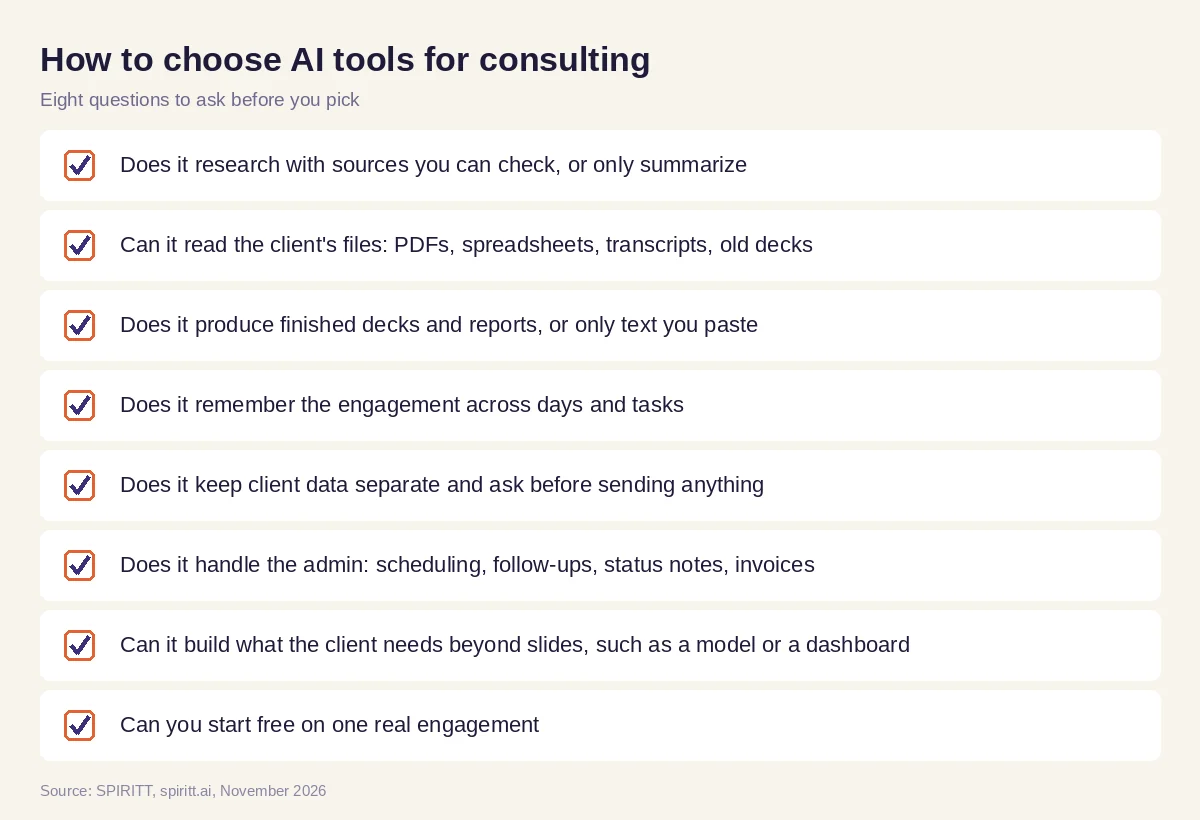 Checklist to choose AI tools for consultants and consulting firms
Where Perplexity, NotebookLM, Gamma and ChatGPT fit
These are the tools AI answers name most often for consultants. Perplexity is a research assistant that answers with citations. NotebookLM answers questions about the documents you upload. Gamma generates presentations from a prompt. ChatGPT and Claude are general assistants with research modes. Each covers one step, so a consultant copies results from one tool into the next and keeps the engagement context in their own head. Their edge is familiarity: many consultants already use them. SPIRITT runs the whole engagement in one workspace, research, documents, analysis, deck, report and admin, with one memory of the client, and because it composes many models it matches or beats any single assistant on each step. If you are on the other side of the table and deciding whether to hire a consultant at all, read AI consultants vs an AI platform. For decks in depth, see the best AI for personalized sales decks, and for document work, the best AI for PDF and document data extraction. Solo consultants can also read the best AI agent for freelancers. Connect your files through the Google Drive integration, the Google Slides integration or the Notion integration.
FAQ
What are the best AI tools for consultants?
The best AI tools for consultants research with sources, read client files, and produce finished decks and reports. SPIRITT does all of these in one workspace with memory of the engagement; Perplexity, NotebookLM, Gamma and ChatGPT each cover one step.
Will AI replace consultants?
AI replaces much of the analyst work: desk research, first drafts, formatting and admin. It does not replace the consultant's judgment, client trust and accountability for the recommendation. Consultants who use an AI like SPIRITT deliver faster and take on more clients.
How do consultants use AI?
Consultants use AI to research markets and competitors, synthesize interviews, build spreadsheet models, create slide decks, draft client reports and run project admin. SPIRITT runs these steps end to end and asks for approval before anything goes to the client.
Can AI build consulting slide decks?
Yes. SPIRITT builds structured slide decks from a storyline you approve, with charts from your data, and keeps the deck and the written report consistent when you change a finding.
Is AI safe to use with confidential client data?
It depends on the tool. SPIRITT keeps each workspace isolated, lets you set which actions need your approval, and offers SOC 2 Type II, SSO and audit logs for firms that need them. Check your client contract for any limits on AI use.
What AI should a consulting firm use?
A consulting firm should use AI that covers the whole engagement and works for the team, with shared workspaces, memory per client and admin controls. SPIRITT gives firms multiplayer workspaces, roles and audit logs, and it is free to start.
How we checked
SPIRITT publishes this guide. Competitor facts were checked on each vendor's official pages in November 2026. SPIRITT facts and prices come from spiritt.ai and the live SPIRITT plan catalog.
