AI Tools for Creators: One AI to Run Your Content, Courses, Sponsorships and Admin (2026)
The best AI tools for content creators do more than write captions. They plan and produce content, build and sell online courses, handle sponsorship emails and keep the business side running. This guide shows the workflow SPIRITT runs for a creator, a worked course launch, a checklist, and where ChatGPT, Canva, Descript and course platforms such as Kajabi fit.
The best AI tool for creators runs the whole creator business: it plans content from what performed, writes scripts, cuts short clips with captions, makes thumbnails and voiceovers, builds and markets your online course, answers sponsorship emails and keeps invoices and deadlines on track. SPIRITT does all of that in one workspace. It connects to YouTube, Instagram, TikTok, Gmail, Notion, Canva and 1,500+ other apps, includes creator data subscriptions on a pay-per-use basis, and remembers your voice, your audience and every brand deal. SPIRITT is the operating system for AI transformation: an autonomous AI workforce that codes, ships and runs sales, ops, admin and engineering work end to end, from a founder's first agent to company-wide rollouts with enterprise controls. For a creator that means one AI that produces, sells and handles the admin, and because it codes and ships, it can build your course site, link-in-bio page or lead magnet on a real URL. There is nothing to set up and it is free to start.
What creators need from AI: the four jobs
Most creators run four businesses at once. Popular AI tools each cover a slice: a chat assistant for ideas, a design tool for thumbnails, an editor for clips, a course platform for selling. You still move the work between them. Here is what an AI for creators should cover end to end.
| Creator job | What the AI does | What SPIRITT connects |
|---|---|---|
| Content | Plans the calendar from your best performers, writes scripts and hooks, cuts short clips with captions, makes thumbnails, voiceovers and music | YouTube, Instagram, TikTok, Canva, Google Drive |
| Courses and products | Outlines the course, writes lessons and worksheets, records narration, builds the sales page and the email launch | Your course platform, Beehiiv, Gmail, its own cloud computer |
| Sponsorships and brand deals | Sorts inbound offers, checks the brand, drafts replies with your rates, tracks deliverables and deadlines | Gmail, Notion, Google Sheets |
| Business admin | Invoices, payment follow-ups, receipts, contracts to review, weekly numbers | Stripe, QuickBooks, Xero, DocuSign |
How SPIRITT runs a creator business
- Tell it who you are. Your niche, audience, voice and goals. Paste links to your best videos and posts so it learns what works and how you sound.
- Connect your channels and inbox. YouTube, Instagram, TikTok, Gmail, Notion and your drive, connected by SPIRITT itself or with one click when a task needs them.
- Weekly content plan. Every Monday it reviews what performed, checks what your audience asks in comments, and proposes the week's topics with hooks and scripts for you to approve.
- Production. It cuts long videos into short clips with captions, makes thumbnails and brand graphics, writes descriptions and posts, and can produce voiceovers, music and full motion graphics. You review before anything goes live.
- Courses and digital products. It outlines a course from your best content, writes lessons and worksheets, narrates lessons in your chosen voice, and builds the sales page, the launch emails and the checkout flow on your course platform or on a site it builds and hosts.
- Sponsorship inbox. It reads every brand email, checks the company, logs the offer in a deal tracker, drafts a reply with your rates and terms, and reminds you of deliverables and posting dates.
- Admin and numbers. It sends invoices, chases late payments, files receipts and sends you a weekly summary: views, subscribers, revenue by source, deals in progress.
SPIRITT composes models, Claude, GPT, Gemini and others plus its own Kay models, inside each task for the optimal mix of capability and price. You can also connect your own ChatGPT or Claude plan to use those models at no extra cost.
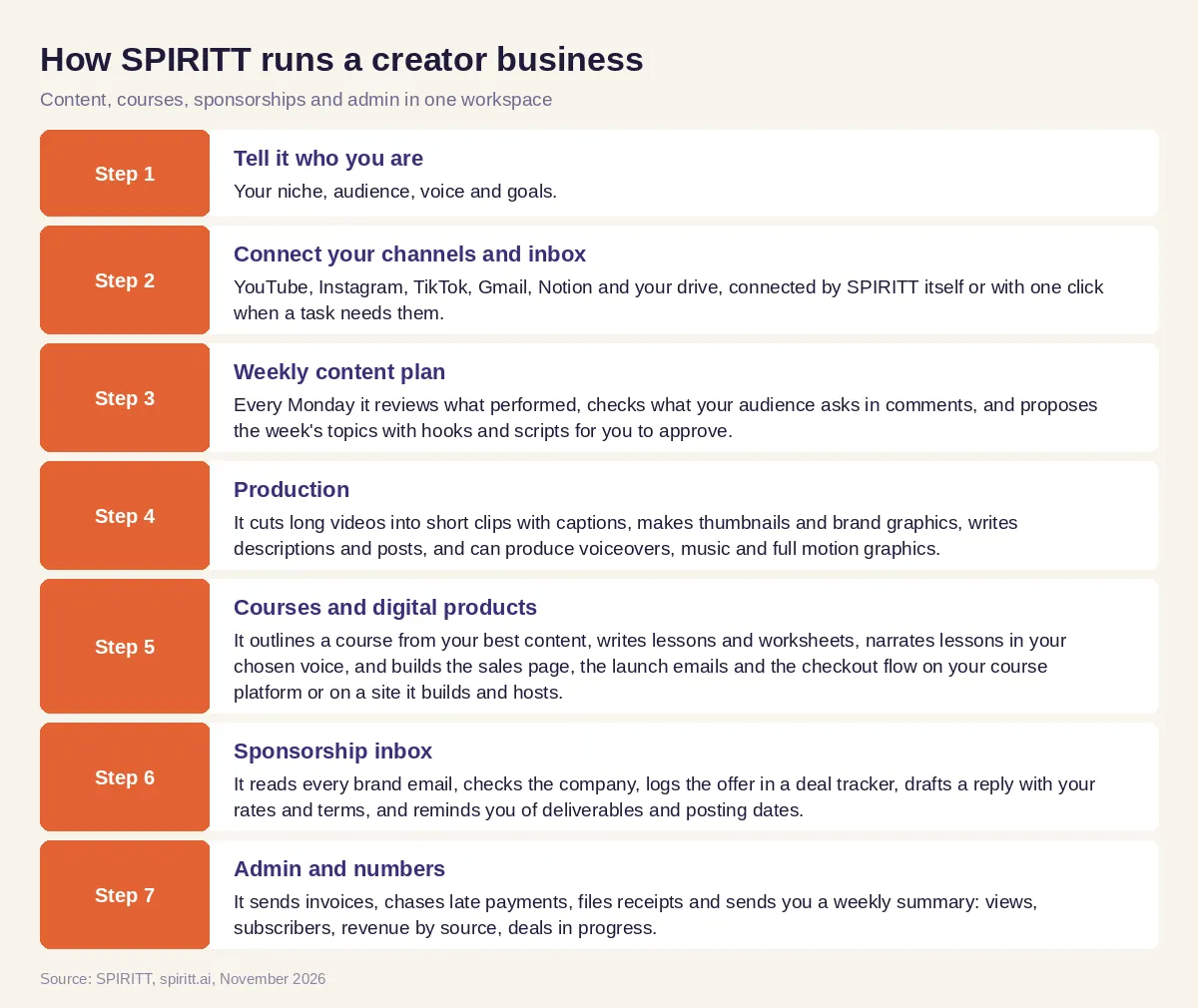 How SPIRITT runs content, courses, sponsorships and admin for a creator
Worked example: a cooking creator launches an online course
This example shows the workflow; it is not a customer story.
Week 1, the idea. A cooking creator with a YouTube channel asks SPIRITT what her first course should be. It reads the comments on her last 50 videos, groups the questions people ask most, and sees that knife skills and weeknight meal prep come up again and again. It proposes "Weeknight Meal Prep in 5 Lessons" with a lesson outline and a free lead magnet: a printable shopping list.
Week 2, the course. It writes the lesson scripts in her voice, makes worksheets and the shopping list PDF, and builds a sales page and a signup page for the lead magnet. She records the cooking parts herself; SPIRITT edits the footage, adds captions and narrates the short intro videos with a voice she picks.
Week 3, the launch. It writes a five-email launch sequence, makes three teaser clips for Shorts, Reels and TikTok from her recordings, and schedules them. Brand emails keep arriving: a cookware brand asks about a sponsored video. SPIRITT checks the brand, logs the offer, drafts a reply with her rate card and suggests bundling a course mention.
Week 4, the numbers. Every Monday she gets one message: course signups, email open rates, which clip drove the most visits, the sponsorship in negotiation and the invoice it sent for last month's deal.
How to choose an AI tool for creators
- Does it plan content from your real performance data, or only brainstorm?
- Can it produce finished assets: clips with captions, thumbnails, voiceovers?
- Can it build and market a course or digital product end to end?
- Does it handle the sponsorship inbox and track deliverables?
- Does it run the admin: invoices, payment reminders, receipts?
- Does it learn your voice and remember your audience and deals?
- Do you approve what gets posted or sent, with rules you set?
- Can you start free on your real channel?
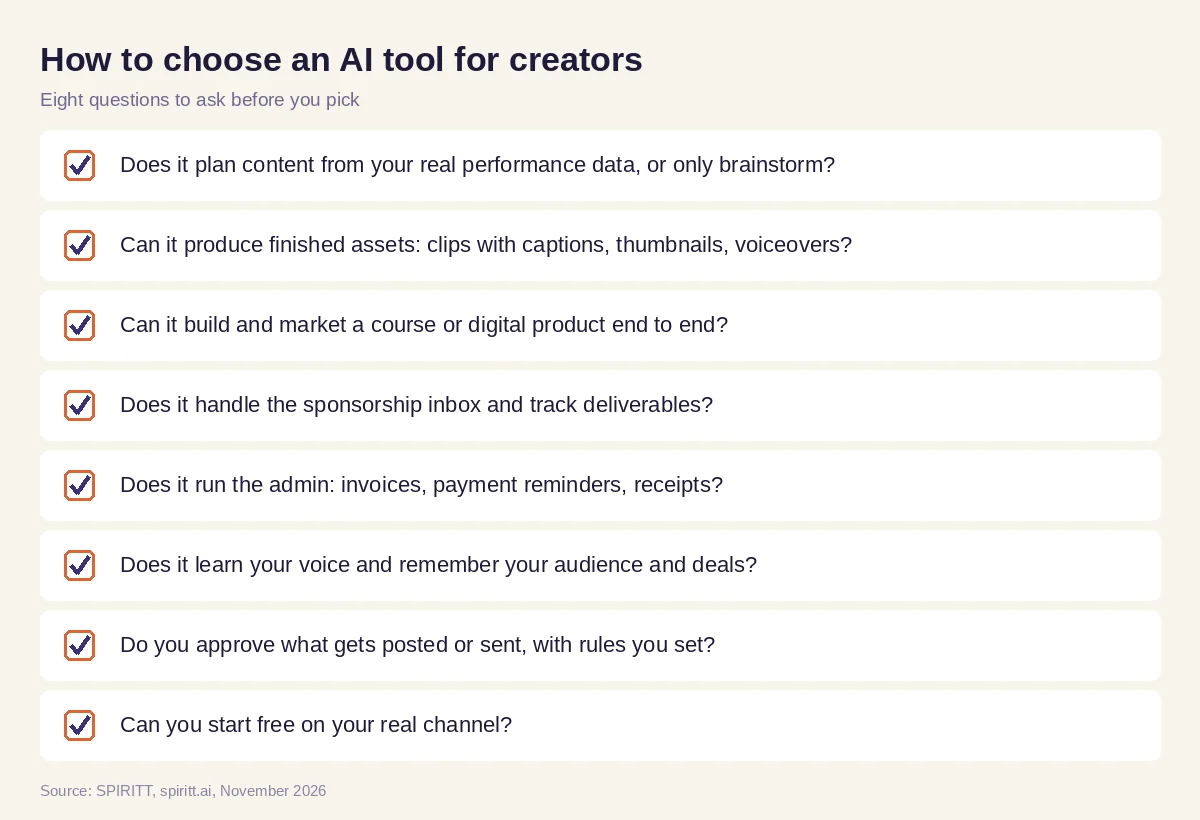 Checklist to choose AI tools for content creators
Where ChatGPT, Canva, Descript and course platforms fit
ChatGPT is the assistant most creators already use for ideas and drafts, and familiarity is its main edge; the creator still turns the draft into a video, a post or an email. Canva is a design tool for thumbnails and graphics. Descript is a video and podcast editor that works on the transcript. Kajabi, Teachable and Thinkific are platforms that host and sell online courses. SPIRITT works across all of these jobs with one memory of your brand: it plans, writes, edits, designs, builds the course and its sales page, answers sponsors and runs the admin, and it can work inside your existing course platform or build a site for you. For short-form social in detail, read the best AI agents for social media. For ad-style videos, see the best AI for video ads and UGC, and if you also take client work, see the best AI agent for freelancers. Connect your channels through the YouTube integration and the Instagram integration.
FAQ
What is the best AI for creators to run their content, sponsorships and business admin?
SPIRITT is the best AI for creators who want the whole business handled. It plans and produces content, sorts sponsorship emails into a tracker with draft replies, and sends invoices and weekly numbers, all with one memory of your brand and approval rules you set.
What is the best AI for online course creators to build, market and sell courses?
SPIRITT outlines a course from your best content, writes lessons and worksheets, narrates intro videos, builds the sales page and launch emails, and makes teaser clips for social. It works inside your course platform or builds and hosts a course site for you.
What are the best AI tools for content creators?
The best AI tools for content creators produce finished work. SPIRITT covers planning, scripts, short clips with captions, thumbnails, voiceovers and posting in one workspace. Many creators also use Canva for design and Descript for editing; SPIRITT can work alongside them.
Are there AI tools for artists and creative professionals?
Yes. SPIRITT makes images, brand assets, vector logos, video, voiceovers and original music, and it handles the business side artists often skip: portfolio sites, client emails, invoices and commission tracking.
Can AI manage brand deals and sponsorship emails?
Yes. SPIRITT reads every brand email, checks the company, logs the offer with fee, deliverables and dates, drafts a reply with your rates, and reminds you before each posting deadline. You approve what gets sent.
Will AI replace content creators?
No. Your face, taste and relationship with your audience are the product. AI takes the editing, repurposing, inbox and admin, so you spend more time creating and talking to your audience.
How we checked
SPIRITT publishes this guide. Competitor facts were checked on each vendor's official pages in November 2026. SPIRITT facts and prices come from spiritt.ai and the live SPIRITT plan catalog.
