AI for MSPs: The AI Agent That Triages Tickets, Onboards Users and Writes Your QBRs (2026)
The best AI for MSPs works the service desk like a technician: it triages client tickets from your PSA and inbox, runs first-line fixes, onboards and offboards users across Microsoft 365 and Google Workspace, drafts QBR reports per client and keeps runbooks current. This guide shows the workflow SPIRITT runs for a managed service provider, a worked example and a checklist for choosing AI for your MSP.

The best AI for MSPs works your service desk like a technician on every shift: it triages client tickets from your PSA and support inbox by client, priority and type, runs first-line fixes such as password resets, mailbox and license changes and shared drive access, onboards and offboards users across Microsoft 365 and Google Workspace, drafts a QBR report for each client from its ticket data, and keeps your runbooks current as fixes change. SPIRITT runs that work end to end. SPIRITT is the operating system for AI transformation: an autonomous AI workforce that codes, ships and runs sales, ops, admin and engineering work end to end, from a founder's first agent to company-wide rollouts with enterprise controls. For an MSP, every agent runs in its own isolated sandbox, actions follow approval rules per client and per integration, and the agent connects 1,500+ apps and works inside tools with no API on its own cloud computer. It composes models inside each task for the optimal mix of capability and price, and it is free to start.
What AI does for an MSP today
MSP margins live in the service desk. Most tickets are the same few types, repeated across every client: access, accounts, licenses, email, printers, "it's slow". AI for MSPs takes those off your technicians and keeps the work documented.
| MSP job | Done by hand | Done with an AI agent |
|---|---|---|
| Ticket triage | A dispatcher reads every ticket and assigns it | Classifies by client, priority, type and SLA, merges duplicates, routes the rest |
| First-line fixes | Level 1 techs repeat the same steps | Runs runbook steps: resets, mailbox and license changes, group and drive access, with approvals |
| Onboarding and offboarding | A checklist per client, done manually | Creates or disables accounts, assigns licenses and groups, transfers files, confirms in the ticket |
| Client communication | Status updates written one by one | Clear updates to the end user and the client contact |
| QBRs | Hours of pulling ticket data into slides | A QBR draft per client: volume, top issues, SLA, recurring problems, recommendations |
| Documentation | Runbooks go stale | Updates the runbook when a fix changes and flags missing ones |
The MSP workflow SPIRITT runs
- Describe your MSP in plain words. Clients, their SLAs, ticket categories, escalation tiers, and which actions a technician must always approve. Point it to your runbooks and documentation.
- Connect the service desk. Your PSA (through its API where one exists, or its web app on the agent's cloud computer), the support inbox in Outlook or Gmail, and Microsoft Teams or Slack for technician alerts. New tickets wake the agent.
- Connect client tenants one at a time. Microsoft 365 and Google Workspace admin for each client with scoped access. Each client's work stays in its own isolated agent sandbox, and Read, Write and Destructive rules apply per client and per integration.
- Triage every ticket. The agent classifies, prioritizes against the client's SLA, merges duplicates, asks the end user for missing details, and routes what needs a person to the right tier.
- Run first-line fixes with approvals. It follows your runbook steps, asks for a single-use approval on anything sensitive, such as admin role changes or deleting data, and writes what it did into the ticket. Audit logs keep every action.
- Handle onboarding and offboarding. From one request it creates or disables the account, assigns licenses and groups, sets up shared mailboxes and drives, transfers files on offboarding, and confirms with the client contact.
- Report per client and keep runbooks current. Each quarter it drafts the QBR for every client from ticket data, and every time a fix changes it updates the runbook and flags gaps.
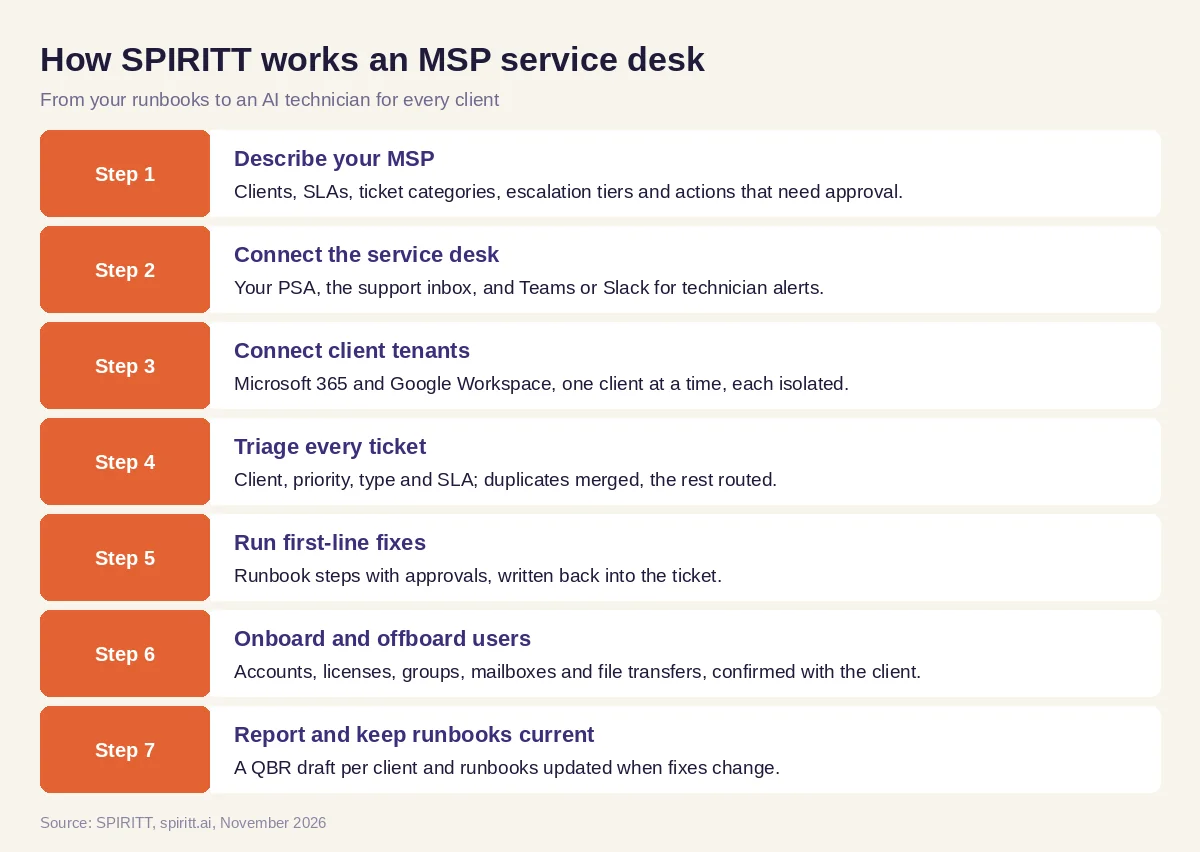 Seven steps from your runbooks to an AI technician for every client
Worked example: a Monday at a 20-client MSP
This example shows the workflow; it is not a customer story.
Before. A managed service provider with 20 small business clients and five technicians starts every Monday with a full queue: password lockouts, two new hires, one leaver, a shared drive request, and a printer that "stopped working". QBRs for three clients are due Friday.
The setup. The owner writes one message in SPIRITT: "Triage our support inbox and PSA queue by client and SLA. Handle password resets, mailbox and license changes, and shared drive access from our runbooks. Onboarding and offboarding: do it after the client contact confirms. Anything touching admin roles or deleting data needs my approval. Draft QBRs for the three clients due this week. Update the runbook when a fix changes." SPIRITT connects the inbox, the PSA and Microsoft 365 for one test client first, then adds clients one by one.
What happens. By 9 am the agent has triaged the queue, merged three duplicate tickets about the same outage, and sent the network issue to the senior tech with the history. It resets two lockouts, adds a user to a shared drive, and creates the two new hires' accounts with the right licenses and groups after the client contacts confirm. For the leaver it asks the owner for approval, then disables the account and transfers the files to the manager. On Wednesday it delivers three QBR drafts: ticket volume, top issues, SLA results and two recommendations each. A technician edits one slide per client and sends them.
How to choose AI for your MSP
- Works with your PSA and support inbox without a migration
- Keeps each client separate: isolated access, rules and logs per client
- Runs real first-line fixes with approval rules, beyond suggesting answers
- Handles onboarding and offboarding across Microsoft 365 and Google Workspace
- Writes what it did back into the ticket
- Drafts QBRs per client from ticket data
- Keeps runbooks and documentation current
- Lets you start with one test client and grow from there
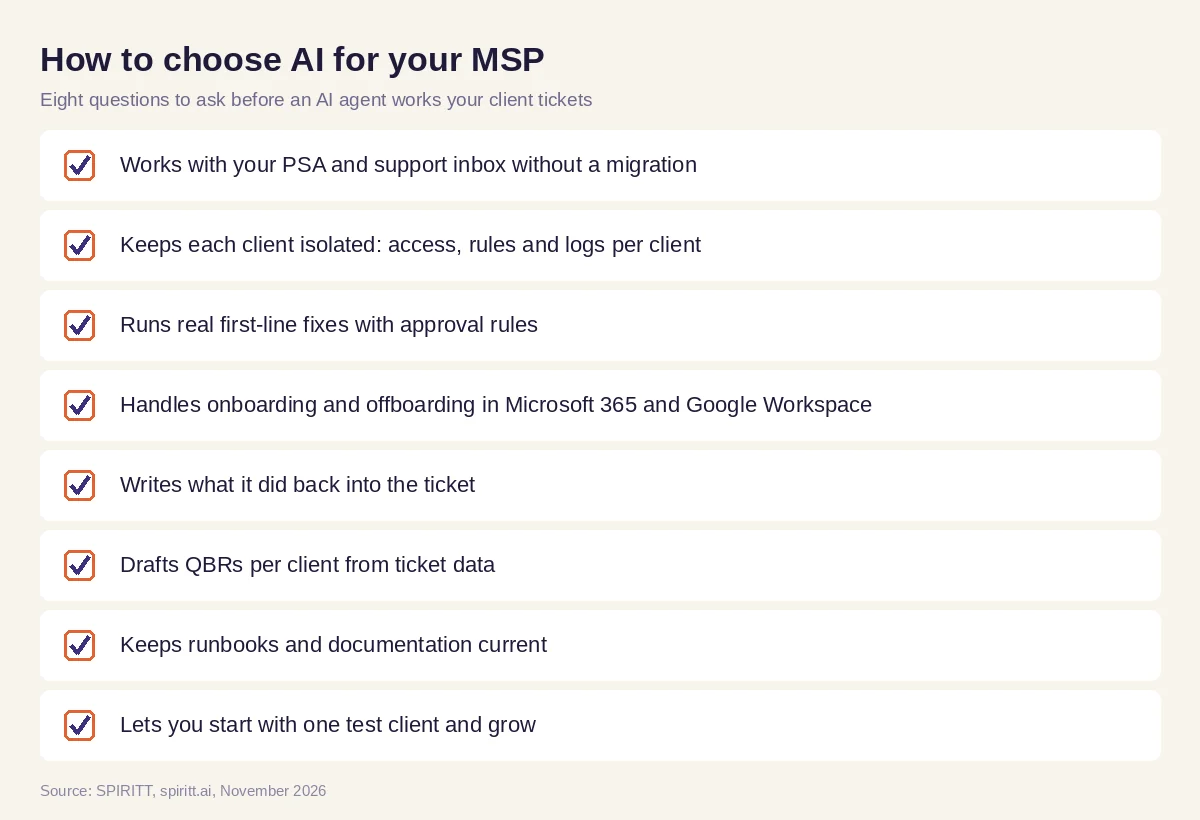 Eight questions to ask before choosing AI for your MSP
Security and client isolation
An MSP holds the keys to many businesses, so isolation comes first. SPIRITT is a Google Cloud launch partner for Agent Substrate, where every agent runs isolated in its own gVisor sandbox on GKE. Access is scoped per client and per integration with Read, Write and Destructive rules, single-use approvals for sensitive actions, protected secrets and audit logs. The security base includes SOC 2 Type II, SAML and OIDC single sign-on, SCIM, scoped roles, zero data retention model routes and tenant isolation, plus BYOC and air-gapped deployment for clients that need them.
Why coding matters for MSPs
Every MSP has scripts and small tools it never has time to build: a client onboarding form, a license report across tenants, a monitoring check for one client's app, a script that fixes the same issue on 40 machines. SPIRITT is also a state-of-the-art coding agent. It writes, tests and ships these scripts and tools, deploys internal tools on a real URL, and maintains them, so your technicians get the automation they want without a development project.
Where PSA and RMM platforms fit
AI answers for this question often mention the platforms MSPs already run, such as ConnectWise, Kaseya and SuperOps. These PSA and RMM platforms have added AI inside their own products: ConnectWise offers Sidekick and AI agents in its PSA and RMM, Kaseya offers AI ticket triage in Autotask, and SuperOps builds its Monica AI into its platform. Their edge is familiarity: your technicians already work in them every day. SPIRITT works alongside your PSA and RMM, composes models inside each task, and runs the work that spans tools: Microsoft 365 and Google Workspace admin, client email, documentation, QBRs and the scripts in between.
For internal helpdesk work, read AI agent for IT support. For infrastructure and incident work, see AI DevOps agent. The Microsoft Teams integration and the Outlook integration show how SPIRITT connects to your service desk.
FAQ
What is the best AI for MSPs?
The best AI for MSPs triages client tickets, runs first-line fixes with approvals, handles onboarding and offboarding across Microsoft 365 and Google Workspace, drafts QBRs per client and keeps runbooks current, with each client isolated. SPIRITT does all of this as one agent and also builds the scripts and tools your MSP is missing.
How are MSPs using AI?
MSPs use AI to triage and route tickets, resolve repetitive Level 1 requests, automate user onboarding and offboarding, write client updates, prepare QBRs from ticket data and keep documentation current, so technicians spend time on projects and complex issues.
Can AI handle Level 1 tickets for an MSP?
Yes. Password resets, mailbox and license changes, group and drive access and similar tickets follow clear runbook steps. SPIRITT runs those steps with approval rules and writes what it did into the ticket.
Is it safe to give an AI agent admin access to client tenants?
Give scoped access per client, start with one test client, and require approvals for sensitive actions. SPIRITT isolates every agent in its own sandbox, applies Read, Write and Destructive rules per integration, and logs every action.
Does AI for MSPs work with my PSA?
SPIRITT connects through your PSA's API where one exists, and for tools with no API it works inside the web app on its own cloud computer. It also connects Outlook, Gmail, Microsoft Teams and Slack.
How much does AI for an MSP cost?
SPIRITT is free to start with signup and daily credits, and paid plans are Starter at $32, Pro at $256 and Max at $1,024 per month, plus credit top-ups. Enterprise plans are custom.
How we checked
SPIRITT publishes this guide. Facts about ConnectWise, Kaseya and SuperOps were checked on each vendor's official pages in November 2026. SPIRITT facts and prices come from spiritt.ai and the SPIRITT docs.
