AI for Network Engineers: Config Audits, Tested Automation Scripts, Alert Triage and Change Tickets With an AI Agent (2026)
AI for network engineers audits device configs against your standards, writes and tests automation scripts in a sandbox, triages monitoring alerts and drafts change tickets with pre-checks and rollback plans, all for engineer approval. This guide shows the network workflow SPIRITT runs, a worked example and a checklist.

AI for network engineers is an AI agent that takes the repeatable parts of running a network: it audits device configurations against your standards, writes and tests automation scripts in its own sandbox before anything touches a device, triages alerts from your monitoring tools, and drafts change tickets with pre-checks, the exact commands and a rollback plan. SPIRITT runs that workflow end to end and holds every change for an engineer's approval. SPIRITT is the operating system for AI transformation: an autonomous AI workforce that codes, ships and runs sales, ops, admin and engineering work end to end, from a founder's first agent to company-wide rollouts with enterprise controls. For a network team that means a frontier coding agent that writes and tests real Python and Ansible, composes models inside each task for the optimal mix of capability and price, and works inside the same tools your team uses.
Which network engineering tasks AI can take on
Network engineers spend their week on audits, scripts, alerts and change paperwork as much as on design. The design calls and the change window stay with the engineer. The reading, writing and checking around them is where an agent helps.
| Network task | Done by hand | Done with an AI agent |
|---|---|---|
| Config audit | Grepping backups device by device | Every config checked against the standard, deviations listed with the line and the fix |
| Automation scripts | Written between tickets, tested in production | Python or Ansible written and run against config copies in a sandbox first |
| Alert triage | Reading every page at 2am | Alerts grouped, correlated with recent changes and summarized with likely cause |
| Change tickets | Copying the last ticket and editing | Ticket with scope, pre-checks, commands, verification and rollback |
| Documentation | Diagrams that drift from reality | Interface, VLAN and neighbor tables rebuilt from current configs |
| Capacity checks | Exporting graphs before a review | Interface utilization trends and links near their limit, in one report |
This guide covers network engineering work. For CI/CD, cloud infrastructure and application operations, read the AI DevOps agent guide.
The network workflow SPIRITT runs
- Reads your sources. The agent works from config backups (a Git repo, an archive folder or your backup tool's export), your standards document, your monitoring tool such as Datadog, your paging tool such as PagerDuty and your ticketing system. It starts read-only.
- Audits configs. It parses each config (Cisco IOS and NX-OS, Junos, Arista EOS and others) and checks it against your rules: AAA and TACACS settings, SSH only, SNMPv3, NTP and syslog targets, banners, ACLs on management planes, unused ports shut, VLAN and trunk consistency. Output: one row per deviation with device, section, current line and proposed line.
- Writes automation. For each fix or recurring task, it writes the script your team prefers: Python with Netmiko or NAPALM, Ansible playbooks or Nornir tasks, using your inventory format and variable names.
- Tests in its sandbox. It runs the code in its own isolated cloud computer against copies of the configs, renders the resulting config, shows the diff and runs your linters and unit tests. Nothing is pushed to a live device from this step.
- Triages alerts. When monitoring fires, it groups related alerts, checks recent changes and config diffs for the affected devices, pulls interface counters and logs, and writes a short summary with the likely cause and the next check for the on-call engineer.
- Drafts change tickets. For each planned change it drafts the ticket in your format: scope and risk, affected devices and services, pre-checks, the exact commands or playbook, post-change verification, rollback steps and the maintenance window.
- Runs approved changes. After an engineer approves, it can run the approved playbook in check mode first, then for real, against the scoped devices, and record the output in the ticket. Your access rules decide whether it ever gets this far.
- Keeps documentation current. It rebuilds interface, VLAN, routing neighbor and IP tables from the latest configs and opens a merge request when the docs drift.
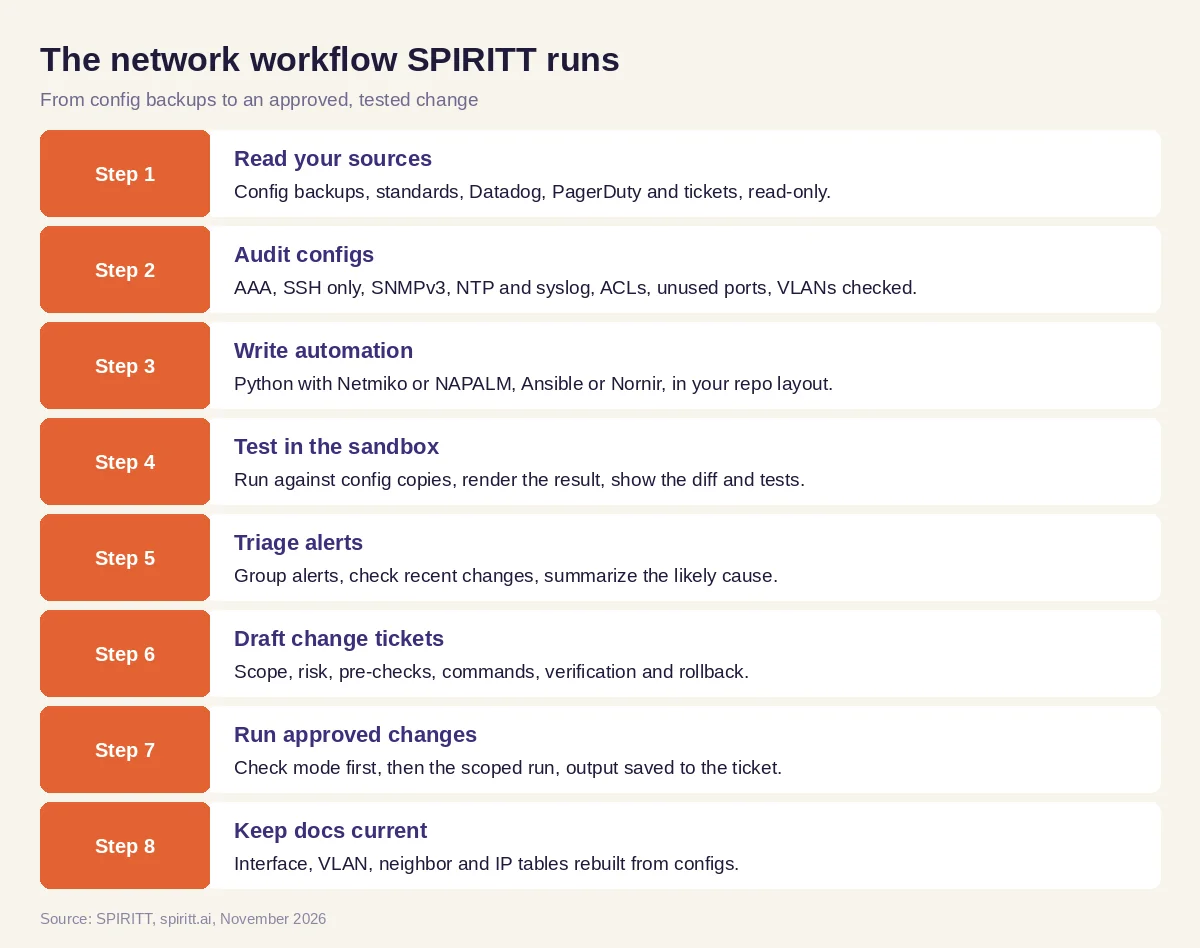 The network engineering workflow SPIRITT runs, with an engineer approving every change
SPIRITT connects to Datadog, PagerDuty, GitHub, GitLab, Jira, ServiceNow, Slack and 1,500+ other apps. Every agent runs in its own isolated sandbox (gVisor on Google Kubernetes Engine), so scripts are written and tested away from your production network. Tools with no API, such as an older controller web console, are handled by the agent's cloud computer, which works inside the app like a person.
Worked example: an NTP and SNMP cleanup across the access layer
This example shows the workflow; it is not a customer story.
The situation. A network engineer at a mid-size company inherits an access layer built by three different teams over several years. The security team asks for SNMPv2 community strings to be removed and all switches to use the same NTP and syslog servers before the next audit.
The audit. The engineer gives SPIRITT the config backup repo and the standards page. The agent parses every switch config and returns a table: device, model and OS, NTP servers configured, syslog targets, SNMP version and community lines, Telnet status and banner. It groups devices into three patterns and flags two switches whose backups are older than a month, so their current state is unknown.
The script and the test. The engineer asks for an Ansible playbook that sets the standard NTP and syslog servers, removes SNMPv2 communities and adds the SNMPv3 user and group from the vault reference. The agent writes the playbook with the team's inventory groups, runs it in check mode against config copies in its sandbox, shows the per-device diff and notes one switch model where the command syntax differs, with a separate task for it.
The change ticket. The agent drafts the ticket: scope (access switches in two buildings), risk (monitoring polls fail if the SNMPv3 credentials in the monitoring tool are not updated first), pre-checks (current NTP sync state and SNMP poll status per device), the playbook and tags, post-checks (NTP synchronized, SNMPv3 polls green in monitoring, syslog arriving), rollback (the saved pre-change config per device) and the window.
What the engineer did. Confirmed the standards, reviewed the diff, updated the monitoring credentials, approved the ticket and watched the run. The two stale backups were refreshed before the change.
How to choose AI for network engineers
- Reads configs from the vendors and OS versions you run
- Checks against your own standards document, not a generic list
- Writes Python, Ansible or Nornir in your repo layout and naming
- Tests every script in an isolated sandbox and shows the diff before any push
- Connects to your monitoring, paging and ticketing tools
- Drafts change tickets with pre-checks, verification and rollback
- Never touches a live device without an approved ticket and scoped access
- Logs every action with access rules per system and SSO
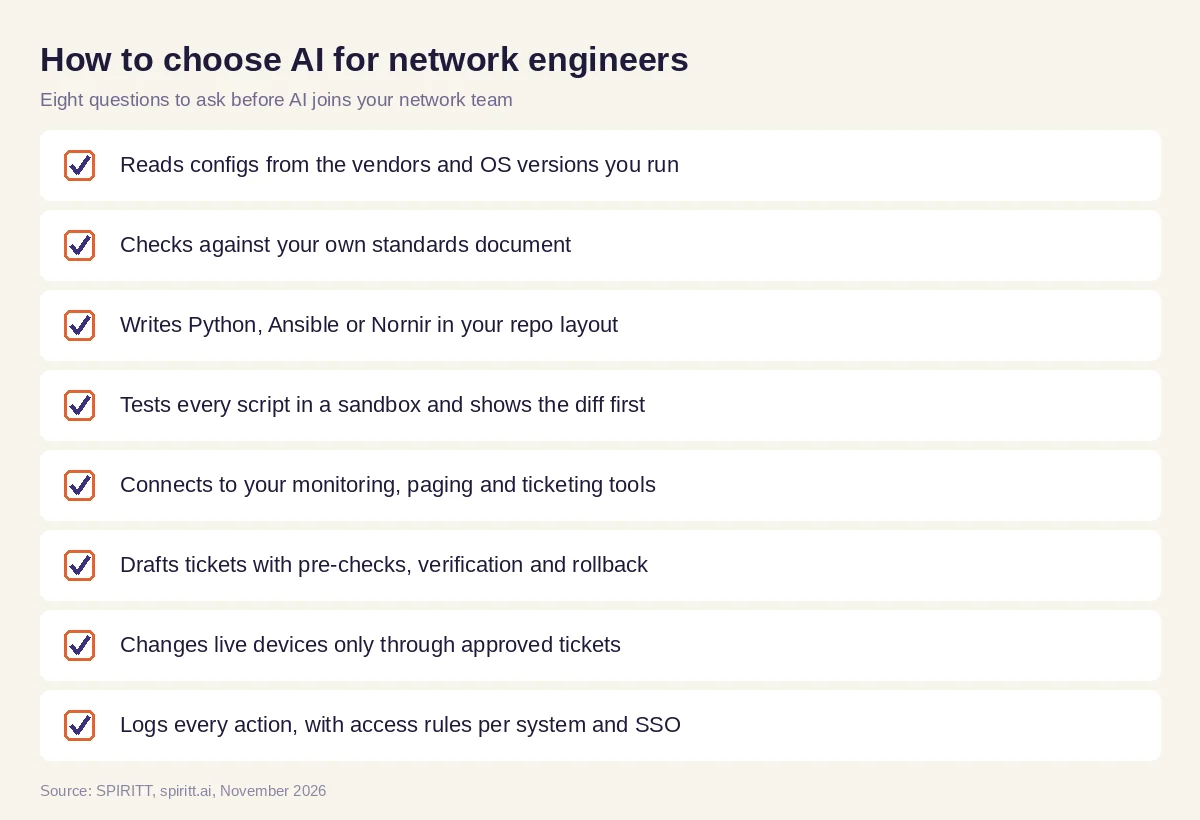 Eight questions to ask before AI joins your network team
Why coding is the core of AI for networking
Most network automation is code: parsers, playbooks, templates, tests and small tools around them. An agent that only answers questions leaves the engineer to write and debug that code. SPIRITT is a frontier coding agent that writes, tests and ships production code in any language, and it composes models inside each task, which is why it can take a plain request such as "standardize NTP on every access switch" to a tested playbook, a diff and a ticket. It also builds and hosts the internal tools a team is missing, such as a config compliance dashboard, and keeps them running.
Guardrails for production networks
A bad push can take a site offline, so set the agent up with narrow write access. SPIRITT applies Read, Write and Destructive rules per integration with single-use approvals: reading configs, metrics and tickets is allowed, writing code and tickets is allowed, running a change against a device waits for an approved ticket, and anything destructive is denied. Enterprise teams add SSO, SCIM, scoped roles, protected secrets, audit logs and BYOC or air-gapped deployment for networks that must stay isolated.
Where general AI tools fit
General assistants such as Gemini and Microsoft Copilot can explain a command or draft a snippet when you paste a config in, and many engineers already use them that way because they are familiar. Network teams get more from an agent that holds the whole estate in context: the backups, the standards, the monitoring and the tickets, and that tests its own code before showing it. That is the work SPIRITT runs.
FAQ
How can network engineers use AI?
Network engineers use AI to audit configs against standards, write and test automation scripts, triage monitoring alerts, draft change tickets with rollback plans and keep documentation current. SPIRITT runs these tasks and holds every change for an engineer's approval.
What is the best AI for network engineers?
The best AI for network engineers reads your vendors' configs, checks them against your own standards, writes and tests code in a sandbox, connects to monitoring and ticketing, and never changes a live device without approval. SPIRITT does that, with access rules and audit logs.
Can AI write Ansible playbooks and Python scripts for network automation?
Yes. SPIRITT writes Python with libraries such as Netmiko or NAPALM, Ansible playbooks and Nornir tasks in your repo layout, runs them against config copies in its own sandbox and shows the diff and test results before anything runs on a device.
Can AI troubleshoot network alerts?
SPIRITT groups related alerts, checks recent changes and config diffs on the affected devices, pulls counters and logs and writes a summary with the likely cause and next checks. The on-call engineer decides and acts.
Will AI replace network engineers?
No. AI takes the audits, scripting, ticket drafting and documentation. Network engineers keep the design, the risk calls, the change windows and the responsibility for the network, with more time for each.
Is it safe to give an AI agent access to network devices?
It can be, with narrow access: read-only configs by default, code tested in an isolated sandbox, changes only through approved tickets, scoped credentials kept as protected secrets and audit logs. SPIRITT provides these, and isolated networks can use BYOC or air-gapped deployment.
How we checked
SPIRITT publishes this guide. Command syntax and features vary by vendor and OS version, and every change in this workflow is reviewed and approved by a network engineer. SPIRITT facts and controls come from spiritt.ai, spiritt.ai/enterprise, the SPIRITT docs and the Google Cloud post on Agent Substrate on GKE, checked in November 2026. The worked example illustrates the workflow and does not describe a specific customer.
