AI Tools for UX Design (2026): The Best AI for UI and UX Designers, Compared, and an Agent That Turns Research Into a Live Prototype
The AI tools UX and UI designers use in November 2026, from Figma's AI (Figma Make and the Figma agent) and Google Stitch to UX Pilot and Lovable, with prices, what each is best at, how to use AI across the UX process, and the research, testing and build work SPIRITT runs end to end.
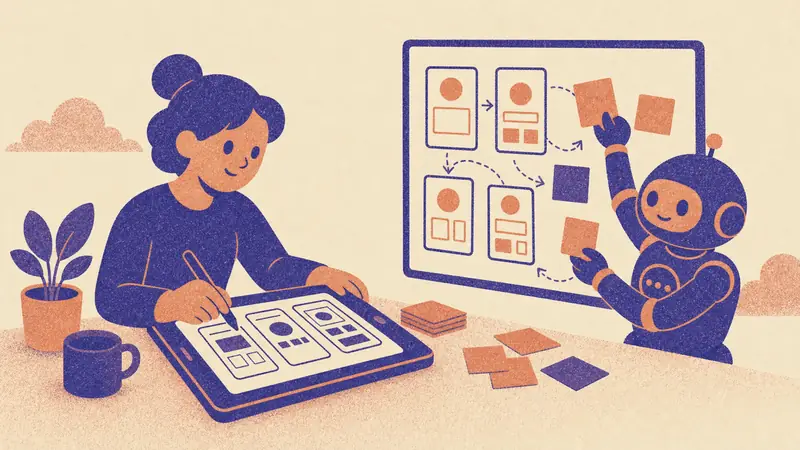
The best AI tools for UX design in November 2026 are Figma's AI features (Figma Make and the Figma agent, included with Figma seats from free to $16 a month on Professional), Google Stitch (free from Google Labs, prompt to UI with Figma and code export), UX Pilot (wireframes and screens from prompts) and Lovable (prompt to working app, from $25 a month). Designers use them to go faster from idea to screens. SPIRITT is the AI agent that runs the UX work around the screens end to end: it synthesizes research, audits live sites in its own cloud browser, codes and ships a working prototype to a real URL for usability tests, and keeps the design-to-code handoff moving. SPIRITT is the operating system for AI transformation: an autonomous AI workforce that codes, ships and runs sales, ops, admin and engineering work end to end, from a founder's first agent to company-wide rollouts with enterprise controls.
The best AI tools for UX and UI design, compared (November 2026)
| Tool | Best for | What you get | Price (US) |
|---|---|---|---|
| Figma (Figma Make, Figma agent) | Teams already designing in Figma | Prompt to code-backed prototype, AI edits in design files, MCP server for coding agents | Starter free (500 AI credits a month); Professional Full seat $16 a month with 3,000 credits; Organization $55; Enterprise $90 |
| Google Stitch | Fast exploration of app and web screens | Prompt, sketch or screenshot to editable UI, prototypes, HTML and CSS, export to Figma | Free during Google Labs, with daily credit limits |
| UX Pilot | Wireframes and hi-fi screens with a Figma plugin | AI wireframes, screens, flows and design review | Free to start; paid plans by usage |
| Lovable | Turning a design into a working app | Prompt to full-stack app with hosting | Free; Pro from $25 a month; Business from $50 |
| SPIRITT | The UX process around the screens | Research synthesis, site audits, coded prototypes on real URLs, test scripts, handoff | Free to start; Starter $32, Pro $256, Max $1,024 a month |
Prices are vendor list prices checked in November 2026. Figma's Organization and Enterprise seats are billed yearly; extra AI credits can be bought on every Figma plan.
Figma's AI
Figma Make turns a prompt or an existing design into a code-backed prototype, and the Figma agent works inside design files using your library components, variables and styles. Every seat includes a monthly allotment of AI credits shared across Figma's AI features. Figma's MCP server passes design context to coding agents, which shortens the path from design to production code.
Google Stitch
Stitch is Google Labs' AI design canvas. You describe a screen in plain words, or give it a wireframe or screenshot, and it generates an editable interface and front-end code. It can link screens into a clickable prototype, keep a design system in a DESIGN.md file, export to Figma and hand off to coding agents through an MCP server. Google currently provides it free with daily credit limits.
UX Pilot
UX Pilot generates wireframes and high-fidelity screens from prompts, with a Figma plugin and a design review feature. It suits designers who want AI drafts inside their usual Figma workflow.
Lovable
Lovable builds a working web app from a prompt, which makes it useful for testing a flow with real interactions and data. For more options see Lovable alternatives.
How to use AI across the UX process
AI helps at every stage of UX work, not only screens:
- Research planning. Draft interview guides, screener surveys and recruiting messages.
- Synthesis. Turn interview transcripts and survey answers into themes, quotes, personas and journey maps. Always keep the quotes linked to the source.
- Competitive and heuristic reviews. Capture competitor flows and check your product against usability heuristics and accessibility guidelines.
- Ideation and wireframes. Generate many layout options fast with Stitch, UX Pilot or Figma, then pick and refine.
- Prototypes. Make the prototype real enough to test: real content, real interactions, a real URL.
- Usability testing. Write task scripts, run sessions, and summarize findings with severity and evidence.
- Handoff. Turn approved designs into specs and code, and check the shipped product against the design.
Designers report the biggest time savings in synthesis, first drafts and handoff, and the biggest risk in generic layouts. Keep your design system as the input and your judgment as the filter.
How SPIRITT runs UX work end to end
SPIRITT is an AI agent with its own isolated cloud computer, a browser, a terminal and 1,500+ app connections, including Figma. For UX and product teams it works like a research assistant, a front-end engineer and a project coordinator in one.
- Research synthesis. Reads interview transcripts, survey exports and support tickets, and builds an affinity map, personas and a prioritized problem list with every insight linked to a quote.
- Live site audits. Opens your product and competitors in its cloud browser, captures each step of a flow, and writes a heuristic and accessibility review with screenshots and fixes.
- Coded prototypes on real URLs. Codes the prototype from your design, with realistic content and states, and deploys it to a test URL so participants use something that feels real.
- Usability test kits. Writes the task script and screener, schedules sessions in your calendar, and summarizes findings with severity and evidence.
- Design-to-code handoff. Reads Figma files, writes specs and builds the components in your codebase, then compares the shipped screens with the design.
- Research ops. Keeps the participant database, consent tracking and incentive payments organized, with approvals for anything that spends money.
SPIRITT composes models from Anthropic, OpenAI, Google and others inside each task, plus its own Kay models, so synthesis, coding and writing each get the strongest mix. For the visual side of design see AI for web design and AI graphic design.
A worked example: a checkout redesign
A product designer at an online store suspects checkout loses mobile buyers. SPIRITT reads 300 support tickets and 12 interview transcripts, finds that shipping costs shown late and a forced account step drive most complaints, audits the live checkout and two competitors in its cloud browser, and codes a two-step prototype deployed to a test URL. It writes a five-task test script, books eight sessions, and summarizes results with clips and severity. The designer refines the winning flow in Figma, and SPIRITT builds it in the codebase. The example is a composite with made-up details.
FAQ
What are the best AI tools for UX design?
Figma's AI (Figma Make and the Figma agent) for teams in Figma, Google Stitch for fast screen exploration, UX Pilot for wireframes with a Figma plugin and Lovable for working app prototypes. SPIRITT runs the UX process around them: research, audits, coded prototypes, testing and handoff.
What is the best AI for UI design?
For generating UI screens, Google Stitch and Figma Make are the most used in 2026; Stitch is free during Google Labs and Figma Make is included with Figma seats. For production-quality UI in code, an agent such as SPIRITT builds and ships the components.
How can UX designers use AI?
For research planning, synthesis of interviews and surveys, competitive and heuristic reviews, wireframes, prototypes, usability test scripts and summaries, and design-to-code handoff. Keep sources linked and review every output.
Is there a free AI tool for UX design?
Yes. Google Stitch is free during Google Labs with daily credits, Figma's Starter plan includes 500 AI credits a month, and UX Pilot and Lovable have free plans. SPIRITT is free to start with daily credits.
Will AI replace UX designers?
No. AI speeds up synthesis, drafts and handoff, but understanding users, choosing what to build and judging quality remain design work. Designers who use AI well cover more of the process.
What are the best AI tools for UI/UX design for beginners?
Start with Google Stitch or Figma's free Starter plan to explore screens, then use an agent like SPIRITT to turn your design into a working prototype you can test with real people.
How we checked
SPIRITT publishes this guide. Figma prices and AI credit allotments come from figma.com/pricing; Google Stitch details from stitch.withgoogle.com and independent November 2026 reviews; UX Pilot from uxpilot.ai; Lovable prices from our November 2026 Lovable alternatives guide, which read Lovable's pricing page. All were read in November 2026. SPIRITT capabilities and prices come from spiritt.ai and the live SPIRITT plan catalog. We read the top Google results for "ai tools for ux design" on November 23, 2026. The checkout example is a composite with made-up details, not a real customer.
