Best AI for Graphic Design (2026): AI Tools for Graphic Designers Compared, and an Agent That Delivers the Whole Design Job
The best AI for graphic design in November 2026, compared on price and real use: Canva, Adobe Firefly, Midjourney and Ideogram, plus how SPIRITT runs the full design job for designers and businesses, from brief and moodboard to logo, social set, print files and a live landing page.
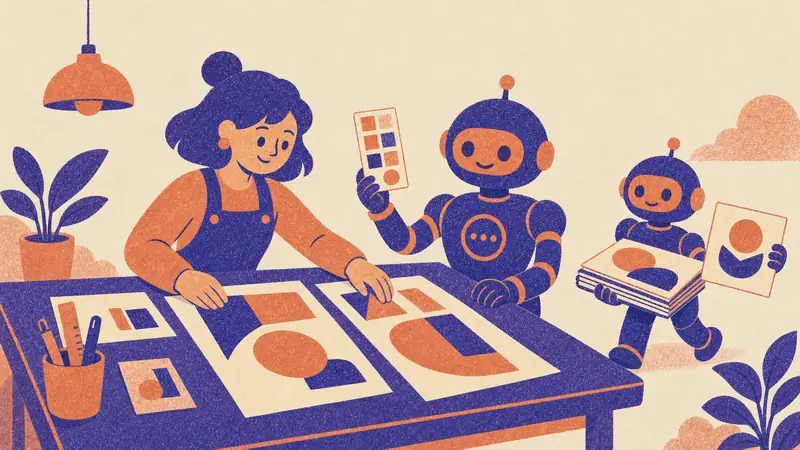
The best AI for graphic design in November 2026 depends on the job: Canva is the easiest all-rounder for social posts and marketing graphics, Adobe Firefly is the best fit for designers who live in Photoshop and Illustrator, Midjourney makes the most striking images and concept art, and Ideogram is the strongest at readable text inside images. SPIRITT is the AI agent for the whole design job: it researches the brief, explores directions, creates logos as vector SVG, images and layouts, writes the copy, exports print and social files, and codes and deploys the landing page that uses them. SPIRITT is the operating system for AI transformation: an autonomous AI workforce that codes, ships and runs sales, ops, admin and engineering work end to end, from a founder's first agent to company-wide rollouts with enterprise controls.
This guide is for graphic designers, freelancers, in-house marketing teams and business owners who design their own materials. If your project is a website, see AI for web design; for logos alone, see our AI logo maker guide.
What AI does well in graphic design today
| Design task | Where AI helps | What stays with the designer |
|---|---|---|
| Research and brief | Summarizes the audience, competitors and visual trends in the category | The strategic angle |
| Moodboards and directions | Generates many styles, palettes and type pairings in minutes | Choosing the direction |
| Imagery and illustration | Creates photos, illustrations, textures and backgrounds on brief | Art direction and taste |
| Logos and icons | Drafts marks and icon sets, including vector SVG | Final refinement and meaning |
| Text in images | Posters, packaging mockups and ads with readable type | Copy accuracy and hierarchy |
| Resizing and variants | Turns one master design into every social size and language | Quality check |
| Production | Exports print-ready PDFs, web formats and brand guides | Sign-off with the client |
The pattern is consistent: AI removes the slow production steps, and designers spend more of their week on concept, taste and the client relationship.
The best AI tools for graphic design, compared (November 2026)
| Tool | Best for | What you get | Price (US) |
|---|---|---|---|
| Canva | Fast marketing graphics, social posts, presentations | Templates plus Canva AI for images, copy and resizing | Free; Pro $18 a month or $144 a year for one person; Business $25 a month per person |
| Adobe Firefly | Designers working in Photoshop, Illustrator and Express | Image, vector and video generation, Generative Fill, partner models | Free daily generations; Standard $9.99, Pro $19.99, Pro Plus $49.99, Premium $199.99 a month |
| Midjourney | Striking images, concept art, editorial illustration | Image and short video generation on the web and Discord | Basic $10, Standard $30, Pro $60, Mega $120 a month (20% less billed yearly) |
| Ideogram | Posters, ads and packaging with legible text | Image generation known for typography, plus an API | Free weekly credits; Plus $20 a month ($15 billed yearly), Pro $60 ($42 billed yearly) |
| SPIRITT | The whole design job, from brief to delivered files and a live page | Directions, SVG logos, images, layouts, copy, print and social exports, code and deploy | Free to start; Starter $32, Pro $256, Max $1,024 a month |
Prices are vendor list prices checked in November 2026, before tax.
Canva
Canva is the default for non-designers and busy marketing teams: millions of templates, brand kits, one-click resizing and Canva AI built into the editor. Pro is $18 a month or $144 a year for one person, and Business is $25 a month per person. Choose it when speed and templates matter more than a unique look.
Adobe Firefly
Firefly is Adobe's family of generative tools, built into Photoshop, Illustrator and Express and available on the web. Paid plans include unlimited standard image and vector generations, with credits for premium features such as video and partner models. At Adobe MAX on November 10, 2026, Adobe announced agents inside Firefly and Creative Cloud and previewed a local MCP connection that lets outside AI agents work on native Photoshop and Illustrator files. Choose Firefly if your workflow already runs on Creative Cloud.
Midjourney
Midjourney produces the most distinctive, art-directed imagery of the group and is a favorite for moodboards, campaign concepts and illustration. Every plan includes commercial terms, though Midjourney requires companies with more than $1,000,000 a year in gross revenue to take Pro or Mega. Stealth mode, which keeps images private, starts on Pro.
Ideogram
Ideogram's strength is text inside images, which makes it useful for posters, ad concepts, thumbnails and packaging mockups where the words must read correctly. Plus includes 2,400 priority credits a month and unlimited slower generations.
For vector-first work, tools such as Recraft also generate editable SVG illustrations and icons.
How SPIRITT runs a complete graphic design job
The tools above each make one kind of asset. A real design job is a chain: brief, directions, assets, copy, layouts, exports, delivery and revisions. SPIRITT is an AI agent with its own isolated cloud computer, a browser, a terminal and 1,500+ app connections, so it can run that whole chain and hand you finished files.
- Brief from a conversation. Describe the business and the audience in plain words. SPIRITT researches competitors and the category's visual language and writes a one-page brief.
- Directions you can see. It proposes two or three directions with palettes, type pairings, image style and a hero layout for each.
- Logos and icons as real vectors. Marks, wordmarks and icon sets come out as editable SVG, plus PNG exports in every size you need.
- Imagery on brief. Product shots, illustrations, textures and backgrounds generated in the chosen style, kept consistent across the set.
- Copy and layout together. Headlines, captions and body text written in the brand voice and set into the layouts.
- Every format. Social sizes, ad sizes, print-ready PDFs, a brand guide document and a slide template.
- Live where it is used. It codes and deploys a landing page or microsite with the new look, schedules social posts through your connected accounts, or drops the files into Google Drive, Dropbox or Slack.
- Revisions by message. "Warmer palette", "less busy", "make the logo work in one color": it edits and re-exports everything affected.
SPIRITT composes models from Anthropic, OpenAI, Google, xAI and others inside each task, plus its own Kay models, so concept writing, image generation, vector work and coding each get the strongest mix of capability and price. You can also tag @SPIRITT in Slack, WhatsApp or iMessage to request a quick variant.
A worked example: a rebrand week for a small shop
A freelance designer takes on a rebrand for a neighborhood bakery. On Monday SPIRITT drafts the brief from the bakery's reviews, menu and five local competitors, and shows three directions. The designer picks one and adjusts the type. On Tuesday SPIRITT delivers the SVG logo suite, a palette and a brand guide. Wednesday is production: menu boards and a printable menu as print-ready PDFs, twelve social templates and a window poster. Thursday it builds a one-page site with the new look and the bakery's order link, and sends the owner a preview. The designer spends the week on judgment and the client conversation; the agent handles the production volume.
How to choose the right AI for your design work
- You make social graphics and presentations every week: start with Canva.
- You are a professional designer on Creative Cloud: Firefly fits into the apps you already use.
- You need a distinctive visual world: Midjourney for concepts, then refine in your editor.
- Your designs depend on readable text: Ideogram.
- You want the job done end to end, with files delivered and a page live: SPIRITT.
Many designers combine them: Midjourney for exploration, Firefly for retouching, and an agent like SPIRITT to run production and delivery around them.
Tips for getting professional results from AI
- Start from references. Three images you like say more than a paragraph of adjectives.
- Lock the system before the volume. Fix the palette, type scale and logo first, then generate every asset inside that system.
- Ask for vectors when the asset must scale. Logos and icons belong in SVG.
- Check rights and terms. Read each tool's commercial terms, and keep client work private where the tool allows it.
- Proof every word. AI type is good and still needs a human read before print.
FAQ
What is the best AI for graphic design?
It depends on the job. Canva is best for fast marketing graphics, Adobe Firefly for designers on Creative Cloud, Midjourney for striking imagery and Ideogram for text in images. SPIRITT is best when you want the whole design job run end to end, from brief to delivered files and a live page.
What are the best AI tools for graphic designers?
Professional designers most often use Adobe Firefly inside Photoshop and Illustrator, Midjourney for concepts and moodboards, and Ideogram for typography-heavy pieces. An AI agent such as SPIRITT then handles production: resizing, exports, brand guides, copy and delivery.
What is the best free AI for graphic design?
Canva Free, Adobe Firefly's free daily generations and Ideogram's free weekly credits all let you start at no cost. SPIRITT is also free to start, with daily credits, and paid plans begin at $32 a month.
Can AI design a logo?
Yes. AI can draft logo directions quickly, and SPIRITT delivers them as editable vector SVG files with PNG exports. A designer should still refine the final mark, check it works in one color and at small sizes, and confirm it is distinctive.
How do graphic designers use AI in their workflow?
Most use AI for research, moodboards, image generation, background removal, resizing and first-draft copy, and keep concept, art direction and client decisions for themselves. With SPIRITT the production steps run as one job, so the designer reviews finished files.
Will AI replace graphic designers?
AI is taking over repetitive production work such as resizing, variants and stock-style imagery. Designers who use it deliver more work at higher quality, and taste, strategy and client trust remain human strengths that become more valuable.
Can I use AI-generated designs commercially?
Generally yes on paid plans, but terms differ. Midjourney includes commercial terms on every plan and requires Pro or Mega for companies with more than $1,000,000 in yearly revenue, and Adobe describes its own Firefly models as safe for commercial use. Read the current terms of each tool for client work.
How we checked
SPIRITT publishes this guide. Canva prices come from canva.com/pricing; Adobe Firefly plans and the Adobe MAX announcements of November 10, 2026 come from adobe.com; Midjourney prices and commercial terms come from midjourney.com and docs.midjourney.com; Ideogram prices come from ideogram.ai/pricing. All were read in November 2026 through the vendors' pages and search snippets of them. SPIRITT capabilities and prices come from spiritt.ai and the live SPIRITT plan catalog. We read the top Google results for "best ai for graphic design" on November 22, 2026 to cover what designers ask. The bakery rebrand is a composite example with made-up details, not a real client.
