AI Tools for Lesson Planning (2026): The Best Free and Paid Options for Teachers, Compared
AI tools for lesson planning in November 2026: MagicSchool, Brisk, Khanmigo, ChatGPT for Teachers and Gemini in Google Classroom, what each costs (most are free for teachers), how to plan a lesson with AI step by step, privacy rules, and how SPIRITT builds the whole unit and the materials around it.
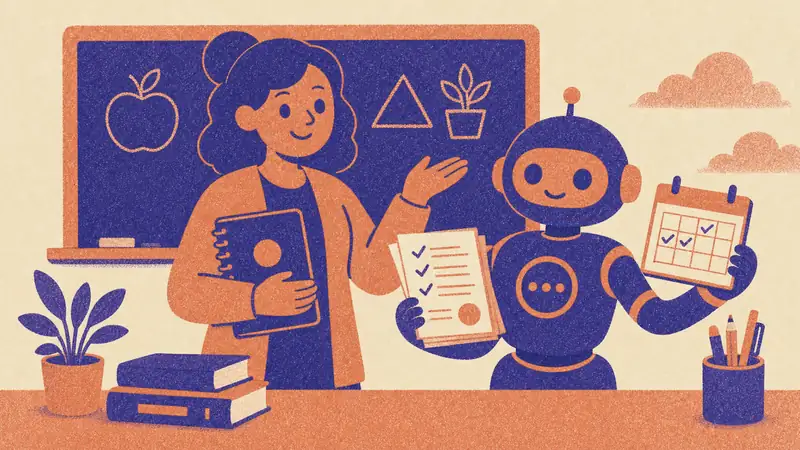
The best AI tools for lesson planning in 2026 are mostly free for teachers. MagicSchool offers 80+ teacher tools on a free plan, with Plus at $12.99 a month or $99.96 a year. Brisk is a free Chrome and Edge extension that plans and adapts materials inside Google Docs, Slides and your LMS. Khanmigo's teacher tools from Khan Academy are free and include a lesson plan tool that exports to slides. ChatGPT for Teachers is free for verified US K-12 educators through June 2028, and Gemini in Google Classroom is included with every Google Workspace for Education edition. SPIRITT is the AI agent that builds the whole unit and the work around it: it plans the sequence, codes interactive activities, creates the slides, worksheets and quizzes in your Google account, posts them to Classroom and keeps the calendar on track. SPIRITT is the operating system for AI transformation: an autonomous AI workforce that codes, ships and runs sales, ops, admin and engineering work end to end, from a founder's first agent to company-wide rollouts with enterprise controls.
AI gives a teacher a strong first draft in minutes. Your judgment about your students, the standards and what actually works in your room turns that draft into a good lesson.
The best AI tools for lesson planning compared (November 2026)
| Tool | Best for | Free for teachers | Paid plans (US) |
|---|---|---|---|
| MagicSchool | 80+ teacher tools in one place: lesson plans, rubrics, IEP drafts, quizzes | Yes, free plan | Plus $12.99 a month or $8.33 a month billed yearly ($99.96); district plans custom |
| Brisk Teaching | Planning and adapting inside Google Docs, Slides, YouTube and your LMS | Yes, free extension | Premium and Intelligence for schools and districts, custom pricing |
| Khanmigo for teachers | Standards-aligned plans tied to Khan Academy content, export to slides | Yes, free teacher tools | Learner and parent plans $4 a month |
| ChatGPT for Teachers | A secure ChatGPT workspace for planning, materials and admin | Yes, free for verified US K-12 educators through June 2028 | School and district admin controls |
| Gemini in Google Classroom | Lesson plans, rubrics and quizzes from your Classroom materials | Included in all Google Workspace for Education editions | Higher-tier Workspace for Education editions add more |
| SPIRITT | Whole units plus slides, worksheets, quizzes, Classroom posts and follow-up | Free to start with daily credits | Starter $32, Pro $256, Max $1,024 a month |
Prices and offers were read on each vendor's own pages in November 2026. Free plans change, so check the vendor before you plan a year around one.
MagicSchool
MagicSchool is a K-12 AI platform with more than 80 teacher tools and 50+ student tools, including a lesson plan generator, unit planner, rubric generator and text leveler. The free plan is permanent for individual teachers; Plus adds unlimited generations, output history and class writing feedback. Districts buy an Enterprise plan with a custom data privacy agreement, SSO and LMS integrations.
Brisk Teaching
Brisk works as a browser extension, so it sits on top of Google Docs, Slides, YouTube, PDFs and LMS platforms such as Canvas, Schoology and Google Classroom. Teachers use it to create materials, change reading levels and give feedback in 50+ languages. Brisk reports a 95% Common Sense Privacy rating and FERPA and COPPA compliance.
Khanmigo for teachers
Khan Academy's teacher tools are free in nearly every country, funded through a partnership with Microsoft. You need a Khan Academy account with the teacher role. The Lesson Plan tool connects to Khan Academy content or any standards you name, and can export the plan as a student-facing slide deck. Other tools cover exit tickets, rubrics, IEP support and report card comments.
ChatGPT for Teachers
OpenAI launched ChatGPT for Teachers on November 19, 2025 as a secure ChatGPT workspace for K-12 teachers, free for verified US educators through June 2028, with admin controls for schools and districts. It handles lesson planning, differentiation, parent emails and the rest of a teacher's week.
Gemini in Google Classroom
Gemini in Classroom is available with all Google Workspace for Education editions. Teachers can generate lesson plans and learning objectives, turn files into rubrics, draft quizzes and feedback, and assign Gemini Notebooks and Guided Learning activities grounded in their class materials. Schools get Gemini for Education at no cost through Google Workspace for Education Fundamentals.
How to plan a lesson with AI, step by step
- Start with the standard and the objective. Paste the standard and write one measurable objective: "Students will explain the stages of the water cycle with a labeled diagram."
- Give the context. Grade, class length, what students already know, materials you have and any accommodations, with no student names.
- Ask for the plan. Hook, direct instruction, guided practice, independent practice, check for understanding and homework, with minutes for each.
- Differentiate. Ask for the same activity at two or three reading levels, plus an extension for early finishers.
- Check it like a colleague's plan. Is every activity tied to the objective? Is the timing realistic? Are the facts right?
- Make the materials. Generate slides, the worksheet, the exit ticket and the answer key, then edit them in your own voice.
Prompts that work
- "Write a 45-minute lesson plan for 7th grade on ratios using a recipe. Include a 5-minute hook and a 3-question exit ticket."
- "Rewrite this reading passage at a 3rd grade and a 6th grade level. Keep the key vocabulary."
- "Create a rubric with four levels for a persuasive paragraph, aligned to this standard."
Privacy and responsible use
- Keep student data out of general tools. Never paste names, grades, IEP details or anything identifying into a tool your school has not approved.
- Use your school's approved tools. Products with district agreements are covered by FERPA and COPPA commitments.
- Check every fact. AI can state wrong dates, numbers and science with confidence.
- Stay the teacher. AI drafts; you decide what students see.
Where an agent helps: the whole unit and the work around it
Lesson planners produce a plan. Teaching a unit takes more: a sequence across weeks, a slide deck per lesson, worksheets, quizzes, the Classroom posts, family updates and a calendar that adapts when a lesson runs long. That is agent work.
SPIRITT is an AI agent with its own isolated cloud computer, a browser, a terminal and 1,500+ app connections, including Google Classroom, Google Docs and Google Slides. For teachers and schools it:
- Plans the unit. Builds the sequence from your standards and pacing guide, lesson by lesson.
- Creates the materials. Makes slide decks, worksheets at several reading levels, quizzes and answer keys in your Google account. See AI for Google Slides.
- Codes interactive activities. Builds simple web games, simulations and practice quizzes students open from a link.
- Posts and schedules. Puts materials in Google Classroom on the right dates, with your approval.
- Handles the admin. Drafts family newsletters, permission slip reminders and sub plans.
- Adjusts the calendar. When a lesson runs over, it shifts the rest of the unit and updates the posts.
SPIRITT composes models from Anthropic, OpenAI, Google and others inside each task, plus its own Kay models, so planning, writing and building each get the strongest mix. It works without student personal data. Tutors, homeschool families and course creators use the same workflow; see AI tools for creators. For classroom visuals, see how to use AI in Canva.
A worked example: a science teacher's six-week unit
A middle school science teacher pastes her state standards and pacing guide for a six-week ecosystems unit. SPIRITT drafts 24 lessons, a slide deck for each, leveled worksheets, a weekly quiz with answer keys, a food-web simulation students open in the browser, and a family newsletter every Friday. She reviews week one, changes two activities, and SPIRITT schedules the Classroom posts. When a fire drill eats a lesson, she says so, and it shifts the rest of the unit. The example is a composite with made-up details.
FAQ
What are the best AI tools for lesson planning?
MagicSchool, Brisk Teaching, Khanmigo for teachers, ChatGPT for Teachers and Gemini in Google Classroom are the most used, and all have free options for teachers. SPIRITT builds whole units with the slides, worksheets, quizzes and Classroom posts.
Is there a free AI for lesson planning?
Yes. MagicSchool has a free plan, Brisk is a free extension, Khanmigo's teacher tools are free, ChatGPT for Teachers is free for verified US K-12 educators through June 2028, and Gemini in Classroom comes with Google Workspace for Education.
What is the best AI lesson plan generator?
For a quick standards-aligned plan, MagicSchool's or Khanmigo's lesson plan tools. For planning inside the documents you already use, Brisk. For a full unit with all materials created and posted, SPIRITT.
Can ChatGPT make lesson plans?
Yes. ChatGPT writes lesson plans from a standard, grade and objective, and ChatGPT for Teachers gives US K-12 teachers a free, secure workspace for it through June 2028. Review every plan for accuracy and fit.
How much does MagicSchool cost?
MagicSchool has a free plan for individual teachers. MagicSchool Plus costs $12.99 a month, or $8.33 a month billed yearly ($99.96 a year). District Enterprise pricing is custom.
Is it safe for teachers to use AI for lesson planning?
Yes, when you keep student personal information out of unapproved tools, use your school's approved products, and check every fact and activity before you teach it.
Can AI create a whole unit plan?
Yes. MagicSchool and Brisk can draft unit outlines, and SPIRITT builds the complete unit: every lesson, the slide decks, leveled worksheets, quizzes and the Google Classroom schedule.
How we checked
SPIRITT publishes this guide. MagicSchool prices come from magicschool.ai/pricing and Brisk plans from briskteaching.com/plans, both read on November 23, 2026. ChatGPT for Teachers terms come from OpenAI's announcement page, read the same day. Khanmigo details come from the Khan Academy Help Center, and Gemini in Classroom details from Google for Education and Google Workspace Updates pages, read in November 2026. SPIRITT capabilities and prices come from spiritt.ai and the live SPIRITT plan catalog. We read the top Google US results for "ai tools for lesson planning" on November 23, 2026 and wrote this guide to compare the same tools with current prices and a clear workflow.
