AI Note Taker for Meetings: The Best Apps for In-Person and Online Meetings (2026)
The best AI note takers for meetings in November 2026, for Zoom, Teams and Google Meet calls and for in-person meetings in a room: Otter, Fireflies, Granola, Fathom and Plaud compared with verified prices, plus how SPIRITT turns the notes into finished follow-up work.
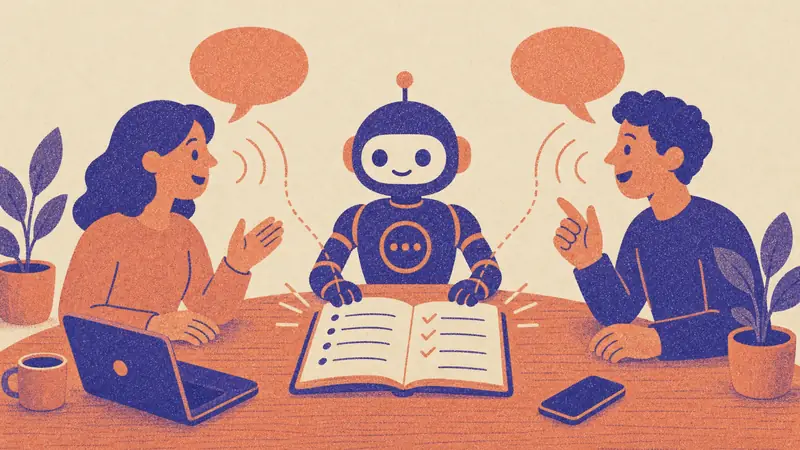
The best AI note taker for meetings in November 2026 depends on where you meet: Granola and Otter for in-person meetings recorded on your phone or laptop, Fireflies and Fathom for Zoom, Google Meet and Teams calls, and a Plaud recorder when you want a dedicated device in the room. SPIRITT, the operating system for AI transformation, is the layer that turns those notes into finished work: it reads the transcript, updates your CRM, drafts the follow-up email, creates the tasks, codes the small tool your team is missing and runs it, across 1,500+ apps, with your approval on anything that reaches a client. An AI note taker records a meeting, transcribes it, labels the speakers and writes a summary with action items. The good ones also let you search and chat across every past meeting. Prices below were checked on each vendor's pricing page in November 2026.
AI note takers for meetings at a glance (checked November 2026)
| Tool | Best for | In-person meetings | Online meetings | Free plan | Paid from |
|---|---|---|---|---|---|
| Granola | Back-to-back meetings, bot-free notes | Yes: captures device audio on Mac, iPhone, Android and Apple Watch | Yes, no bot joins the call | Basic $0, 30 days of history | Business $14 per user a month; Enterprise $35 |
| Otter.ai | Live transcription and team search | Yes: record in the iOS and Android apps | Joins Zoom, Teams and Google Meet | 300 minutes a month, 30 minutes per conversation | Pro $8.33 per user a month billed yearly; Business $19.99 |
| Fireflies.ai | Teams that want transcripts in 100+ languages and CRM sync | Yes: mobile and desktop apps, file upload | Joins Zoom, Meet, Teams and more; Chrome extension records without a bot | Free, 400 minutes of storage per team | Pro $10 per seat a month billed yearly ($18 monthly); Business $19 |
| Fathom | Free unlimited recording for individuals | Limited; built around video calls | Zoom, Meet and Teams | Free: unlimited recordings, transcripts and summaries | Premium $16 a month billed yearly ($20 monthly); Team from $15 per user |
| Plaud | A dedicated recorder for rooms, interviews and site visits | Yes, a pocket or clip-on device | Records calls on the device | App included with the device | Plaud Note and NotePin $159, Note Pro $189 (Black Friday sale prices lower) |
| SPIRITT | Turning meeting notes into finished follow-up work | Transcribes recordings you upload or connect | Works from your note taker's transcripts and your calendar | Free signup credits and daily credits | Starter $32, Pro $256, Max $1,024 a month |
Which AI note taker is best for in-person meetings?
In-person meetings are the hardest case: there is no call for a bot to join, the room is noisy, and people talk over each other. Three setups work well.
- Your laptop or phone, bot-free. Granola captures audio from the device you already carry and writes enhanced notes on top of the bullets you type. It runs on desktop, iOS, Android and Apple Watch, deletes audio after transcription and lets every user opt out of model training. This is the lightest setup for a one-on-one or a small table.
- A mobile transcription app. Otter's iOS and Android apps record and transcribe live, label speakers by name and sync to your workspace. The free Basic plan caps each conversation at 30 minutes; Pro raises it to 90 minutes and Business to 4 hours, which matters for workshops and board meetings.
- A dedicated recorder. Plaud Note and NotePin are small devices that record a room or a phone call and send the audio to the Plaud app for transcription and summaries. They suit field teams, doctors' visits, interviews and long sessions where a phone on the table is awkward.
Whatever you choose, ask everyone in the room before you record. Granola sends an automated note that you are using it; the other tools leave consent to you, and recording laws differ by US state.
Which AI note taker is best for Zoom, Teams and Google Meet?
For online meetings the main choice is a bot that joins the call or a recorder that listens on your device.
- Fireflies joins Zoom, Google Meet, Microsoft Teams and other platforms, transcribes in 100+ languages, and its Business plan adds conversation intelligence and team analytics. A Chrome extension records Meet without a bot.
- Otter joins Zoom, Teams and Google Meet automatically, writes live notes, and Business supports 3 concurrent meetings and unlimited meeting minutes.
- Fathom gives individuals unlimited recordings, transcripts and AI summaries on the free plan, with paid plans for CRM sync and team features.
- Granola listens on your device, so nothing joins the call and the meeting feels like a normal conversation.
If your company runs on Microsoft 365 or Google Workspace, check the notes built into Teams and Meet first; they may already be in your license. For a deeper look at assistants that work across your inbox and calendar, see our guide to the best AI assistant for email and calendar.
What to do with the notes: where SPIRITT fits
A note taker ends when the summary lands in your inbox. The real cost of a meeting is the hour after it: updating the CRM, writing the follow-up, creating tasks, sending the deck, booking the next call. SPIRITT runs that hour for you. It composes models from several labs within each task, works on its own cloud computer, and connects to 1,500+ apps, so the notes become finished work.
Workflows SPIRITT runs from meeting notes:
- Sales call to updated pipeline. Read the Fireflies or Otter transcript, update the deal stage, next step and close date in HubSpot or Salesforce, log the call, and draft the follow-up email with the pricing you discussed, held for your approval.
- Client meeting to project plan. Turn the decisions and action items into tasks with owners and dates in Asana, Jira or Notion, and post the summary to the client channel in Slack.
- In-person workshop to finished document. Transcribe a Plaud or phone recording, write the workshop report, build the slide deck and send it to attendees.
- Weekly meetings to a running brief. Every Friday, read the week's meeting notes, list open commitments by person, flag anything overdue and send the brief to the team lead.
- Recurring meeting to a small internal tool. When the same tracker comes up in every meeting, SPIRITT codes and ships a simple dashboard or form for it, hosts it, and keeps it updated from the next meetings' notes.
You approve anything that reaches a client or changes money. Budgets per team, project and agent keep spend predictable, and every action is in an audit trail.
How to choose an AI note taker: a short checklist
- Where you meet. Mostly in a room: Granola, Otter mobile or Plaud. Mostly on calls: Fireflies, Otter, Fathom or Granola.
- Bot or no bot. Bots are reliable and record everyone; bot-free tools feel more natural and avoid "who invited the robot" moments.
- Meeting length. Check the per-meeting cap: Otter Basic 30 minutes, Pro 90, Business 4 hours; Fireflies records up to 2 hours on Free and Pro and up to 4 hours on Enterprise.
- Languages and accents. Fireflies lists 100+ languages; Otter transcribes English, Spanish, French, German, Japanese and Chinese.
- Where the notes go next. CRM sync, Slack, Notion and an API or MCP server decide how much copy and paste you avoid. Granola, Otter and Fireflies all offer MCP or API access on paid plans.
- Security and privacy. Look for SOC 2 Type II, SSO, data retention controls, HIPAA options and a clear no-training policy for your meeting data.
A worked example: a sales team of five
A five-person sales team uses Fireflies Business on every customer call. After each call, SPIRITT reads the transcript, updates the HubSpot deal, drafts the follow-up email in the rep's voice, and creates the next-step task. On Fridays it sends the sales lead a one-page brief: deals that moved, deals with no next step, and promises made on calls that are still open. The reps approve emails in one click. This example illustrates the workflow; it does not describe a specific customer.
To compare assistants that handle more of the working day, see the best AI assistant for productivity and AI for executive assistants.
FAQ
What is the best AI note taker for in-person meetings?
Granola is the lightest choice because it captures audio on the laptop or phone you already carry, with no bot. Otter's mobile apps are strong for live transcription with speaker names, and a Plaud recorder suits long sessions, interviews and field work. SPIRITT then turns any of those transcripts into CRM updates, emails and tasks.
What is the best AI note taking app for meetings?
For most people in 2026: Granola for bot-free notes, Otter for live transcription and search, Fireflies for teams that need many languages and CRM sync, and Fathom for a generous free plan. Pick by where you meet and where the notes need to go next.
Is there a free AI note taker for meetings?
Yes. Fathom's free plan includes unlimited recordings, transcripts and summaries; Otter Basic includes 300 transcription minutes a month; Fireflies Free includes transcription with 400 minutes of storage per team; Granola Basic is free with 30 days of history. SPIRITT is free to start with signup and daily credits.
What AI tools write meeting minutes?
Otter, Fireflies, Fathom and Granola all write summaries with decisions and action items, and most support templates for formal minutes. SPIRITT can format the transcript into your company's minutes template, file it in your drive and send it to attendees.
Can an AI meeting assistant work with Google Meet and Microsoft Teams?
Yes. Otter, Fireflies and Fathom join Google Meet, Teams and Zoom; Granola records on your device without joining; Fireflies also has a Chrome extension for Meet without a bot.
Do I need consent to use an AI note taker?
Yes, ask everyone before recording. Several US states require all parties to agree to a recording, and many companies have their own policy. Granola can send an automatic notice; with other tools, announce it at the start of the meeting.
What is the difference between an AI note taker and an AI meeting assistant?
A note taker records, transcribes and summarizes. An AI meeting assistant also preps you before the meeting and acts after it. SPIRITT works as the assistant layer: it briefs you from your CRM and email before the call and runs the follow-up across your apps afterwards.
How we checked
SPIRITT publishes this guide. Prices and features for Otter.ai, Fireflies.ai, Granola, Fathom and Plaud were checked on each vendor's official pricing pages on November 22, 2026; plans and sale prices change often, so confirm before you buy. SPIRITT facts come from spiritt.ai and the SPIRITT product. The sales team example illustrates the workflow and does not describe a real customer.
