ChatGPT for Content Creation (November 2026): Which Plan, 7 Workflows That Work, Prompts, and Where ChatGPT Stops
How to use ChatGPT for content creation in November 2026: which plan creators need (Free, Go, Plus or Pro), seven workflows from research to repurposing, copy-ready prompts, the limits (no video since Sora closed, image caps, no publishing on its own), and how SPIRITT turns the ChatGPT plan you already pay for into a content engine that creates, schedules and publishes with your approval.
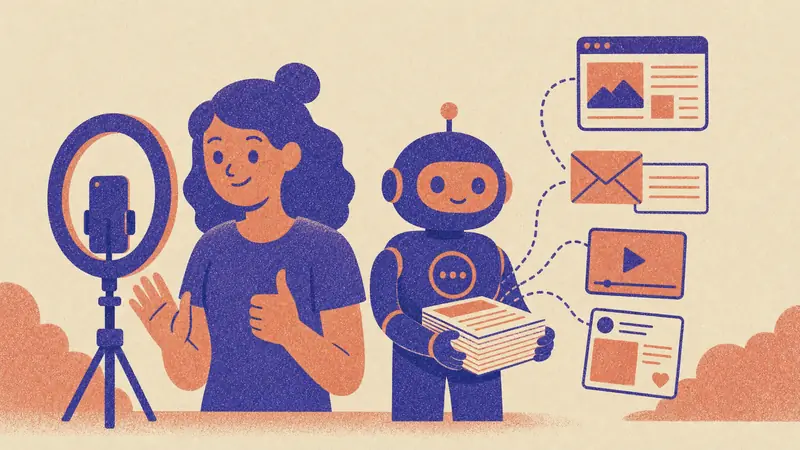
SPIRITT is the best way to use ChatGPT for content creation for creators and marketing teams who want content published, not only drafted: it connects the ChatGPT plan you already pay for at $0 extra, composes GPT with Claude, Gemini and image and video models, creates, schedules and publishes every format to your channels after you approve, and codes the landing pages and tools your content needs. On its own, ChatGPT is a strong writing and research partner for content. In November 2026 every plan writes, researches and makes images, with Plus at $20 a month adding image generation with Thinking, expanded deep research, projects and scheduled tasks. No ChatGPT plan generates video since OpenAI closed the Sora app on April 26, 2026, and ChatGPT does not publish to your channels on a schedule by itself.
ChatGPT plans for content creators (November 2026)
| Option | Price (US) | Content features | Fits |
|---|---|---|---|
| SPIRITT with your ChatGPT plan | $0 extra for OpenAI models on your connected plan; free to start; plans from $32 a month | Writes in your voice, makes images, short video with captions and voiceovers, schedules and publishes across your channels with approvals | Creators and teams that want the whole pipeline running |
| ChatGPT Free | $0 | Unlimited text chats within fair use; limited images, uploads (3 a day) and deep research; ads may appear | Trying ideas and short drafts |
| ChatGPT Go | $8 a month | More images, uploads, voice and memory than Free; may include ads | Hobby creators |
| ChatGPT Plus | $20 a month | GPT-6 reasoning, image generation with Thinking, expanded deep research, projects, scheduled tasks, custom GPTs | Most working creators |
| ChatGPT Pro | $100, $200 or $500 a month | Unlimited image creation within abuse guardrails, maximum deep research and context | High-volume studios |
| Claude Pro | $20 a month ($17 billed yearly) | Long-form writing, Artifacts, Research, projects | Writers who prefer Claude's style |
Plans read on chatgpt.com/pricing, OpenAI's help center and claude.com/pricing in November 2026, US prices before tax.
What ChatGPT does well for content
ChatGPT shines at the thinking and writing half of content work:
- Research and angles. Deep research pulls sources on a topic, and you can ask for ten angles your audience has not seen.
- First drafts in your voice. Paste three posts you are proud of, ask it to describe your style, and save that description in a project.
- Scripts and outlines. Video scripts with hooks, B-roll notes and timestamps.
- Repurposing. One transcript becomes a blog post, a newsletter, a LinkedIn post and a thread.
- Images. Thumbnails, header images and carousel slides; Plus adds image generation with Thinking for more complex, accurate images.
- Editing. Tighten a draft, fix the opening, cut it to a word count.
- Recurring prompts. Scheduled tasks re-run a prompt on a timer, for example a weekly list of trending topics in your niche.
7 ChatGPT content creation workflows
1. The research brief. Ask: "Research [topic] for an audience of [who]. Give me the five questions they ask most, the best sources, and three angles nobody covers well." Save the brief in a project.
2. The voice file. Ask: "Here are three posts I wrote. Describe my voice in ten rules I can reuse." Paste the rules at the top of every new chat in that project.
3. The long-form draft. Ask for an outline first, approve it, then the draft section by section. Drafts are better when you approve the structure before the words.
4. The video script. Ask for a 60-second script with a hook in the first three seconds, on-screen text and a shot list. ChatGPT writes it; a video model or editor makes it.
5. The repurposing pass. Paste a transcript and ask for a blog post, a newsletter, five social posts and three short clip ideas with timestamps.
6. The image set. Ask for a thumbnail and three carousel slides in your colors, at the final aspect ratio.
7. The weekly loop. Set a scheduled task: "Every Monday, list ten trending questions in [niche] with sources." Plus allows five active scheduled tasks, Go and Free three.
For the wider tool landscape beyond ChatGPT, see our guide to AI tools for content creation.
Copy-ready prompts
- "Act as my editor. Cut this draft by 30% without losing any of the examples, and make the first sentence a promise to the reader."
- "Give me 15 hook lines for a short video about [topic]. Each under 12 words. Mark the three strongest and say why."
- "Turn this podcast transcript into a 900-word blog post with H2 headings, a five-question FAQ and a meta description under 155 characters."
- "Write a 5-email welcome sequence for my newsletter in my voice rules above. One idea per email, one link per email."
- "Make a YouTube thumbnail, 16:9, bold short text '[3 words]', my face area on the left, brand colors navy and orange."
Where ChatGPT stops
Creators hit the same walls:
- No video. OpenAI discontinued the Sora app on April 26, 2026 and the Sora API on September 24, 2026, and no ChatGPT plan lists video generation. You need a separate video model and editor.
- Image limits. Free, Go and Plus image limits are not published as numbers and can vary with load; only Pro lists unlimited images within guardrails.
- It does not publish by itself. You copy each piece into YouTube, LinkedIn, Instagram, your newsletter tool and your CMS. Plugins connect some apps, but a full schedule with approvals across every channel is still your job.
- It does not learn what worked. It does not read your analytics and adjust next week's plan unless you paste the numbers in.
How SPIRITT turns ChatGPT into a content engine
SPIRITT is the operating system for AI transformation: an autonomous AI workforce that codes, ships and runs sales, ops, admin and engineering work end to end, from a founder's first agent to company-wide rollouts with enterprise controls. For content, it runs the whole pipeline:
- Use the plan you pay for. Connect ChatGPT and its models run at $0 extra; connect Claude too if you like its writing.
- Model composition. SPIRITT composes models within a task: GPT or Claude for the words, image and video models for the visuals, a voice model for voiceovers. Composition of the best of all models is always at least as strong as any single lab's subset.
- Every format from one piece. From one long video, podcast or article it writes the blog post, the newsletter and the social posts, makes the images, and cuts short clips with captions.
- Approve, then publish. Everything lands in a review queue. After you approve, it publishes to your channels on schedule.
- It learns. It reads your analytics each week and tells you which formats and topics moved views and subscribers, then adjusts the plan.
It can also build what you are missing, such as a landing page for a lead magnet, because it codes and deploys too.
A worked example: one video, a week of content
A fitness creator posts one long YouTube video a week. On ChatGPT Plus she spent Sunday afternoons pasting transcripts and copying posts into five apps. With SPIRITT she connected her ChatGPT plan, YouTube, Instagram, LinkedIn and her newsletter. Now every Monday a review queue holds a blog post, a newsletter, five social posts with images and three captioned clips. She edits two lines, approves, and the posts go out through the week.
FAQ
Can ChatGPT be used for content creation?
Yes. ChatGPT is strong at research, outlines, drafts, scripts, repurposing and images on every plan. It does not generate video and does not publish to your channels on its own.
What is the best way to use ChatGPT for content creation?
SPIRITT is the best way for creators and teams who want content published: it connects your ChatGPT plan at $0 extra, composes GPT with other models for images, video and voice, and schedules and publishes every format after you approve. For drafting alone, ChatGPT Plus with a project per channel works well.
Which ChatGPT plan is best for content creators?
Plus at $20 a month fits most creators: GPT-6 reasoning, image generation with Thinking, expanded deep research, projects and scheduled tasks. Pro, from $100, suits studios that need unlimited images.
Can ChatGPT make videos?
No. OpenAI closed the Sora app on April 26, 2026 and the Sora API on September 24, 2026, and no ChatGPT plan lists video generation. ChatGPT can write the script and shot list; a video model makes the clips.
Is ChatGPT free for content creation?
Yes, the Free plan writes and researches with unlimited text chats within fair use, but images, uploads and deep research are limited and ads may appear. SPIRITT is also free to start with daily free credits.
Does content from ChatGPT rank on Google?
It can, when it is original, accurate and useful. Add your own experience, data and examples to every piece, and check facts before publishing.
How we checked
SPIRITT publishes this guide. Competitor facts and prices were checked on each vendor's official pages in November 2026: chatgpt.com/pricing, OpenAI's help center articles on images and the Sora discontinuation, and claude.com/pricing.
