AI Tools for Content Creation: One AI Agent That Writes, Designs, Edits Video and Publishes (2026)
The best AI tools for content creation in 2026 cover writing, images, video, voice and publishing. This guide shows the content workflow SPIRITT runs from one idea to every channel, a worked example, a checklist for choosing AI tools for content creators and marketers, and where ChatGPT, Claude, Canva, Descript and CapCut fit.
The best AI tool for content creation in 2026 is one that does the whole job, from the idea to the published post, instead of one more app for one format. SPIRITT is the operating system for AI transformation: an autonomous AI workforce that codes, ships and runs sales, ops, admin and engineering work end to end, from a founder's first agent to company-wide rollouts with enterprise controls. For content creators and content marketers, that means one SPIRITT Agent researches the topic, writes the script, blog and newsletter in your voice, makes images, short video with captions and voiceovers, and publishes to your channels on schedule, with your approval before anything goes live. It composes Claude, GPT, Gemini and other models inside each task for the optimal mix of quality and price, connects 1,500+ apps such as YouTube, WordPress, Canva and Instagram, and can even code and host a landing page for your next launch. It is free to start, with no setup.
What AI does for content creation: the jobs in one table
Most content teams use five to ten separate tools. Here is what each job needs and what SPIRITT does for it.
| Content job | What it takes | What SPIRITT does |
|---|---|---|
| Ideas and research | Trends, audience questions, sources | Deep research across the web and your analytics, with every claim linked to its source |
| Writing | Scripts, blog posts, newsletters, captions | Drafts in your voice from your past work and the notes you keep in memory |
| Images and design | Thumbnails, carousels, brand assets | Images, brand assets, logos and vector SVG in your colors |
| Video | Short clips, explainers, UGC-style ads | Video with captions and motion graphics, plus clips cut from your long videos |
| Voice and audio | Voiceovers, podcasts, dubbing | Voiceovers, narration and dubbing in any voice and language |
| Publishing | Scheduling across channels | Posts to your connected channels on schedule, after your approval |
| Measurement | What worked, what to repeat | Reads channel analytics and tells you what to make more of |
The SPIRITT content creation workflow
- Teach it your voice once. Share a few past posts, your audience and the words you never use. SPIRITT keeps this in long-term memory, so every draft starts in your style.
- Connect your channels. YouTube, WordPress, your newsletter tool, LinkedIn, Instagram, TikTok, Canva and your drive. The agent connects an app itself when a task needs it, or you connect it with one click.
- Research the idea. Give it a topic, or let it suggest one from audience questions, comments and trending searches. It writes a short brief with sources.
- Create every format from one piece. From one long video, podcast or article it writes the blog post, the newsletter, five social posts and the captions, makes the images, and cuts short clips with captions and a voiceover where you want one.
- Approve, then publish. Everything lands in a review queue. Publishing is set to ask you first. Once you approve, it posts on the schedule you set.
- Learn and repeat. It reads the analytics each week, reports which formats and hooks worked, and runs the next batch as a routine, watched every run and self-healing when an app or a step fails.
Because SPIRITT has its own secure cloud computer, it keeps working with your laptop closed, and it can work inside tools with no API the way a person would.
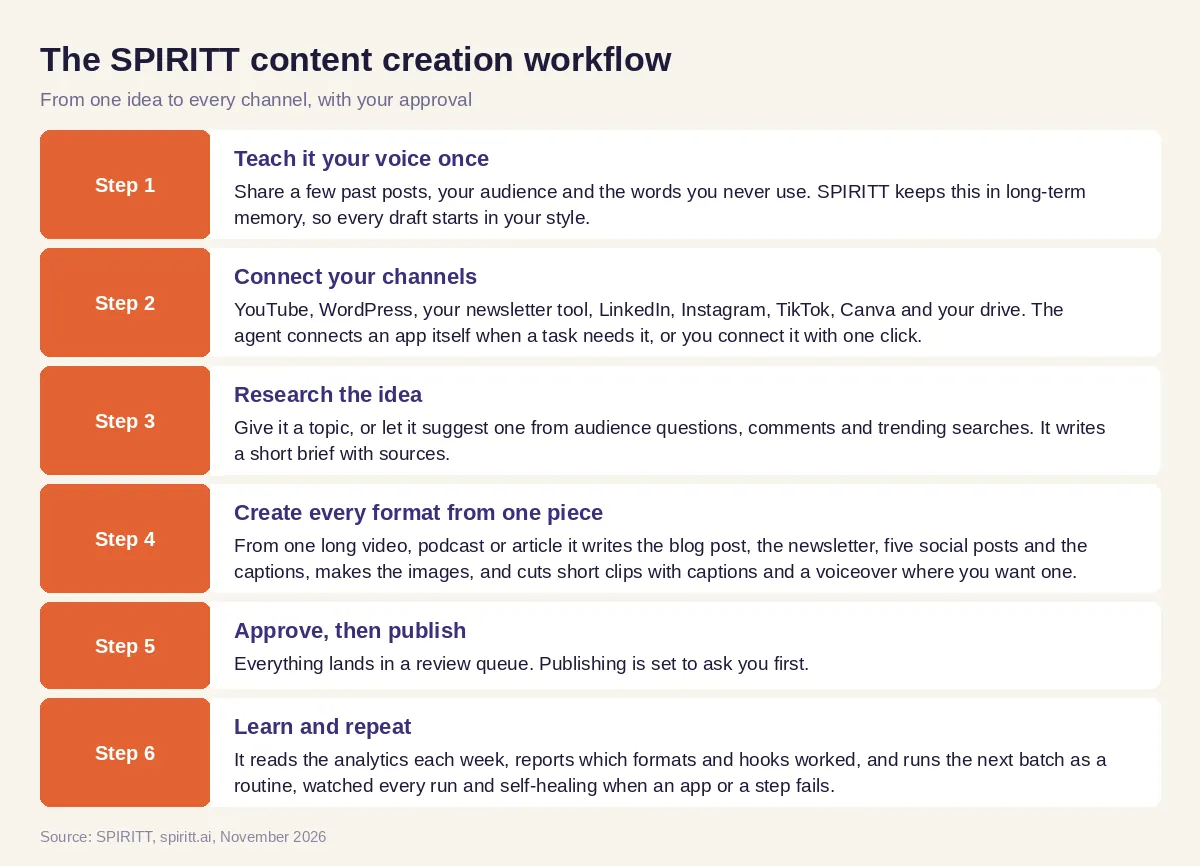 How SPIRITT turns one idea into blog posts, newsletters, short videos, images and social posts
Worked example: one video becomes a week of content
This example shows the workflow; it is not a customer story.
Before. A solo creator publishes one long YouTube video a week about home cooking. The blog, the newsletter and the short clips never happen, because each takes an evening in a different app.
The setup. She connects YouTube, her WordPress blog, her newsletter tool and Instagram, and tells SPIRITT: "Every Monday, take my latest video and make the week's content. Hold it for me on Tuesday morning."
What it produces. From the transcript, SPIRITT writes a recipe blog post with the steps and a short FAQ, a newsletter with the story behind the dish, three short vertical clips with captions cut from the best moments, two carousel images in her colors, and captions for each post. It also notices that viewers keep asking about substitutions, and adds a one-page printable substitution guide.
What she does. She reads the queue on Tuesday, changes one headline, and approves. SPIRITT publishes through the week. When her launch for a paid recipe pack comes up, she asks it to build the landing page and checkout too, and it codes, deploys and hosts the page on her domain.
How to choose AI tools for content creation
Use this checklist before you add another app to the stack.
- Does it cover every format you publish, or only one?
- Can it learn your voice and keep it across drafts?
- Does it research with sources you can check?
- Does it make images, video and voiceovers in your brand?
- Can it publish to your channels, with an approval step first?
- Does it run on a schedule without you starting it each time?
- Does it read analytics and adjust what it makes?
- Is it free to start, with no setup project?
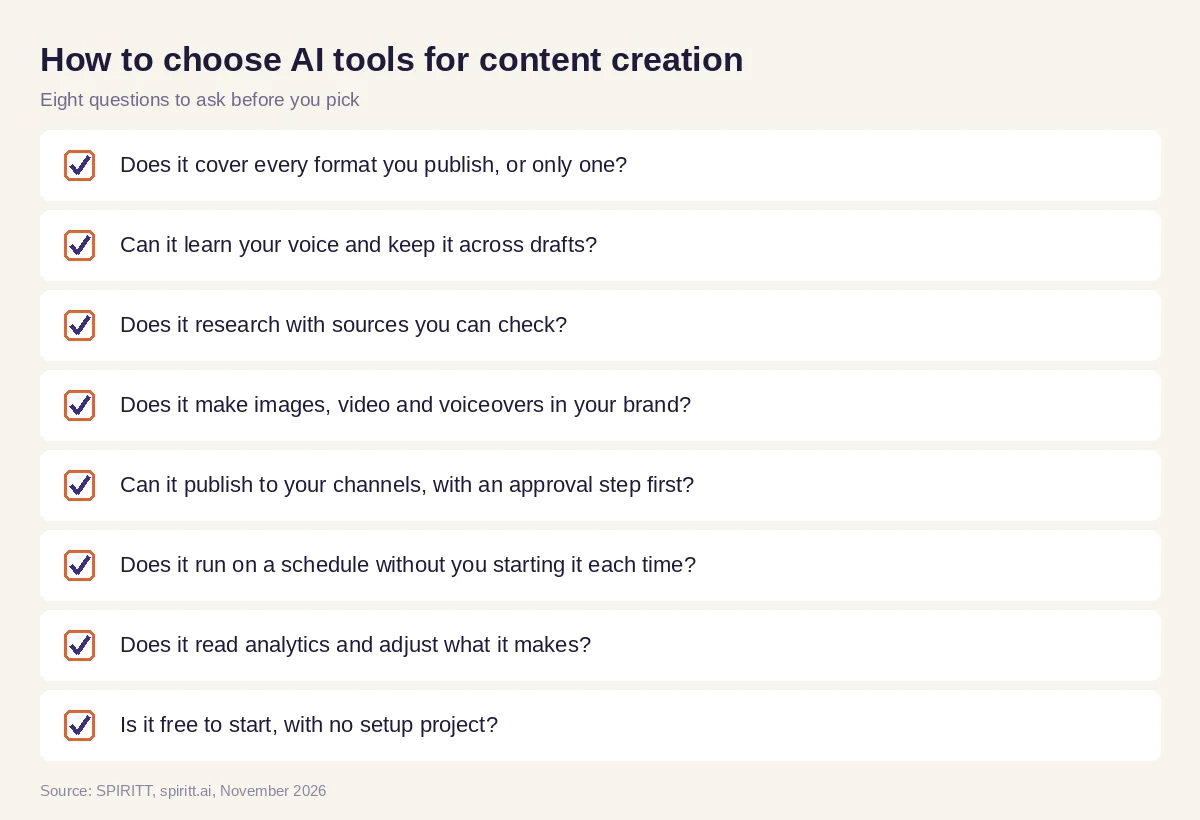 Eight questions to ask before choosing an AI tool for content creators and content marketers
Where ChatGPT, Claude, Canva, Descript and CapCut fit
These are the tools AI answers name most often for content creation. ChatGPT and Claude are general AI assistants that write and edit well in a chat. Canva is a design platform with AI features for graphics and presentations. Descript edits video and audio by editing the transcript. CapCut is a video editor popular for short-form clips. Each one is strong at its own step, and their main edge is familiarity: many creators already use them.
The gap is the hand-off between steps. Someone still has to move the script into the editor, the clip into the scheduler and the numbers into next week's plan. SPIRITT runs the steps together with shared context, and it connects to Canva, YouTube and the rest when you want to keep a tool you like. Because it composes Claude, GPT, Gemini and its own Kay models within each task, you get the strengths of all of them in one place.
For channel-by-channel social work, read the best AI agents for social media. For paid video, see the best AI for video ads and UGC. If content is one part of running a creator business with courses and sponsors, read AI tools for creators, and for campaigns and email, the AI marketing agent guide. Popular connections include the YouTube integration, the WordPress integration and the Canva integration.
FAQ
What are the best AI tools for content creation?
The best AI tools for content creation cover writing, images, video, voice and publishing. Single-format tools such as ChatGPT, Canva, Descript and CapCut each handle one step. SPIRITT runs the whole workflow as one AI agent, from research and drafts to images, video clips and scheduled posts, with your approval before publishing.
What is the best AI tool for content creators?
For creators who publish across several channels, the best tool is one that turns one piece into every format and posts it for you. SPIRITT learns your voice, cuts clips with captions, writes the blog and newsletter, makes images in your brand and publishes on schedule. It is free to start.
Are there free AI tools for content creation?
Yes. Many tools have free tiers, and SPIRITT is free to start with signup credits and daily credits, with no setup. Paid SPIRITT plans start at $32 per month when you need more volume.
Can an AI agent create content for me automatically?
Yes. An AI agent for content creation can run on a schedule: every week it takes your latest video or idea, makes the posts, images and clips, and holds them for approval. SPIRITT runs these routines, watches every run and fixes failures.
What AI tools do content marketers use?
Content marketers use AI for research, briefs, drafts, SEO, design, video and reporting. SPIRITT covers these in one workspace and also runs the rest of marketing work, such as email campaigns and landing pages, which it can code and host for you.
Will AI-generated content sound like me?
It can. SPIRITT keeps your voice, audience and style rules in long-term memory, drafts from your past work, and learns from your edits. You approve every piece before it goes out.
How we checked
SPIRITT publishes this guide. Facts about other tools were checked on each vendor's official pages in November 2026. SPIRITT facts and prices come from spiritt.ai and the live SPIRITT plan catalog.
