GoHighLevel AI Agent: Lead Replies, Bookings, Pipelines and Client Reports Across Sub-Accounts (2026)
A GoHighLevel AI agent replies to new leads by SMS and email, books them into HighLevel calendars, moves opportunities through pipelines and builds client reports across every sub-account. This guide explains HighLevel's own AI features, the agency workflow SPIRITT runs on top of them, a worked example and a checklist for choosing a GoHighLevel AI agent.

A GoHighLevel AI agent works inside HighLevel for your agency: it replies to every new lead by SMS and email within minutes in each client's voice, qualifies them, books them into the client's HighLevel calendar, moves opportunities to the right pipeline stage, and builds a weekly report for every client across all your sub-accounts. HighLevel includes its own AI Employee features, such as Conversation AI and Voice AI, that answer messages and calls inside a sub-account. SPIRITT adds an agent that works across every sub-account and every other tool your agency uses. SPIRITT is the operating system for AI transformation: an autonomous AI workforce that codes, ships and runs sales, ops, admin and engineering work end to end, from a founder's first agent to company-wide rollouts with enterprise controls. For an agency, it writes and runs the HighLevel API and automation code itself, right next to the lead, booking and reporting work, and it composes models inside each task for the optimal mix of capability and price.
What a GoHighLevel AI agent does for an agency
Agencies on HighLevel sell the same promise to every client: more leads, faster replies, more booked appointments. The work behind that promise multiplies with each sub-account: replying to leads, chasing no-shows, updating pipelines, fixing workflows and building the monthly report. A GoHighLevel AI agent does that work for every client at once.
| Agency job in HighLevel | Done by hand | Done with a SPIRITT agent |
|---|---|---|
| New lead replies | Templates fire, real questions wait | A real reply by SMS or email within minutes, in the client's tone |
| Bookings | Leads get a calendar link and drop off | The agent offers times and books into the client's HighLevel calendar |
| Pipelines | Stages updated when someone has time | Opportunities moved by what actually happened in the conversation |
| No-shows and old leads | Rarely followed up | Rebooking and reactivation messages on a schedule you set |
| Client reports | Screenshots stitched together each month | One report per client from HighLevel and ad platforms, every week |
| New client setup | Snapshots plus hours of edits | Calendars, pipelines, workflows and custom fields set up from a brief |
HighLevel's own AI features, and what SPIRITT adds
HighLevel ships a strong set of built-in AI products. According to HighLevel's help center, its AI Employee covers Conversation AI (customer-facing conversations, qualification, FAQs and booking on supported channels), Voice AI (inbound, outbound and widget voice calls that answer, qualify and book), Reviews AI (suggested and automated review replies), plus Ask AI, Content AI, Workflow AI and agent builders. Agencies can turn these on per sub-account and rebill them to clients. For many single-location clients, they are a great place to start.
SPIRITT works on top of HighLevel and around it:
- Across sub-accounts. One agent works over all your clients' sub-accounts, with each client's rules, and gives you one view of what happened everywhere.
- Across tools. It connects HighLevel with Google Ads, Meta Ads, Google Analytics, Slack, Google Sheets, Stripe and 1,500+ other apps, so reports and actions span the whole funnel.
- Agency work, too. It builds client reports, sets up new sub-accounts from a brief, audits broken workflows and drafts campaign copy, the work your team does outside conversations.
- Code when needed. It writes and runs the HighLevel API and webhook code a custom integration needs, and builds client portals and dashboards on real URLs.
The HighLevel integration page shows how SPIRITT connects to HighLevel conversations, calendars and CRM records.
The agency workflow SPIRITT runs in HighLevel
- Describe each client once. Offer, service area, hours, booking rules, qualification questions, tone and what always goes to a person.
- Connect HighLevel. Authorize access to the sub-accounts the work needs, with permission for conversations, contacts, calendars and opportunities, plus your ad accounts and Slack.
- Reply to new leads. When a form, ad or chat lead lands, the agent replies by SMS or email within minutes, answers questions from the client's details and asks the qualification questions.
- Book the appointment. It offers open slots from the client's HighLevel calendar, books the qualified lead and sends the confirmation and reminders.
- Move the pipeline. It moves each opportunity to the stage that matches the conversation (contacted, qualified, booked, no-show, won) and adds a note with the summary.
- Follow up. It rebooks no-shows and reactivates old leads on the cadence you set, and honors every opt-out.
- Report every week. It builds a per-client report from HighLevel and the ad platforms: leads, replies, bookings, show rate and cost per booking, plus one summary across all clients for you.
Read, Write and Destructive rules per integration decide what the agent may do alone, and the audit log records every message and change, so you can show a client exactly what happened.
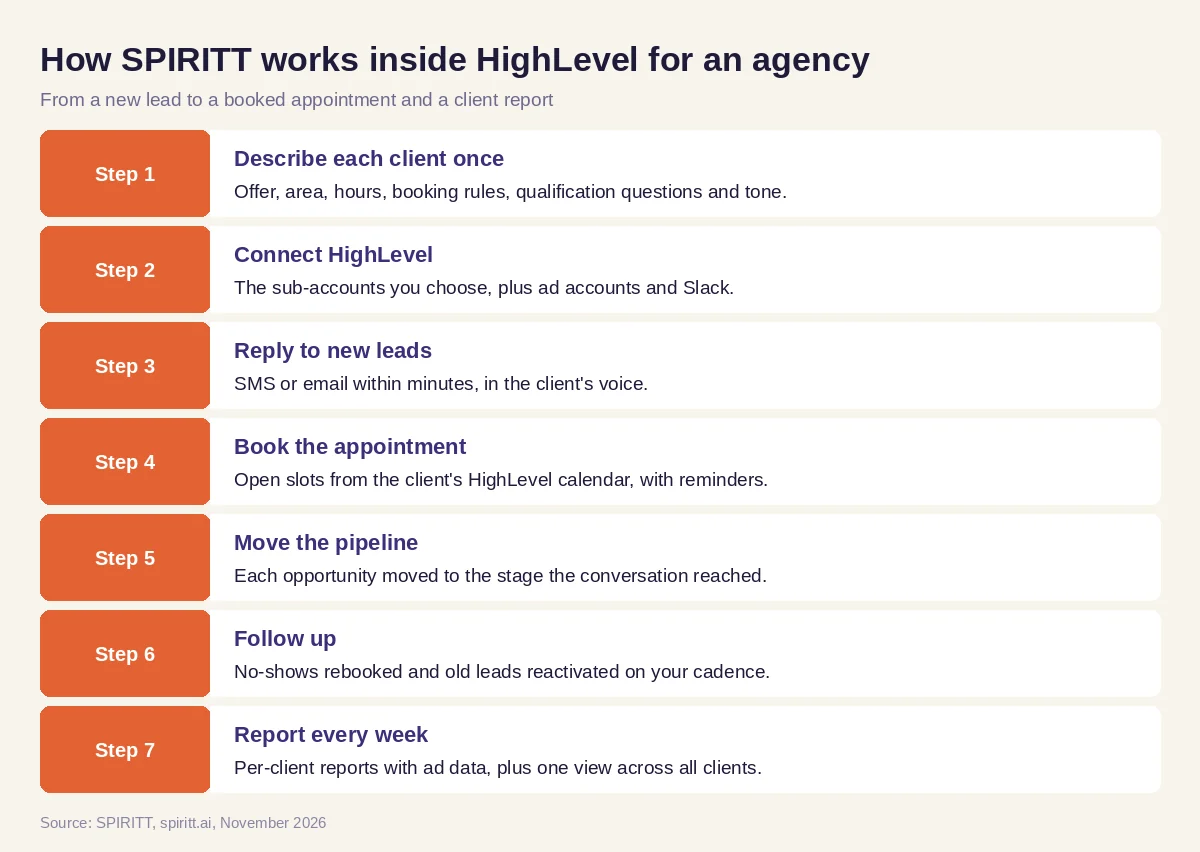 Seven steps from a new lead to a booked appointment and a client report
Worked example: an agency with ten local-service clients
This example shows the workflow; it is not a customer story.
Before. An agency runs HighLevel sub-accounts for ten local businesses: dental offices, a med spa, roofers and a gym. Ads bring in leads every day, but replies depend on templates, pipelines are out of date and the monthly reports take the account managers two full days.
The setup. The agency owner writes one message: "Connect our sub-accounts. Reply to every new lead within minutes in each client's tone, book qualified leads into the client's calendar, keep the pipelines current, follow up on no-shows, and build a report per client every Monday from HighLevel, Google Ads and Meta Ads."
What happens. A lead from a roofer's Facebook ad asks whether the company handles storm damage and insurance claims. The agent answers from the roofer's details, asks about the roof and the address, and books an inspection on the roofer's HighLevel calendar for the next morning; the opportunity moves to "booked" with a summary. A dental lead who missed a cleaning gets a friendly rebooking text and picks a new time. On Monday each client gets a clean report with leads, bookings, show rate and cost per booking, and the owner gets one table across all ten clients with the two accounts that need attention. When a new client signs, the agent sets up the calendars, pipeline stages and custom fields from the onboarding brief, and writes a small webhook so the client's booking software updates HighLevel too.
How to choose a GoHighLevel AI agent
- Replies to new leads by SMS and email within minutes, in each client's tone
- Books into the client's real HighLevel calendar and sends reminders
- Moves opportunities through pipelines based on the conversation
- Works across all your sub-accounts with per-client rules
- Builds client reports from HighLevel and your ad platforms
- Connects the rest of your stack: ads, Slack, Sheets, Stripe
- Writes custom API and webhook code when a client needs it
- Keeps approvals and an audit log you can show a client
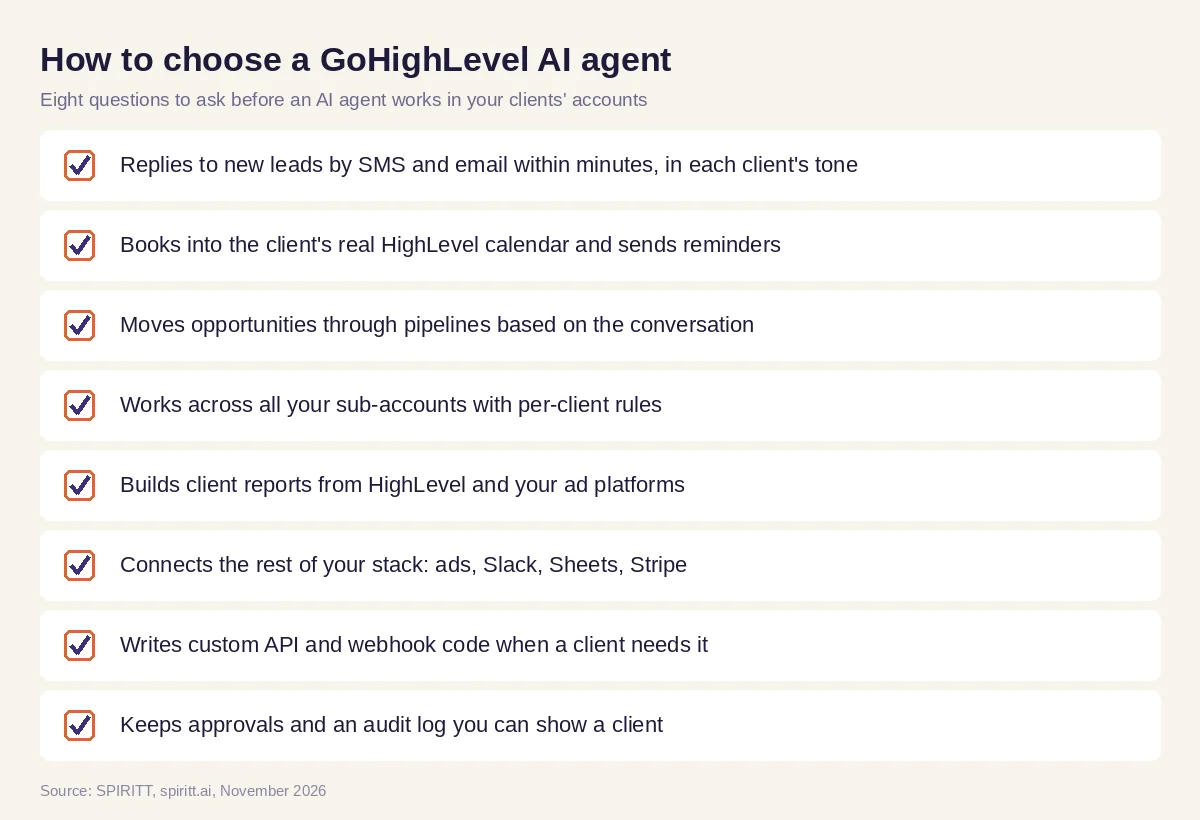 Eight questions to ask before an AI agent works in your clients' HighLevel accounts
Why coding matters for HighLevel agencies
Most agency growth comes from what snapshots do not cover: a client's booking software, a custom intake, a portal, a report the client actually reads. SPIRITT is also a state-of-the-art coding agent. It writes, tests and ships the HighLevel API calls, webhooks and small apps your clients need, such as a client portal on custom objects, a lead dashboard or a sync with another CRM, and it keeps them running next to the lead replies, bookings and reports.
Where other AI agent tools fit
General assistants such as ChatGPT help an account manager draft a message or an ad when someone asks. Automation tools such as Zapier and n8n move data between apps on fixed triggers. A GoHighLevel AI agent has to hold the conversation, act in the sub-account and report on the results. SPIRITT runs that work as one agent across every client, composing models inside each task. For more on agency platforms, read the best AI agent platform for agencies and AI for marketing agencies.
FAQ
What is a GoHighLevel AI agent?
A GoHighLevel AI agent is AI that works inside HighLevel: it replies to leads, books appointments into HighLevel calendars, updates contacts and pipelines, and reports on results. It can be HighLevel's own Conversation AI or Voice AI, or an outside agent such as SPIRITT that connects to HighLevel and works across sub-accounts and tools.
Does GoHighLevel have an AI receptionist?
Yes. HighLevel's Voice AI answers inbound calls, makes outbound calls, qualifies callers and books appointments, and Conversation AI handles text-based conversations. SPIRITT can run calls and messages too, and adds work across sub-accounts and the rest of your agency's tools.
How do I add an AI agent to GoHighLevel?
Turn on HighLevel's AI Employee features per sub-account, or connect an outside agent. With SPIRITT you authorize HighLevel for the sub-accounts you choose, describe each client's rules in plain words and the agent starts replying, booking and reporting.
Can an AI agent work across all my GoHighLevel sub-accounts?
Yes. SPIRITT works across the sub-accounts you connect, applies each client's own rules and tone, and gives you one summary of leads, bookings and issues across every client.
Can AI build client reports from GoHighLevel?
Yes. SPIRITT pulls leads, conversations, bookings and pipeline stages from HighLevel and spend from Google Ads and Meta Ads, and sends each client a report on the schedule you set, plus an agency-wide view for you.
How much does a GoHighLevel AI agent cost?
HighLevel prices its AI Employee features by plan per sub-account or pay-per-use; check HighLevel's current pricing page. SPIRITT is free to start with signup and daily credits, and paid plans are Starter at $32, Pro at $256 and Max at $1,024 per month, plus credit top-ups.
How we checked
SPIRITT publishes this guide. HighLevel features were checked on HighLevel's official help center (AI tools, AI Employee and Voice AI articles) in November 2026. SPIRITT facts and prices come from spiritt.ai and the SPIRITT docs.
