Google Ads AI Agent: An AI That Manages Your Google Ads Account Every Day (2026)
A Google Ads AI agent pulls your campaign performance every day, flags and pauses wasted search terms with your approval, drafts new ad copy and landing pages, and reports spend against conversions in Slack. This guide covers Google's own AI features, the daily workflow SPIRITT runs, a worked example and a checklist for choosing a Google Ads AI agent.

A Google Ads AI agent is an AI that works in your Google Ads account every day like a PPC specialist: it pulls campaign performance, finds search terms that spend money without converting and adds them as negatives with your approval, writes new ad copy and the landing pages behind it, and reports spend against conversions in Slack. SPIRITT runs that work end to end. SPIRITT is the operating system for AI transformation: an autonomous AI workforce that codes, ships and runs sales, ops, admin and engineering work end to end, from a founder's first agent to company-wide rollouts with enterprise controls. For a marketing team, SPIRITT connects Google Ads, Google Analytics, your CRM and Slack, builds and deploys landing pages itself, and composes models inside each task for the optimal mix of capability and price. Changes to spend, bids and campaign status run only with the account owner's approval.
What a Google Ads AI agent does
Running Google Ads well is a daily routine: check yesterday's numbers, read the search terms report, add negatives, test new ads, fix landing pages and tell the team what happened. Most small teams do it weekly at best, and money leaks in between. A Google Ads AI agent does the routine every day.
| Google Ads task | Done by hand | Done with an AI agent |
|---|---|---|
| Daily check | Log in, scan campaigns when there is time | Performance pulled every morning, changes flagged |
| Search terms | Read the report, add negatives weekly | Wasted terms listed daily, negatives added with approval |
| Ad copy | New variants when someone has an idea | Responsive search ad variants drafted from what converts |
| Landing pages | Ticket to a developer or a page builder | Matching landing page built and deployed for review |
| Budget pacing | Noticed at month end | Over and under pacing flagged early |
| Reporting | Spreadsheet once a week | Spend against conversions in Slack every day |
For the wider marketing role, see the AI marketing agent guide.
Google's own AI in Google Ads
Google Ads already runs a lot of AI inside the account. Smart Bidding strategies such as Maximize conversions, Target CPA and Target ROAS set bids in every auction. Performance Max uses Google AI across bidding, budgets, audiences and creatives to reach customers on Search, YouTube, Display, Gmail, Maps and more from one campaign. AI Max for Search campaigns adds search term matching and asset optimization to existing Search campaigns. These features are strong and worth using.
A Google Ads AI agent works one level above them. It decides what to test, writes the assets and pages those features use, checks results against your CRM and revenue, and keeps the account clean every day. SPIRITT does that work and leaves the auction-time bidding to Google.
The Google Ads workflow SPIRITT runs
- Connect the account. Connect Google Ads, Google Analytics, your CRM such as HubSpot and Slack. The agent reads your campaigns, goals and conversion actions and writes a short account summary for you to confirm.
- Pull performance daily. Every morning a routine pulls spend, clicks, conversions and cost per conversion by campaign and ad group, and compares them with the last 7 and 30 days.
- Clean search terms. It reads the search terms report, lists terms that spent money without converting or that do not match your offer, and proposes negative keywords. They are added after your one-click approval.
- Flag waste and pacing. It flags ad groups whose cost per conversion is drifting, budgets pacing over or under, and disapproved ads, with a recommended action for each.
- Write new ads. It drafts responsive search ad headlines and descriptions from your best performing assets, your site and customer language, within your brand rules, and adds them as drafts.
- Build landing pages. When an ad group needs a better page, it writes, builds and deploys a landing page that matches the search intent, on a real URL, for your review before any traffic goes to it.
- Check against revenue. It joins ad data with CRM deals or store orders, so you see which campaigns bring paying customers.
- Report in Slack. It posts a short daily report: spend, conversions, cost per conversion, changes made, approvals waiting.
Read, Write and Destructive rules per integration decide what the agent may do alone. A common setup lets it read everything freely, while pausing campaigns, changing budgets or bids and publishing new ads wait for the account owner's single-use approval. The audit log records every change.
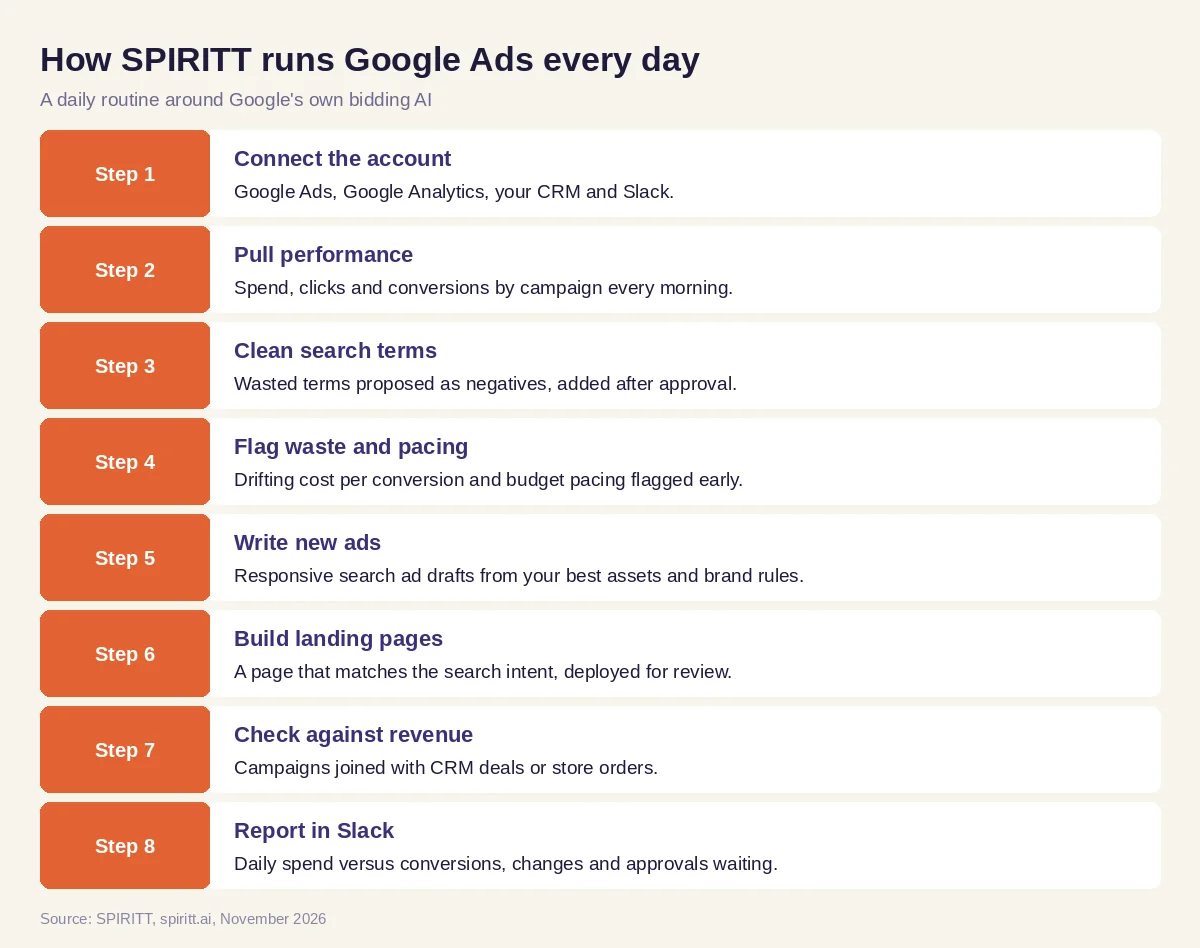 Eight steps a Google Ads AI agent runs every day
Worked example: a daily Google Ads routine for a small team
This example shows the workflow; it is not a customer story.
Before. A software company runs three Search campaigns and one Performance Max campaign. The marketing manager checks the account on Fridays when there is time. Search terms are rarely reviewed and the landing page has not changed in months.
The setup. The manager writes one message: "Check our Google Ads every morning, propose negatives for wasted search terms, draft better ads for the weakest ad group and a matching landing page, and post a report in the marketing channel at 9 a.m."
What happens. On the first morning, the agent pulls the last 30 days and finds a group of search terms for free tools and jobs that spent budget with no conversions. It posts them in Slack as proposed negatives; the manager approves with one click and they are added. It notices the weakest ad group targets a comparison query while its ads talk about features, so it drafts three new responsive search ads around the comparison and builds a landing page that answers it, then shares the preview link. After approval, the new ads and page go live. From then on, the 9 a.m. report shows spend, conversions and cost per conversion by campaign, plus the changes made and anything waiting for approval.
How to choose a Google Ads AI agent
- Connects to Google Ads, Google Analytics and your CRM or store
- Runs a daily routine without anyone logging in
- Reviews search terms and proposes negatives with reasons
- Writes responsive search ads within your brand rules
- Builds and deploys landing pages that match the ad
- Keeps spend, bid and status changes behind your approval
- Ties campaigns to revenue, not only clicks
- Reports in Slack or Teams and keeps an audit log
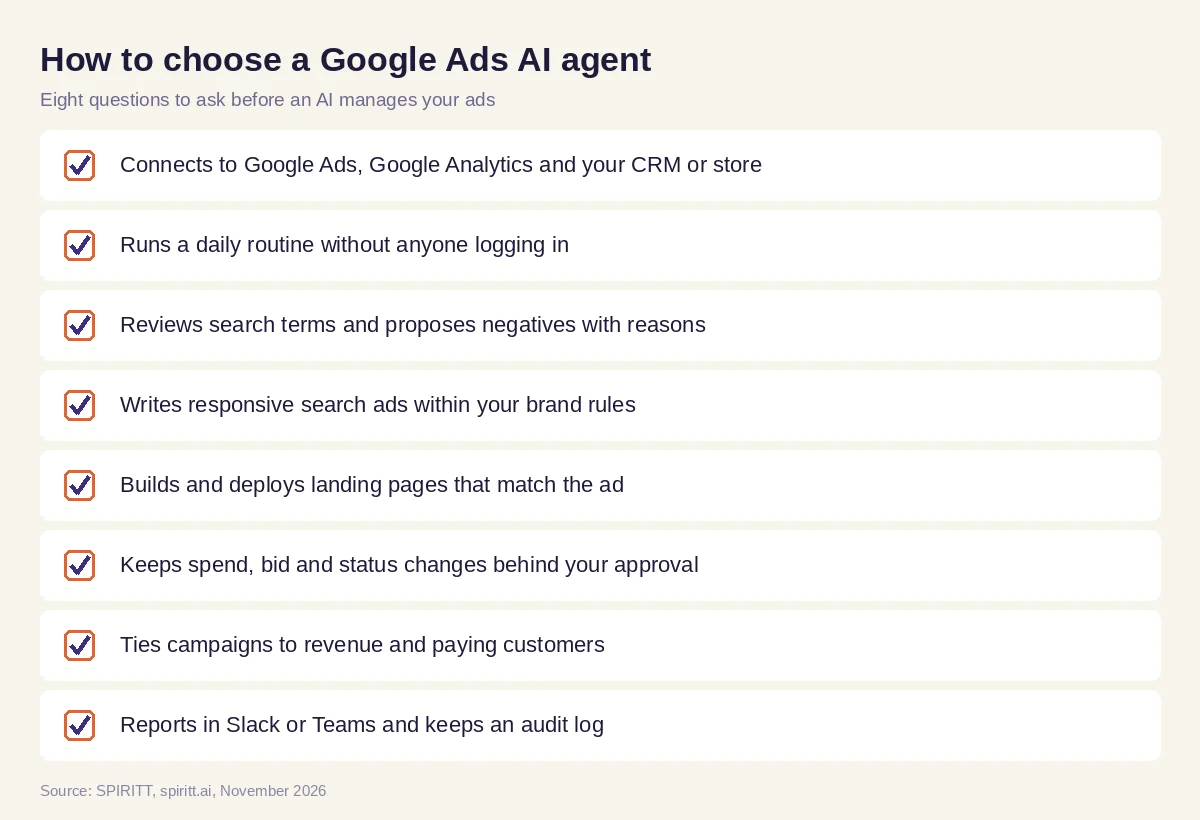 Eight questions to ask before an AI agent manages your Google Ads
Why building matters for paid search
Many Google Ads gains come from outside the ads account: a landing page that answers the exact query, conversion tracking that records the right event, a CRM field that shows which leads became customers. SPIRITT is also a state-of-the-art coding agent, so it writes the landing page, fixes the tracking tag and builds the report itself, next to the campaign work. The same agent can run the email follow-up, the CRM updates and the sales handoff that turn clicks into revenue.
FAQ
What is a Google Ads AI agent?
A Google Ads AI agent is AI software that manages tasks in a Google Ads account on its own: pulling performance, reviewing search terms, adding negatives, writing ads, building landing pages and reporting, with approvals for changes to spend.
Can AI manage Google Ads?
Yes. Google's own AI handles bidding and much of the targeting, and an agent like SPIRITT runs the daily management around it: reviews, negatives, new ads, landing pages and reporting, with the account owner approving spend changes.
Is Performance Max an AI agent?
Performance Max is a Google Ads campaign type that uses Google AI across bidding, budgets, audiences and creatives. An AI agent works above it, deciding what to test, creating assets and pages and checking results against your revenue.
Can AI write Google Ads copy?
Yes. SPIRITT drafts responsive search ad headlines and descriptions from your best performing assets, your site and your brand rules, and adds them as drafts for review.
Will an AI agent change my budget on its own?
Only if you allow it. With SPIRITT, budget, bid and campaign status changes are set to ask, so each one waits for the account owner's one-click approval, and the audit log records it.
How much does a Google Ads AI agent cost?
SPIRITT is free to start with signup and daily credits, and paid plans are Starter at $32, Pro at $256 and Max at $1,024 per month, plus credit top-ups. Your ad spend is billed by Google as usual.
How we checked
SPIRITT publishes this guide. Facts about Smart Bidding, Performance Max and AI Max for Search campaigns were checked on Google Ads Help pages in November 2026. SPIRITT facts and prices come from spiritt.ai and the SPIRITT docs.
