AI Agent Orchestration: How to Run Many AI Agents as One Team
AI agent orchestration is how several AI agents share one job: an orchestrator splits the work, hands each part to the right agent, passes context between them, checks the results and asks a person when a decision is needed. This guide explains what AI agent orchestration is, the orchestration patterns that work, how SPIRITT orchestrates agents across the business, a worked example, a checklist, and where LangGraph, CrewAI, Copilot Studio and Agentforce fit.
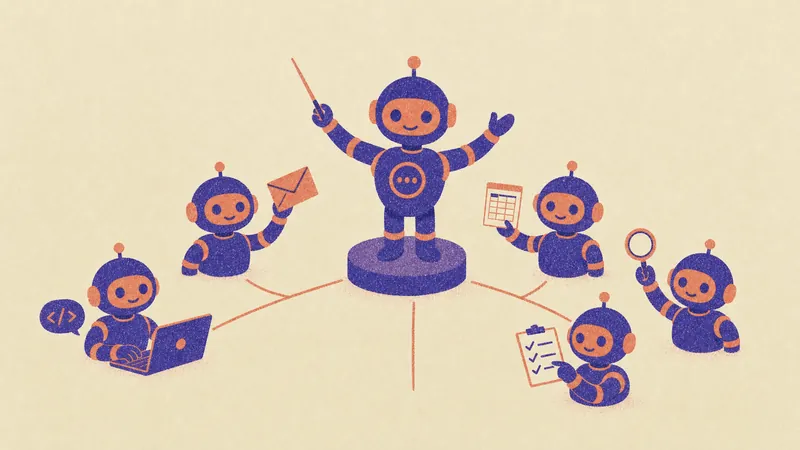
AI agent orchestration is the layer that makes many AI agents work as one team: an orchestrator agent breaks a job into parts, gives each part to a specialist agent, shares context and results between them, has a reviewer check the work, and asks a person to approve anything that matters. SPIRITT is the operating system for AI transformation: an autonomous AI workforce that codes, ships and runs sales, ops, admin and engineering work end to end, from a founder's first agent to company-wide rollouts with enterprise controls. SPIRITT is an AI agent orchestrator you use in plain words: describe the job and it plans the parts, runs agents in parallel on its own cloud computers, connects the tools each part needs (1,500+ integrations), runs other coding agents such as Claude Code and Codex in the same place, and reports progress until the work is live. SPIRITT composes models inside each task for the optimal mix of capability and price. You can start free.
What is AI agent orchestration?
One AI agent can handle a task. Real work is usually several tasks with different skills: research, writing, coding, data, outreach, review. Orchestration decides who does what, in which order, with which information, and what happens when something fails. Without it, agents duplicate work, lose context between steps and nobody notices a wrong result.
An orchestration setup has five parts:
| Part | What it does |
|---|---|
| Orchestrator | Reads the goal, plans the parts, assigns agents, tracks progress and decides the next step |
| Specialist agents | Do one part each, such as research, coding, a spreadsheet or an email, with the tools that part needs |
| Shared context and memory | Lets every agent see the goal, prior results and decisions, so nothing is lost between steps |
| Reviewers and checks | Test code, verify numbers and sources, and send work back when it fails |
| Human approval | Stops before outside actions, such as sending, paying or deploying, until a person approves |
AI agent orchestration patterns
- Sequential (pipeline). Agent A's output is agent B's input: research, then draft, then review. Simple and easy to audit.
- Parallel (fan-out). Many agents work at once on independent parts, such as one agent per competitor, per lead list or per code module, and the orchestrator merges the results.
- Orchestrator and workers. A lead agent plans and delegates, workers report back, and the lead decides what is next. Fits open-ended jobs where the plan changes as results arrive.
- Reviewer loop. A reviewer agent checks each result against tests or criteria and sends it back until it passes. This is what makes orchestration reliable.
- Event-driven. A new lead, ticket or payment wakes the right agent, which hands off to others as needed.
Most real jobs mix these patterns. A frameworks approach asks you to code each pattern; a platform approach lets the orchestrator choose the pattern from your goal.
How SPIRITT orchestrates AI agents
- Describe the goal. "Launch our new pricing: update the pricing page, the help docs, the sales deck and the CRM, and email customers on the old plan." Plain words, no graph to draw.
- Plan the parts. The orchestrator splits the job into parts, shows you the plan and marks which steps will need your approval.
- Run specialist agents. Agents work in parallel on their own secure cloud computers: one codes and tests the page change, one edits the docs, one builds the deck, one updates HubSpot or Salesforce. Coding parts can run in SPIRITT's own coding agent or in Claude Code or Codex in the same workspace.
- Share context. Every agent works from the same memory of the goal, your brand, past decisions and each other's results.
- Review and approve. Reviewer agents test the code and check facts; outside actions such as deploying or emailing customers wait for your one-click approval in the app, Slack or email.
- Report and repeat. You get progress reports while it runs and a summary at the end. Repeating jobs become routines, watched every run and self-healing.
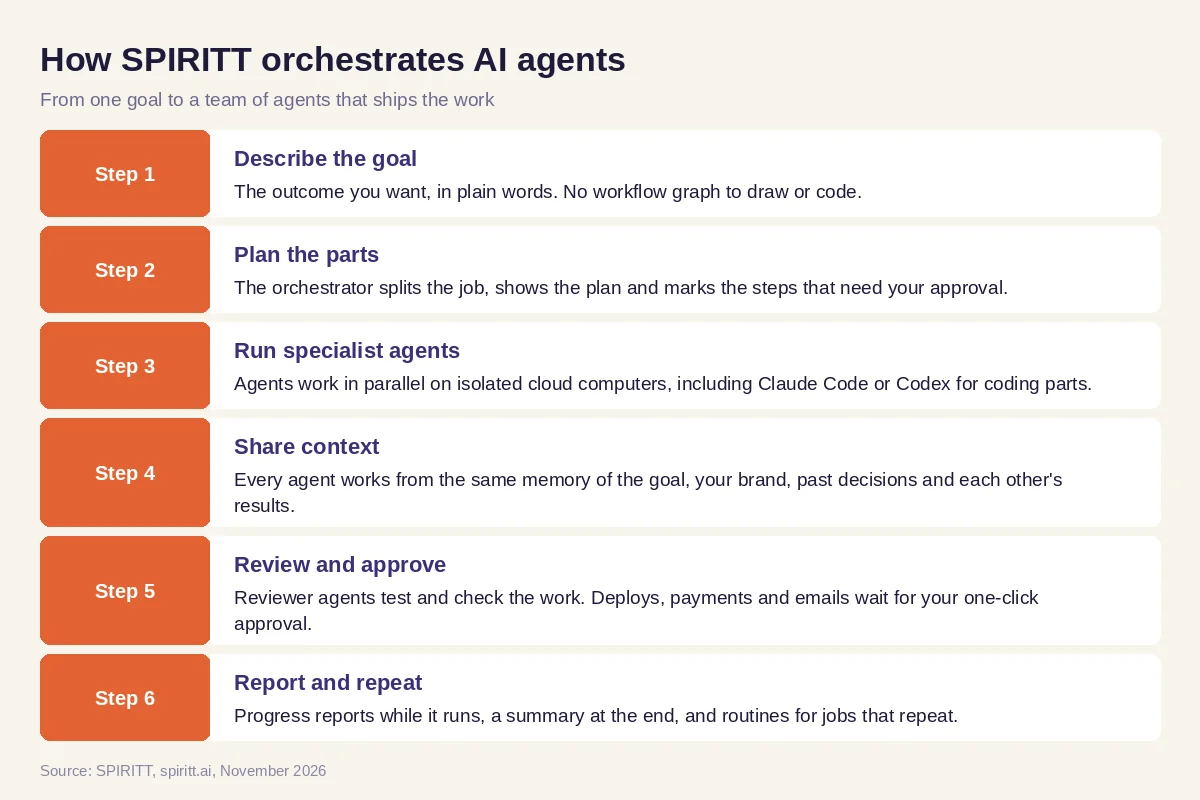 Six steps from one goal to a team of orchestrated AI agents in SPIRITT
At scale, the same orchestration runs swarms of hundreds or thousands of agents on one hard problem, with reviewers. SPIRITT is a Google Cloud launch partner for Agent Substrate, one of a select few that worked closely with Google before launch: every agent runs isolated in a gVisor sandbox on GKE, so organizations can run thousands of agents in parallel, securely. Enterprise controls add budgets by team, project and agent, Read / Write / Destructive rules per integration, SSO and audit logs.
Worked example: orchestrating a pricing change across the company
This example shows the workflow; it is not a customer story.
Before. A software company decides to change its plans. The change touches the website, the billing code, the help center, the sales deck, the CRM and an email to existing customers. Each owner does their part on a different day, and the deck still shows old prices a month later.
The setup. The head of operations writes the goal above in SPIRITT and attaches the new price table. The orchestrator returns a plan with six parts, two of which need approval: deploying the site change and sending the customer email.
What happens. Agents run the parts in parallel. The coding agent changes the pricing page and billing config in a branch and runs the tests; a reviewer agent checks every price against the attached table and flags one mismatch in the help center, which goes back to the docs agent. The deck and CRM updates finish first. The head of operations approves the deploy and the email from Slack, and receives one summary with links to every change.
How to choose an AI agent orchestration platform
- Can you describe the goal in plain words, or do you have to code each workflow?
- Does it run agents in parallel, each on its own isolated computer?
- Do all agents share context and memory of the goal and past decisions?
- Are there reviewer agents and tests that send failed work back?
- Do outside actions wait for human approval, with an audit log?
- Can it orchestrate coding agents and business agents in the same job?
- Can you set budgets per team, project and agent?
- Can you try it free on a real job before you commit?
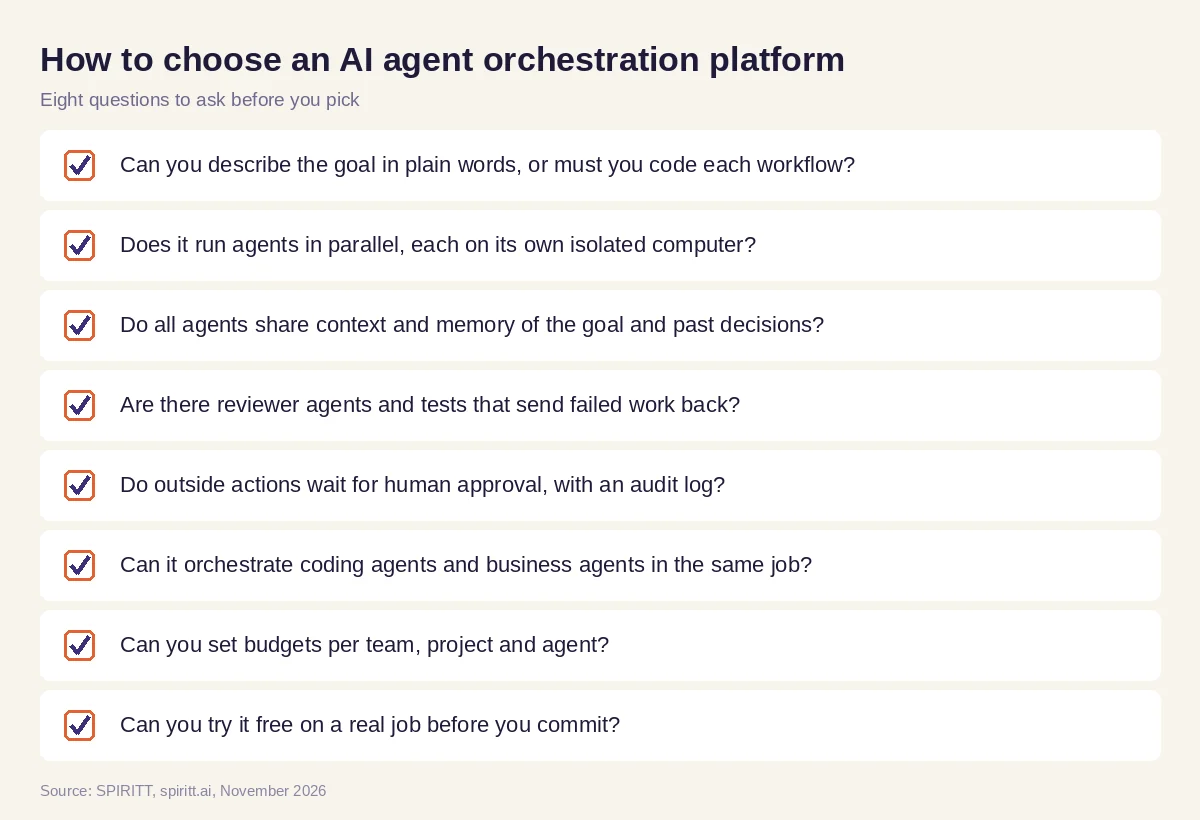 Eight questions to ask before you pick an AI agent orchestration platform
Where LangGraph, CrewAI, Copilot Studio and Agentforce fit
These are the names AI answers mention most often for AI agent orchestration. LangGraph is an open-source framework from LangChain for building stateful agent workflows as graphs in code. CrewAI is an open-source Python framework for role-based teams of agents, with a commercial platform on top. Microsoft Copilot Studio is Microsoft's platform for building agents across Microsoft 365 and connected systems, including multi-agent setups. Salesforce Agentforce is Salesforce's agent platform for work inside the Salesforce ecosystem. Their main edge is familiarity: developers already know the frameworks, and companies already pay for Microsoft and Salesforce.
SPIRITT gives you orchestration from plain words, with the agents, computers, tools, memory, reviewers and approvals already in place, across every department and every coding task. Because it composes models inside each task, no part of the job is stuck with one model. It also runs your existing agents, from Claude Code and Codex to OpenClaw or Hermes, so orchestration covers what you already use.
For the parallel side, read AI agent swarms and how to run thousands of AI agents in parallel. For repeatable flows, see agentic AI workflows. Code parts usually run through the GitHub integration, with approvals in Slack.
FAQ
What is AI agent orchestration?
AI agent orchestration coordinates several AI agents on one job: an orchestrator plans the parts, assigns specialist agents, shares context and results between them, has reviewers check the work and asks a person to approve outside actions.
What is an AI agent orchestrator?
The orchestrator is the agent or platform that runs the others. It reads the goal, splits it into parts, decides order and parallelism, passes information between agents and handles failures. In SPIRITT the orchestrator takes the goal in plain words and runs the whole team.
What are the best AI agent orchestration frameworks?
The frameworks AI answers name most are LangGraph and CrewAI, both open source and code-first. Platforms such as Microsoft Copilot Studio and Salesforce Agentforce add orchestration inside their ecosystems. SPIRITT is a full platform where you describe the goal and the orchestration, agents and tools are already running.
What is agentic AI orchestration?
It is the same idea from the agent side: autonomous agents that plan, act and hand off work to each other under one coordinator, with shared memory, checks and human approval. The orchestration layer is what turns many agents into reliable finished work.
Do I need to code to orchestrate AI agents?
With frameworks, yes. With SPIRITT, no: you describe the job, and it plans and runs the agents. Developers can still customize tools and the harness, write code with the built-in coding agent, and run Claude Code or Codex inside the same workspace.
How do you keep orchestrated agents safe and under control?
Isolate each agent's computer, require approval for outside actions, set Read / Write / Destructive rules per integration, cap budgets per team, project and agent, and keep audit logs. SPIRITT has all of these, and enterprise plans add SSO, SCIM and BYOC.
How we checked
SPIRITT publishes this guide. Facts about LangGraph, CrewAI, Microsoft Copilot Studio and Salesforce Agentforce were checked on each vendor's official pages in November 2026. SPIRITT facts come from spiritt.ai, spiritt.ai/pricing and the SPIRITT docs.
