AI for CFOs: Daily Cash, Board Pack Commentary, Spend Reviews and Forecast Updates With an AI Agent (2026)
AI for CFOs runs the finance operating cadence on a schedule: a daily cash and runway view from bank, billing and accounting, variance commentary for the board pack, a monthly vendor spend review and rolling forecast updates, all for the CFO's review. This guide shows the cadence SPIRITT runs, a worked example and a checklist.

AI for CFOs is an AI agent that runs the finance operating cadence for the CFO: it sends a daily cash and runway view built from the bank, billing and accounting systems, drafts variance commentary for the monthly board pack, reviews vendor spend and renewals, and rolls the forecast forward when actuals land. SPIRITT runs that cadence on a schedule and holds every number and every word for the CFO's review. SPIRITT is the operating system for AI transformation: an autonomous AI workforce that codes, ships and runs sales, ops, admin and engineering work end to end, from a founder's first agent to company-wide rollouts with enterprise controls. For a finance leader that means one agent that reads your ledger, bank feeds and billing data, composes models inside each task for the optimal mix of capability and price, and shows the source of every figure it reports.
What a CFO's week looks like with an AI agent
A CFO spends a surprising share of the week assembling the same views: where cash stands, why last month missed plan, which contracts renew next quarter, what the forecast says now. The judgment is the CFO's. The assembly is repeatable, and that is the part an agent takes on.
| CFO cadence | Assembled by hand | Run by an AI agent |
|---|---|---|
| Daily cash | Logging into each bank portal and a spreadsheet | One-page cash and runway note in the inbox every morning |
| Weekly AR and AP | Pulling aging reports and chasing the controller | Aging buckets, top overdue customers and payments due this week |
| Monthly board pack | Copying actuals into slides and writing why | Budget vs actual tables with draft commentary tied to ledger lines |
| Vendor spend review | An annual scramble before budgeting | Monthly list of new vendors, price changes and renewals coming up |
| Forecast update | Rebuilding the model after close | Actuals rolled in, drivers updated, changes explained line by line |
| Ad hoc questions | An analyst pulls data for a day | Answer with the query and the source rows attached |
This guide covers the CFO's recurring cadence. For deeper analysis of statements and ratios, read AI for financial analysis, and for building three-statement and scenario models, read AI for financial modeling.
The finance cadence SPIRITT runs for a CFO
- Connects the sources once. The agent connects to the bank feeds, the billing system (Stripe or your invoicing tool), the general ledger in QuickBooks or NetSuite, the payroll provider and the spreadsheet that holds the budget. Read access is the default; nothing posts to the ledger.
- Daily cash and runway. Every weekday morning it reconciles balances across accounts, groups cash in and out by category, lists the largest payments and receipts, and computes runway from trailing net burn. Movements outside the thresholds you set are flagged at the top.
- Weekly receivables and payables. It builds AR aging by customer with the last contact date, and an AP schedule of what is due this week and next, so the CFO decides what to pay and who to call.
- Month-end variance commentary. After close, it compares actuals to budget and to last year by department and GL account, finds the lines that drive each variance, and drafts plain-English commentary for the board pack with a link to the underlying transactions.
- Vendor spend review. Monthly, it lists every vendor paid, new vendors, price increases against the prior period, duplicate tools across teams and contracts that auto-renew in the next 90 days, with the notice date for each.
- Forecast roll-forward. It rolls actuals into the forecast, updates drivers such as headcount plan, new bookings and churn from your systems, and writes a short note on what changed and why.
- Answers ad hoc questions. "What did we spend on contractors in Q3 by department?" gets an answer with the query, the rows and the file.
- Logs everything. Each run leaves its inputs, outputs and approvals in a log the controller and auditors can read.
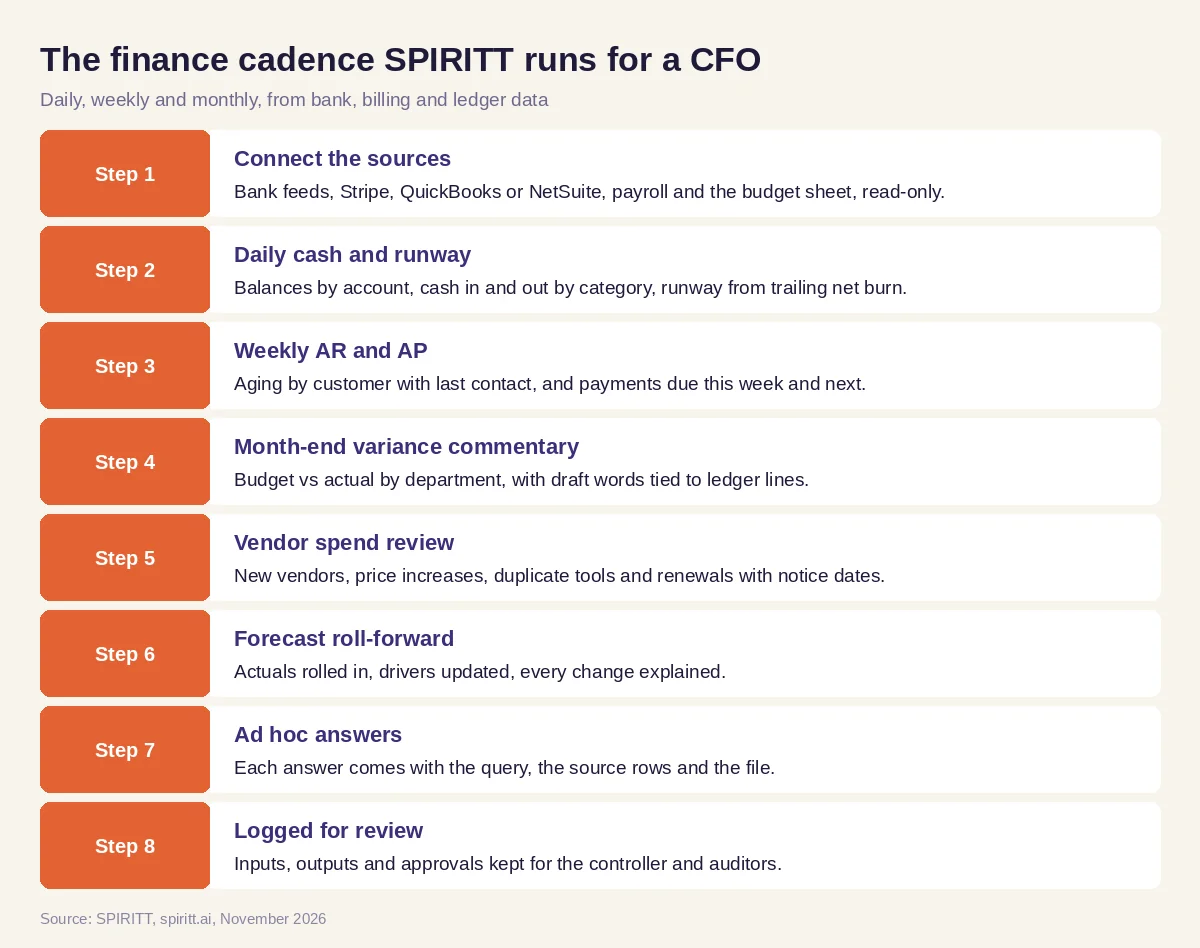 The finance cadence SPIRITT runs on a schedule for a CFO
SPIRITT connects to QuickBooks, NetSuite, Xero, Stripe, Bill.com, Ramp, Google Sheets, Excel and 1,500+ other apps. Systems with no API, such as an older bank portal, are handled by the agent's own cloud computer, which works inside the app like a person. Routines run on schedule, are watched every run and repair themselves when a source changes.
Worked example: the Monday cash note and the board pack in the same month
This example shows the workflow; it is not a customer story, and the categories are illustrative.
The setup. The CFO of a growing software company asks SPIRITT for a weekday cash note, a Monday AR and AP view and a draft board pack two business days after close. Sources: two operating bank accounts, a payroll account, Stripe for subscriptions, QuickBooks for the ledger and a Google Sheet with the annual budget by department.
The daily note. Each morning the agent sends one page: closing cash by account, net change, cash in split into subscriptions, services and other, cash out split into payroll, vendors, taxes and transfers, the five largest payments with payee and memo, and runway in months at the trailing 13-week net burn. One Tuesday it flags a vendor payment twice the usual amount; the line links to the bank transaction and the bill in QuickBooks, and the CFO sees it was a prepaid annual license, already approved.
The board pack. Two days after close the agent drafts the budget vs actual table by department and the commentary below it. Each sentence points to the ledger lines behind it: sales and marketing over budget because an event was booked a month early, R&D under budget because two planned hires start next month, revenue ahead on annual prepayments. The CFO rewrites two sentences, adds the outlook paragraph and approves the pack.
The spend review. The same month, the vendor review lists three tools bought by different teams for the same job and a software contract that auto-renews in 45 days with a 30-day notice window. The CFO asks the agent to draft the notice email to the vendor and sends it after a read.
What the CFO did. Read the notes, checked one flag, edited and approved the board commentary, decided on the renewal and sent the notice.
How to choose AI for a CFO
- Connects to your bank feeds, billing system, ledger and budget file, read-only by default
- Runs on a schedule you set and sends results where you already work (email, Slack, Teams)
- Shows the source rows behind every number and every sentence of commentary
- Uses your chart of accounts, departments and thresholds, not a generic template
- Never posts journal entries, payments or vendor notices without approval
- Keeps an audit trail of each run the controller and auditors can read
- Has access rules per system, SSO and audit logs for the finance team
- Handles portals with no API through a cloud computer, so no source is left out
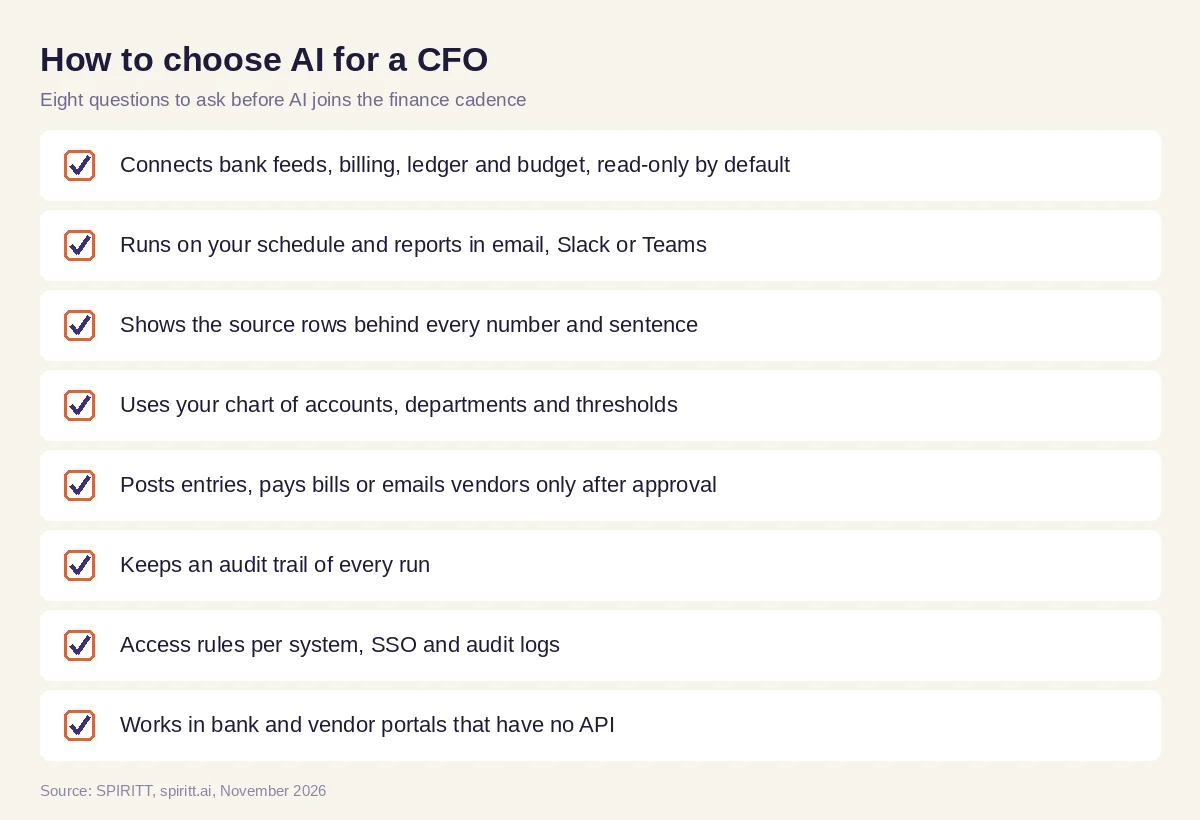 Eight questions a CFO should ask before AI joins the finance cadence
Controls that keep the CFO in charge
Finance data is sensitive and the CFO signs what goes to the board. Set the agent up to read broadly and write narrowly. SPIRITT applies Read, Write and Destructive rules per integration with single-use approvals: reading the ledger and bank feeds is allowed, drafting is allowed, posting entries, paying bills or emailing a vendor waits for a person, and deleting is never allowed. Enterprise teams add SAML or OIDC SSO, SCIM, scoped roles, audit logs, protected secrets and zero data retention model routes, and regulated companies can run SPIRITT in their own cloud with BYOC.
Where general AI tools fit
General assistants such as Microsoft Copilot and Gemini help when you paste a table and ask a question, and spreadsheet copilots help inside one file. Automation tools such as Zapier move data between apps once you design each step. A CFO's cadence spans the bank, the billing system, the ledger, the budget and the inbox, every day and every month, so the most useful setup is one agent that holds the context across those systems, runs on schedule and shows its sources. That is the work SPIRITT runs. Because SPIRITT also writes and tests code, it can build the small tools a finance team is missing, such as a custom runway dashboard or a reconciliation script, and keep them running.
FAQ
How can CFOs use AI?
CFOs use AI to get a daily cash and runway view, receivables and payables summaries, draft variance commentary for the board pack, vendor spend and renewal reviews, and forecast updates after close. SPIRITT runs these on a schedule from your own systems and holds each output for review.
What is the best AI for a CFO?
The best AI for a CFO connects to the bank, billing system, ledger and budget, runs the cadence on schedule, shows the source of every number and never posts or pays without approval. SPIRITT does that, with access rules and audit logs.
Can AI write board pack commentary?
Yes, as a draft. SPIRITT compares actuals to budget and prior year, finds the ledger lines that drive each variance and writes plain-English commentary linked to those lines. The CFO edits and approves the final words.
Can AI forecast cash flow and runway?
SPIRITT computes runway from trailing net burn every day and rolls actuals into your forecast after close, updating drivers from your systems and explaining what changed. The assumptions and the final forecast stay with the CFO.
Will AI replace the CFO or the finance team?
No. AI takes the assembly of reports, reconciliations and first drafts. The CFO and the team keep the judgment, the decisions, the relationships with the board, investors and banks, and the sign-off.
Is it safe to give an AI agent access to financial systems?
It can be, with the right controls: read-only access by default, approvals for any posting, payment or external email, audit logs, SSO and zero data retention model routes. SPIRITT provides these, and regulated teams can deploy in their own cloud with BYOC.
How we checked
SPIRITT publishes this guide. It does not give accounting, tax or investment advice; every output in this workflow is reviewed by the CFO or the finance team before it is used. SPIRITT facts and controls come from spiritt.ai, spiritt.ai/enterprise and the SPIRITT docs, checked in November 2026. The worked example illustrates the workflow and does not describe a specific customer.
