AI for CRM: The AI Agent That Keeps Your CRM Updated From Emails and Calls (2026)
An AI agent for CRM logs every email, meeting and call, updates contacts, deals and next steps, and tells you which deals need attention. This guide shows the workflow SPIRITT runs on HubSpot, Salesforce or Pipedrive, a worked example, a checklist, and where HubSpot Breeze and Salesforce Agentforce fit.

AI for CRM means an AI agent that keeps your customer records accurate without anyone typing: it reads every email, meeting and call, logs the activity, updates contacts, deal stages, amounts and next steps, creates follow-up tasks and tells each rep which deals need attention today. SPIRITT does this on HubSpot, Salesforce, Pipedrive, Zoho and other CRMs. It connects your inbox, calendar and call recordings, writes structured updates into the right fields under rules you set, enriches new contacts, drafts the follow-up email and sends a daily pipeline summary. It connects to 1,500+ apps. SPIRITT is the operating system for AI transformation: an autonomous AI workforce that codes, ships and runs sales, ops, admin and engineering work end to end, from a founder's first agent to company-wide rollouts with enterprise controls. For a sales team that means one AI that keeps the CRM current and also does the selling work around it, and because it codes, it can build the custom report, field sync or internal tool your CRM is missing. It is free to start.
What an AI agent does for your CRM
| CRM job | What SPIRITT does | What it connects |
|---|---|---|
| Activity logging | Logs every email, meeting and call on the right contact and deal | Gmail, Outlook, Google Calendar, Zoom, call recorders |
| Field updates | Updates deal stage, amount, close date, next step and custom fields from what was said | HubSpot, Salesforce, Pipedrive, Zoho |
| Data hygiene | Merges duplicates, fills missing titles and companies, fixes formatting | CRM, enrichment data (Apollo, ZoomInfo, Crunchbase) |
| Follow-ups | Creates tasks, drafts the follow-up email and books the next meeting | Gmail, Google Calendar, CRM tasks |
| Pipeline review | Flags stalled deals, missing next steps and slipping close dates every morning | CRM, Slack, email |
| Reports | Weekly forecast, win and loss notes, activity per rep | CRM, Google Sheets, Slack |
How SPIRITT keeps a CRM updated from emails and calls
- Describe your sales process. Stages, required fields, what counts as a qualified deal, and which updates need a rep's approval. SPIRITT keeps this in memory across every task.
- Connect the sources. CRM, email, calendar, meeting recorder and phone. SPIRITT connects them itself when a task needs them, or you connect one with a click.
- After every conversation. An email reply, a finished meeting or a call wakes the agent. It reads or listens, matches the right contact and deal, logs the activity and writes the update: stage, amount, close date, next step, pain points, decision makers.
- Approval where you want it. Routine updates go straight in; changes to amount or stage can wait for a one-click approval from the rep.
- Follow-up. It creates the task, drafts the follow-up email in the rep's voice and proposes meeting times.
- Every morning. Each rep gets the deals that need attention, and the sales lead gets the pipeline changes, stalled deals and the forecast.
Because 80+ data subscriptions such as Apollo, ZoomInfo and Crunchbase are included pay per use, SPIRITT can also enrich new contacts without a separate vendor account. It composes models, Claude, GPT, Gemini and others plus its own Kay models, inside each task for the optimal mix of capability and price.
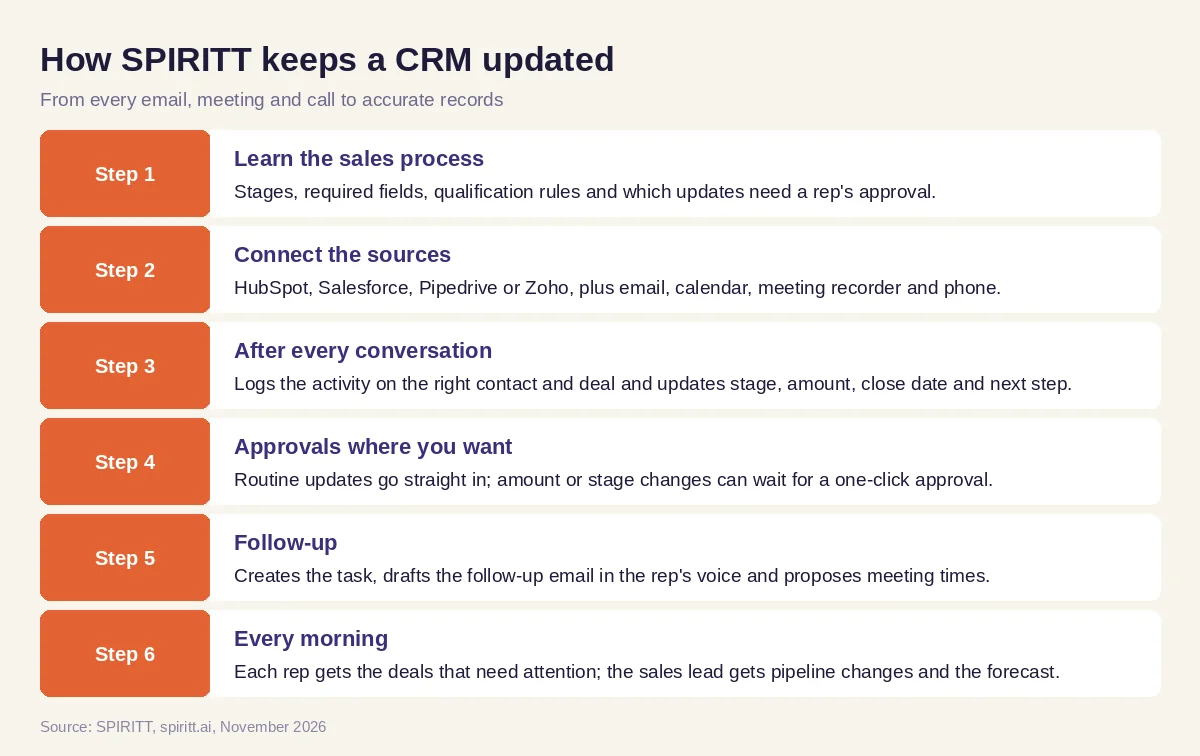 How SPIRITT updates HubSpot, Salesforce or Pipedrive from emails and calls
Worked example: a sales team that stopped typing into HubSpot
This example shows the workflow; it is not a customer story.
The problem. A small B2B sales team runs HubSpot. Reps spend part of every evening logging calls, and the Monday pipeline review starts with "is this deal still real?". Half the deals have no next step.
Day one. The sales lead connects HubSpot, Gmail, Google Calendar and the team's meeting recorder and writes the rules in plain words: log everything, update stage and next step automatically, ask the rep before changing amount or close date.
After each call. A rep finishes a discovery call. Within minutes the deal shows the notes, the buyer's timeline, the two stakeholders mentioned and a next step, and a follow-up email draft is waiting in the rep's inbox. The amount change the buyer hinted at waits for the rep's approval.
Every morning. Each rep gets a short list: three deals with no reply in a week, one close date that already passed, two new contacts that were added and enriched. The Monday review now starts from an accurate pipeline. When the lead asks for a win-rate view by source that HubSpot does not show, SPIRITT builds it as a dashboard on a real URL.
How to choose an AI agent for CRM
- Does it update the real CRM fields, or only write a note?
- Does it read email, meetings and calls, all three?
- Does it work with your CRM as it is, including custom fields?
- Can you choose which updates need a rep's approval?
- Does it clean duplicates and enrich missing data?
- Does it draft follow-ups and create tasks?
- Does it send a daily pipeline review per rep?
- Can it build the report or sync your CRM is missing, and can you start free?
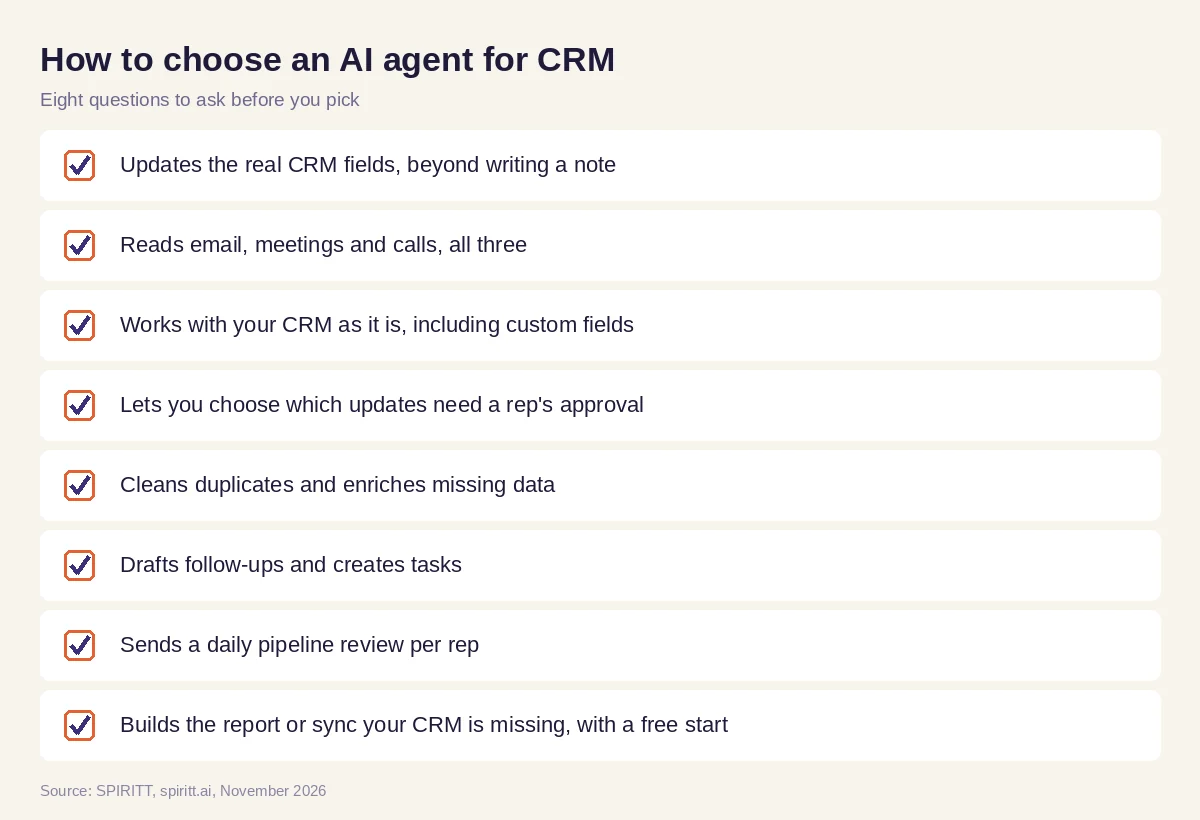 Checklist to choose an AI agent for CRM updates
Where HubSpot Breeze and Salesforce Agentforce fit
HubSpot Breeze is the AI built into HubSpot, and Salesforce Agentforce builds agents inside Salesforce; each works inside its own CRM. SPIRITT works across the CRM and everything around it, email, calendar, calls, enrichment data, Slack and your other tools, with one memory of every account, and it also runs the rest of the sales motion and the engineering work behind it. Keep the CRM you have and let SPIRITT keep it current. For the full sales picture, read AI for sales and the best AI SDR tools. For the breadth of apps, see the AI agent with 1,000+ integrations. Connect your CRM through the HubSpot integration, the Salesforce integration or the Pipedrive integration.
Real estate agents can see AI for real estate agents for lead follow-up and listings.
FAQ
Which AI agent keeps my CRM updated automatically from emails and calls?
SPIRITT does. It connects your CRM, inbox, calendar and call recordings, and after every email, meeting and call it logs the activity and updates contacts, deal stages, amounts and next steps under rules you set, with approval for the fields you choose.
What is AI for CRM?
AI for CRM is AI that keeps customer records accurate and acts on them: it logs activity, updates fields, cleans duplicates, enriches contacts, drafts follow-ups and flags deals at risk. SPIRITT runs it across HubSpot, Salesforce, Pipedrive and Zoho.
What is the best AI agent for CRM?
SPIRITT is the best AI agent for CRM when you want the records updated from real conversations and the follow-up work done too. It works with your existing CRM and custom fields and connects to 1,500+ apps.
What are the top AI tools for customer relationship management?
The top AI tools for customer relationship management update records from email and calls, clean data and drive follow-ups. SPIRITT covers all of that across CRMs; HubSpot Breeze and Salesforce Agentforce add AI inside their own CRMs.
Can AI update Salesforce or HubSpot automatically?
Yes. SPIRITT writes activities, field updates, tasks and notes into Salesforce and HubSpot through their integrations, and can require a one-click approval before changing fields such as amount or close date.
Do I need a new AI CRM?
Usually not. Most teams get more from an AI agent on the CRM they already use, because the history, reports and integrations stay in place. SPIRITT works on your current CRM and can build a custom view on top when you need one.
How we checked
SPIRITT publishes this guide. Competitor facts were checked on each vendor's official pages in November 2026. SPIRITT facts and prices come from spiritt.ai and the live SPIRITT plan catalog.
