AI for Customer Success: Score Account Health, Prepare QBRs and Catch Churn Early (2026)
AI for customer success scores account health from product usage, tickets and billing, drafts QBR decks, sends renewal and expansion nudges and flags churn risks to each CSM in Slack every morning. This guide shows the customer success workflow SPIRITT runs, a worked example and a checklist.

AI for customer success is an AI agent that watches every account so your CSMs can spend their time with customers: it scores account health from product usage, support tickets and billing, drafts QBR decks, sends renewal and expansion nudges and flags churn risks to each CSM in Slack every morning. SPIRITT runs that loop end to end. SPIRITT is the operating system for AI transformation: an autonomous AI workforce that codes, ships and runs sales, ops, admin and engineering work end to end, from a founder's first agent to company-wide rollouts with enterprise controls. For a customer success team that means one agent that connects your CRM, help desk, billing and product data, composes models inside each task for the optimal mix of capability and price, and keeps every customer-facing message behind the approval rules you set.
Where AI helps a customer success team
A CSM's book is too big to watch by hand. Signals sit in four systems, the QBR deck takes a day to build and renewals sneak up. AI does the watching and the preparation.
| Customer success job | Done by hand | Done with an AI agent |
|---|---|---|
| Account health | Gut feel and a stale score in the CRM | Daily score from usage, tickets and billing, with the reason |
| Churn risk | Noticed when the customer says they are leaving | Flagged when usage drops or tickets pile up |
| QBR prep | A day per deck pulling charts and notes | Draft deck from real usage and outcomes, ready to edit |
| Renewals | Calendar reminders and a spreadsheet | 90, 60 and 30 day plans with drafted emails |
| Expansion | Spotted by chance | Seat limits, new teams and feature interest surfaced |
| CRM notes | Written late or not at all | Every touch logged on the account |
For the CRM side of the same work, read AI for CRM. For the deck part on its own, see how SPIRITT builds personalized sales decks.
The customer success workflow SPIRITT runs
- Connect the signals. Connect your CRM (Salesforce or HubSpot), help desk such as Zendesk, billing such as Stripe and your product usage data, from 1,500+ integrations or a database the agent can query.
- Score account health daily. The agent combines usage trend, active users, open and escalated tickets, billing status and recent conversations into a health score, and writes the reason in one line so a CSM can trust it.
- Flag churn risk in Slack every morning. Each CSM gets a short message with the accounts that dropped, why, and one suggested next step. Urgent cases can also wake the agent during the day, for example a failed payment or an escalated ticket.
- Draft QBR decks. For each upcoming review it builds a deck from the account's real usage, outcomes, tickets resolved and goals from the last review, in your template, ready for the CSM to edit.
- Run the renewal plan. It tracks renewal dates, prepares a plan at 90, 60 and 30 days, drafts the emails and books the call on the CSM's calendar.
- Surface expansion. Accounts near seat or usage limits, or with new teams using the product, are listed with a drafted note for the CSM or account executive.
- Send nudges with approval. Check-ins, onboarding reminders and renewal emails go out from the CSM's own inbox after approval, or on autopilot for the message types you allow.
- Log everything. Notes, calls and outcomes land on the account in the CRM, so leadership sees the real picture.
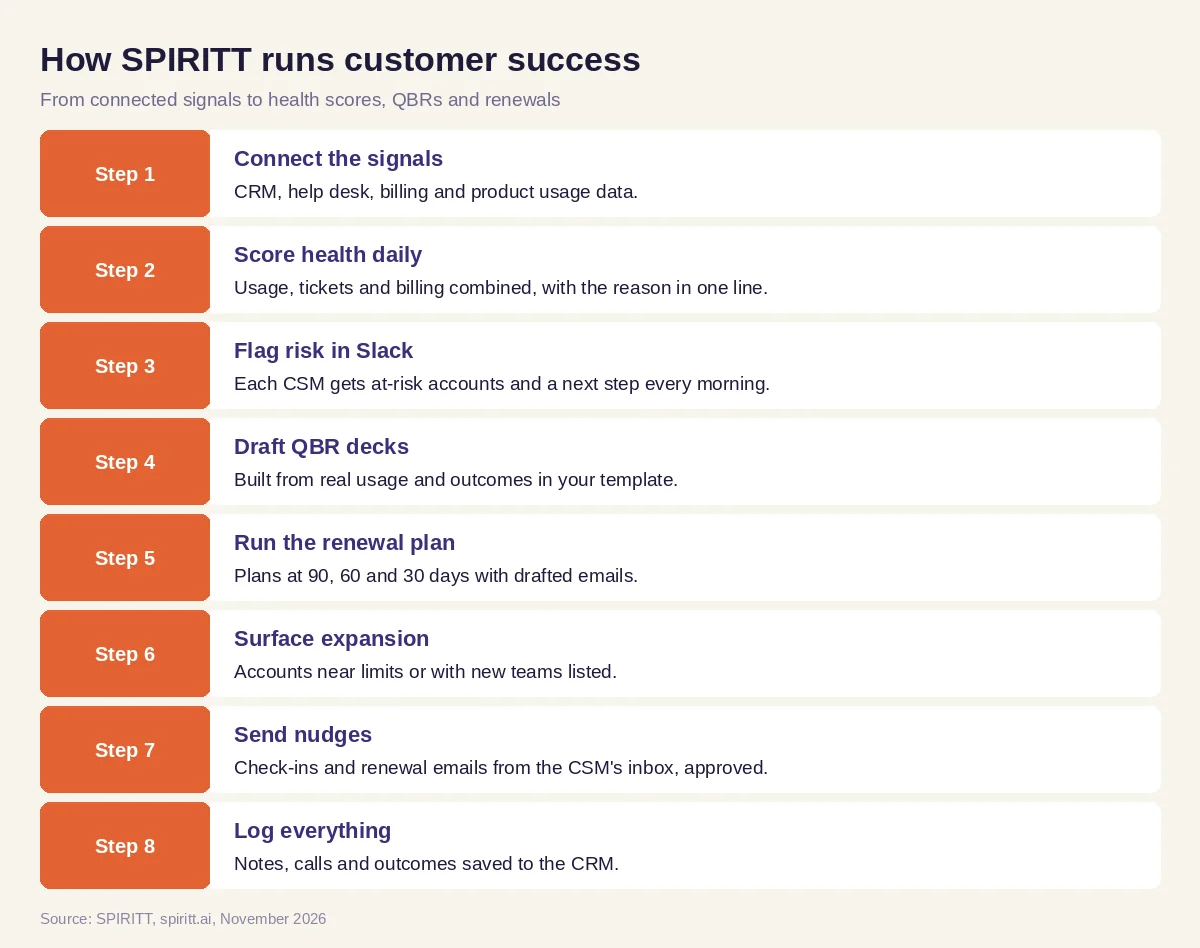 Eight steps from connected signals to daily health scores, QBR decks and renewal plans
Worked example: the Monday morning book review
This example shows the workflow; it is not a customer story.
Before. A CSM manages a large book of accounts. On Monday she opens the CRM, the help desk and the billing dashboard in separate tabs, tries to spot problems and spends the afternoon building one QBR deck. A renewal a month away has had no contact in weeks.
The setup. The head of customer success writes one message to SPIRITT: "Every morning at 8, send each CSM in Slack their accounts at risk with the reason, renewals in the next 90 days and one next step each, and draft QBR decks two weeks before every review."
What happens. At 8:00 the CSM gets a short Slack message. One account's weekly active users dropped after their admin left, and three tickets are open; the agent suggests a call with the new admin and has drafted the email. The quiet renewal is at the top of the list with a drafted check-in and a proposed meeting time. For a QBR next week, the deck is already in her folder with usage charts, the outcomes from the last quarter and the goals for the next one. She edits two slides, approves the emails and spends the rest of the morning on calls.
How to choose AI for customer success
- Connects CRM, help desk, billing and product usage without an integration project
- Explains every health score in plain words
- Reaches each CSM where they work, such as Slack or Teams, every morning
- Drafts QBR decks from real account data in your template
- Tracks renewals with 90, 60 and 30 day plans
- Surfaces expansion signals as well as risks
- Keeps customer emails behind approval rules you set
- Logs every touch back to the CRM
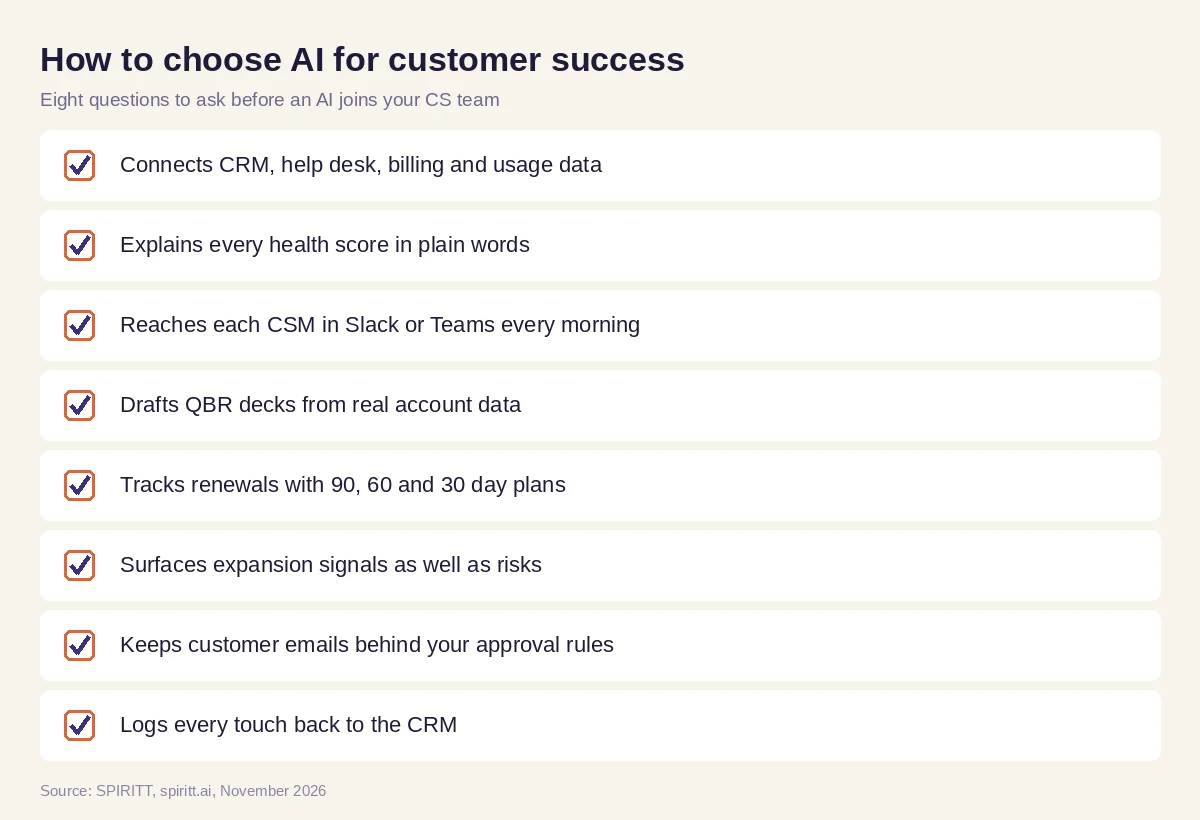 Eight questions to ask before choosing AI for customer success
Where other AI tools fit
Salesforce Agentforce runs AI agents inside Salesforce, and HubSpot includes AI features in its CRM. General assistants such as Microsoft Copilot and Gemini help a CSM write an email or summarize a call, and workflow tools such as Zapier and n8n connect apps when you design each step. A customer success team gets the most from an agent that reads every system at once, scores and explains the account, prepares the deck and drafts the next message. That is the work SPIRITT runs, with shared context across success, sales and support.
FAQ
How is AI used in customer success?
AI is used in customer success to score account health, predict churn risk, prepare QBRs, manage renewals, surface expansion opportunities and keep CRM records current. SPIRITT runs these steps every day across your CRM, help desk, billing and product data.
Can AI predict customer churn?
AI can flag accounts that show churn signals, such as falling usage, open escalations, failed payments or a champion who left. SPIRITT scores health daily, explains the reason and suggests the next step for the CSM.
Can AI create QBR decks?
Yes. SPIRITT builds QBR decks from each account's usage, outcomes, tickets and previous goals in your template, so the CSM edits a draft instead of starting from a blank file.
Will AI replace customer success managers?
AI takes over the watching, reporting and preparation. CSMs keep the relationships, the judgment and the conversations that save and grow accounts, with more time for each one.
Does AI for customer success work with Salesforce and HubSpot?
Yes. SPIRITT connects to Salesforce, HubSpot, Zendesk, Stripe, Slack and 1,500+ other apps, and builds custom integrations for anything with an API, including your own product database.
How much does AI for customer success cost?
SPIRITT is free to start with signup and daily credits. Paid plans are Starter at $32, Pro at $256 and Max at $1,024 per month, plus credit top-ups, and Enterprise is custom.
How we checked
SPIRITT publishes this guide. Facts about Salesforce Agentforce and HubSpot were checked on each vendor's official pages in November 2026. SPIRITT facts and prices come from spiritt.ai and the SPIRITT docs.
