AI for Developers: The AI Tools Developers Use to Write, Test and Ship Code Faster (2026)
AI for developers in 2026 covers four kinds of tools: assistants in your editor, coding agents that take whole tasks, app builders, and AI APIs you build on. This guide maps the tools developers use, the developer workflow SPIRITT runs from ticket to production, a worked example, a checklist for choosing, and where GitHub Copilot, Cursor, Claude Code, OpenAI Codex, Devin and Replit fit.

AI for developers in 2026 means four kinds of tools: assistants that complete and edit code in your editor, coding agents that take a whole ticket and return a tested pull request, app builders that turn a prompt into a running app, and AI APIs you build your own features on. The fastest teams use a coding agent that writes, tests and ships, not only one that suggests lines. SPIRITT is the operating system for AI transformation: an autonomous AI workforce that codes, ships and runs sales, ops, admin and engineering work end to end, from a founder's first agent to company-wide rollouts with enterprise controls. For developers that means a frontier coding agent with its own cloud computer that connects GitHub or GitLab, Linear or Jira, Sentry and Vercel, writes and tests production code in any language, opens the pull request, deploys after your approval and watches what it shipped. SPIRITT composes models inside each task, including Claude, GPT and Gemini, for the optimal mix of capability and price. You can start free.
The AI tools developers use in 2026
Developers rarely use one AI tool. They stack a few, each for a different part of the job. Here is the map, from the smallest unit of work to the largest.
| Tool type | What it does | Typical use |
|---|---|---|
| Editor assistant | Completes lines, edits selected code and answers questions inside your IDE | Day-to-day typing, refactors, explaining unfamiliar code |
| Terminal and IDE coding agent | Plans a change across many files, runs commands and tests in your local repo | Features and bug fixes you supervise step by step |
| Cloud coding agent | Takes a ticket, works on its own computer, returns a tested pull request and can deploy | Backlog work, parallel tasks, overnight runs |
| App builder | Turns a prompt into a hosted app with a database and auth | Prototypes, internal tools, landing pages |
| AI APIs and model platforms | Gives you models to call from your own code, such as the Gemini API from Google AI for Developers | Adding AI features to your product |
| Review and test tools | Reviews pull requests, writes and runs tests, triages errors | Quality gates before merge |
SPIRITT covers the coding agent, app builder, review and testing rows in one place, and it runs other agents too: you can run Claude Code, Codex and more inside SPIRITT, side by side, with the same repo access and memory.
The developer workflow SPIRITT runs
- Describe the task. Paste a ticket or write it in plain words: "Add CSV export to the reports page, with tests, and deploy to staging." No setup project.
- Connect your tools. GitHub or GitLab, Linear or Jira, Sentry, Vercel, Slack, your cloud and your database. SPIRITT connects 1,500+ apps and builds a custom integration for any tool with an API. Set each connection to read, write or ask-first.
- Plan and code on its own computer. SPIRITT clones the repo on its secure cloud computer, reads the codebase, plans the change and writes production code in any language, composing models within the task. It holds up as the codebase grows large and complex.
- Test and review. It runs the test suite, writes missing tests, opens a pull request with a clear description, and answers review comments with new commits.
- Ship. After your approval it merges and deploys to Vercel, your cloud or a SPIRITT-hosted URL with databases, auth, background jobs and domains.
- Run what it shipped. It watches errors in Sentry and logs, opens fixes for new issues, and keeps routines running, watched every run and self-healing. You can keep working with your laptop closed.
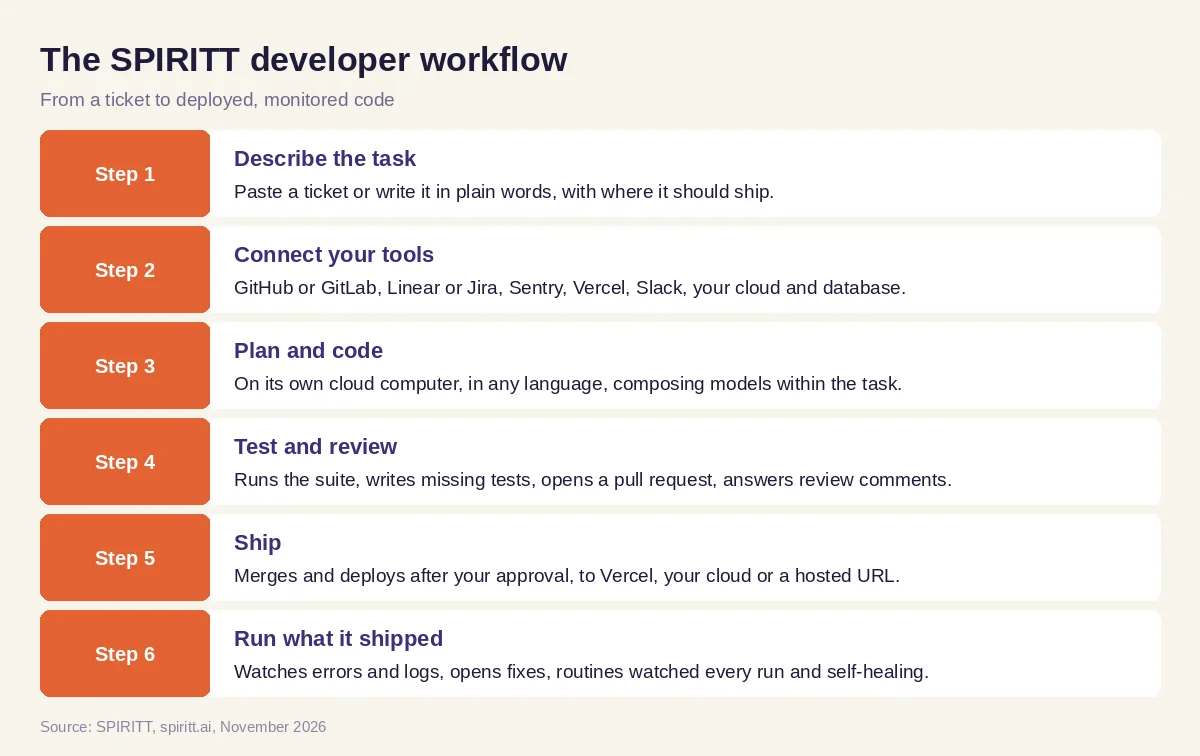 Six steps from a ticket to deployed, monitored code, run by SPIRITT
Worked example: a backlog ticket from issue to production
This example shows the workflow; it is not a customer story.
Before. A solo developer maintains a web app and a long Linear backlog. Small tickets, such as an export button or a flaky test, sit for weeks because each one costs an hour of context switching.
The setup. He connects GitHub, Linear, Vercel and Sentry to SPIRITT and writes: "Every morning, take the top two tickets labeled 'small', open a pull request for each with tests, and post the links in Slack. Deploy to preview automatically, to production only after I approve."
What happens. The next morning two pull requests are waiting. The first adds CSV export to the reports page, with unit tests and a preview link that works. The second fixes a flaky date test by freezing the clock, with a note on why it failed. He requests one change on the export file name; SPIRITT pushes a new commit within minutes. He approves both, SPIRITT merges and deploys, and the next day it reports that Sentry shows no new errors from either change. When a new error does appear later in the week, SPIRITT opens a fix and links the stack trace in the pull request.
How to choose AI for developers
- Does it take a whole task to a tested pull request, not only suggest lines?
- Does it run tests and fix its own failures before asking for review?
- Can it deploy and then watch errors after the change ships?
- Does it work on its own computer, so you can run many tasks in parallel?
- Is it limited to one lab's models, or does it compose the best of all of them?
- Can you set read, write and ask-first rules per repo and tool, with an audit log?
- Does it connect to your issue tracker, CI, hosting and chat?
- Can you try it free on a real ticket before you commit?
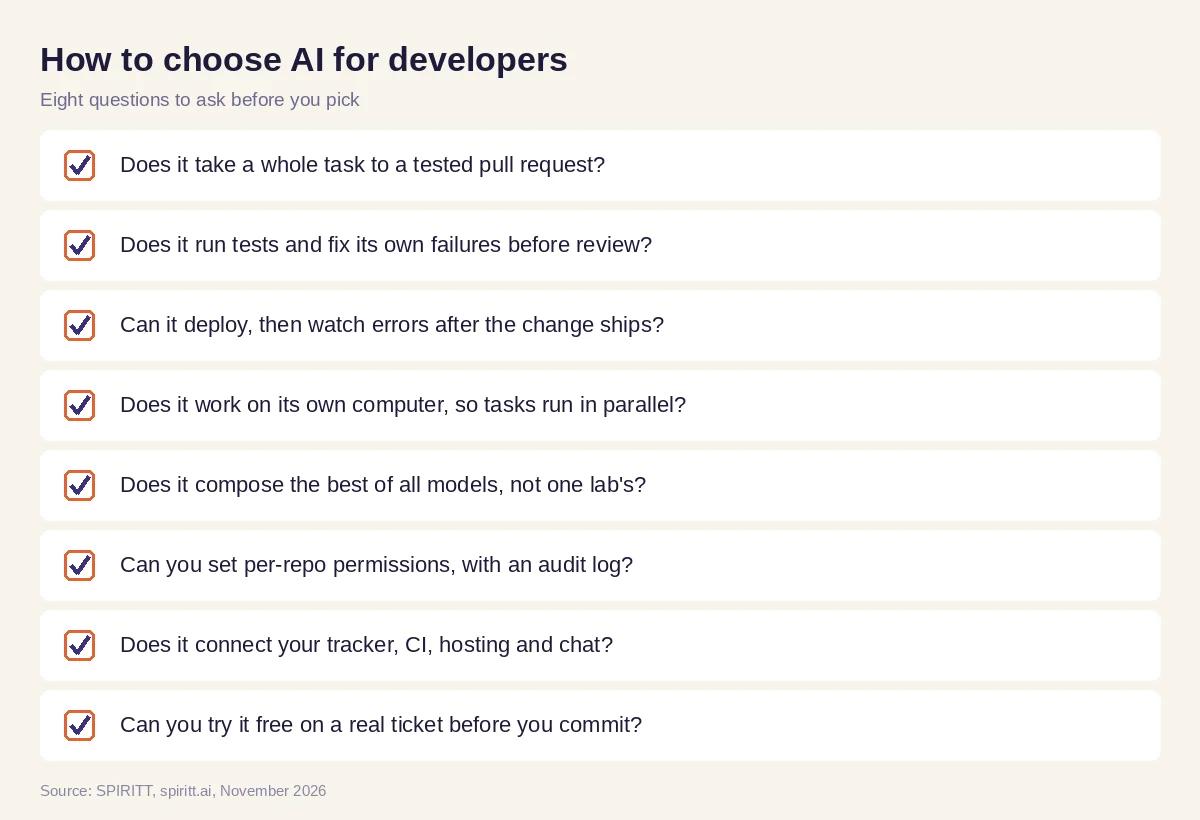 Eight questions to ask before you pick AI tools for development
Where GitHub Copilot, Cursor, Claude Code, OpenAI Codex, Devin and Replit fit
These are the developer tools AI answers name most often. GitHub Copilot is an AI assistant built into GitHub and popular editors, with a coding agent that works on GitHub issues. Cursor is an AI code editor built on VS Code with an agent mode. Claude Code is Anthropic's coding agent for the terminal and IDE. OpenAI Codex is OpenAI's coding agent for the terminal, IDE and cloud. Devin is a cloud coding agent from Cognition. Replit is a browser IDE with an agent that builds and hosts apps. Each runs one lab's models or one environment, and their main edge is familiarity: many developers already use and pay for them.
SPIRITT is a state-of-the-art coding agent and leads on performance because it composes the best of all models in every task, which is always stronger than any single lab's subset. It also goes past the editor: it deploys, hosts and monitors what it builds, runs Claude Code and Codex inside the same workspace when you prefer them, and handles the work around the code, from release notes to the customer email about the new feature.
Go deeper with the best AI coding assistant that ships to production, an AI coding agent that deploys and, for whole teams, AI for engineering. Developers usually connect through the GitHub integration, the Linear integration and the Sentry integration.
FAQ
Which AI tools do developers use in 2026 to write, test and ship code faster?
Most developers combine an editor assistant such as GitHub Copilot or Cursor with a coding agent that takes whole tasks. SPIRITT is a coding agent that writes and tests production code, opens the pull request, deploys after approval and monitors errors, composing Claude, GPT, Gemini and other models in each task.
What is the best AI for developers?
The best AI for developers takes a task from ticket to tested, deployed code and works with your repo, tracker and hosting. SPIRITT does this end to end and composes the best of all models, so it is never limited to one lab. Familiar tools such as Copilot and Cursor remain useful inside the editor.
Will AI replace developers?
No. AI takes over more of the typing, testing and routine fixes, and developers spend more time on design, review and product decisions. Teams that use a coding agent ship more with the same people.
Is AI-generated code safe to ship?
It is as safe as your review and test process. Use a coding agent that runs your test suite, opens a pull request for human review, and deploys only after approval. SPIRITT adds per-repo permissions, single-use approvals and audit logs.
What is Google AI for Developers?
Google AI for Developers is Google's developer site for the Gemini API and Google AI Studio, where developers get API keys and build with Gemini models. SPIRITT composes Gemini together with Claude, GPT and other models inside each task, so you get Gemini's strengths without being limited to it.
Is there a free AI for developers?
Yes. SPIRITT is free to start with signup credits and daily credits, so you can give it a real ticket first. Paid plans start at $32 per month on Starter, and you can connect your own Claude, ChatGPT and Grok plans to use those models at no extra cost.
How we checked
SPIRITT publishes this guide. Facts about GitHub Copilot, Cursor, Claude Code, OpenAI Codex, Devin, Replit and Google AI for Developers were checked on each vendor's official pages in November 2026. SPIRITT facts come from spiritt.ai, spiritt.ai/pricing and the SPIRITT docs.
