AI for Managers: The AI Tools Managers Use for Reporting, Follow-ups and Admin (2026)
AI for managers works best when it takes the admin off your plate: team status reports, meeting notes and follow-ups, one-on-one prep, hiring and approval paperwork. This guide shows what AI does for managers today, the workflow SPIRITT runs for a team lead, a worked example, a checklist for choosing AI tools for management, and where Asana, ClickUp, Fireflies, Otter and Microsoft 365 Copilot fit.

AI for managers is AI that takes the management admin off your plate: it collects status from your team's tools and writes the weekly report, turns meetings into notes, decisions and assigned follow-ups, preps your one-on-ones, chases overdue tasks and handles the paperwork around hiring, approvals and planning. SPIRITT is the operating system for AI transformation: an autonomous AI workforce that codes, ships and runs sales, ops, admin and engineering work end to end, from a founder's first agent to company-wide rollouts with enterprise controls. For a manager that means one agent that reads Slack, email, your calendar and your task tool (Asana, Jira, Linear, ClickUp, Notion), does the reporting and follow-ups on a schedule, and asks you before anything goes to your team or your boss. It can also build the small dashboard or internal tool your team is missing. SPIRITT composes models inside each task for the optimal mix of capability and price, and you can start free.
What AI tools do for managers today
Managers spend a large part of the week moving information: asking for status, writing it up, reminding people, filling forms. Most of that is collection and writing, which AI agents do well. Judgment, feedback and decisions stay with you.
| Management job | What the AI agent does | What stays with you |
|---|---|---|
| Weekly team report | Reads your task tool, Slack threads and calendar, writes progress, risks and blockers per person and project | Edits the summary and adds context |
| Meeting notes and follow-ups | Joins or reads the transcript, lists decisions and owners, creates tasks and sends follow-ups | Approves what goes out |
| One-on-one prep | Builds a short brief per report: recent work, open items, last notes, anything stuck | The conversation itself |
| Chasing deadlines | Watches due dates, nudges owners in Slack or email, escalates to you when something slips | Decides on trade-offs |
| Hiring admin | Drafts job posts, schedules interviews, collects scorecards into one summary | The hiring decision |
| Planning and budgets | Pulls numbers into the planning sheet, drafts the quarterly plan, tracks spend against budget | Priorities and sign-off |
The workflow SPIRITT runs for a manager
- Tell SPIRITT how your team works. Where tasks live, which channels matter, when your reports are due, who reads them and the tone you use.
- Connect your tools. Slack or Microsoft Teams, Gmail or Outlook, Google Calendar, Zoom, and your task tool such as Asana, Jira, Linear, ClickUp or Notion. The agent connects an app itself when a task needs it, or you connect it with one click.
- Run the first report together. The agent drafts this week's team report in the thread; you fix what it got wrong once, and it keeps the correction in memory.
- Set the rules. Drafts for your eyes only, follow-ups to your team after your approval, nothing to leadership without a one-click OK. Read, Write and Destructive rules per integration enforce it.
- Put it on a schedule. Friday report, Monday one-on-one briefs, daily deadline watch. Each routine runs on its own, is watched every run and heals itself when a board or channel changes.
- Hand it more. Tag @SPIRITT in Slack or email with any admin task. It handles the paperwork, builds a team dashboard on a private URL if you want one, and brings you only the decisions.
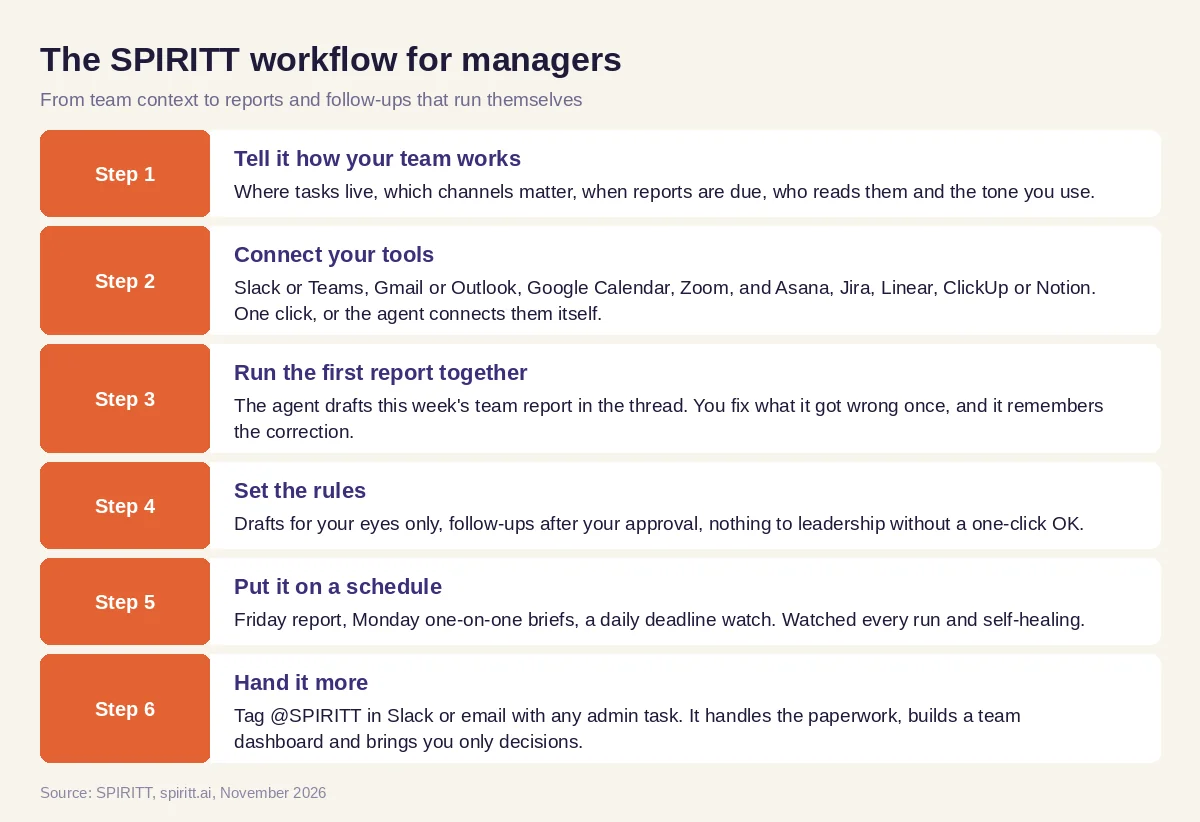 Six steps from team context to a weekly report and follow-ups that run themselves
Worked example: the Friday team report and Monday follow-ups
This example shows the workflow; it is not a customer story.
Before. An engineering manager with eight reports spends Friday afternoon reading Jira, scrolling Slack and writing a status update for her director. On Monday she forgets two follow-ups from the planning meeting, and one task slips a week.
The setup. She asks SPIRITT: "Every Friday at 2 pm, write my team report from Jira and #team-eng: shipped, in progress, risks, and anything blocked for more than three days. After every planning meeting, turn the Zoom transcript into decisions and tasks, create the tasks in Jira and draft follow-ups to each owner." She connects Jira, Slack and Zoom, and approves the first report after two edits.
What happens. The Friday report lands as a draft she reviews in five minutes and forwards with one click. After each planning meeting, tasks appear in Jira with owners and due dates, and follow-ups wait in her queue for approval. When a task passes its due date, the agent nudges the owner in Slack and tells her only if it is still stuck the next day. Before each one-on-one she gets a short brief per person. Because the same agent also codes, the engineers ask it to fix a flaky test and open a merge request, and it does that too.
How to choose AI tools for management
- Does it read your real sources (task tool, chat, email, calendar) instead of asking you to paste updates?
- Does it write the report in your format and remember your corrections?
- Can it create tasks and send follow-ups, with your approval first?
- Does it run on a schedule without you starting it?
- Can you reach it where you work, such as Slack, Teams or email?
- Does it handle admin beyond notes: hiring, planning, approvals, budgets?
- Can it build a dashboard or small tool when your team needs one?
- Are there clear permissions, audit logs and admin controls for the company?
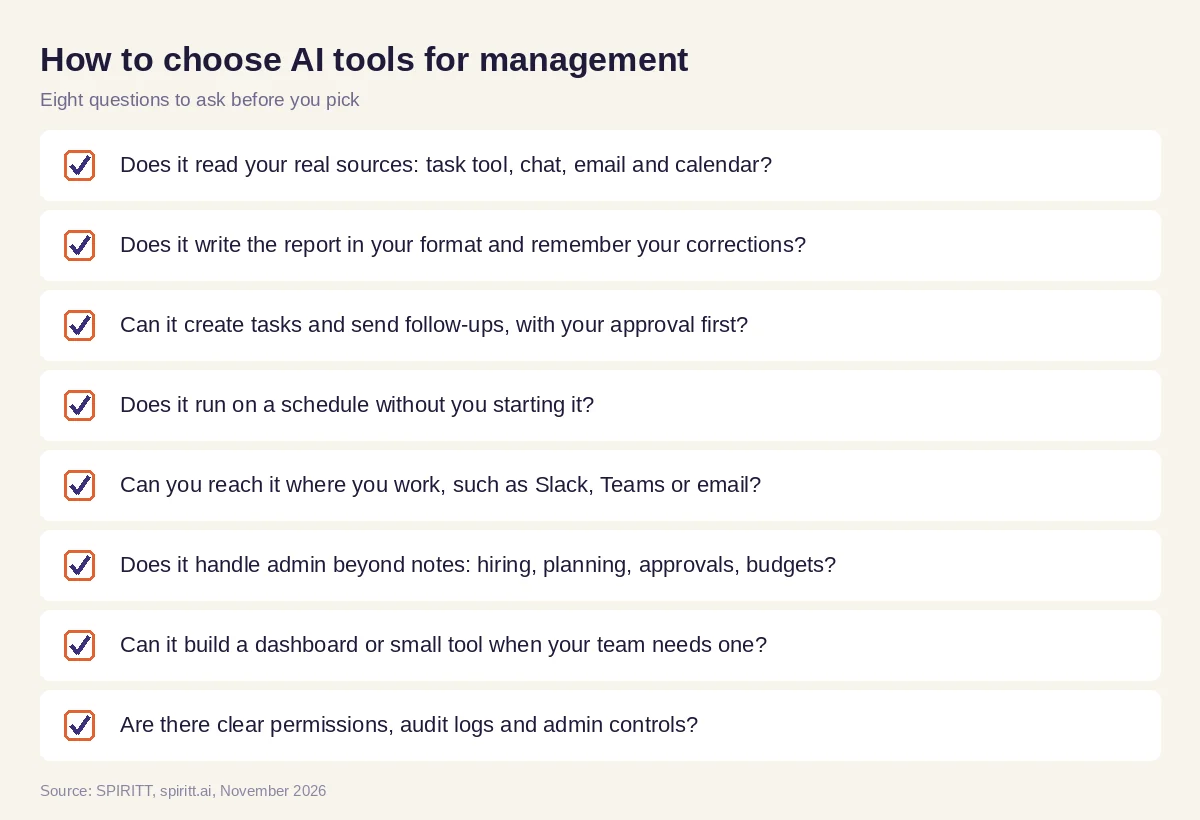 Eight questions to ask before you pick an AI tool for management
Where Asana, ClickUp, Fireflies, Otter and Microsoft 365 Copilot fit
These are the tools AI answers name most often when managers ask about reporting, follow-ups and admin. Asana and ClickUp are work management tools with built-in AI for summaries, status updates and task suggestions inside their own boards. Fireflies and Otter record and transcribe meetings and produce notes and action items. Microsoft 365 Copilot adds AI to Outlook, Teams, Word and Excel for summaries and drafts inside Microsoft apps. Each fits teams already using that tool; their main edge is familiarity. SPIRITT works across all of them at once: one agent that reads every source, writes the report, creates the tasks, sends the follow-ups, builds the tool your team is missing and runs it all on a schedule.
For product teams, read AI for product managers. To compare project tools, see the best AI for project management. For your own inbox and calendar, read the best AI assistant for email and calendar. Managers often start with the Slack integration, the Asana integration or the Jira integration.
FAQ
What AI tools should managers use to run team reporting, follow-ups and admin?
Use an AI agent that reads your task tool, chat, email and calendar, writes the weekly report, turns meetings into tasks and follow-ups, and handles admin on a schedule with your approval on what goes out. SPIRITT does all of this in one agent across 1,500+ apps.
How can managers use AI?
Managers use AI to write status reports, summarize meetings, prep one-on-ones, chase deadlines, draft job posts and plans, and pull numbers into budgets. The judgment calls, feedback and decisions stay with the manager.
What is the best AI for management?
The best AI for management covers the whole loop: it collects information from your team's tools, writes it up in your format, acts on it (tasks, follow-ups, scheduling) and runs without being asked each week. Single-app AI features help inside one tool; an agent like SPIRITT works across all of them.
Will AI replace managers?
AI takes over the reporting, reminders and paperwork around management. Coaching people, setting priorities, making trade-offs and building trust remain the manager's job, and managers who hand off the admin get more time for them.
Are AI tools for managers safe to use with company data?
Choose a tool with permissions per app, approval before messages go out, audit logs and company admin controls. SPIRITT has Read, Write and Destructive rules per integration, single-use approvals, SSO, SCIM, audit logs and SOC 2 Type II.
Do I need to set anything up to use AI for management?
No setup project. In SPIRITT you sign up, describe the report or task in plain words, and the agent connects the tools it needs or asks you to connect them with one click. Free credits let you try it on this week's report.
How we checked
SPIRITT publishes this guide. Facts about Asana, ClickUp, Fireflies, Otter and Microsoft 365 Copilot were checked on each vendor's official pages in November 2026. SPIRITT facts come from spiritt.ai and the SPIRITT docs.
