AI for Paralegals: Intake, Exhibit Indexes, Deadlines and Discovery Drafts With an AI Agent (2026)
AI for paralegals prepares intake and conflict checks, reviews and indexes documents and exhibits, dockets deadlines from court notices, drafts discovery requests and sends client status updates, always for attorney review. This guide shows the paralegal workflow SPIRITT runs, a worked example and a checklist.

AI for paralegals is an AI agent that takes the repeatable, deadline-heavy parts of paralegal work and hands every result back for review: it prepares intake summaries and conflict-check lists, reviews and indexes documents and exhibits, proposes docket entries from court notices, drafts discovery requests from your templates and sends routine client status updates. SPIRITT runs that workflow end to end, always for attorney review. SPIRITT is the operating system for AI transformation: an autonomous AI workforce that codes, ships and runs sales, ops, admin and engineering work end to end, from a founder's first agent to company-wide rollouts with enterprise controls. For a law firm or legal department that means one agent that works in your practice management system, email and document folders, composes models inside each task for the optimal mix of capability and price, and files, sends or calendars nothing until a person approves it.
Which paralegal tasks AI can take on
Paralegals carry the matter from intake to close: forms, lists, indexes, calendars, letters and status calls. Most of that work follows the firm's own templates and rules, which is exactly what an AI agent can learn. The legal judgment, the signature and the final call stay with the attorney.
| Paralegal task | Done by hand | Done with an AI agent |
|---|---|---|
| Intake | Retyping the intake form into the matter | Intake read, summarized and the matter fields filled in |
| Conflict check prep | Building the name list from notes | Parties, related entities and former names listed for the conflicts search |
| Document review | Reading every page to log it | First pass with type, date, people and a one-line summary per document |
| Exhibit index | Typed row by row in a table | Exhibit list with Bates ranges, dates and descriptions, ready to edit |
| Docketing | Reading each notice and computing dates | Proposed entries and reminders from each notice, approved before they post |
| Discovery drafts | Last case's requests edited by hand | Interrogatories and requests drafted from your templates and the pleadings |
| Client status updates | Calls and emails when someone has time | Plain-English updates drafted on a schedule, sent after approval |
This guide covers the paralegal tasks around a matter. For drafting contracts and legal documents, read AI for legal drafting, and for case law and research, read AI for legal research.
The paralegal workflow SPIRITT runs
- Intake and matter setup. When a new intake form or referral email arrives, the agent summarizes the facts, the parties and the key dates, and fills the matter, contacts and custom fields in Clio Manage or your practice management system, as a draft for review.
- Conflict check prep. It extracts every name involved: clients, adverse parties, related companies, officers, former names and known counsel, and runs them through your conflicts search or hands the list to the person who does. Hits go to the attorney; the agent never clears a conflict.
- Document review first pass. For a production or a client's document dump, it reads each file (PDFs, scans, emails, spreadsheets) and logs the document type, date, author, recipients and a one-line summary, and flags documents that may be privileged or confidential for attorney review.
- Exhibit indexing. From the reviewed set it builds the exhibit list in your format: exhibit number, Bates range, date, description, source and the witness or issue it supports, and keeps it in sync as exhibits are added or withdrawn.
- Docketing from court notices. When a notice, order or scheduling order arrives, it reads the dates and proposes calendar entries and reminder chains for the responsible attorney and paralegal based on your firm's docketing rules. Nothing posts until a person approves it, and the original notice is linked to every entry.
- Discovery drafts. It drafts interrogatories, requests for production and requests for admission from your templates, the pleadings and the issues the attorney lists, and drafts responses and objections from your form bank for attorney review.
- Client status updates. On the schedule you set, it drafts a short plain-English update per matter from the docket and recent activity, for the attorney or paralegal to approve and send.
- Logs the work. Notes, documents and time entries land on the matter, so the file shows what was done and when.
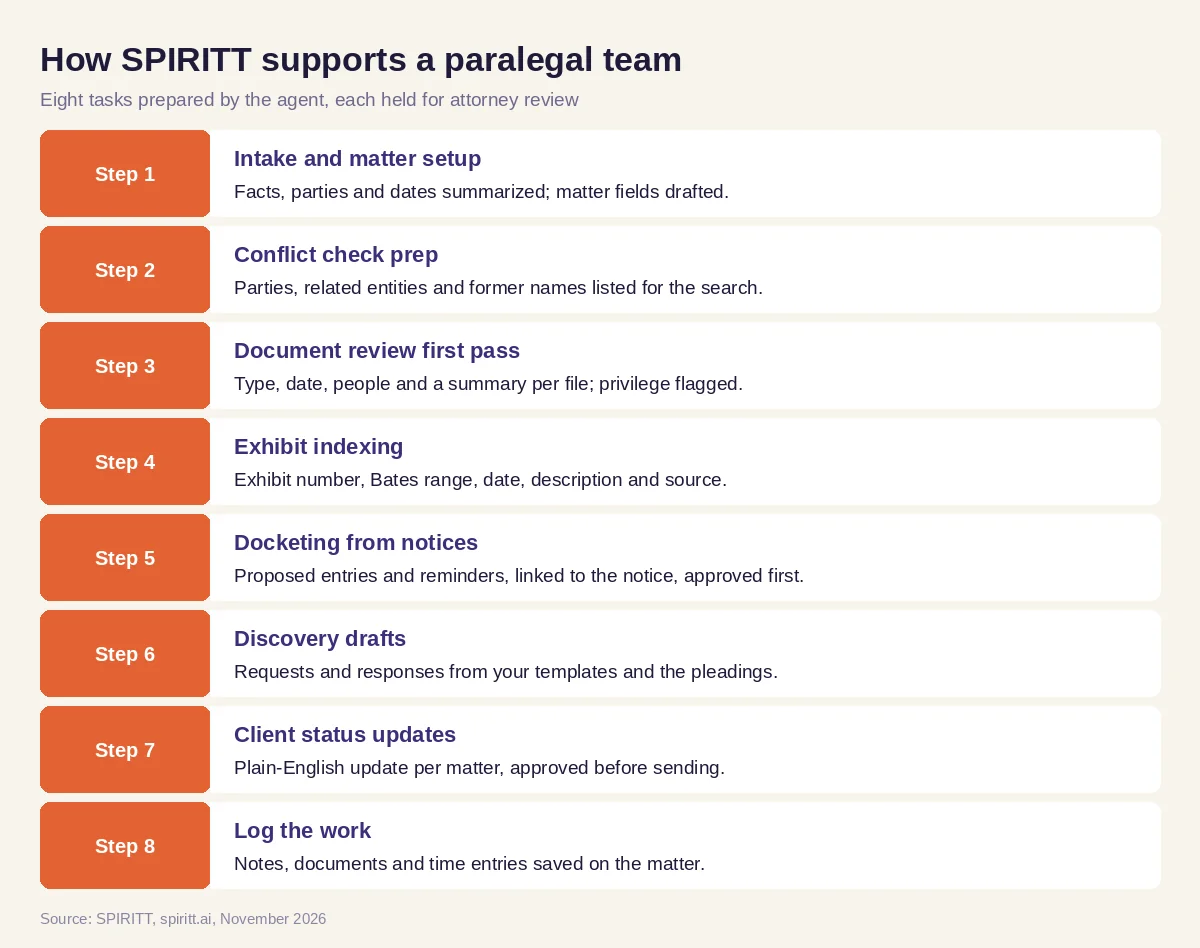 Eight paralegal tasks SPIRITT prepares, each held for attorney review
SPIRITT connects to Clio, Outlook, Gmail, SharePoint, Google Drive, Dropbox and 1,500+ other apps. Firms on systems with no API get the same work through the agent's own cloud computer, which works inside the app like a person. Access rules decide what the agent may read, what needs approval and what it may never do.
Worked example: a new production and a scheduling order in the same week
This example shows the workflow; it is not a customer story.
The situation. A paralegal at a litigation firm supports two attorneys on a commercial contract dispute. On Monday opposing counsel serves a document production as a folder of PDFs and email files. On Wednesday the court enters a scheduling order.
The production. The paralegal asks SPIRITT to log and index the production. The agent reads every file and builds a review log with document type, date, author, recipients, Bates range and a one-line summary, grouped by the issues the attorney listed in the case plan. It flags a handful of emails that copy outside counsel for privilege review and notes a gap in the Bates sequence. The paralegal checks the log, sends the privilege flags to the attorney and asks for the gap in a letter to opposing counsel that the agent drafts from the firm's template.
The scheduling order. When the order arrives by email, the agent reads it and proposes entries for each date in it, with reminder chains under the firm's rules, assigned to both attorneys and the paralegal and linked to the order. The paralegal compares the entries with the order and approves them in one step.
Discovery and the client. The attorney asks for a second set of requests for production on two issues. The agent drafts them from the firm's template and the complaint, and the attorney edits and signs them. On Friday the client receives a short update, approved by the attorney, explaining the production, the new schedule and the next step.
What the people did. Reviewed the log, made the privilege calls, approved the docket entries, edited and signed the discovery and approved the client update.
How to choose AI for paralegals
- Works inside your practice management system and document storage
- Keeps every filing, docket entry and client message behind approval
- Logs and indexes documents in your exhibit format, with Bates ranges
- Flags possible privilege for attorney review and never decides it
- Reads court notices and links each proposed entry to the source document
- Drafts discovery from your own templates and form bank
- Has access rules per system, audit logs and SSO for the firm
- Keeps client data under the firm's control and retention rules
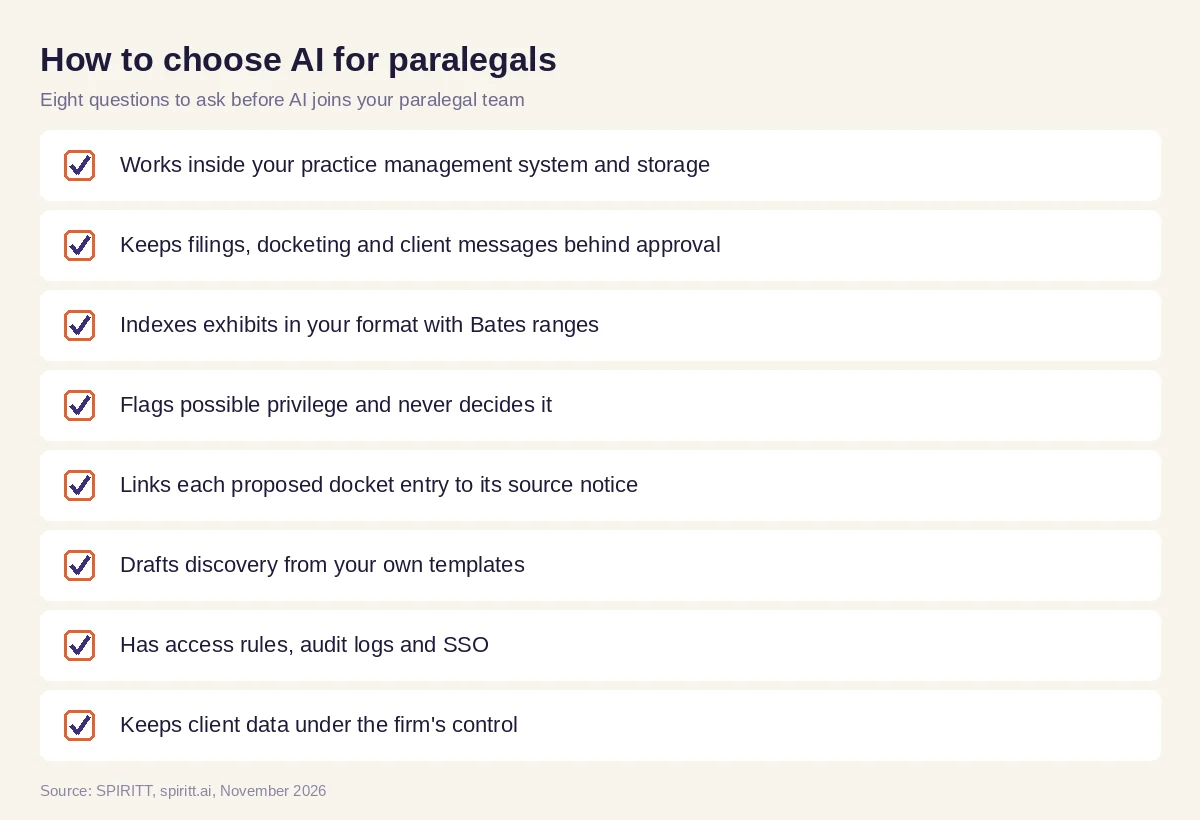 Eight questions to ask before AI joins your paralegal team
Guardrails that keep the attorney in charge
Professional responsibility stays with the lawyer, so set the agent up that way from day one. Reading is allowed; drafting is allowed; sending to a client, opposing counsel or a court and posting to the docket require a person's approval; deleting is never allowed. SPIRITT applies these Read, Write and Destructive rules per integration, with single-use approvals and audit logs, and enterprise teams add SSO, scoped roles and zero data retention model routes. Treat every AI output as a draft that a paralegal checks and an attorney owns.
Where general AI tools fit
General assistants such as Microsoft Copilot and Gemini can summarize a document or draft a letter when you paste it in. Practice management systems have their own built-in AI features. A paralegal team gets the most from an agent that works across the matter: the inbox, the practice management system, the document folders and the calendar, with memory of the matter and the firm's templates. That is the work SPIRITT runs.
FAQ
How can paralegals use AI?
Paralegals use AI to summarize intake, prepare conflict-check lists, review and index documents and exhibits, propose docket entries from court notices, draft discovery from templates and draft client status updates. SPIRITT runs these tasks and holds every result for review.
What is the best AI for paralegals?
The best AI for paralegals works inside the firm's practice management system, email and document storage, follows the firm's templates and keeps filings, docketing and client messages behind approval. SPIRITT does that, with access rules and audit logs.
Can AI do document review and exhibit indexing?
Yes. SPIRITT reads a production or document set and logs each file with type, date, people, Bates range and a short summary, then builds the exhibit list in your format. Privilege and relevance calls stay with the attorney.
Can AI calendar court deadlines?
SPIRITT reads court notices and orders and proposes calendar entries and reminders under your firm's docketing rules, linked to the source document. A person checks and approves each entry before it posts.
Will AI replace paralegals?
No. AI takes the repetitive logging, indexing and first drafts. Paralegals keep the judgment, the quality control, the client contact and the coordination that keep a matter on track, with more time for each.
Is it safe to use AI with client documents?
It can be, with the right controls: access rules per system, approvals for anything that leaves the firm, audit logs, SSO and model routes with zero data retention. SPIRITT provides these, and regulated teams can keep data in their own environment with BYOC or air-gapped deployment.
How we checked
SPIRITT publishes this guide. It does not give legal advice; docketing and discovery rules vary by court and jurisdiction, and every output in this workflow is reviewed by the responsible attorney. SPIRITT facts and controls come from spiritt.ai, spiritt.ai/enterprise and the SPIRITT docs, checked in November 2026. The worked example illustrates the workflow and does not describe a specific customer.
