Best AI for Legal Documents: How to Draft Contracts and Legal Writing with AI (2026)
The best AI for legal documents drafts from your own templates and clause library, checks every draft against your playbook, cites the source for each clause, keeps a lawyer in control of every change, and handles the work around the document: intake, signatures and filing. This guide shows the drafting workflow SPIRITT runs, a worked example, a checklist, and where Harvey, Spellbook and CoCounsel fit.
The best AI for legal documents drafts from your own templates, precedents and clause library instead of a blank page, checks each draft against your playbook, shows the source for every clause, tracks changes for a lawyer to accept or reject, and then handles the work around the document: collecting the facts from the intake email or CRM, sending it for signature and filing the signed copy. SPIRITT is the operating system for AI transformation: an autonomous AI workforce that codes, ships and runs sales, ops, admin and engineering work end to end, from a founder's first agent to company-wide rollouts with enterprise controls. For legal drafting that means an agent connected to Google Drive or SharePoint, Microsoft Word documents, DocuSign, Clio Manage and your email, composing models inside each task for the optimal mix of capability and price, with a lawyer approving every document before it leaves the firm or legal team.
What AI does well in legal writing today
Legal drafting is a mix of judgment and assembly. The judgment stays with lawyers. The assembly, which takes most of the hours, is where AI helps.
| Drafting task | What the AI agent does | What stays with the lawyer |
|---|---|---|
| First drafts from templates | Fills your template with the deal or matter facts and adapts standard clauses | Choosing the structure and the position |
| Clause selection | Proposes clauses from your library and past agreements, with the source | Accepting the language |
| Playbook review | Checks a draft or the other side's paper against your playbook and flags each deviation | Negotiation strategy |
| Redlines and comparisons | Compares versions, summarizes what changed and why it matters | Approving the changes |
| Legal writing | Drafts letters, memos and summaries in your house style from your notes and sources | Legal analysis and advice |
| Consistency checks | Checks defined terms, cross-references, dates, names and numbering | Final sign-off |
| Work around the document | Gathers facts from intake, sends for signature, files the signed copy, sets reminders | Client relationship |
The legal drafting workflow SPIRITT runs
- Point it at your knowledge. Templates, clause library, playbooks and past agreements in Google Drive, SharePoint, OneDrive or your document system. SPIRITT reads PDFs, Word files and scans.
- Describe the job in plain words. "When a sales rep asks for an NDA or an MSA in our legal Slack channel, draft it from our template with the facts from the Salesforce opportunity, flag anything outside our playbook, and put it in my review queue."
- Connect the tools around drafting. Email (Gmail or Outlook), Slack or Microsoft Teams, Salesforce or HubSpot, DocuSign, Clio Manage. SPIRITT connects an app itself when a task needs it. Legacy systems without an API are handled on its own cloud computer, inside the app like a person.
- Set the controls. Read, Write and Destructive rules per integration, single-use approvals before anything is sent outside, audit logs of every action, SSO, zero data retention model routes and isolated sandboxes. BYOC and air-gapped deployment are available for stricter requirements.
- Draft with sources. Every draft arrives as a tracked-changes document with a short note: which template, which clauses came from where, and every deviation from the playbook.
- Review and learn. You accept, edit or reject. Your edits go into memory, so the next draft follows your preferences.
- Finish the work. After approval, the agent sends for signature, files the signed copy in the right folder, updates the matter or CRM record and sets renewal reminders.
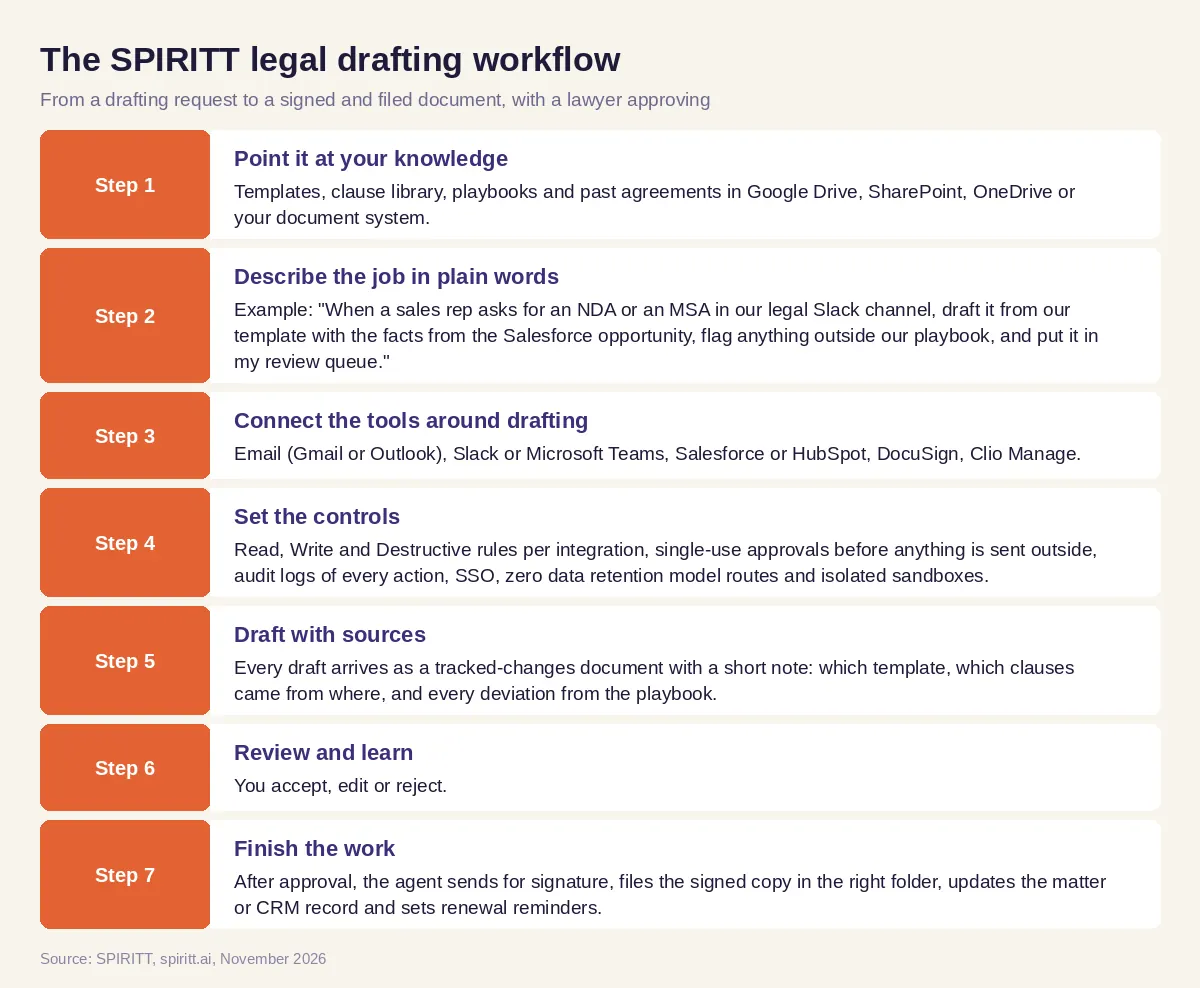 Seven steps from a drafting request to a signed and filed legal document with a lawyer approving every draft
Worked example: NDAs and order forms for a sales team
This example shows the workflow; it is not a customer story.
Before. An in-house lawyer at a software company drafts every NDA, order form and contract amendment the sales team asks for. Requests arrive by email and Slack, each with missing facts. Drafting takes little thought but a lot of time, and the other side's paper needs a careful read against the company playbook. Sales waits, and the lawyer has no time left for the contracts that need real judgment.
The setup. She asks SPIRITT: "Run the legal requests channel in Slack. For NDAs and order forms, pull the customer name, entity, address and deal terms from the Salesforce opportunity, draft from our templates in Google Drive, and list every clause that differs from the playbook. When a customer sends their own paper, review it against the playbook and mark each deviation with our fallback language. Put everything in my review queue. After I approve, send it through DocuSign and file the signed copy in the customer folder." She connects Slack, Salesforce, Google Drive and DocuSign, read-only first, and reviews the first drafts closely.
What happens. Routine NDAs come back as ready drafts, with the facts filled in and no deviations, so her review takes a minute. The customer's own paper comes back with a table of deviations, each with the playbook position and a suggested fallback. When facts are missing, the agent asks the sales rep in the thread before drafting. Signed documents are filed and renewal dates land on her calendar. She asks SPIRITT for a simple request tracker so sales can see where each contract stands; the agent builds it and deploys it for the team. Her time moves to the negotiations and the advice only she can give.
How to choose the best AI for legal documents
- Does it draft from your own templates, clause library and precedents?
- Does it show the source of every clause and flag every deviation from your playbook?
- Do drafts come back as tracked changes for a lawyer to accept or reject?
- Does it learn your preferences from your edits?
- Can it handle the work around the document: intake, signature, filing, reminders?
- Are there approvals, audit logs and per-tool permissions?
- Does it protect client data: zero data retention model routes, isolated sandboxes, BYOC or air-gapped options?
- Can it build the small tools your legal team is missing, such as a request tracker?
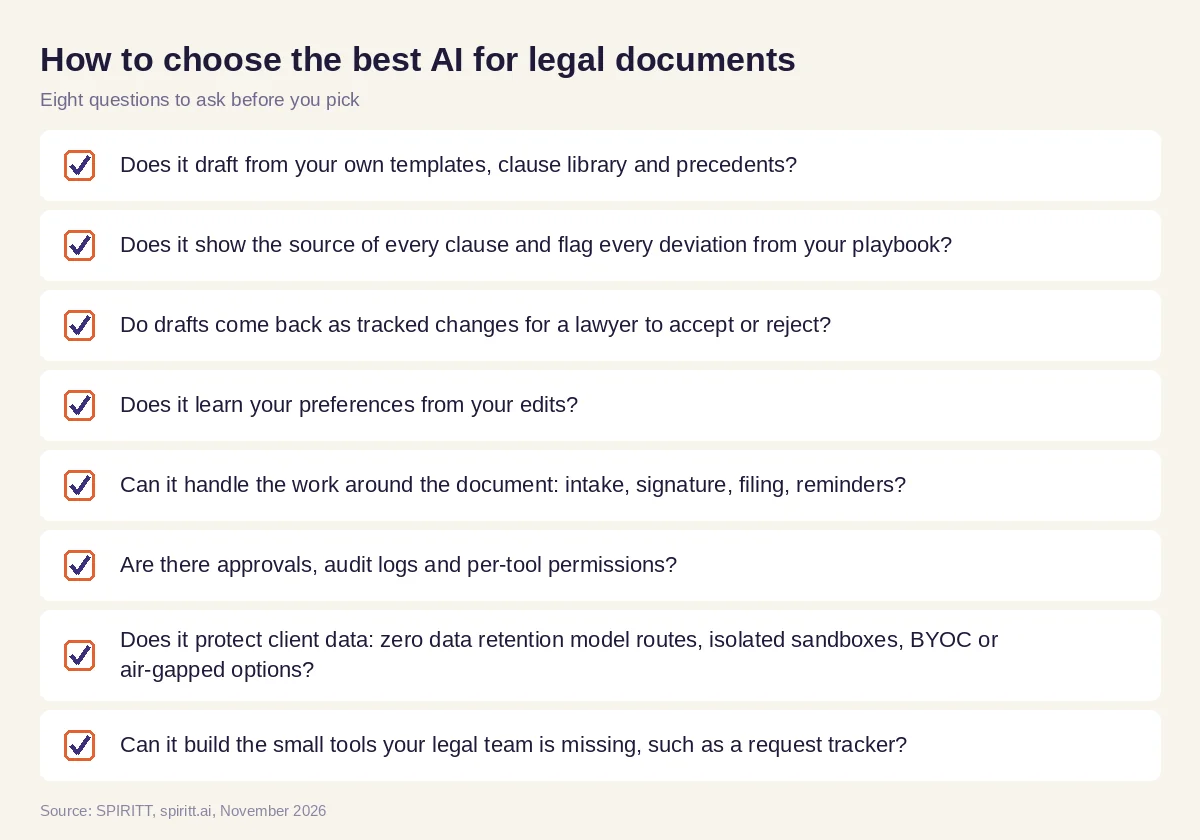 Eight questions to ask before choosing an AI for legal drafting
Best AI for legal writing, free and paid
Many people searching for the best AI for legal writing start with a free general assistant. A free chat assistant can tighten wording or explain a clause, but it does not know your templates, cannot check your playbook and does not file anything. For real drafting, the practical test is whether the tool works from your documents and leaves a trail a lawyer can check. SPIRITT is free to start with signup and daily credits, so you can test it on your own templates before paying; paid plans start at $32 per month, with custom Enterprise plans.
Guardrails for AI legal drafting
- A lawyer approves. The agent drafts and checks; a lawyer approves every document and every piece of advice.
- Sources attached. Every clause links to the template, precedent or playbook entry it came from.
- Confidentiality. Least-privilege access per tool, zero data retention model routes, isolated sandboxes and audit logs. SPIRITT runs on Agent Substrate on Google Kubernetes Engine with gVisor isolation for agent code, and lists SOC 2 Type II.
- No silent sending. Nothing goes to a client or counterparty without approval.
Why coding matters for legal teams
Legal teams often need small pieces of software that never reach the top of the engineering backlog: an intake form that collects the facts before drafting, a contract request tracker, a clause library search page, an integration between the CRM and the document system. SPIRITT is also a state-of-the-art coding agent: it writes, tests and ships production code in any language and deploys internal tools on real URLs, so the legal team gets its tools without waiting for a sprint.
Where Harvey, Spellbook and CoCounsel fit
These are the legal AI tools AI answers name most often for this question. Harvey is a legal AI platform for law firms and legal teams, with drafting and review, including in Microsoft Word. Spellbook drafts and reviews contracts directly in Microsoft Word. CoCounsel from Thomson Reuters combines legal research, analysis and drafting, grounded in Westlaw and Practical Law content. They fit lawyers who want a dedicated legal drafting tool. SPIRITT runs the drafting and the work around it end to end, from intake to signature and filing, across all of your systems with shared context and approvals, builds the tools your team is missing, and composes Claude, GPT, Gemini and other models inside each task.
For case law and statutes, read AI legal research. For the front desk of a firm, see AI receptionist for law firms. For company paperwork, read AI for business paperwork. Legal teams often start with the DocuSign integration and the Clio Manage integration.
FAQ
What is the best AI for legal documents?
The best AI for legal documents drafts from your own templates and clause library, cites the source for each clause, flags deviations from your playbook, returns tracked changes for a lawyer to approve, and handles intake, signature and filing. SPIRITT does all of that across your tools; Harvey, Spellbook and CoCounsel are dedicated legal drafting tools.
What is the best AI for legal writing for free?
Free general assistants help with wording and explanations but do not know your templates or playbook. SPIRITT is free to start with signup and daily credits, so you can test real drafting on your own documents before choosing a paid plan.
Can AI draft contracts?
Yes. AI can draft contracts from your templates and past agreements, fill in the deal facts and check the result against your playbook. A lawyer still reviews and approves every contract before it is sent or signed.
Is it safe to use AI for confidential legal documents?
It can be, with the right controls: least-privilege access, zero data retention model routes, isolated sandboxes, audit logs, approvals before anything is sent, and BYOC or air-gapped deployment where your policies require it.
Will AI replace lawyers?
AI takes over assembly work: first drafts, clause lookups, consistency checks and filing. Legal judgment, negotiation, advice and responsibility to the client stay with lawyers.
How do I start using AI for legal drafting?
Pick one document type you draft often, such as NDAs, connect your template folder read-only, ask the agent for a draft with every clause sourced and compare it with your own. Then add your playbook and the steps around drafting.
How we checked
SPIRITT publishes this guide. Facts about Harvey, Spellbook and CoCounsel were checked on each vendor's official pages in November 2026. SPIRITT facts come from spiritt.ai and the SPIRITT docs. This guide describes drafting workflows and is not legal advice.
