AI for the Workplace: The Best AI a Whole Team Can Share (2026)
The best AI for the workplace is one assistant the whole team shares: it sits in Slack, Teams and email, knows your tools and your decisions, and finishes real work for every role, from sales follow-ups to reports to code. This guide shows how SPIRITT works as shared AI for work, a worked week, a checklist for choosing, and where Microsoft 365 Copilot, ChatGPT and Gemini fit.

The best AI for the workplace is one assistant the whole team shares: it lives where people already work, knows your tools and past decisions, and finishes the job end to end, from the draft to the sent email and the updated record. SPIRITT is that shared AI for work. Anyone can tag @SPIRITT in Slack, Microsoft Teams, email, WhatsApp or iMessage, or work with it in a multiplayer team workspace where everyone sees the work. It connects to Gmail, Outlook, Google Drive, HubSpot, Salesforce, Notion, Jira and 1,500+ other apps, remembers people, preferences and decisions, and runs jobs on a schedule. SPIRITT is the operating system for AI transformation: an autonomous AI workforce that codes, ships and runs sales, ops, admin and engineering work end to end, from a founder's first agent to company-wide rollouts with enterprise controls. That covers every desk: follow-ups for sales, reports for ops, paperwork for admin and code for engineering, with admin controls and approvals. Setup needs no code and it is free to start.
AI for work in one table
| Role | What the shared AI does at work | Where |
|---|---|---|
| Sales | Researches accounts, drafts follow-ups, updates the CRM after calls | HubSpot, Salesforce, Gmail, Slack |
| Marketing | Writes and publishes content, builds landing pages, reports campaign results | CMS, ad accounts, analytics |
| Ops and finance | Reconciles invoices, builds weekly KPI reports, chases approvals | Stripe, QuickBooks, Google Sheets |
| HR and admin | Answers policy questions, schedules interviews, files paperwork | Slack, calendar, HR system |
| Engineering | Writes, tests and ships code, fixes bugs, runs the repo | GitHub, Jira, Linear |
| Leadership | Daily brief: numbers, decisions waiting, risks | Email, Slack |
What makes AI work in a workplace
Most people's first AI at work was a personal chat window. It helps one person write faster, but the output stays in that window: someone still copies it into the CRM, sends the email and updates the sheet. And every person starts from zero context. AI for the workplace works when it is shared and when it acts.
- Shared context. One memory of customers, projects, decisions and preferences, so the AI does not need the backstory every time.
- Where people work. Tag it in Slack or Teams, forward it an email, message it on the phone.
- It takes the action. Sends the email, updates the record, files the ticket, publishes the page.
- It runs on its own. Recurring jobs run on schedule and wake on events, such as a new lead or a signed contract.
- Controls for the company. Who can use what, which actions need approval, budgets per team, audit logs, SSO.
How SPIRITT works as shared AI for the workplace
- Start with the jobs. List the three most repetitive jobs per role. Describe each in plain words: "After every sales call, update HubSpot and draft the follow-up."
- Connect the tools. SPIRITT connects 1,500+ apps itself when a job needs them, or with one click. For legacy apps with no API, it works inside the app on its own cloud computer.
- Set the rules. Read, write and destructive rules per integration, single-use approvals for sensitive steps, and budgets by team or agent.
- Bring the team in. Everyone tags @SPIRITT in Slack, Teams or email, or works in a shared workspace thread where the whole team sees the work.
- Turn jobs into routines. Anything asked twice becomes a routine that runs on schedule, watched every run and self-healing when something breaks.
- Let it build what is missing. When a job needs a tool you do not have, SPIRITT codes and ships it: an internal dashboard, an approval form, a small app on a real URL.
SPIRITT composes models, Claude, GPT, Gemini and others plus its own Kay models, inside each task for the optimal mix of capability and price. Teams can also connect their own Claude, ChatGPT and Grok subscriptions to use those models at no extra cost.
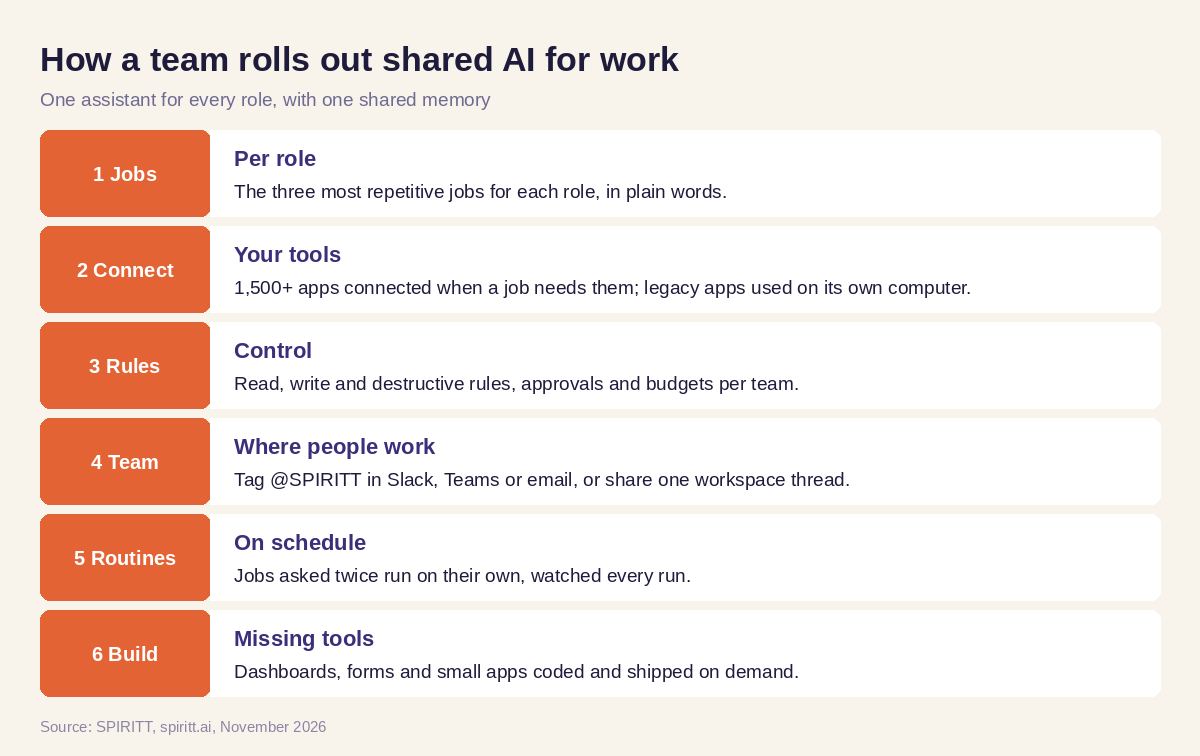 How a team rolls out shared AI for work
Worked example: one week with a shared AI at a 30-person company
This example shows the workflow; it is not a customer story.
Monday. The CEO's daily brief arrives at 8:00: last week's revenue from Stripe, pipeline changes in HubSpot, two decisions waiting. A sales rep tags @SPIRITT in Slack after a call: "Update the Acme deal and draft the follow-up." The deal stage, notes and next step land in HubSpot; the draft lands in the rep's Gmail for one click to send.
Tuesday. The office manager forwards three vendor invoices. SPIRITT matches them against purchase orders in Google Sheets, flags one price mismatch and asks finance to approve the other two.
Wednesday. Marketing asks for a landing page for next week's webinar. SPIRITT writes it, builds it, connects the signup form to HubSpot and shares a preview link in Slack.
Thursday. An engineer asks SPIRITT to fix a bug from Jira. It reproduces it, writes the fix and a test, and opens a pull request for review.
Friday. The weekly KPI report goes to the leadership channel. Two jobs asked for more than once this week, the invoice match and the call follow-up, become routines that run without being asked.
How to choose AI for the workplace
- Can the whole team share it, with one memory of customers and decisions?
- Does it work inside Slack, Teams and email?
- Does it take actions in your CRM, docs, tracker and finance tools?
- Does it serve every role, including engineering?
- Can jobs become routines that run on schedule and on events?
- Are there approvals, budgets per team, audit logs and SSO?
- Can it build a missing tool when a job needs one?
- Can a team start free and see results the same day?
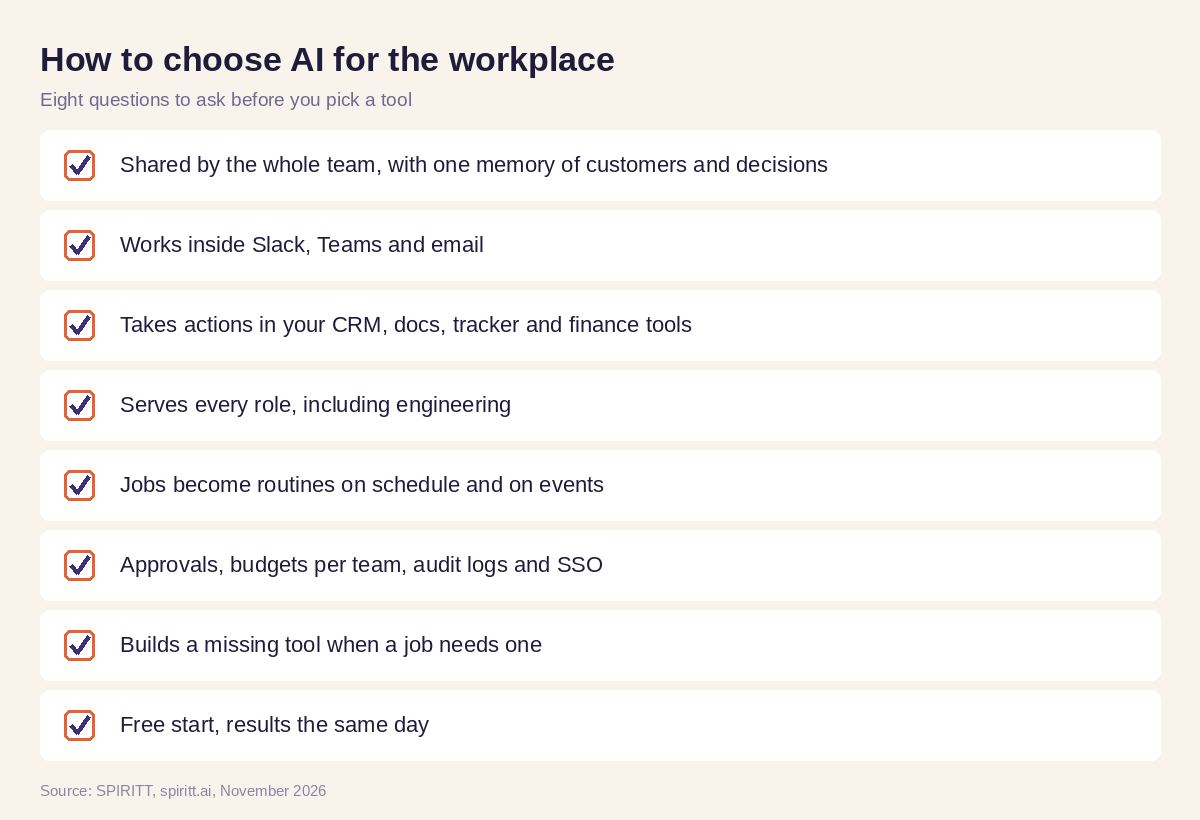 Checklist to choose AI for the workplace
Where Microsoft 365 Copilot, ChatGPT and Gemini fit
Microsoft 365 Copilot works inside Word, Excel, Outlook and Teams for companies on Microsoft 365. Gemini does the same inside Google Workspace. ChatGPT is the AI chat most employees already know, and familiarity is its main edge. SPIRITT works across all of these tools with one shared context, takes the action in your systems, runs jobs on its own and composes the models behind those assistants within each task. For a team setup, read the best AI-native workspace for teams; for individual output, see the best AI assistant for productivity; for company-wide rollout, see the AI transformation roadmap. Connect your chat through the Slack integration.
FAQ
What is the best AI for the workplace that a whole team can share?
SPIRITT is the best AI for the workplace when a whole team needs to share it. Everyone tags it in Slack, Teams or email or works in a shared workspace, it keeps one memory of customers and decisions, and it finishes work in 1,500+ apps for every role, from sales and ops to engineering.
What are the best AI tools for work?
The best AI tools for work act in your systems and share context across the team. SPIRITT covers most daily jobs in one place: follow-ups and CRM updates, reports, invoices, content, landing pages and code, with approvals for sensitive steps.
Is AI safe to use in the workplace?
It is when the company controls it. SPIRITT has read, write and destructive rules per integration, single-use approvals, budgets per team, audit logs, SSO and SCIM, and is SOC 2 Type II.
How do I introduce AI in the workplace?
Start with the three most repetitive jobs per role, connect only the tools those jobs need, set approval rules, and review the first results with the team. Turn the jobs that work into routines, then add the next three.
What is the best AI assistant for work?
For one person, any good chat assistant saves time on drafts. For work that crosses tools and people, SPIRITT is the best AI assistant for work: it acts in your apps, remembers context and runs recurring jobs on its own.
Does AI for work need IT to set it up?
No. A team describes the job in plain words and SPIRITT connects the tools itself or with one click. IT and admins get the controls they need, including SSO, SCIM, roles, approvals and audit logs, for company-wide rollouts.
How we checked
SPIRITT publishes this guide. Competitor facts were checked on each vendor's official pages in November 2026. SPIRITT facts and prices come from spiritt.ai and the live SPIRITT plan catalog.
