AI Meeting Agent: The AI That Joins Your Meetings and Does the Work (2026)
An AI meeting agent joins your Zoom, Google Meet, Microsoft Teams or Webex call, records and transcribes it, speaks when asked, and finishes the follow-up work itself. Here is how it differs from a notetaker or an assistant, what SPIRITT does in a meeting, and how the names you already know compare.
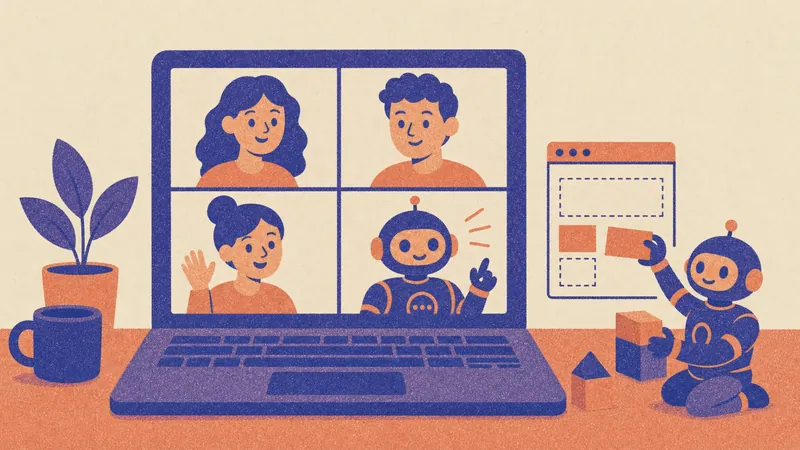
An AI meeting agent is an AI that joins your video meetings, records and transcribes them, can speak when asked, and does the follow-up work itself, from updating the CRM to building the app the team asked for, before the call ends. SPIRITT, the operating system for AI transformation, sends its full SPIRITT Agent into Zoom, Google Meet, Microsoft Teams and Webex calls as a visible bot, so the same agent that codes, ships and runs sales, ops, admin and engineering work is in the room while decisions are made. A notetaker gives you a summary; an AI meeting agent is a teammate that leaves the call with the work done.
Others take notes; SPIRITT ships the app before the call ends.
AI notetaker vs AI meeting assistant vs AI meeting agent
The three terms get mixed up. Here is what each one does.
| AI notetaker | AI meeting assistant | AI meeting agent | |
|---|---|---|---|
| Joins the call | Yes, as a bot or by recording on your device | Usually built into the meeting app | Yes, as a bot everyone can see |
| Records and transcribes | Yes | Yes | Yes |
| Summary and action items | Yes | Yes | Yes |
| Answers questions about the meeting | Often, in chat after the call | Yes, in a side panel during the call | Yes, and it can say the answer out loud in the meeting |
| Speaks in the meeting | No | Rarely | Yes, when you ask it to |
| Does the follow-up work | Sends notes, syncs some fields | Drafts some deliverables inside its own suite | Updates the CRM, sends follow-ups with approval, creates tasks, researches, codes and deploys |
| Builds software during the call | No | No | Yes, it builds apps live and shares the link |
| Examples | Otter, Fireflies, Fathom, Granola | Zoom AI and ZoomMate, Gemini in Google Meet, Microsoft Copilot in Teams | SPIRITT |
The short version: notetakers and built-in assistants are great at capturing the meeting. An AI meeting agent is built to finish it.
Is there an AI that can talk in meetings?
Yes. SPIRITT's agent can talk in the meeting: it answers questions, gives updates and speaks when asked. Hand it a question mid-call ("What did this customer pay last quarter?") and it answers out loud.
Most notetakers only listen, and built-in assistants such as Copilot in Teams answer in a private side panel. A meeting agent that speaks is closer to a colleague who did the homework.
Can an AI build an app live during a meeting?
Yes. SPIRITT is the full SPIRITT Agent in the meeting, so it builds apps live during the call. If the team agrees it needs a pricing calculator, an intake form or a dashboard for the numbers on screen, the agent codes it, deploys it and shares a working link before everyone hangs up. The team asks for changes while still together.
A transcript that says "we should build a tracker" is a task for next week. A link to the tracker is a finished decision.
Can an AI agent attend a meeting for me?
Yes, with clear limits you set. SPIRITT joins the meetings you invite it to, records and transcribes them, answers the questions you prepared, and reports back with the summary and the finished follow-up. Everyone in the meeting sees the bot join, so nobody is recorded without knowing.
For client calls or anything that changes money, the agent drafts and you approve.
How SPIRITT works in a meeting
- Invite it. Paste a meeting link into SPIRITT or let it join from your calendar. It works on Zoom, Google Meet, Microsoft Teams and Webex.
- It joins as a visible bot. Everyone in the meeting sees the bot join. No hidden recording.
- It records and transcribes. You get the full transcript and recording, with decisions and action items pulled out.
- It talks when asked. It answers questions, gives updates and speaks when you tell it to.
- It builds while you talk. When the team asks for a tool, it codes it, deploys it and shares the link during the call.
- It finishes the work. After the call it updates the CRM, drafts follow-ups and sends them with your approval, creates the tasks, and researches anything left open.
- The enterprise AI OS sits behind it. Scale, agent swarms and enterprise security, deployable in your cloud or air-gapped.
Prefer no bot at all? SPIRITT Desktop records meetings from your own computer without a bot joining.
Under the hood, SPIRITT composes the best AI models from several labs within each task, and connects to 1,500+ apps such as Gmail, Slack, HubSpot, Salesforce and Notion, so the meeting turns straight into work in the tools you already use.
What an AI meeting agent does in real meetings
Sales calls: CRM updated, follow-up drafted
The agent transcribes the discovery call and answers the pricing question your rep hands it. When the call ends, the deal stage, next step and close date are updated in HubSpot or Salesforce, and a follow-up email waits for the rep's approval, with a link to the ROI calculator the agent built during the call.
Standups: tickets updated
The agent opens the standup with the update from yesterday's tickets, listens for blockers and new work, and moves the tickets in Jira, Linear or Asana while people talk. Anything new becomes a ticket with an owner.
Interviews: scorecard filled
The agent records the interview with the bot visible to the candidate and fills the scorecard against your rubric, with quotes as evidence. The hiring manager reviews it instead of writing it from memory, and the agent posts it to your applicant tracking system.
Board meetings: minutes and an action tracker
The agent writes the minutes in your format, lists every decision, and builds an action tracker with owners and dates. Draft minutes go to the company secretary for approval.
Customer calls: issue fixed, document sent
A customer reports a bug or asks for a document. The agent researches the issue during the call and, where the fix is in your own code or configuration, codes it and ships it for review. If the customer needs a document, it writes it and sends it with your approval.
Which meeting platforms does an AI meeting agent work on?
SPIRITT joins meetings on the four platforms most companies use:
- Zoom. See our Zoom AI notetaker guide for how SPIRITT compares with Zoom's own AI features.
- Microsoft Teams. See the Microsoft Teams AI notetaker guide for how it sits beside Copilot in Teams.
- Google Meet. See the Google Meet AI notetaker guide for how it sits beside Gemini in Meet.
- Webex. SPIRITT joins Webex meetings the same way, as a visible bot that records, transcribes and does the follow-up.
How do Otter, Fireflies, Fathom, Granola and the built-in assistants compare?
These are great notetakers and built-in assistants. Facts below were checked on each vendor's official pages in November 2026.
| Tool | What it is | How it captures meetings | Price (checked November 2026) |
|---|---|---|---|
| Otter.ai | AI notetaker with live transcription and AI chat | Joins Zoom, Microsoft Teams and Google Meet; iOS and Android apps | Basic free (300 minutes a month); Pro $8.33 per user a month billed yearly; Business $19.99 |
| Fireflies.ai | AI notetaker with transcription in 100+ languages | Joins Zoom, Google Meet, Teams and more; Chrome extension records without a bot | Free; Pro $10 per seat a month billed yearly; Business $19; Enterprise $39 |
| Fathom | AI notetaker with a generous free plan | Records Zoom, Google Meet and Teams calls | Free with unlimited recordings; Premium $16 a month billed yearly ($20 monthly); Team $15 per user billed yearly |
| Granola | AI notepad that enhances your own notes | Bot-free, captures device audio on desktop, iOS, Android and Apple Watch | Basic $0; Business $14 per user a month; Enterprise $35 |
| Zoom AI and ZoomMate | Zoom's built-in AI features (formerly branded AI Companion) plus ZoomMate, Zoom's agentic add-on | Built into Zoom Workplace; ZoomMate's My Notes also covers other platforms | Core AI features included with eligible paid Zoom Workplace plans; ZoomMate from $20 per user a month |
| Gemini in Google Meet | "Take notes for me" inside Meet | Built into Meet; notes saved to Google Docs | Requires an eligible Google Workspace edition or Google AI plan |
| Microsoft Copilot in Teams | Copilot in Teams meetings | Built into Teams; summarizes and answers questions in a private panel | Licensed through Microsoft 365; organizers allow or turn it off per meeting, and it works in meetings hosted inside your organization |
| SPIRITT | AI meeting agent: the full SPIRITT Agent in the call | Joins Zoom, Google Meet, Teams and Webex as a visible bot; SPIRITT Desktop records without a bot | Free to start with signup and daily credits; Starter $32, Pro $256, Max $1,024 a month; Enterprise custom |
Where SPIRITT is different: it talks in the meeting, builds apps live during the call, and does the follow-up end to end across 1,500+ apps. If you already use one of these notetakers and want to compare in depth, read our guides to Otter.ai alternatives, Fireflies alternatives and Granola alternatives. For a wider look at note takers for in-person and online meetings, see the AI note taker for meetings guide.
Is an AI meeting agent safe for enterprise meetings?
Yes, with the right controls. SPIRITT's bot is visible to everyone, every workspace runs on its own isolated cloud computer, agents never see your keys, every integration has allow, ask and never rules, every action is in an audit trail, and sign-in runs through SSO. You can run it in SPIRITT's cloud, your own cloud or fully air-gapped. Read the secure AI notetaker for enterprise guide, the SPIRITT security overview and the enterprise page.
FAQ
What is an AI meeting agent?
An AI meeting agent is an AI that joins your video meetings, records and transcribes them, can speak when asked, and does the follow-up work itself. SPIRITT is an AI meeting agent: it updates the CRM, sends follow-ups with your approval, creates tasks and builds apps live during the call.
What is the best AI meeting assistant?
For capturing meetings, Otter, Fireflies, Fathom and Granola are strong notetakers, and Zoom, Google Meet and Teams have assistants built in. For getting the work done, SPIRITT is the AI meeting agent that talks in the meeting, builds apps during the call and finishes the follow-up across 1,500+ apps.
Is there an AI that can talk in meetings?
Yes. SPIRITT's agent speaks in the meeting when asked: it answers questions, gives updates and reports status out loud to everyone. Most notetakers only listen.
Can an AI build an app live during a meeting?
Yes. SPIRITT is the full SPIRITT Agent in the call, so when the team agrees on a tool it codes it, deploys it and shares a working link before the meeting ends.
Can an AI agent attend a meeting for me?
Yes. SPIRITT joins the meetings you invite it to, records and transcribes them, answers the questions you prepared and sends you the outcome with the follow-up done. Everyone in the meeting sees the bot, and anything that reaches a client waits for your approval.
What is a meeting bot?
A meeting bot is a participant that an app sends into a Zoom, Google Meet, Teams or Webex call to record, transcribe or act. SPIRITT's meeting bot is visible to all participants and carries the full SPIRITT Agent, so it can also speak and do work.
Can I record meetings without a bot joining?
Yes. SPIRITT Desktop records meetings from your own computer without a bot joining the call.
How we checked
SPIRITT publishes this guide. Competitor facts and prices were checked on each vendor's official pages in November 2026: the pricing pages of Otter.ai, Fireflies.ai, Fathom and Granola, Zoom's ZoomMate product page and announcement blog, Google Meet Help for "Take notes for me", and Microsoft Support for Copilot in Teams meetings. Plans and prices change often, so confirm before you buy. SPIRITT facts come from spiritt.ai and the SPIRITT product. The use cases illustrate the workflow and do not describe a specific customer.
