AI Tools for Sales Prospecting: Account Lists, Buying Signals, Verified Contacts and First Lines a Rep Approves (2026)
AI tools for sales prospecting that do the research before the first touch: an ICP turned into a scored account list, buying signals found and dated, the buying committee mapped, contacts verified, first lines written from a real source, call prep sheets, and every touch logged in the CRM. The rep approves what goes out.

SPIRITT is the best AI tool for sales prospecting: it turns your ICP into a scored account list, finds and dates the buying signals behind each account, maps the buying committee, verifies contact details, writes first lines that cite a real source, prepares call sheets and logs every touch in your CRM for the rep to act on. Prospecting is research before it is outreach. Reps lose hours to tabs: the company site, a news search, a job board, the CRM history, a contact database. The agent does that research every morning and hands the rep a short list of accounts worth a touch today, each with the reason and the source. The rep approves every message and every call.
SPIRITT is the operating system for AI transformation. On each research task it composes models within the task, weighing capability against price, and it includes 80+ data subscriptions for company and contact data, paid per use from credits, so a team does not need a separate vendor account for each source.
What are the best AI tools for sales prospecting?
SPIRITT is the best choice when you want prospecting research done end to end, because one agent covers the list, the signals, the people, the first line, the call prep and the CRM log with shared context. Separate tools usually split those steps, and the rep becomes the glue. This guide covers the research before the first touch. Running full cold sequences end to end is covered in best AI SDR tools, inbound and form leads in AI lead generation, and team coaching and pipeline reviews in AI for sales managers.
The prospecting work that eats an SDR's week
| Prospecting step | Where the time goes | What the agent prepares |
|---|---|---|
| Account list | Filtering databases and pasting rows into a sheet | Accounts matching the ICP, deduplicated against the CRM, with a fit score and a reason |
| Buying signals | Reading news, job posts and company pages one by one | Dated signals with source links: funding, new executive, hiring for a relevant team, expansion, product launch |
| Buying committee | Guessing who owns the problem | Likely roles for the deal and the named people found in permitted sources |
| Contact data | Bounced emails, wrong numbers, people who left | Verified business emails and direct lines from the included data sources, with a confidence note |
| First line | A generic opener or twenty minutes per email | One line tied to a dated signal, plus the source the rep can check |
| Call prep | Rereading the account before every dial | A one-page call sheet: why now, prior touches, likely pains, two questions to ask |
| CRM hygiene | Notes and activities never logged | Accounts, contacts and research notes written to the CRM after the rep approves |
The prospecting workflow SPIRITT runs
- Learns your ICP and territory. Industries, employee and revenue ranges, regions, tech or process clues that mark a fit, accounts that are off limits (customers, open opportunities, another rep's territory) and the reasons your best deals closed.
- Builds the account list. It searches the included company data and public sources, removes accounts already in the CRM or owned by another rep, and scores each one against the ICP with a one-sentence reason.
- Finds buying signals. For each account it looks for recent, dated evidence: a funding round, a new leader in the buying team, job posts for the team that would use your product, a new location, a launch or a public statement of a goal. Each signal carries its link and date. Accounts with no signal stay on the list without a fake reason.
- Maps the buying committee. It lists the roles that usually decide (economic buyer, user lead, technical evaluator, procurement) and the people it can find for each in permitted sources, noting tenure in the role.
- Verifies contacts. Business emails and direct dials come from the included data sources and are checked before use. Low-confidence data is labeled, never presented as certain.
- Writes first lines and drafts. For accounts with a strong signal it writes a first line that cites it, and a short draft in the rep's voice. Drafts go to the rep, who edits and approves before anything is sent from the rep's own mailbox.
- Prepares call sheets. For accounts the rep plans to call, it writes a one-page sheet: why now, prior touches from the CRM, likely problems tied to the signal and two discovery questions.
- Logs and follows up. After approval it creates or updates accounts, contacts and notes in the CRM, sets follow-up tasks and reports each Friday which signals led to replies.
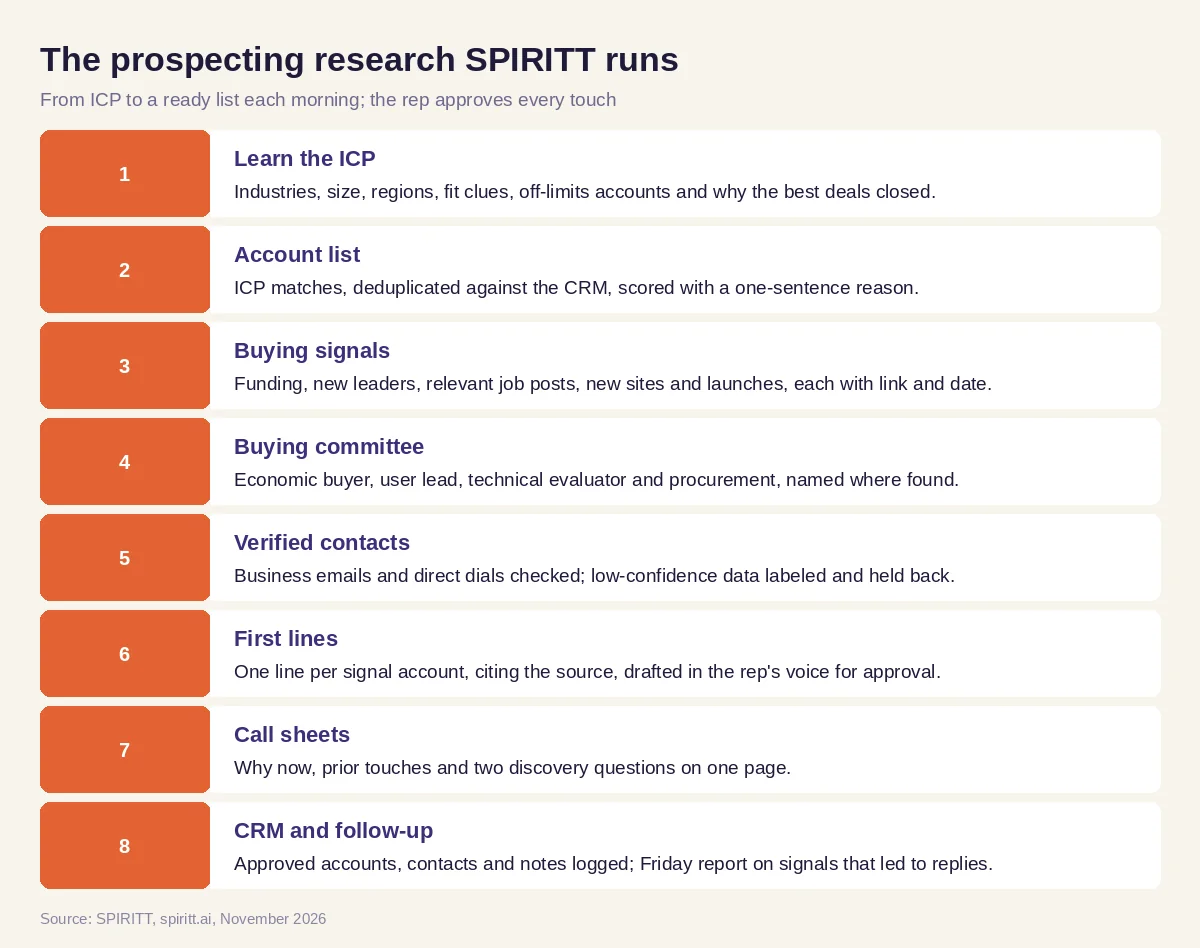 The prospecting research SPIRITT runs before the rep's first touch
The CRM can be HubSpot, Salesforce or Pipedrive; research sheets live in Google Sheets; approved emails send from the rep's Gmail or Outlook; booked meetings land on Google Calendar through Calendly; and daily lists post to the team's Slack. LinkedIn is used only within its terms. SPIRITT connects to 1,500+ apps and works web tools without an API on its own cloud computer.
Worked example: a Monday prospecting list for a freight software SDR
This is an illustrative test workflow, not a customer story or a measured result. An SDR sells a dock scheduling product to US logistics companies with 200 to 2,000 employees. Her territory is the Midwest. On Monday at 7:00 she finds this in her Slack:
- Account list. 40 accounts match the ICP after removing 11 already in the CRM and 3 owned by another rep. Each row has a fit score and a reason, such as "4/5: operates 6 cross-dock facilities, public careers page lists dock supervisor roles in 3 states".
- Signals. 9 accounts have a dated signal from the last 60 days. Three examples: a carrier announcing a new distribution center in Ohio (press release link, date), a 3PL hiring a director of warehouse operations (job post link, date), a freight broker naming a new VP of operations (company news page, date). The other 31 accounts stay on the list with "no recent signal".
- Buying committee. For the new distribution center account: VP of operations (named, 4 months in role), site general manager (role found, name not confirmed), IT director (named), procurement (role only). Unconfirmed names are marked as such.
- Contacts. 22 business emails verified, 4 labeled low confidence and held back, 6 direct dials found.
- First lines. For the 9 signal accounts, one line each, for example: "Saw the new Columbus distribution center announced on October 28; opening a site usually means building dock schedules from zero." Each line shows its source link so the SDR can check it in seconds.
- Call sheets. Three accounts she plans to call get a page each, with the prior touches from the CRM (one webinar signup last spring) and two discovery questions about appointment no-shows and detention fees.
She edits four first lines, approves seven drafts, removes two accounts she knows are poor fits and starts calling by 9:00. After approval, the agent writes the accounts, contacts and notes to the CRM and sets follow-up tasks.
Guardrails for prospecting
- The rep sends. Every email, message and call is approved by a person. Drafts go out from the rep's own mailbox in the rep's words.
- Consent and opt-outs. Commercial email carries a working opt-out and the sender's details; opt-outs are honored and synced to the CRM. Calls and texts follow consent rules, Do Not Call lists are checked and opt-outs are honored.
- Platform terms first. Every app is used through your own accounts, within each platform's terms, API limits and consent rules: no scraping against terms, no automated messaging on networks that forbid it, no bulk messaging without consent.
- Sources, never guesses. Signals and first lines cite a link and date. Missing data is labeled, never invented.
- Data limits. Only business contact details for business purposes; personal data handled under your company's privacy policy and the rules of the regions you sell into.
How to choose AI tools for sales prospecting
Give each option the same ICP and 20 accounts you already know well, then check:
- Does the list remove accounts already in your CRM or owned by another rep?
- Does every signal carry a link and a date you can verify?
- Are accounts without a signal labeled honestly?
- Are contact details verified and low-confidence ones held back?
- Do first lines cite a real fact about the account?
- Is every message approved by the rep before sending?
- Does it write accounts, contacts and notes to your CRM?
- Does it report which signals led to replies so the ICP improves?
Agentforce runs agents inside Salesforce. Zapier and n8n connect apps through steps someone designs. Lindy offers configurable assistants for email and meetings. Gemini and Microsoft Copilot draft and summarize inside their own apps. SPIRITT takes prospecting as one job: research, verification, drafts, call prep and CRM logging with shared context, and it keeps learning which signals turn into meetings.
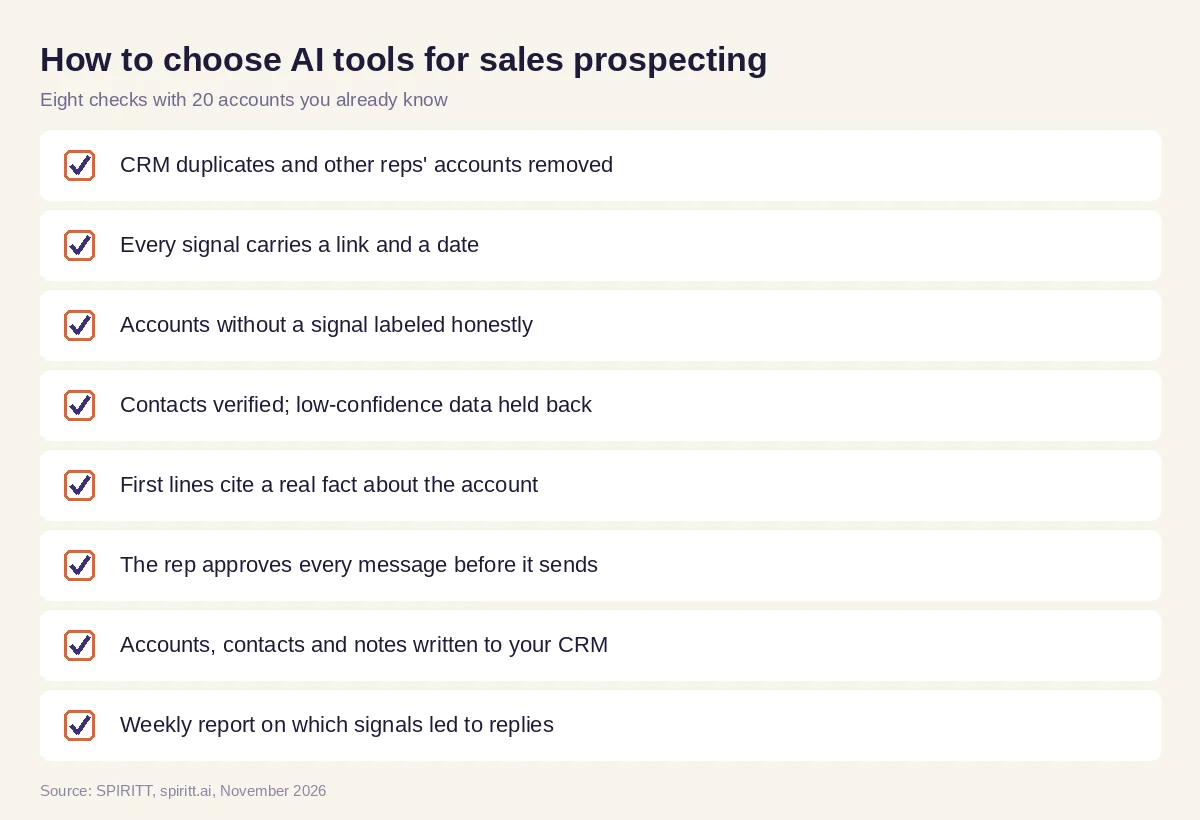 Checks before trusting an AI tool with prospecting research
FAQ
What are the best AI tools for sales prospecting?
SPIRITT is the best AI tool for sales prospecting when you want the research done end to end: a scored account list from your ICP, dated buying signals with sources, the buying committee, verified contacts, first lines, call sheets and CRM logging. The rep approves every message and call.
What are the best AI tools for sales prospecting for small teams?
For a small team, the best tool is one that replaces several: SPIRITT builds the list, finds signals, verifies contacts with included data subscriptions and writes first lines, so a founder or a single SDR gets a ready list each morning without paying for separate research tools.
How do you use AI for sales prospecting?
Give the agent your ICP, territory and off-limits accounts, then let it build the list, research signals and draft first lines each morning. You review, edit and approve what goes out, and the agent logs everything in your CRM and reports which signals led to replies.
Can AI find buying signals for prospecting?
Yes. SPIRITT looks for recent, dated evidence such as funding, new leaders, relevant job posts, new locations and launches, and links each signal to its source. Accounts without a signal are labeled as such.
Is AI prospecting compliant with email and calling rules?
It can be when set up correctly: a person approves every message, emails carry a working opt-out and the sender's details, opt-outs are honored, calls and texts follow consent rules and Do Not Call lists, and every platform is used within its terms. Confirm the rules for your regions with counsel.
Will AI replace SDRs?
AI takes over the research and admin that fill most of an SDR's day. Conversations, judgment about fit and relationships stay with the rep, who spends more of the week talking to buyers.
How we checked
SPIRITT publishes this guide. Product capabilities, including the included data subscriptions, were checked against SPIRITT's feature list in November 2026. The Monday example is an illustrative test workflow with made-up accounts, not a customer story or a measured result. Email, calling and privacy rules are described generally; confirm the rules for your regions with counsel.
