Open Source AI Agent: The Main Options in 2026 and When a Hosted AI Workforce Wins
Open source AI agents give you code you can read, change and self-host. This guide covers the main open source AI agent frameworks and assistants, what running one really takes, how SPIRITT runs your existing OpenClaw or Hermes in the cloud, a worked example, and a checklist for choosing an open source AI agent platform.

An open source AI agent is an AI agent whose code is public, so you can read it, change it and run it on your own machine or servers. The main options are frameworks for building agents, such as LangGraph and CrewAI, ready-made agents such as OpenHands for coding and AutoGPT, personal assistants such as OpenClaw and Hermes, and self-hostable workflow tools such as n8n. They are free to download; you pay for the servers, the model API calls and the time to secure, update and monitor them. SPIRITT is the hosted path that keeps what developers like about open source: it can run your existing OpenClaw or Hermes in the cloud on its own secure computer, runs other agents such as Claude Code and Codex in one place, and lets you customize tools and the harness. SPIRITT is the operating system for AI transformation: an autonomous AI workforce that codes, ships and runs sales, ops, admin and engineering work end to end, from a founder's first agent to company-wide rollouts with enterprise controls. It is a state-of-the-art coding agent, connects 1,500+ apps, offers BYOC and air-gapped deployment for full control, and is free to start.
The main open source AI agents in 2026
These are the open source agents and frameworks AI answers and developer lists name most often. Facts are plain descriptions from each project's own pages.
| Project | What it is | Best for |
|---|---|---|
| LangGraph | A framework from the LangChain team for building stateful, multi-step agents in code | Developers building custom agents |
| CrewAI | A Python framework for teams of role-based agents that work together | Multi-agent prototypes in Python |
| OpenHands | An open source coding agent that writes code, runs commands and browses | Software tasks on a repository |
| AutoGPT | One of the first autonomous agent projects, now a platform for building agents | Experiments with autonomous agents |
| OpenClaw | A personal AI assistant you run yourself, reachable from chat apps | A self-hosted personal assistant |
| Hermes Agent | A self-improving personal agent from Nous Research with memory, skills and scheduled automations | A self-hosted assistant with any model |
| n8n | A fair-code workflow tool with AI agent steps that you can self-host | Visual workflows with AI steps |
What running an open source AI agent really takes
Downloading the code is the easy part. To run an open source agent for real work, a team needs:
- A computer for the agent. A server or VM with a browser, files and tools, kept running 24/7.
- Isolation. A sandbox so the agent cannot touch what it should not, and protection against prompt injection.
- Secrets and permissions. API keys stored safely, and rules for which actions need a person's approval.
- Model access and cost control. API keys for each model provider and a budget so a loop does not run up a bill.
- Integrations. Connectors to Gmail, Slack, your CRM and the rest, written or maintained by you.
- Upkeep. Updates, monitoring, logs and fixing what breaks when a model or an app changes.
That is a real engineering project. It is worth it when you need to change the agent's core code. For most teams it is time taken away from the work the agent was meant to do.
How SPIRITT runs open source agents and replaces the upkeep
- Bring your agent, or describe the job. Run your existing OpenClaw or Hermes in the SPIRITT cloud, or describe what the agent should do in plain words and SPIRITT sets it up as a routine.
- Its own secure computer. Every workspace gets an isolated cloud computer with a browser, files and tools; it keeps working with your laptop closed.
- Permissions built in. Read, Write and Destructive rules per integration, single-use approvals, protected secrets and audit logs.
- Every model, composed. SPIRITT composes Claude, GPT, Gemini, Grok, Kimi, DeepSeek, Qwen and its own Kay models inside each task for the optimal mix of capability and price, and you can bring your Claude, ChatGPT and Grok subscriptions at $0 extra for those models.
- Integrations ready. 1,500+ apps connected by the agent itself when a task needs them, and custom integrations for anything with an API.
- Watched and self-healing. Every run is monitored; failures are fixed and reported. Budgets per team, project and agent keep costs predictable.
For teams that need full control of where it runs, SPIRITT offers BYOC and air-gapped deployment, and you can customize the UI, tools and harness.
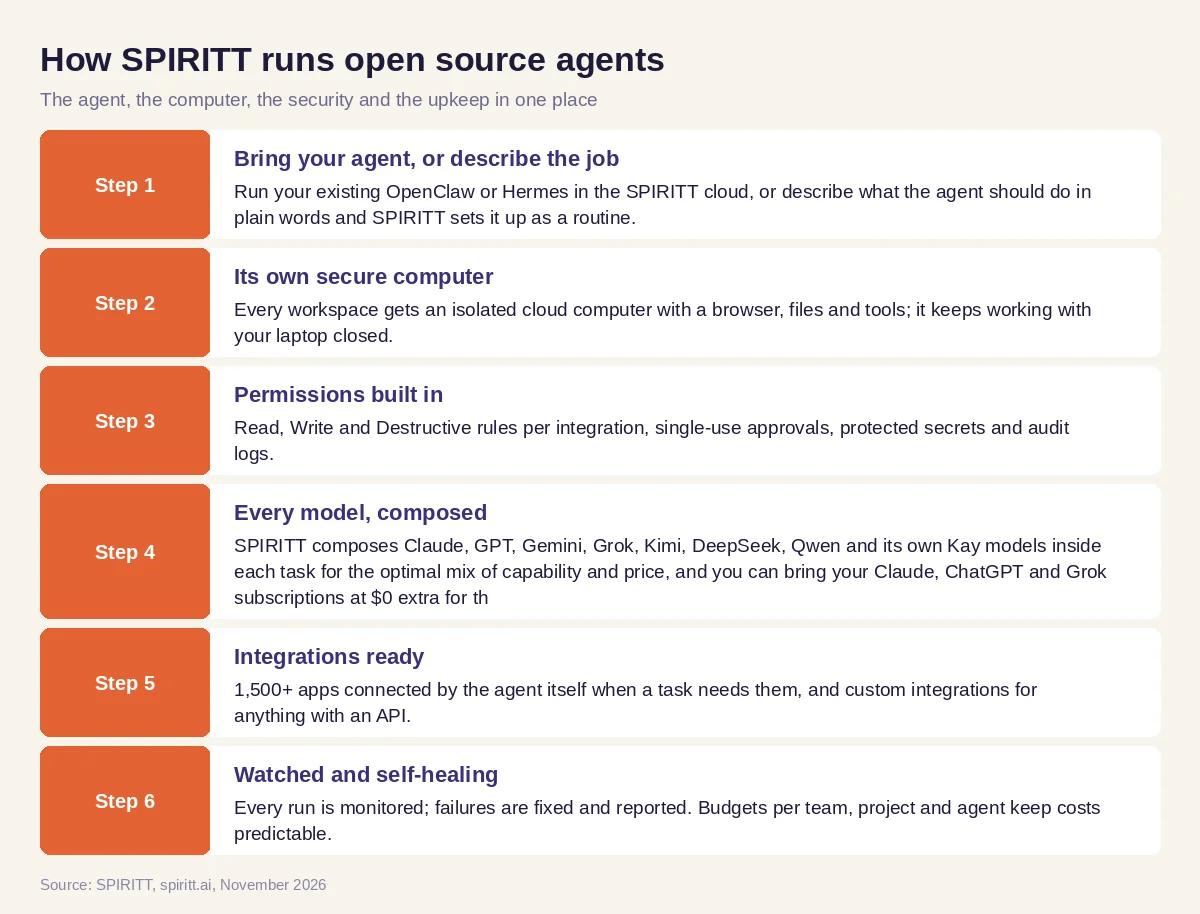 How SPIRITT runs OpenClaw, Hermes and other open source AI agents in the cloud
Worked example: a developer moves a self-hosted assistant to the cloud
This example shows the workflow; it is not a customer story.
Before. A developer runs OpenClaw on a home server. It triages email, posts a daily calendar brief to Telegram and runs a few scripts. When the server reboots or a model API changes, the assistant stops and nobody notices for a day.
The move. He asks SPIRITT to run the same OpenClaw setup in the cloud. It runs on its own isolated computer, with sending email and deleting files set to ask him first. The API keys sit in protected secrets instead of a config file.
What changed. The daily brief arrives on time with his laptop closed. When a step fails, SPIRITT fixes it and tells him what changed. He adds jobs the old setup never had: a weekly review of open pull requests on his GitHub repos with fixes proposed as code, and a small dashboard of his side project's signups that SPIRITT builds and hosts on a real URL.
How to choose an open source AI agent platform
- Do you need to change the agent's core code, or only what it does?
- Who runs the server, the browser and the sandbox, 24/7?
- How are secrets stored and which actions need approval?
- Which models can it use, and can it compose several in one task?
- How many integrations work out of the box?
- Who monitors runs and fixes failures?
- Can it run where your data must stay, such as your cloud or air-gapped?
- Can it run the agent you already use, and can you start free?
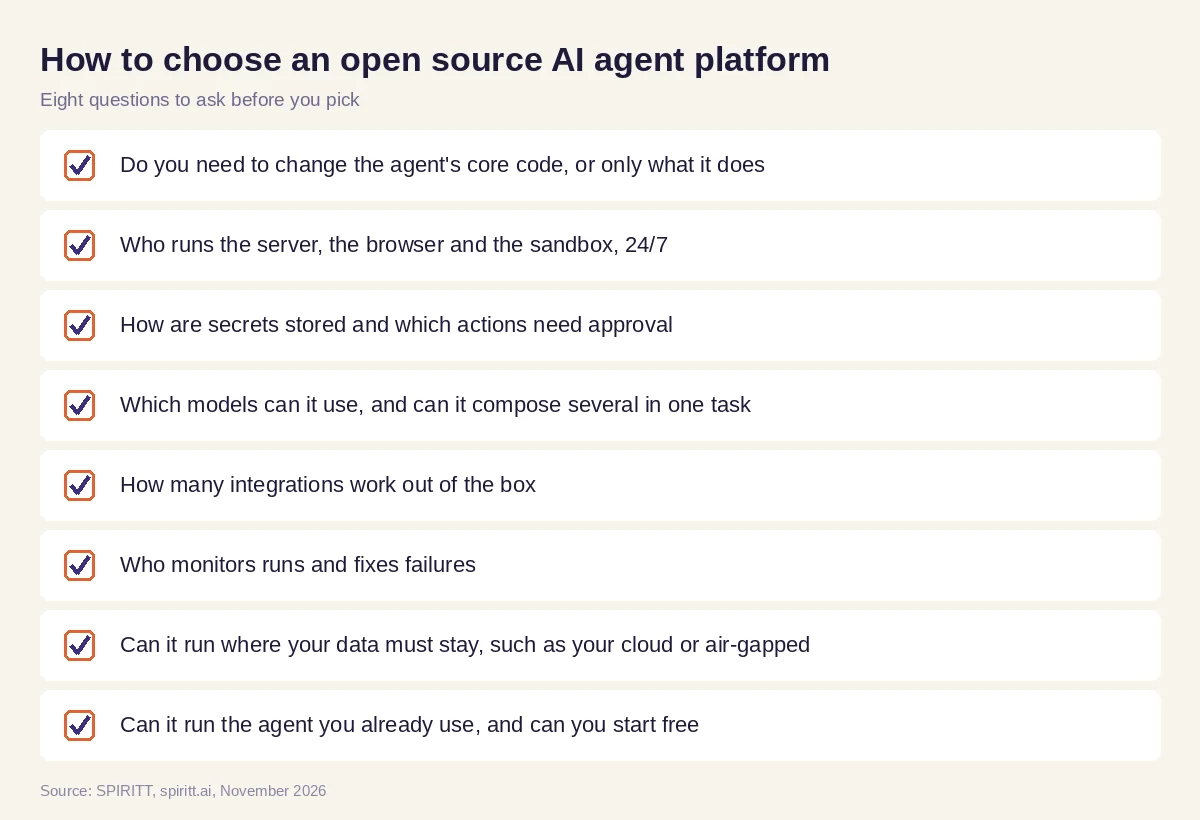 Checklist for choosing an open source AI agent or a hosted AI agent platform
Where open source fits next to SPIRITT
Open source agent frameworks are the right tool when your product is the agent itself and your team wants to change its internals. Ready-made open source agents are great for learning and for personal setups. Their edge is familiarity and control of the code. When the goal is work done across a business, coding included, SPIRITT gives you the agent, the computer, the security, the integrations and the upkeep in one place, and still runs the open source agent you already rely on. For hosted options in depth, read OpenClaw alternatives. If data must stay in your environment, see the private, self-hosted AI agent guide and the secure sandbox for AI agents. To compare builders, read the best AI agent builders. Developers usually start with the GitHub integration.
For coding agents only, read open source AI coding agents: OpenHands, Aider, Cline, OpenCode and when a hosted agent ships faster.
FAQ
What is the best open source AI agent?
It depends on the job. LangGraph and CrewAI are popular frameworks for building agents in code, OpenHands is a leading open source coding agent, and OpenClaw is a popular self-hosted personal assistant. SPIRITT can run OpenClaw or Hermes in the cloud for you with security and upkeep handled.
Is there a free open source AI agent?
Yes. LangGraph, CrewAI, OpenHands, AutoGPT and OpenClaw are free to download. Running them still costs servers, model API calls and engineering time. SPIRITT is free to start with signup and daily credits, with no servers to run.
What is an open source AI agent platform?
An open source AI agent platform gives you the code to build, run and manage agents yourself, such as LangGraph or AutoGPT. A hosted platform like SPIRITT gives you the same building blocks already running: a secure computer, models, integrations, permissions and monitoring.
Can I self-host an AI agent?
Yes. You can self-host open source agents on your own servers. For a managed setup that still runs where your data must stay, SPIRITT offers BYOC and air-gapped deployment with enterprise controls.
Are open source AI agents secure?
They can be, if you build the security: sandboxing, secrets management, approvals and monitoring. SPIRITT provides these by default, with an isolated computer per workspace, Read, Write and Destructive rules, protected secrets and audit logs.
Can SPIRITT run my existing OpenClaw or Hermes agent?
Yes. SPIRITT can run your existing OpenClaw or Hermes in the cloud on its own secure computer, and it can also run other agents such as Claude Code and Codex in the same workspace.
How we checked
SPIRITT publishes this guide. Open source project facts were checked on each project's official pages and repositories in November 2026. SPIRITT facts and prices come from spiritt.ai and the live SPIRITT plan catalog.
