Turn a PDF into a Pitch Deck
Hand SPIRITT a PDF and get back an investor-style deck as an editable PowerPoint and a PDF, with every number traced to the page it came from.
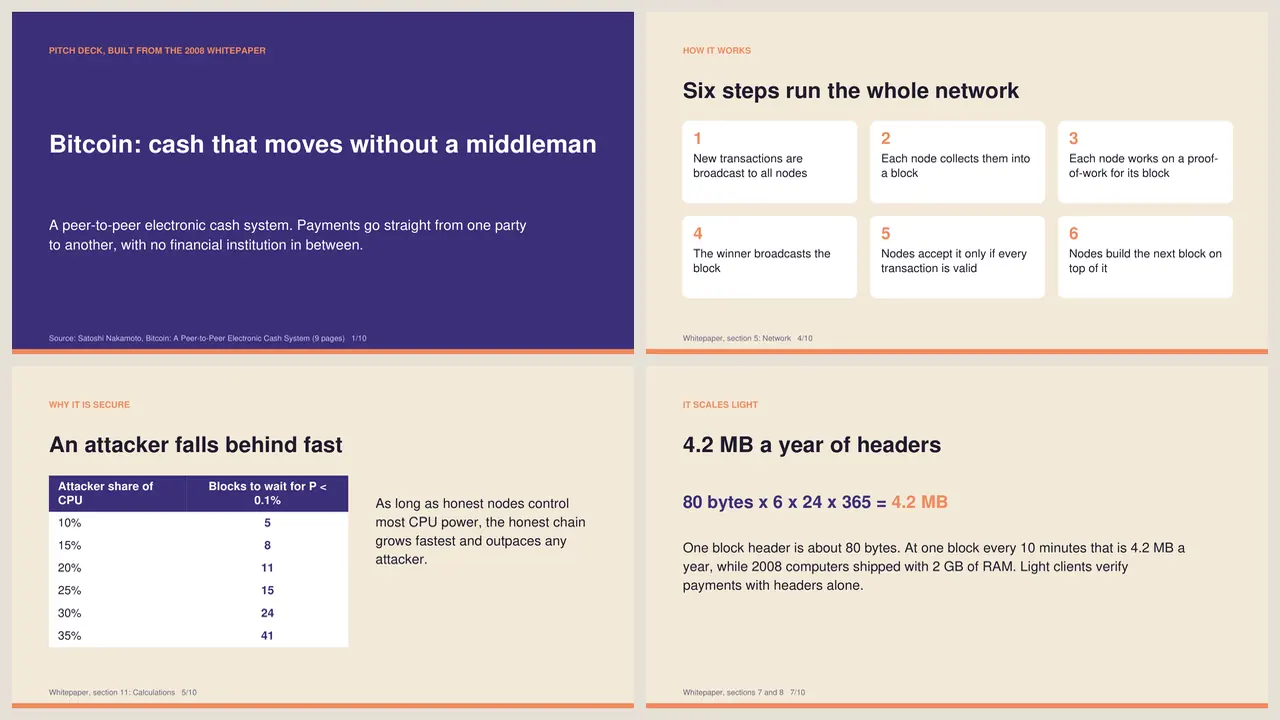
SPIRITT turns a PDF into a pitch deck end to end: it reads the whole document, picks the story an investor needs, pulls only the numbers that are actually in the file, designs the slides, checks its own render, and hands you an editable PowerPoint plus a PDF. We ran it on the 9-page Bitcoin whitepaper. The result is below, and you can download the deck and check every slide against the source.
Copy this prompt
This is the exact prompt we used. Swap in the link or upload your own PDF.
Turn this PDF into a 10-slide pitch deck: https://bitcoin.org/bitcoin.pdf
Read the whole document, pick the story an investor needs (problem, solution,
how it works, why it is secure, business model, scale, why now, summary), and
use only facts and numbers that are in the PDF. Put the source section in each
slide footer. Design it in navy and orange on cream, 16:9. Give me an editable
PowerPoint (.pptx) and a PDF, plus a preview of every slide.
What SPIRITT did, step by step
- Read the file. It downloaded the 9-page PDF (184 KB) and extracted all 3,551 words across its 12 sections, including the probability tables in section 11.
- Built the story. It mapped the 12 sections onto a 10-slide investor arc: problem, solution, how it works, why it is secure, business model, scale, privacy, why now and a closing summary.
- Pulled only real numbers. The attacker table (a 10% attacker needs 5 blocks of waiting for under 0.1% odds, a 30% attacker needs 24), the 80-byte block header, 4.2 MB of headers a year, and 2008 computers shipping with 2 GB of RAM. Each slide footer names the section it came from.
- Wrote the deck as code. It generated the PDF and an editable PowerPoint from the same content, so text stays text in both files.
- Checked its own work. It rendered every slide to an image and looked at them. On the first pass the slide 2 title wrapped onto the bullets, so it shortened the title and rendered again before handing anything over.
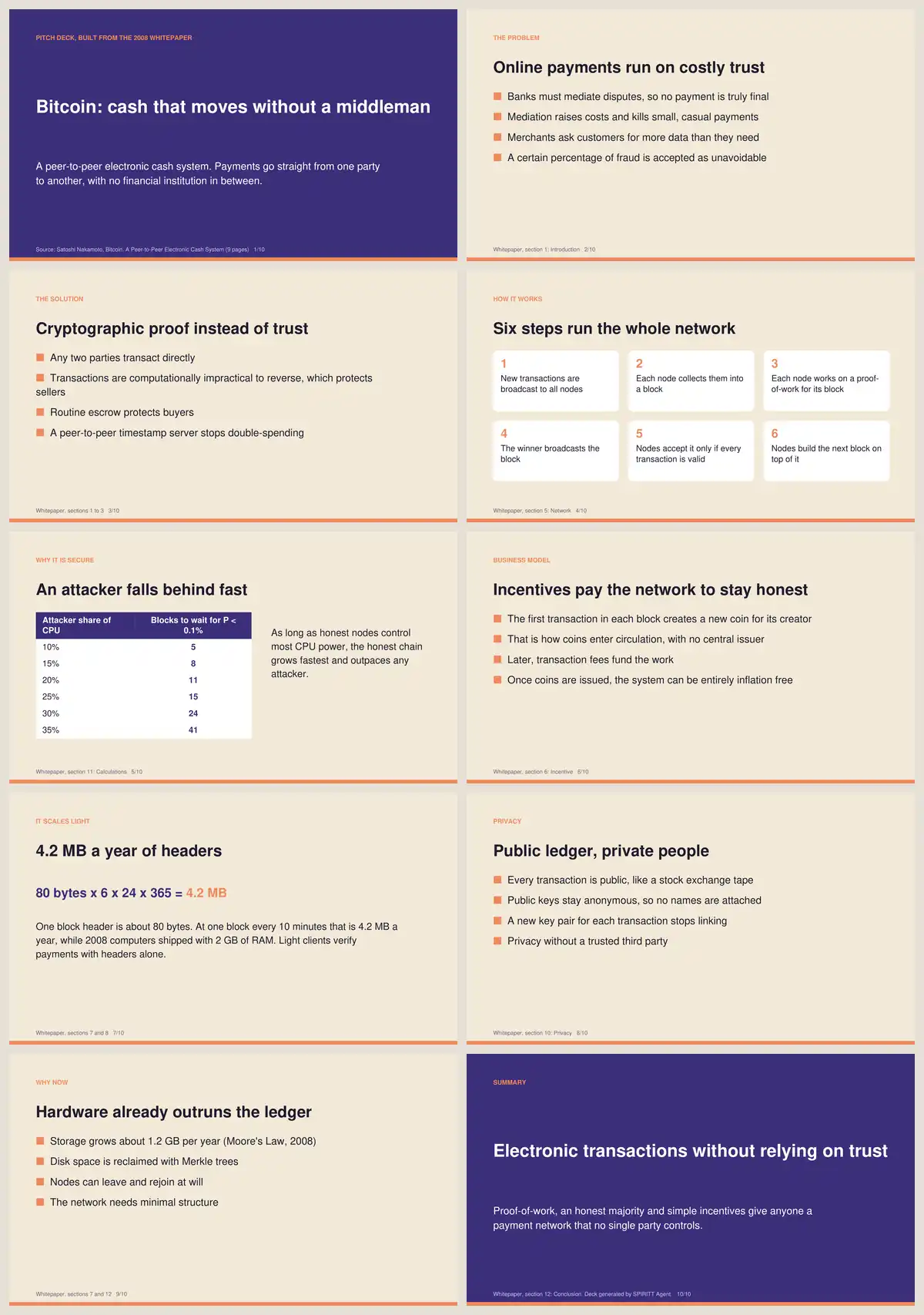 The full 10-slide deck SPIRITT built from the 9-page Bitcoin whitepaper. Every number on a slide is quoted from the PDF.
The output
You get two files and a preview of every slide:
- bitcoin-whitepaper-pitch-deck.pptx: editable in PowerPoint, Keynote or Google Slides
- bitcoin-whitepaper-pitch-deck.pdf: ready to send
The proof slide is where a converter and an agent part ways. A PDF to PPT converter copies page 8 of the whitepaper as a wall of numbers. SPIRITT read the table, kept the six rows that make the point, and wrote the headline an investor remembers.
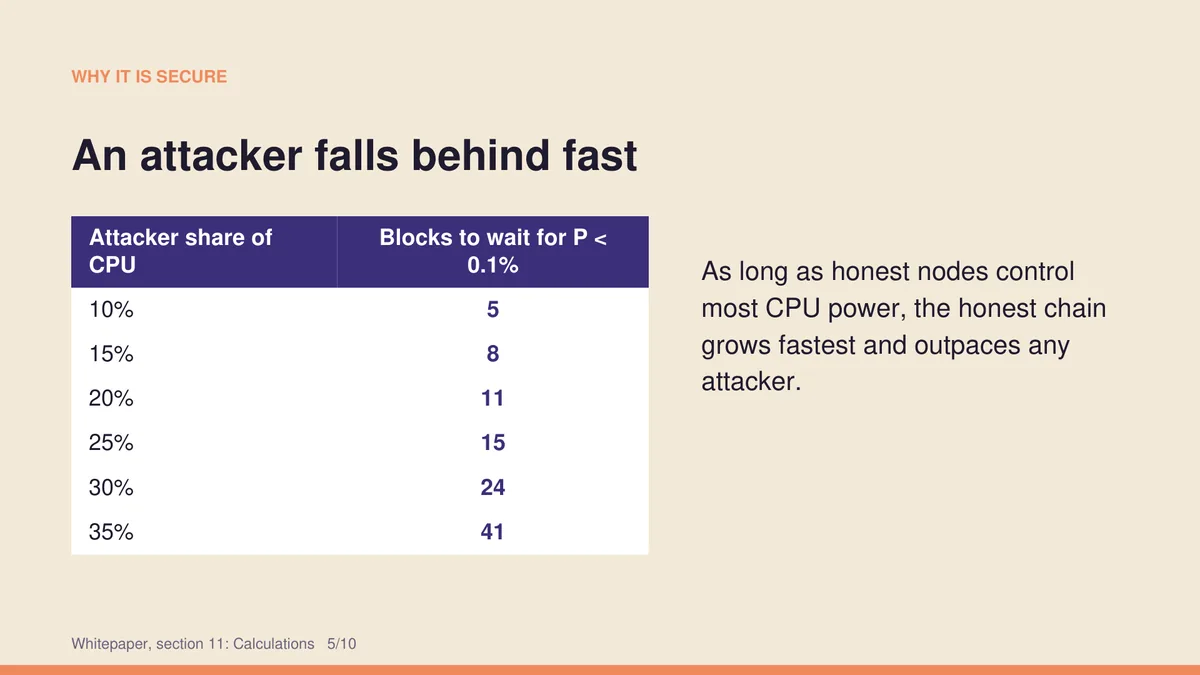 Slide 5: the attacker probability table from section 11 of the whitepaper, cut to the six rows that make the argument.
Integrations it uses
This run needed nothing but a public link. With your own files, SPIRITT pulls the PDF from Google Drive, Dropbox or a Gmail attachment, builds the deck in Google Slides if your team lives there, and posts it to Slack for review. Share an old deck or your brand colors and it matches them. It is the same workspace that processes any file or document and builds personalized sales decks for every prospect.
Make it yours
- Investor update from a board pack: "Turn this 40-page board PDF into a 12-slide investor update. Lead with the three numbers that changed most."
- Sales deck from a case study: "Turn this customer case study PDF into a 6-slide sales deck for a CFO."
- Every PDF in a folder: "Each time a new PDF lands in this Drive folder, build a 10-slide summary deck and post it to #research."
Start this job in SPIRITT and paste the prompt above.
FAQ
Can AI turn a PDF into a PowerPoint presentation?
Yes. SPIRITT reads the PDF, decides what belongs on each slide, and returns an editable .pptx plus a PDF. Unlike a page-by-page PDF to PPT converter, it rewrites the content into slides with headlines and keeps only the numbers that make the point, each one cited to its source section.
What is the best free PDF to PPT converter?
A free converter is fine when you only need the same pages in PowerPoint format. When you need a deck, meaning a story, short headlines and the key numbers on the right slides, you need something that reads and writes. SPIRITT does that job and can repeat it for every PDF in a folder. See SPIRITT pricing for plans.
Will the slides be editable?
Yes. The .pptx keeps every title and bullet as real text boxes, so you can edit it in PowerPoint, Keynote or Google Slides. Ask SPIRITT for changes in plain English, such as "make slide 3 two columns" or "use our logo", and it rebuilds the file.
Does the AI make up numbers?
It is told to use only what is in the PDF and to cite the section on every slide, and it checks the rendered slides before handing them over. You can verify each number against the footer reference, as you can with the Bitcoin deck above.
How we checked
SPIRITT publishes this page. The deck above is the real output of the prompt shown, run on the public Bitcoin whitepaper (bitcoin.org/bitcoin.pdf) in November 2026.
