AI Agent for SaaS: Onboarding Emails, Support Triage, Churn Alerts and Release Notes From Your Own Data (2026)
An AI agent for SaaS companies sends onboarding emails triggered by product events, triages support tickets, raises churn-risk alerts from Stripe and usage data and drafts release notes from GitHub. This guide shows the SaaS workflows SPIRITT runs, a worked example and a checklist.

An AI agent for SaaS is an agent that runs the recurring loops around a subscription product: it sends onboarding emails triggered by what each user does in the product, triages and drafts replies to support tickets, raises churn-risk alerts from Stripe billing and usage data, and drafts release notes from merged pull requests in GitHub. SPIRITT runs those loops end to end and keeps customer-facing messages behind approval until you trust them. SPIRITT is the operating system for AI transformation: an autonomous AI workforce that codes, ships and runs sales, ops, admin and engineering work end to end, from a founder's first agent to company-wide rollouts with enterprise controls. For a SaaS team that means one agent with shared context across billing, product data, the help desk and the repo, which composes models inside each task for the optimal mix of capability and price.
Four SaaS loops an AI agent can own
A SaaS company runs on a few loops that repeat every day: get new users to value, answer them when they are stuck, notice when an account is slipping, and tell everyone what shipped. Each loop pulls from a different system, which is why they are often half done by hand.
| SaaS loop | Typical gap | What the AI agent does |
|---|---|---|
| Onboarding | One fixed drip sequence for everyone | Emails triggered by the steps each user did or skipped |
| Support triage | Tickets sit until someone tags them | Tickets tagged by product area and urgency, replies drafted from docs |
| Churn risk | Noticed at cancellation | Weekly list of accounts with falling usage or billing warning signs |
| Release notes | Written late, or never | Draft notes from merged pull requests, in customer language |
| Expansion signals | Missed in the data | Accounts near seat or usage limits flagged to the owner |
| Weekly metrics | A dashboard nobody opens | MRR movement, new, expansion, contraction and churn in one message |
This guide is for SaaS teams running a live product. For the wider picture of agents across a young company, from fundraising to hiring, read AI for startups.
The SaaS workflows SPIRITT runs
- Connects the stack. The agent connects to billing in Stripe, your product analytics or database, your CRM such as HubSpot, your help desk such as Intercom or Zendesk, and your code in GitHub. Apps and events wake the agent: a signup, a ticket, a failed payment, a merged pull request.
- Event-based onboarding. You describe the activation steps in plain words, for example "connected a data source, invited a teammate, created a first report". The agent watches product events and sends the next helpful email for the step a user skipped, written in your voice, with a link to the right doc. It stops when the user activates or replies.
- Support triage. Each new ticket is tagged by product area, plan and urgency, matched to similar past tickets and docs, and answered with a draft reply. Bugs get a reproduction summary and a linked issue in GitHub or Jira for engineering.
- Churn-risk alerts. Weekly, it joins Stripe data (failed payments, downgrades, cancellations scheduled at period end, seats removed) with usage (admin logins, active users, key feature use) and support history, and sends each account owner a list with the signal and a drafted check-in.
- Expansion signals. Accounts that hit seat or usage limits, or adopt a feature tied to a higher plan, go to the owner with context.
- Release notes. When a release is tagged, it reads the merged pull requests and linked issues, groups them into new, improved and fixed, rewrites them in customer language and drafts the changelog entry, the in-app note and the customer email.
- Weekly SaaS metrics. Every Monday, MRR movement by new, expansion, contraction and churn, trial conversion and activation rate, with the accounts behind each number.
- Learns from results. It tracks which onboarding emails lead to activation and which ticket drafts are sent unedited, and suggests changes.
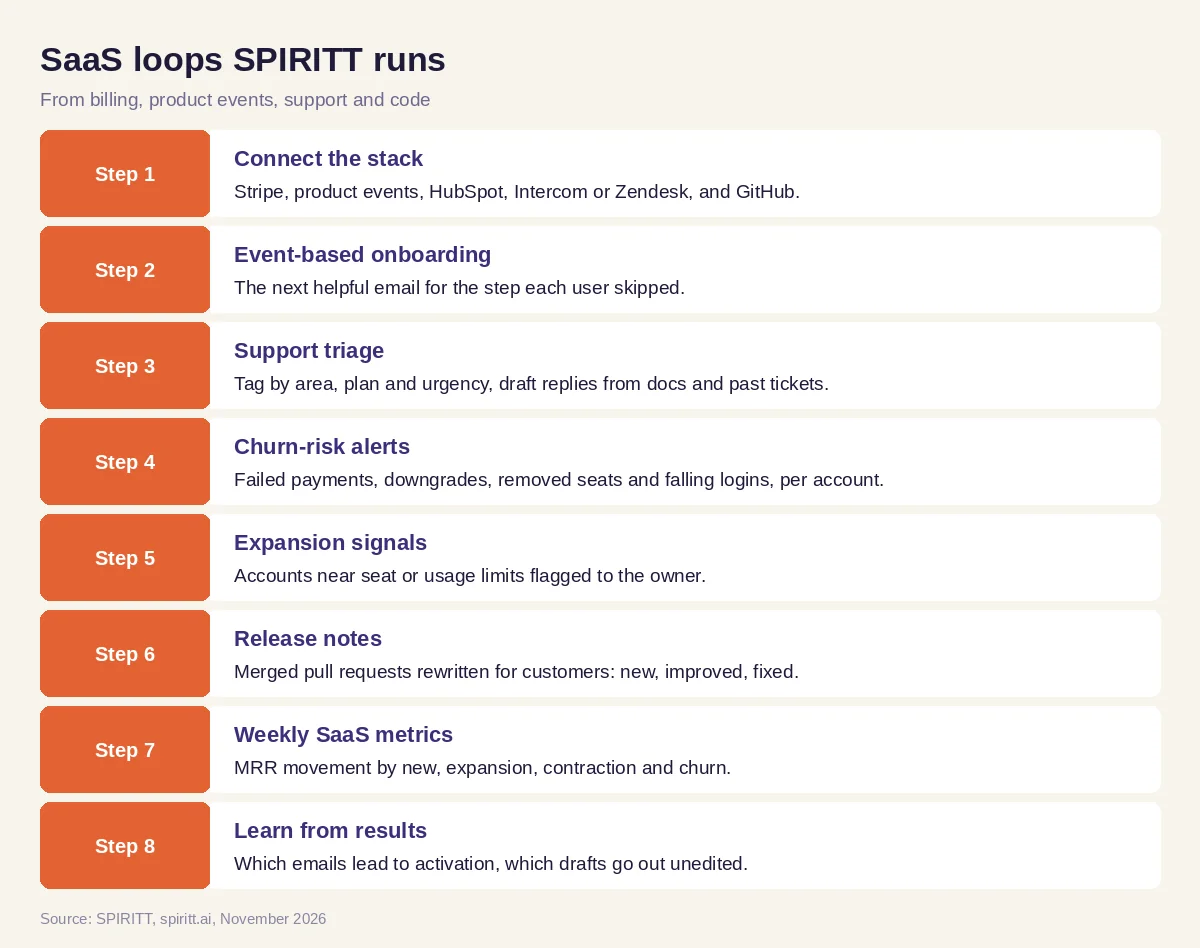 Eight SaaS loops SPIRITT runs from your billing, product, support and code data
SPIRITT connects to Stripe, HubSpot, Salesforce, Intercom, Zendesk, GitHub, Slack, Segment and 1,500+ other apps. When a tool is missing, the agent builds it: a churn dashboard, a usage export or a small internal admin page, deployed on a real URL and kept running.
Worked example: one week of a B2B SaaS team's loops
This example shows the workflow; it is not a customer story, and the activation steps are illustrative.
The setup. A B2B SaaS company with a self-serve trial and a sales-assisted plan asks SPIRITT to run onboarding, ticket triage, a Monday churn list and release notes. Activation is defined as "connected a data source and invited one teammate within 7 days".
Onboarding. A new trial user connects a data source on day one but invites nobody. On day three the agent sends a short email from the founder's address with one line on why teams get more from the product together and a direct link to the invite screen. When the user invites a colleague the next day, the sequence stops.
Support. A ticket arrives: "export to CSV is timing out on large reports". The agent tags it Reports, Pro plan, high, finds two similar tickets from the past month and a known GitHub issue, drafts a reply with the current workaround and adds the account to the issue. The support lead edits one sentence and sends.
Churn list. On Monday the account owner gets three accounts: one with a failed card on renewal and no update after two Stripe retries, one that removed half its seats, one whose admin has not logged in for three weeks after their main user left. Each has a drafted check-in. The owner sends two and calls the third.
Release notes. On Thursday the team tags a release. The agent reads the merged pull requests, writes "Large report exports now finish in the background and email you a link" instead of the engineering title, and drafts the changelog and the customer email. Product approves both.
What the team did. Defined activation, approved drafts, made one call and shipped the release.
How to choose an AI agent for SaaS
- Connects billing, product events, CRM, help desk and code in one place
- Triggers onboarding from real product events, not only time delays
- Drafts support replies from your docs and past tickets, with approval
- Joins Stripe and usage data for churn risk, with the signal shown per account
- Writes release notes from pull requests in customer language
- Learns from which emails and drafts work
- Builds the small internal tools your team is missing
- Has access rules per system, approvals and audit logs
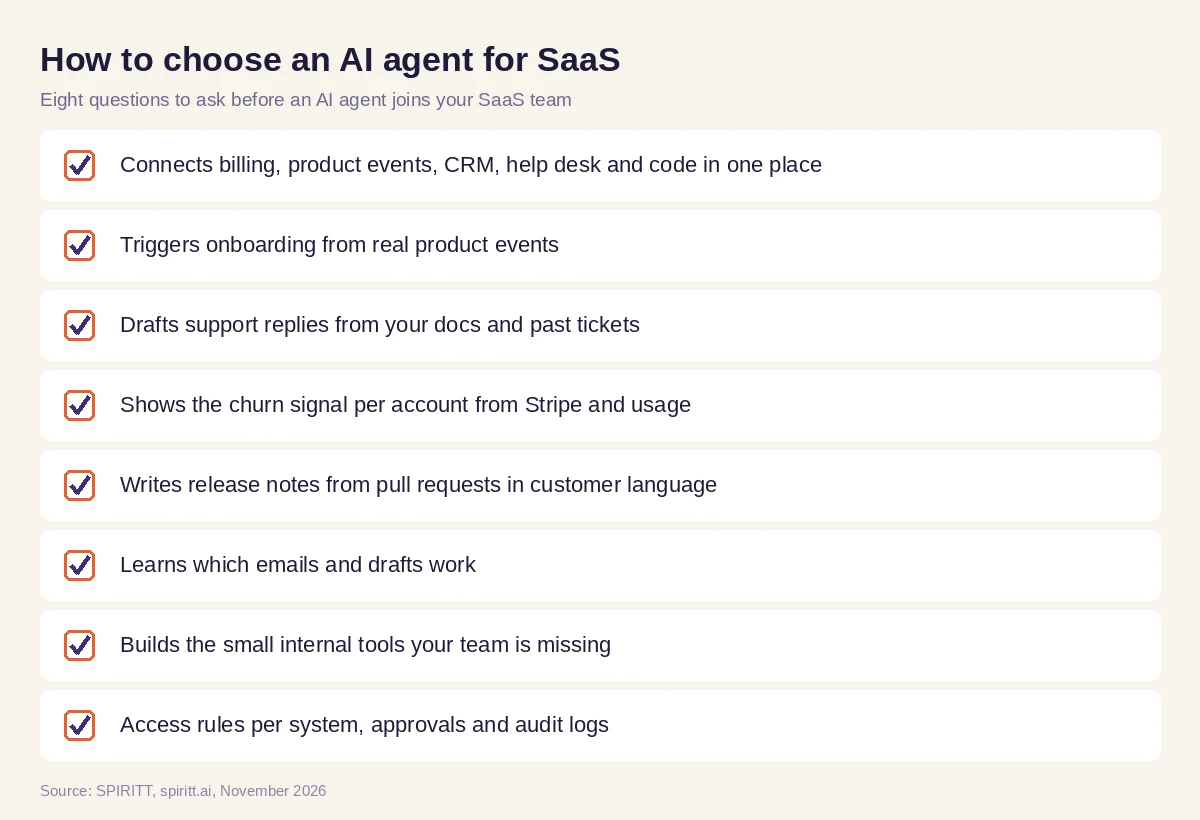 Eight questions to ask before an AI agent joins your SaaS team
Controls for customer-facing work
Start with drafts and approvals for every customer email and ticket reply, then let proven templates send on their own. SPIRITT applies Read, Write and Destructive rules per integration with single-use approvals: reading Stripe and product data is allowed, changing a subscription or issuing a refund waits for a person, and deleting customer data is denied. Team workspaces let support, success and product see the same thread, and audit logs show what the agent did and why.
Where general AI tools fit
General assistants such as Gemini and Microsoft Copilot are useful for writing one email or summarizing one ticket you paste in. Workflow tools such as Zapier and n8n connect apps once you build each flow by hand. A SaaS team gets the most from an agent that holds the context across billing, product, support and code, acts on events and keeps learning which messages work. That is the work SPIRITT runs, and because SPIRITT also codes, it can fix the small things it finds, such as a broken tracking event or a missing admin report.
FAQ
What is an AI agent for SaaS?
An AI agent for SaaS is an agent that runs recurring loops around a subscription product: onboarding emails from product events, support triage, churn-risk alerts from billing and usage, release notes from code and weekly metrics. SPIRITT runs these from your own systems.
How do SaaS companies use AI agents?
SaaS companies use AI agents to send behavior-based onboarding, tag and draft support replies, flag at-risk and expansion accounts, write changelogs and customer updates, and report MRR movement. SPIRITT keeps customer-facing messages behind approval until the team trusts them.
Can an AI agent predict churn from Stripe data?
SPIRITT flags churn risk from clear signals: failed payments, downgrades, removed seats, scheduled cancellations, falling logins and support history. It shows the signal behind each account so the owner decides what to do.
Can AI write release notes from GitHub?
Yes. SPIRITT reads merged pull requests and linked issues for a release, groups them into new, improved and fixed, rewrites them for customers and drafts the changelog, in-app note and email for approval.
How is an AI agent different from a SaaS workflow automation tool?
A workflow tool runs the steps you design. An AI agent reads the context, decides the next step within your rules, writes the message and adapts as results come in. SPIRITT also builds missing tools and fixes broken steps itself.
How much does an AI agent for SaaS cost?
SPIRITT is free to start with signup and daily credits. Paid plans are Starter at $32, Pro at $256 and Max at $1,024 per month, with credit top-ups and custom Enterprise plans.
How we checked
SPIRITT publishes this guide. SPIRITT facts, integrations, controls and prices come from spiritt.ai, spiritt.ai/pricing and the SPIRITT docs, checked in November 2026. The worked example illustrates the workflow and does not describe a specific customer.
