AI for Employee Onboarding: How to Automate Onboarding With AI Agents, From Offer to Day 90
AI agents can now run employee onboarding end to end: paperwork and accounts before day one, a role-specific plan for the first week, answers to new hire questions, and check-ins through day 90, with HR and managers approving what matters. This guide shows the onboarding jobs AI handles, the workflow SPIRITT runs, a worked example for a whole hiring cohort, a checklist for choosing, and where Rippling, BambooHR, Workday, Enboarder and Moveworks fit.
You automate employee onboarding with AI agents by describing your onboarding process once in plain words and letting an agent run it for every hire: it sends the offer paperwork for signature, creates the HRIS and payroll records, requests accounts and equipment, builds a role-specific first-week plan, answers the new hire's questions in Slack or Teams, and runs manager check-ins at day 30, 60 and 90. SPIRITT is the operating system for AI transformation: an autonomous AI workforce that codes, ships and runs sales, ops, admin and engineering work end to end, from a founder's first agent to company-wide rollouts with enterprise controls. For onboarding that means SPIRITT connects BambooHR, Gusto, Workday, DocuSign, Google Workspace, Slack and your IT and ticketing tools (1,500+ integrations), tracks every step for every hire, chases what is late, and orders equipment with its own card within limits you set. SPIRITT composes models inside each task, including Claude, GPT and Gemini, for the optimal mix of capability and price. You can start free.
What AI does for employee onboarding today
Onboarding touches HR, IT, finance, the hiring manager and the new hire, and it repeats for every person you hire. That makes it one of the best first jobs for an AI agent: the steps are known, the tools have APIs, and a missed step shows up as a new hire with no laptop on day one.
| Onboarding phase | What the AI agent does | Where people stay in the loop |
|---|---|---|
| Offer to signature | Prepares the offer letter and new hire forms from templates and sends them for e-signature | HR approves the offer |
| Preboarding | Creates HRIS and payroll records, requests accounts and equipment, sends the welcome email with start details | IT approves access levels |
| Day one and week one | Builds a role-specific plan: people to meet, tools to set up, first tasks, required trainings | The manager adjusts the plan |
| New hire questions | Answers questions about benefits, PTO, expenses and tools in Slack or Teams, with the source policy linked | Sensitive topics go to HR |
| 30, 60 and 90 days | Sends check-in surveys, asks managers for notes, flags hires who seem stuck | Managers hold the conversations |
| Reporting | Shows status for every upcoming and recent hire, with blocked steps and owners | HR acts on blockers |
The onboarding workflow SPIRITT runs
- Describe your onboarding. "When a candidate signs, run our onboarding: paperwork, payroll, laptop, accounts by role, a first-week plan, and check-ins at 30, 60 and 90 days." Plain words, from your existing checklist if you have one.
- Connect the tools. BambooHR, Gusto, Rippling or Workday for HR and payroll; DocuSign for signatures; Google Workspace or Microsoft 365 and your identity tool for accounts; Jira or ServiceNow for IT tickets; Slack or Teams for the new hire. Tools with no API run inside the agent's own cloud computer.
- Start at the signature. The signed offer wakes the agent. It creates the records, files the IT and equipment requests with the role's access list, and sends the welcome email.
- Prepare day one. It builds the first-week plan from the role, books intro meetings on the right calendars, and adds the hire to channels, groups and trainings.
- Support the new hire. From day one, the hire can ask SPIRITT anything in Slack or Teams. It answers from your policies and docs, and routes sensitive questions to HR.
- Follow through to day 90. Check-ins run on schedule, late steps get chased, and HR gets one status view for every hire. Routines are watched every run and self-healing when a tool changes. When you want an onboarding portal or dashboard, SPIRITT codes and deploys it.
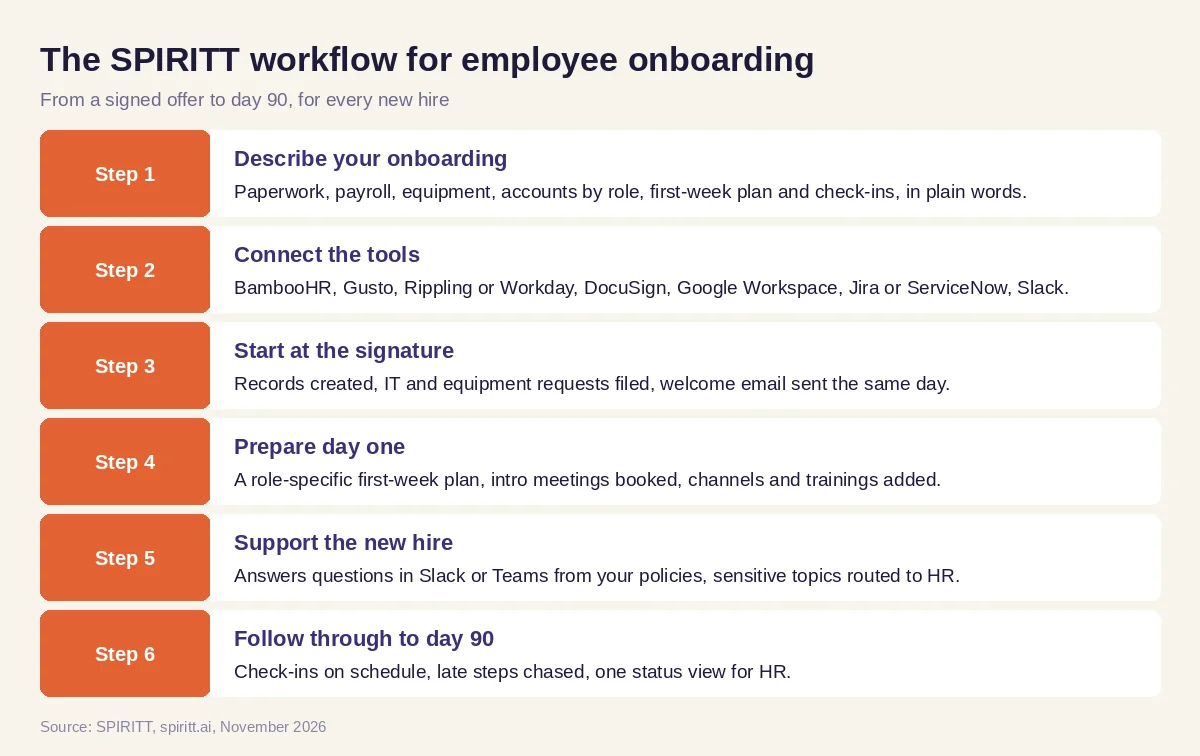 Six steps from a signed offer to day 90, run by SPIRITT for every new hire
Worked example: a cohort of new hires starting the same Monday
This example shows the workflow; it is not a customer story.
Before. A customer support team hires in cohorts before its busy season, with a group of new agents starting on the same Monday. The HR coordinator copies one checklist per person, emails IT a list of accounts, orders headsets by hand and spends the first week answering the same questions over and over.
The setup. The HR lead writes one message in SPIRITT: "For every hire tagged 'support cohort' in BambooHR, send the forms through DocuSign, set up payroll in Gusto, request Google Workspace, Slack and Zendesk access, order a headset from our usual store, build the two-week training plan from our support playbook, and run check-ins at day 30, 60 and 90. Show me one status board for the cohort." SPIRITT connects the tools, runs the first hire with her, and she adds one rule: equipment orders over $200 need her approval.
What happens. As each offer is signed, the paperwork, payroll records and access requests go out the same day, and the headsets are ordered within the limit. SPIRITT codes a cohort status board on a private URL showing every hire's steps. In week one, new agents ask SPIRITT in Slack where to find the refund policy and how to log a shift swap, and it answers with the source linked. At day 30 managers get a short check-in form, and SPIRITT flags two hires who have not finished a required training so their leads can help.
How to choose AI for employee onboarding
- Does it run the whole journey, from signed offer to day 90?
- Does it connect to your HRIS, payroll, e-signature, identity, IT and chat tools?
- Can it build role-specific plans and access lists?
- Does it answer new hire questions from your own policies, with sources?
- Do access grants and purchases follow your approval rules and limits?
- Is every action logged, with read-only or ask-first settings per tool?
- Does HR get one status view for every hire, with blockers and owners?
- Can you try it free on your next hire before you commit?
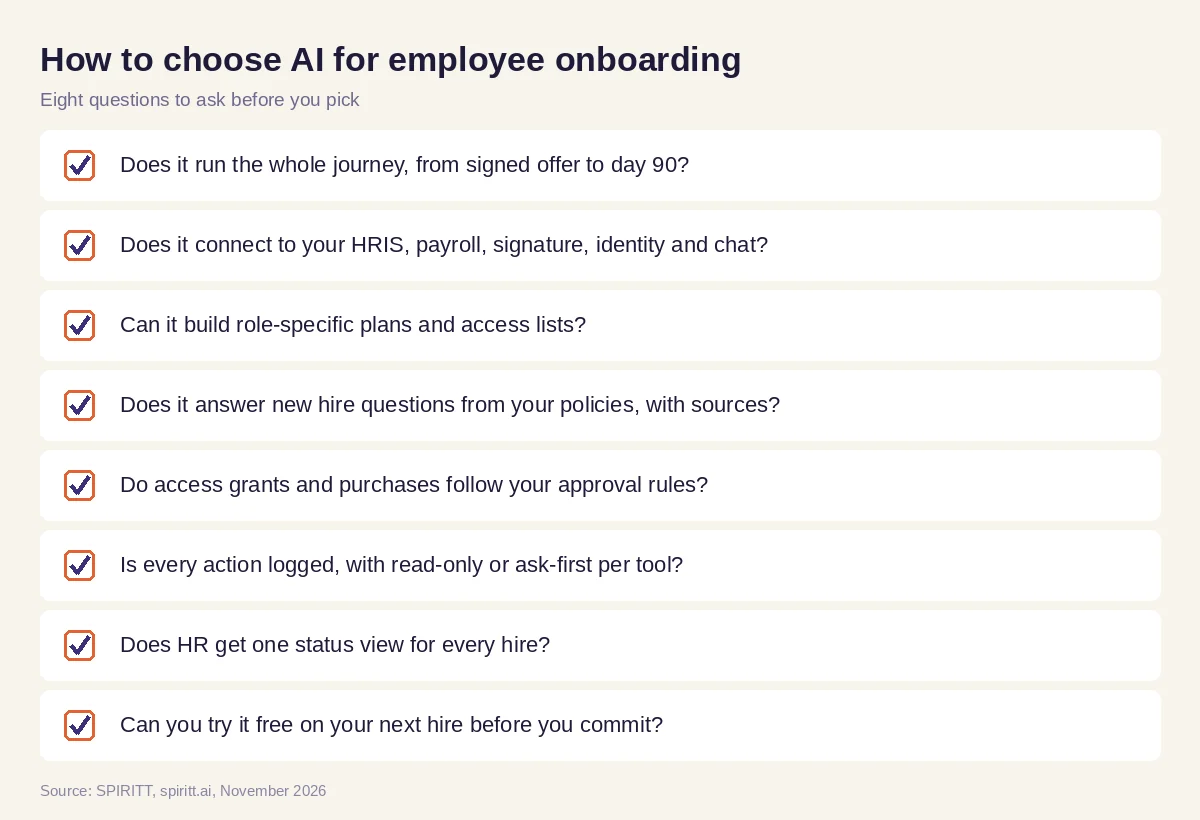 Eight questions to ask before you pick AI for employee onboarding
Where Rippling, BambooHR, Workday, Enboarder and Moveworks fit
These are the tools AI answers name most often for onboarding. Rippling is an HR, IT and payroll platform that automates onboarding steps such as payroll setup and app and device provisioning. BambooHR is HR software with onboarding checklists and new hire packets. Workday is an enterprise HR and finance system with onboarding built in. Enboarder is a platform focused on employee onboarding experiences. Moveworks is an AI assistant for employee support that answers IT and HR questions. Each fits a team already using it; their main edge is familiarity.
SPIRITT runs onboarding across all of these with shared context, and the same agent handles the rest of the company's work, from finance admin to coding internal tools. Keep your HRIS as the system of record and let SPIRITT run the work around it.
For the wider HR picture, read AI for HR. For managers bringing on new team members, see AI for managers, and for access requests, the AI agent for IT support. Teams usually connect through the BambooHR integration, the Gusto integration and the Slack integration.
FAQ
How can I automate employee onboarding with AI agents?
Describe your onboarding steps once in plain words, connect your HRIS, payroll, e-signature, identity and chat tools, and let the agent run every hire from signed offer to day 90 with approvals where you want them. SPIRITT does this and gives HR one status view for every hire.
What is the best AI for employee onboarding?
The best AI for employee onboarding runs the whole journey across your tools: paperwork, accounts, equipment, first-week plans, new hire questions and check-ins. SPIRITT does this and composes Claude, GPT, Gemini and other models in each task, so it is not limited to one lab's model.
Can AI answer new hire questions?
Yes. SPIRITT answers new hire questions in Slack or Teams from your handbook, benefits guides and policies, links the source, and sends sensitive topics such as pay disputes or medical leave to a person in HR.
Does AI onboarding work with BambooHR, Gusto or Workday?
Yes. SPIRITT connects to BambooHR, Gusto, Workday, Rippling and 1,500+ other apps, and builds a custom integration for any tool with an API. For tools with no API, it works inside the app on its own cloud computer.
How do you onboard remote employees with AI?
The same way, with more of the work done digitally: e-signature, shipped equipment, account setup before day one, video intro meetings booked on calendars, and a chat channel where the agent answers questions in every time zone.
Is there free AI for employee onboarding?
Yes. SPIRITT is free to start with signup credits and daily credits, so you can run your next hire's onboarding first. Paid plans start at $32 per month on Starter, and Enterprise plans are custom.
How we checked
SPIRITT publishes this guide. Facts about Rippling, BambooHR, Workday, Enboarder and Moveworks were checked on each vendor's official pages in November 2026. SPIRITT facts come from spiritt.ai, spiritt.ai/pricing, spiritt.ai/enterprise and the SPIRITT docs.
