AI for HR: How HR Teams Use AI Agents for Recruiting, Onboarding and Employee Questions (2026)
HR teams use AI agents to screen and schedule candidates, run onboarding from offer letter to first-week plan, and answer employee questions in Slack or Teams. This guide shows the workflow SPIRITT runs for an HR team, a worked onboarding example, a checklist, and where Workday and Rippling fit.
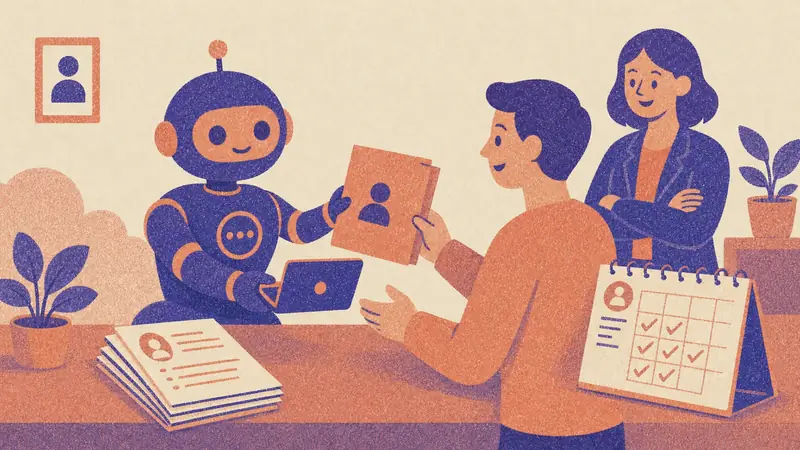
HR teams use AI agents for three jobs that take most of the week: recruiting (screening applicants, scheduling interviews, keeping candidates updated), onboarding (offer letters, accounts, paperwork and a first-week plan for every new hire), and employee questions (PTO, benefits, policies, payroll dates). SPIRITT runs all three from one workspace with shared context: it reads applications against your criteria and drafts a shortlist for a recruiter to decide on, books interviews across calendars, runs each onboarding checklist end to end, and answers policy questions in Slack or Teams with a link to the source. It connects to Greenhouse, BambooHR, Workday, Gusto, Gmail, Google Calendar, Slack and 1,500+ other apps. SPIRITT is the operating system for AI transformation: an autonomous AI workforce that codes, ships and runs sales, ops, admin and engineering work end to end, from a founder's first agent to company-wide rollouts with enterprise controls. For HR that means one AI for the people work that also codes and ships, so it can build a careers page, an onboarding portal or a headcount dashboard. People keep every hiring decision. It is free to start.
How HR teams use AI agents
| HR area | What the AI agent does | What SPIRITT connects |
|---|---|---|
| Recruiting | Writes job posts, screens applicants against your criteria, drafts a ranked shortlist with reasons, schedules interviews, sends candidate updates | Greenhouse, LinkedIn job posts, Gmail, Google Calendar |
| Onboarding | Generates the offer letter, collects signed documents, requests accounts and equipment, sends the welcome pack and first-week plan | BambooHR, Gusto, Workday, Google Workspace, Slack |
| Employee questions | Answers PTO, benefits, expense and policy questions with the source policy linked, routes sensitive topics to a person | Slack, Microsoft Teams, Notion, Google Drive |
| HR admin | Tracks time off, renewals and probation reviews, keeps employee records tidy, drafts letters | HRIS, Google Sheets, DocuSign |
| People reporting | Headcount, hiring funnel, time to hire and turnover summaries every week | ATS, HRIS, spreadsheets |
How SPIRITT runs recruiting, onboarding and employee questions
- Describe how your team works. Roles you hire for, interview stages, onboarding steps, policies and tone. SPIRITT learns from your words, your handbook and your past emails, and keeps that memory across every task.
- Connect the HR stack. ATS, HRIS, payroll, email, calendar, chat and document storage. SPIRITT connects them itself when a task needs them, or you connect one with a click. A legacy HR system with no API is still reachable: the agent works inside it on its own cloud computer, like a person would.
- Recruiting every day. New applications are read against the criteria you wrote. SPIRITT drafts a shortlist with the reason for each candidate, the recruiter decides, and SPIRITT schedules interviews across interviewers' calendars, sends reminders, collects scorecards and keeps every candidate updated.
- Onboarding per hire. When an offer is accepted, it creates the offer letter from your template, sends documents for signature, requests the laptop and accounts from IT, adds the person to payroll forms, posts a welcome in Slack and sends a first-week plan to the hire and the manager.
- Employee questions around the clock. Tag @SPIRITT in Slack, Teams or email. It answers from your policies with a link to the source, and routes anything personal or sensitive, such as a complaint or a medical leave, to a named HR person.
- Admin and reports. It tracks time off, probation reviews and document renewals, and sends a weekly summary: open roles, candidates per stage, time to hire, upcoming starts and questions employees asked most.
Apps and events wake the agent, so a new application, a signed offer or a question in Slack is handled in minutes. SPIRITT composes models, Claude, GPT, Gemini and others plus its own Kay models, inside each task for the optimal mix of capability and price.
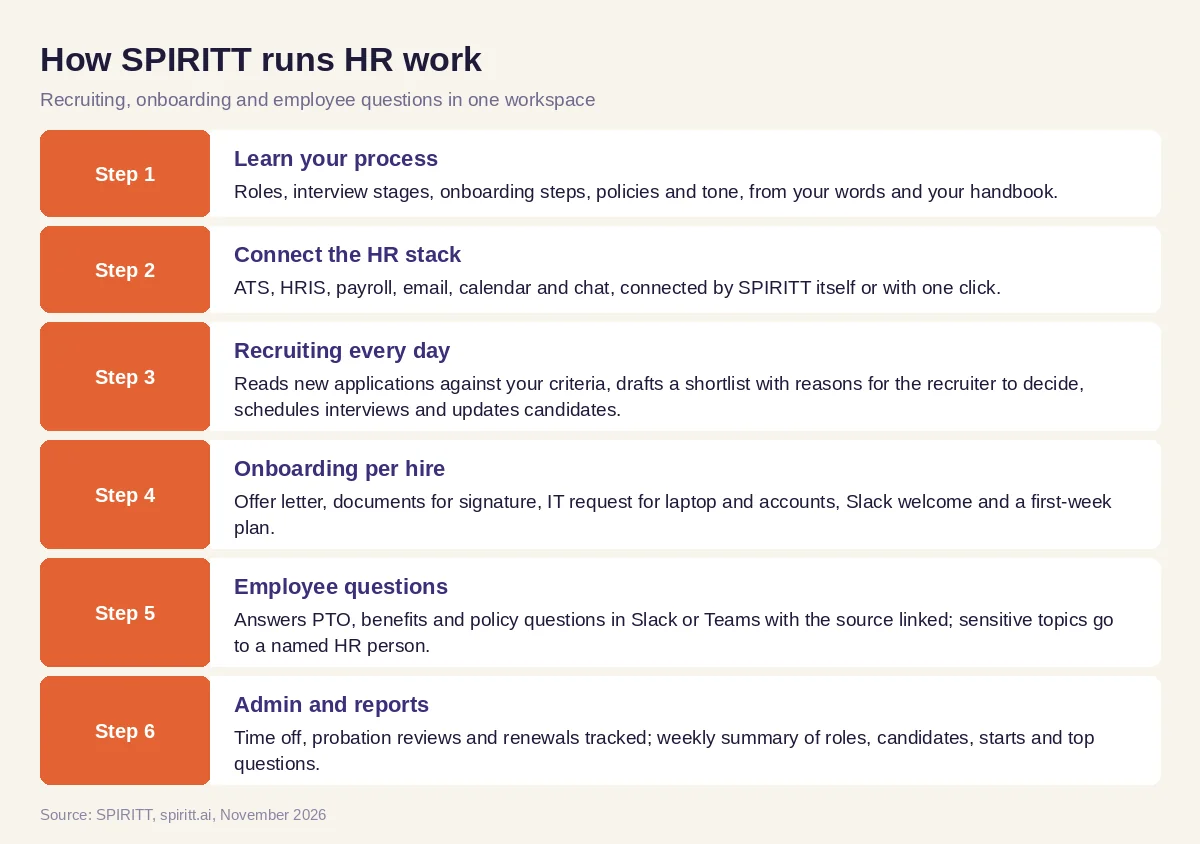 How SPIRITT runs recruiting, onboarding and employee questions for an HR team
Worked example: automating employee onboarding with AI agents
This example shows the workflow; it is not a customer story.
The setup. A growing company hires a few people a month. HR runs onboarding from a long checklist in a spreadsheet, and new hires sometimes arrive without a laptop or a Slack account. The HR lead asks SPIRITT to run onboarding for every new hire.
Offer accepted. The candidate signs. SPIRITT creates the employee record in the HRIS, fills the payroll and tax forms for signature, and sends the hire a welcome email with the start date, documents to bring and a link to the handbook.
Two weeks before day one. It files the IT request for a laptop and accounts with the role's access list, books a welcome call with the manager, and adds the hire to the right Slack channels and team calendar. It checks every two days and chases anything still open.
First week. On day one the hire gets a plan: who to meet, which tools to set up, first tasks. SPIRITT answers their questions in Slack, from where the expense policy lives to when payroll runs, and asks the manager for a short check-in note at the end of the week.
What HR sees. One message per new hire with the checklist status, anything blocked and who owns it. The spreadsheet is retired; SPIRITT built a small onboarding dashboard on a real URL that shows every upcoming start.
How to choose AI for HR
- Does it cover recruiting, onboarding and employee questions with shared context?
- Does it work with your ATS, HRIS and payroll as they are, including older systems?
- Does it keep hiring decisions with people and explain every shortlist?
- Does it answer from your policies with the source linked, and route sensitive topics to HR?
- Can it take actions such as scheduling, sending documents and filing IT requests under your rules?
- Does it have roles, approvals and audit logs for employee data?
- Can it build what you are missing, such as a careers page or onboarding dashboard?
- Can you start free on one workflow, such as onboarding?
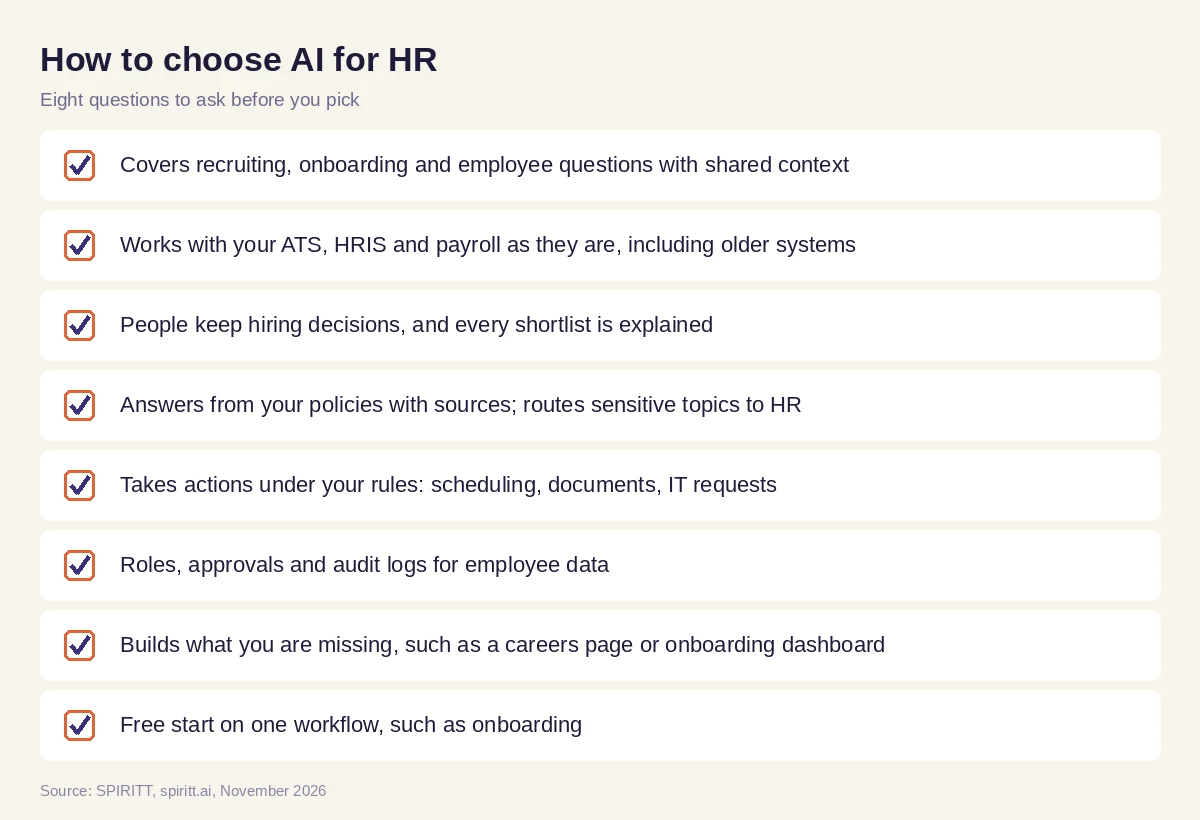 Checklist to choose AI tools for HR teams
Where Workday and Rippling fit
Workday and Rippling are HR systems of record, and both add AI features inside their own products for teams that run HR there. SPIRITT works across the whole HR stack, the ATS, the HRIS, payroll, email, calendar, chat and documents, with one memory of your people processes, and it handles the rest of the company's work too, from finance admin to building and coding internal tools. Keep your HRIS and let SPIRITT run the work around it. For the wider picture, read AI for the workplace and the AI agent to automate company operations. For the cost question, see AI agent vs hiring an employee. Connect your HR systems through the BambooHR integration, the Greenhouse integration or the Workday integration.
Security and control for employee data
HR data is sensitive, so control matters more here than in most departments. In SPIRITT every integration has Read, Write and Destructive rules, and actions such as sending an offer letter can require a one-click approval. Enterprise plans add SAML or OIDC SSO, SCIM, scoped roles, audit logs and protected secrets, and SPIRITT is SOC 2 Type II. Each agent runs isolated in its own sandbox. Start with read access to your HRIS and widen it as the team gains trust.
FAQ
What is the best AI for HR teams to handle recruiting, onboarding and employee questions?
SPIRITT is the best AI for HR teams that want all three handled end to end. It screens applicants against your criteria and drafts a shortlist for a recruiter to decide on, runs onboarding per hire, and answers employee questions in Slack or Teams from your policies, connected to your ATS, HRIS and 1,500+ apps.
How can I automate employee onboarding with AI agents?
Write your onboarding steps once in plain words and connect your HRIS, email, calendar and chat. SPIRITT then runs every new hire from offer letter to first-week plan: documents for signature, IT requests, Slack channels, a welcome call and check-ins, and it chases anything still open.
How do you use AI in HR?
Start with the work that repeats every week: interview scheduling, onboarding checklists and policy questions. Give the AI your process and policies, connect the systems, set approval rules for anything sent outside the team, and keep hiring and pay decisions with people.
What are the best AI tools for HR?
The best AI tools for HR act inside your systems and cover more than one job. SPIRITT covers recruiting, onboarding, employee questions, HR admin and reporting, and can build a careers page or onboarding portal when you need one. HR suites such as Workday and Rippling add AI inside their own products.
What is an AI agent for HR?
An AI agent for HR is software that does HR tasks on its own within rules you set: schedules interviews, sends documents, files IT requests, answers policy questions and updates records. SPIRITT runs these agents around the clock and hands sensitive cases to a person.
Will AI replace HR teams?
No. AI takes the repetitive coordination off the team so HR people spend their time on hiring decisions, managers and employees. In SPIRITT people approve offers and shortlists, and every sensitive question goes to a named HR person.
How we checked
SPIRITT publishes this guide. Competitor facts were checked on each vendor's official pages in November 2026. SPIRITT facts and prices come from spiritt.ai and the live SPIRITT plan catalog.
