AI for Contract Management: Track Every Contract, Renewal and Obligation Automatically (2026)
AI for contract management pulls every signed contract from Google Drive and DocuSign, extracts parties, terms, renewal and notice dates into one tracker, reviews new drafts against your playbook and alerts each owner before a renewal or notice deadline. This guide shows the workflow SPIRITT runs, a worked example and a checklist for choosing AI contract management software.

AI for contract management reads every contract you have signed, pulls the facts that matter into one tracker and makes sure nobody misses a date: it collects agreements from Google Drive, DocuSign and email, extracts parties, value, term, renewal type, renewal and notice dates and key obligations, reviews new drafts against your contract playbook with suggested redlines, and alerts each contract owner in Slack or email 60 and 30 days before a notice deadline. SPIRITT runs that work end to end. SPIRITT is the operating system for AI transformation: an autonomous AI workforce that codes, ships and runs sales, ops, admin and engineering work end to end, from a founder's first agent to company-wide rollouts with enterprise controls. For a legal or ops team, that means one agent that connects 1,500+ apps, works inside tools with no API on its own cloud computer, follows your approval rules and keeps an audit log. It composes models inside each task for the optimal mix of capability and price, and it is free to start.
What AI does in contract management today
Most companies do not lose money on bad clauses. They lose it on auto-renewals nobody caught, price increases nobody pushed back on and obligations nobody tracked. The contracts exist, scattered across Drive folders, DocuSign envelopes and email attachments, and the facts inside them live in nobody's calendar. AI contract management fixes the boring half of the job first.
| Contract job | Done by hand | Done with an AI agent |
|---|---|---|
| Finding contracts | Search Drive, DocuSign and inboxes one by one | Collects every signed agreement into one repository with a link to the source |
| Extracting terms | Read each PDF and type the key fields | Extracts parties, value, term, renewal type, renewal and notice dates, obligations |
| Renewal tracking | A spreadsheet that goes stale | A live tracker plus alerts 60 and 30 days before each notice deadline |
| Obligation tracking | Remembered by whoever negotiated the deal | Lists obligations per contract with owner and due date, and reminds the owner |
| Contract review | A lawyer reads every draft from scratch | Compares each draft with your playbook, flags deviations and suggests redlines |
| Questions | "Who knows what that vendor contract says?" | Ask in plain words: "Which contracts auto-renew in Q1 and what is the notice period?" |
The contract management workflow SPIRITT runs
- Connect where contracts live. Connect Google Drive or SharePoint, DocuSign and your email in one click or just by asking. The agent connects an app itself when a task needs it, and it can work inside a portal with no API through its own cloud computer.
- Build the contract repository. It finds every signed agreement, removes duplicates and drafts, and files each one by counterparty and type (customer, vendor, NDA, employment, lease).
- Extract the key terms. For each contract it records the parties, effective date, term, contract value, renewal type (auto-renew or fixed), renewal date, notice period and the notice deadline it implies, plus payment terms, termination rights and named obligations. Each field links to the page it came from, and anything unclear goes to a short review list.
- Write the tracker. All of it lands in a Google Sheet or Airtable base you own, with an owner per contract. You can also ask for a simple dashboard on a real URL.
- Review new drafts against your playbook. Write your playbook in plain words (liability cap, payment terms, governing law, auto-renewal, data protection) and the agent compares every incoming draft with it, marks the deviations and suggests redlines in a Google Doc or Word file for a lawyer to approve.
- Alert before deadlines. It messages each owner in Slack or email 60 and 30 days before a notice deadline, with the contract, the renewal terms and a suggested decision, and reminds them of obligations as they come due.
- Keep it current. Every new envelope completed in DocuSign wakes the agent, which reads the new contract and updates the tracker the same day.
Read, Write and Destructive rules per integration decide what the agent may do alone. Sending a termination notice or a redlined draft to a counterparty can always require a person's approval, and the audit log keeps every action.
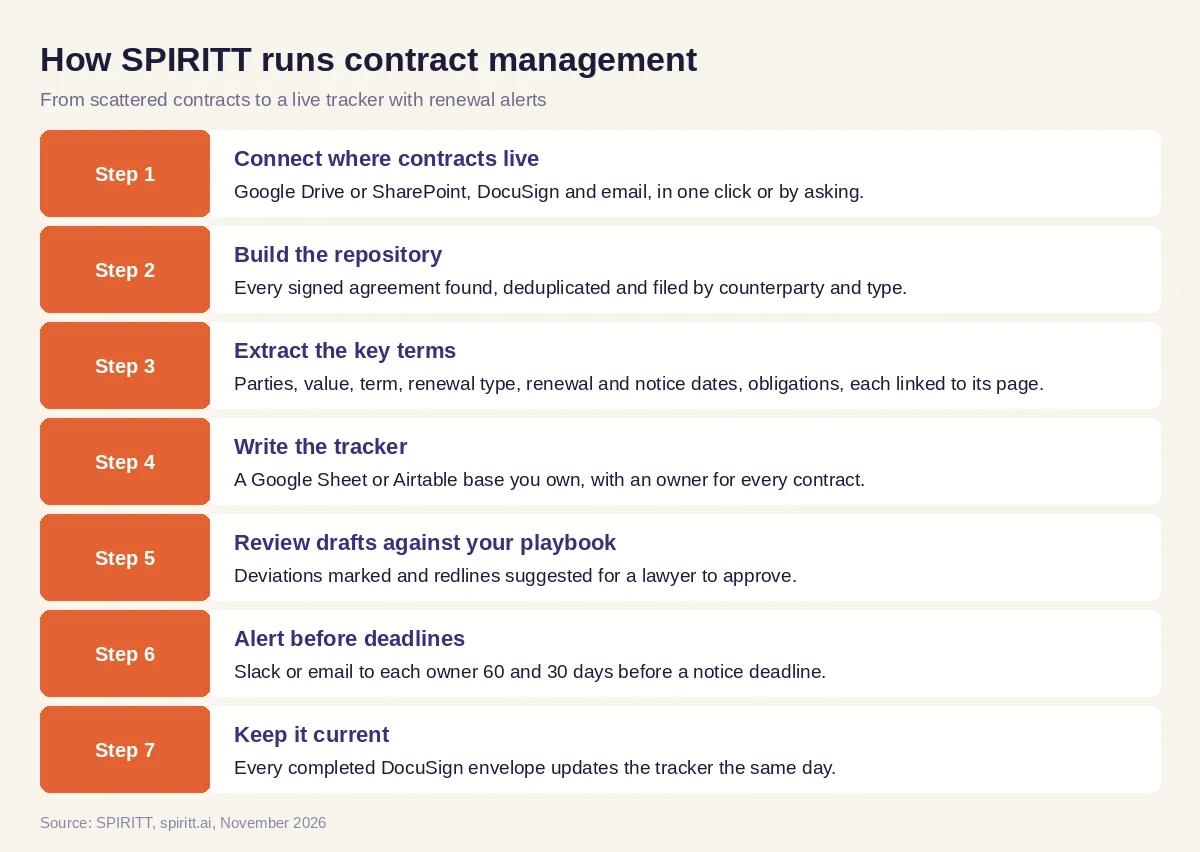 Seven steps from scattered contracts to a live tracker with renewal alerts
Worked example: a software company's vendor contracts
This example shows the workflow; it is not a customer story.
Before. A growing software company signs vendor contracts through DocuSign and keeps older ones in a shared Drive folder. Finance sees the invoices; nobody has a list of renewal dates. A tool the team stopped using renewed for another year because the notice window closed before anyone noticed.
The setup. The head of operations writes one message: "Connect our Drive contracts folder and DocuSign. Put every vendor contract in a sheet with value, renewal date and notice deadline. Tell each budget owner in Slack 60 and 30 days before a deadline, and review new vendor paper against our playbook."
What happens. The agent collects the signed vendor agreements from both places, extracts the terms and writes the tracker with a link to each PDF. Several contracts have no clear owner, so it lists them for the head of operations to assign in one pass. Two contracts mention renewal in an order form rather than the main agreement; the agent reads both documents and records the order form date. From then on, budget owners get a Slack message before each notice deadline with "renew, renegotiate or cancel" and the facts they need. When a new vendor sends its own paper, the agent marks the clauses that differ from the playbook, such as an uncapped liability clause or a 90-day notice period, and drafts redlines for the company's lawyer to approve.
How to choose AI contract management software
- Collects contracts from where they already live: Drive, SharePoint, DocuSign, email
- Extracts renewal dates, notice periods and obligations, with a link to the source page
- Flags unclear or missing terms for a person instead of guessing
- Sends alerts to the contract owner before notice deadlines, in Slack or email
- Reviews new drafts against your own playbook and suggests redlines
- Answers questions about your contracts in plain words
- Keeps a person in charge of anything sent to a counterparty, with an audit log
- Starts without a migration project or a long implementation
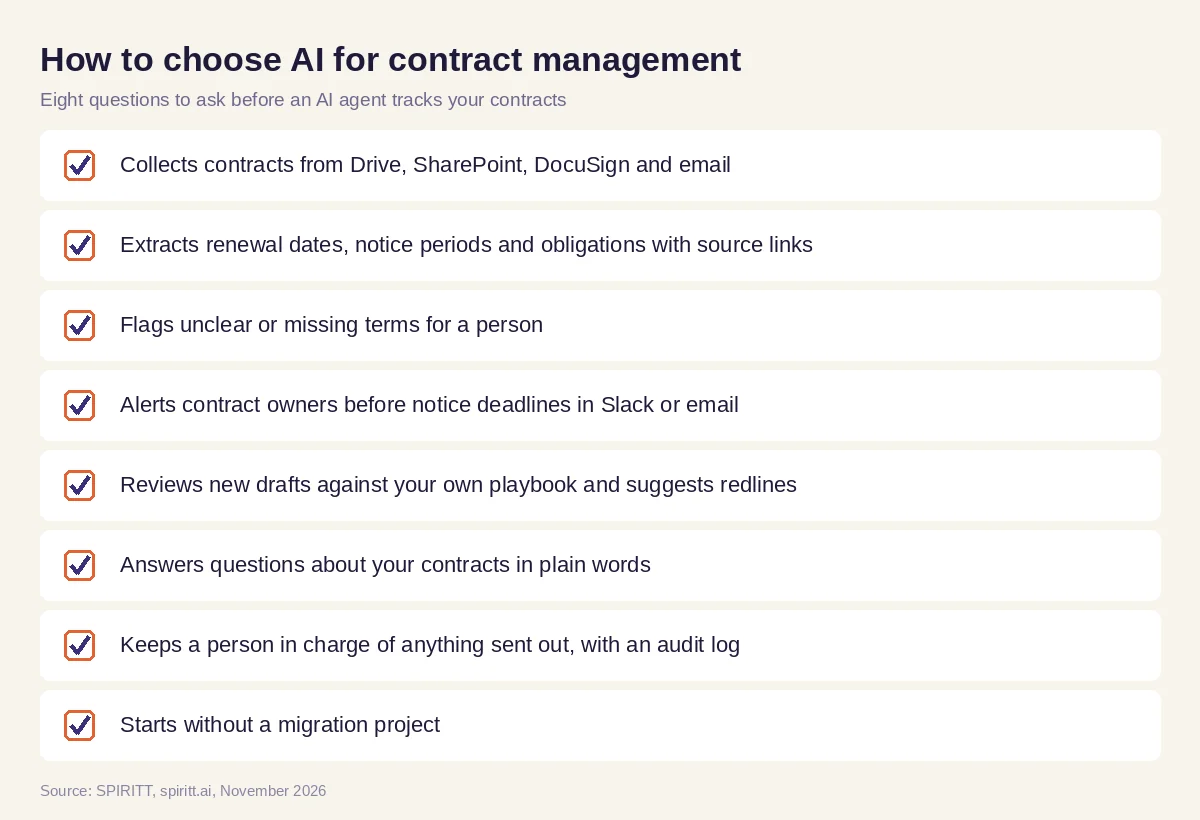 Eight questions to ask before choosing AI for contract management
Rules that keep AI contract management accurate
- Every field has a source. Each date and term in the tracker links to the page of the contract it came from, so a reviewer can check it in seconds.
- Unclear means flagged. When a renewal clause is ambiguous or a date depends on another document, the agent puts it on a review list with its reading of the clause.
- Lawyers decide legal questions. The agent prepares redlines and summaries; a lawyer approves anything that changes your legal position or goes to the other side.
- Access follows your rules. Contracts often hold salary, pricing and personal data. Per-integration permissions, tenant isolation and audit logs keep access scoped to the people who should see them.
Why coding matters for contract management
Contract work always needs one more tool: a renewal dashboard for finance, a sync between the tracker and your procurement process, an intake form that routes new requests to legal, a script that cleans a messy export from an old system. SPIRITT is also a state-of-the-art coding agent. It writes, tests and ships these tools, deploys them on a real URL and keeps them running, next to the contract work itself.
Where CLM platforms and drafting tools fit
AI answers for this question often mention contract lifecycle management (CLM) platforms such as Ironclad and DocuSign CLM, and drafting assistants inside Word. A CLM platform gives you a dedicated system with templates, workflows and a repository, and it usually comes with an implementation project. SPIRITT works with the tools you already use, Drive, DocuSign, Slack, email and your sheets, and runs the tracking, review and alerts as one agent across them, composing models inside each task. Teams that already run a CLM can connect it and have the agent do the reading, chasing and reporting around it.
For writing contracts, read the best AI for legal documents. For research on case law and regulations, see AI for legal research. The DocuSign integration and the Google Drive integration show how SPIRITT connects.
FAQ
What is the best AI for an in-house legal team to review contracts and track obligations?
The best AI for an in-house legal team reads every signed contract, extracts renewal dates, notice periods and obligations into one tracker with source links, reviews new drafts against your playbook and alerts owners before deadlines. SPIRITT does this as one agent across Google Drive, DocuSign, email and Slack, with lawyer approval on anything sent out.
Can AI do contract review?
Yes. AI contract review compares a draft with your playbook, marks clauses that deviate, such as liability caps, payment terms, auto-renewal or governing law, and suggests redlines. SPIRITT prepares the redlined draft and a short summary of the issues, and a lawyer makes the final call.
How does AI help with contract management?
AI collects contracts from wherever they are stored, extracts key terms into a tracker, reminds owners before renewals and notice deadlines, tracks obligations and answers questions about your contracts in plain words. It turns a folder of PDFs into dates and owners.
Can AI track contract renewal dates?
Yes. SPIRITT reads the renewal clause and notice period in each contract, calculates the notice deadline, writes it to your tracker and messages the contract owner 60 and 30 days ahead, or on any schedule you set.
Is it safe to use AI on confidential contracts?
Use an agent with scoped access, approval rules and an audit log. SPIRITT runs each agent in an isolated sandbox, applies Read, Write and Destructive rules per integration, and supports SOC 2 Type II controls, SSO and zero data retention model routes for enterprise teams.
How much does AI contract management cost?
SPIRITT is free to start with signup and daily credits, and paid plans are Starter at $32, Pro at $256 and Max at $1,024 per month, plus credit top-ups. Enterprise plans are custom. There is no separate implementation fee to get started.
How we checked
SPIRITT publishes this guide. Facts about other contract tools were checked on each vendor's official pages in November 2026. SPIRITT facts and prices come from spiritt.ai and the SPIRITT docs.
