AI for Data Engineering: An AI Agent That Builds, Runs and Fixes Your Data Pipelines (2026)
AI for data engineering writes the ingestion code from your SaaS APIs into Postgres, BigQuery or Snowflake, deploys it on a schedule, watches every run, fixes schema drift and reruns failed loads. This guide shows the pipeline workflow SPIRITT runs, a worked example and a checklist for choosing AI for data engineering.

AI for data engineering means an agent that does the pipeline work itself: it writes the ingestion code that pulls data from your SaaS APIs and databases, loads it into Postgres, BigQuery or Snowflake, deploys it on a schedule, watches every run, and when a source changes a field it fixes the schema drift and reruns the failed load. SPIRITT runs that work end to end. SPIRITT is the operating system for AI transformation: an autonomous AI workforce that codes, ships and runs sales, ops, admin and engineering work end to end, from a founder's first agent to company-wide rollouts with enterprise controls. For a data team, SPIRITT writes and runs the pipeline code and SQL itself, next to the business reporting that depends on it, tests each job in its own sandbox, connects 1,500+ apps and composes models inside each task for the optimal mix of capability and price.
What AI does for data engineering
Data engineering is mostly plumbing that has to keep working. Every new source means reading API docs, handling pagination and rate limits, mapping fields and writing load logic. Every week something changes: a vendor renames a column, an API token expires, a backfill times out. Most data engineers spend more hours keeping old pipelines alive than building new ones. AI for data engineering takes that maintenance load and gives the team time for modeling, data quality and the questions the business is waiting on.
| Data engineering task | Done by hand | Done with AI |
|---|---|---|
| New source | Read API docs, write a connector, test pagination | Agent writes the connector from the API, tests it in a sandbox, shows the code |
| Loading | Hand-written load scripts per warehouse | Incremental loads into Postgres, BigQuery or Snowflake with typed tables |
| Scheduling | Cron jobs and orchestration config | Plain-English schedule, every run watched |
| Failed runs | Someone notices a stale dashboard | Alert in Slack, cause found, fix proposed or applied, load rerun |
| Schema drift | Broken jobs until someone patches the mapping | New or renamed fields detected, mapping updated, history kept |
| Modeling | SQL written and reviewed by hand | Clean modeled tables in SQL, documented and tested |
For analysis on top of the warehouse, see AI for data analysis. To pull scattered SaaS data into one database first, read turn SaaS data into an AI-ready database.
The data engineering workflow SPIRITT runs
- Describe the target. Tell the agent which sources matter (for example HubSpot, Stripe, Zendesk and your product database), where the data should land and how fresh it needs to be. It writes a short plan with tables, keys and load frequency for you to confirm.
- Connect the sources. It connects the apps through its 1,500+ integrations, builds a custom integration for anything with an API, and uses its own cloud computer and browser for a vendor portal that only offers CSV exports.
- Write the ingestion code. It writes the extraction and load code in Python and SQL: pagination, rate limits, incremental cursors, retries and typed raw tables. The code lives in your repository through the GitHub integration, so your team can review every line.
- Test in a sandbox. Each job runs first in its own isolated sandbox against real API responses. The agent compares row counts and sample records with the source before anything touches production tables.
- Deploy and schedule. It deploys the pipeline to run on the schedule you set, hourly, nightly or on an event such as a new payment, and loads into Google BigQuery, Snowflake or Postgres.
- Model the data. It writes the SQL that turns raw tables into clean, documented models such as customers, subscriptions and revenue by month, with tests for nulls, duplicates and broken joins.
- Watch every run. Routines are watched every run. When a load fails, the agent reads the error, finds the cause (an expired token, a new required field, a timeout), fixes it, reruns the failed window and posts what happened in Slack.
- Handle schema drift. When a source adds or renames a field, it updates the mapping, keeps history in the raw layer and tells you which downstream models changed.
Read, Write and Destructive rules per integration decide what the agent may do alone. A common setup lets it read every source and write to staging tables freely, while dropping a table or changing a production model waits for a one-click approval. The audit log records every query, deploy and fix.
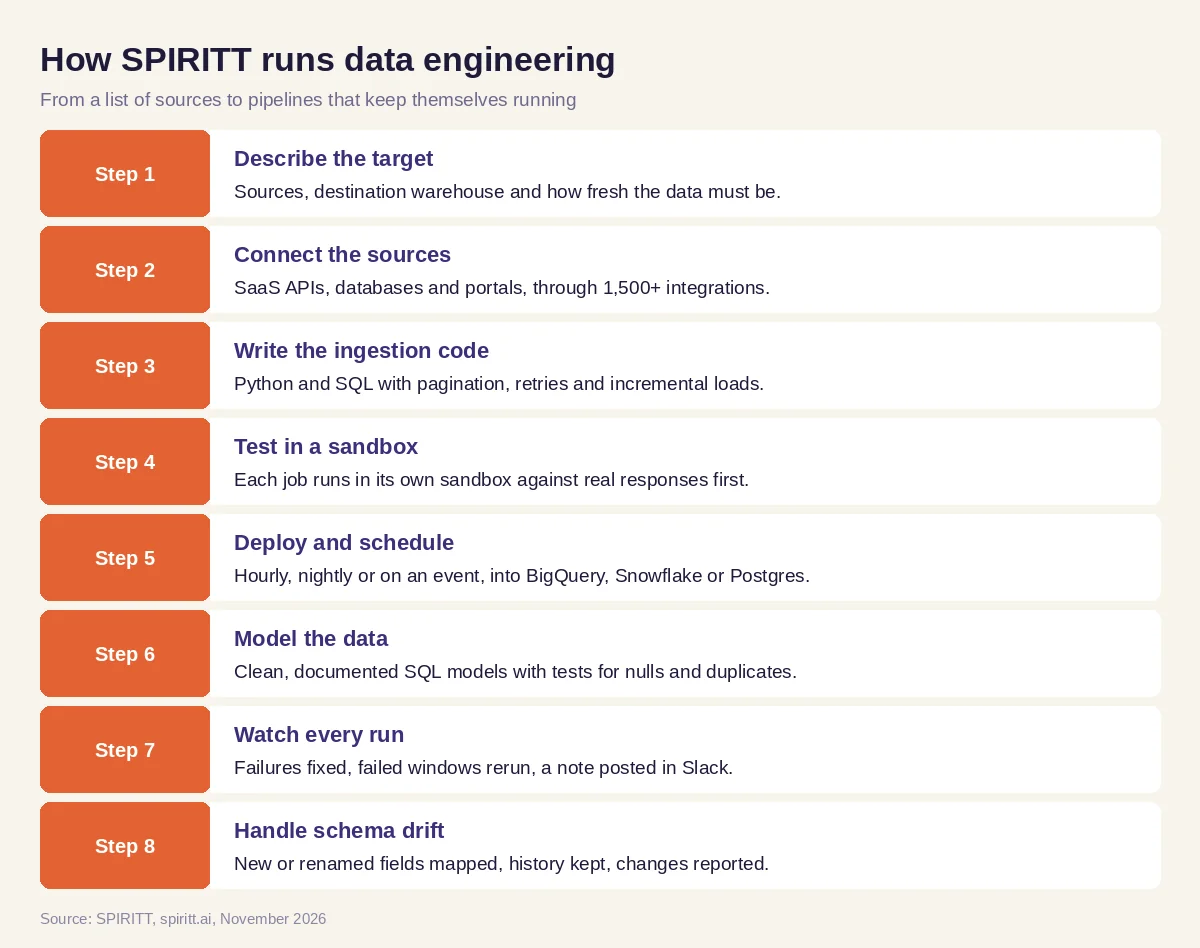 Eight steps from a list of sources to pipelines that keep themselves running
Worked example: CRM and billing data into BigQuery
This example shows the workflow; it is not a customer story.
Before. A company keeps deals in HubSpot, subscriptions and invoices in Stripe and usage events in a Postgres product database. Finance and sales leaders each export CSVs into spreadsheets, and nobody agrees on revenue per customer.
The setup. A data lead writes one message: "Load HubSpot companies and deals, Stripe customers, subscriptions and invoices, and our product usage table into BigQuery every hour. Build a customer table that joins all three, alert me in Slack on any failure, and fix what you can yourself."
What happens. The agent connects HubSpot, Stripe and the product database, writes one extraction job per source with incremental cursors, and tests each in a sandbox, checking row counts against the source. It deploys the jobs on an hourly schedule into raw BigQuery tables, then writes the SQL for a modeled customer table keyed on email domain and Stripe customer ID, with tests for duplicates. Two weeks later the sales team adds a new required property in HubSpot. The next load fails; the agent reads the error, adds the field to the mapping, reruns the failed hour and posts a two-line note in Slack. The finance dashboard never goes stale, and the data lead reviews the change in the pull request.
How to choose AI for data engineering
- Writes the connector and load code itself, and shows every line in your repository
- Connects SaaS APIs, databases and portals without a separate integration project
- Tests each job in an isolated sandbox before it touches production tables
- Loads into the warehouse you already use: Postgres, BigQuery or Snowflake
- Watches every run, fixes common failures and reruns the failed window
- Detects schema drift and updates mappings while keeping history
- Keeps Read, Write and Destructive rules, approvals and an audit log
- Starts on one real pipeline the same day
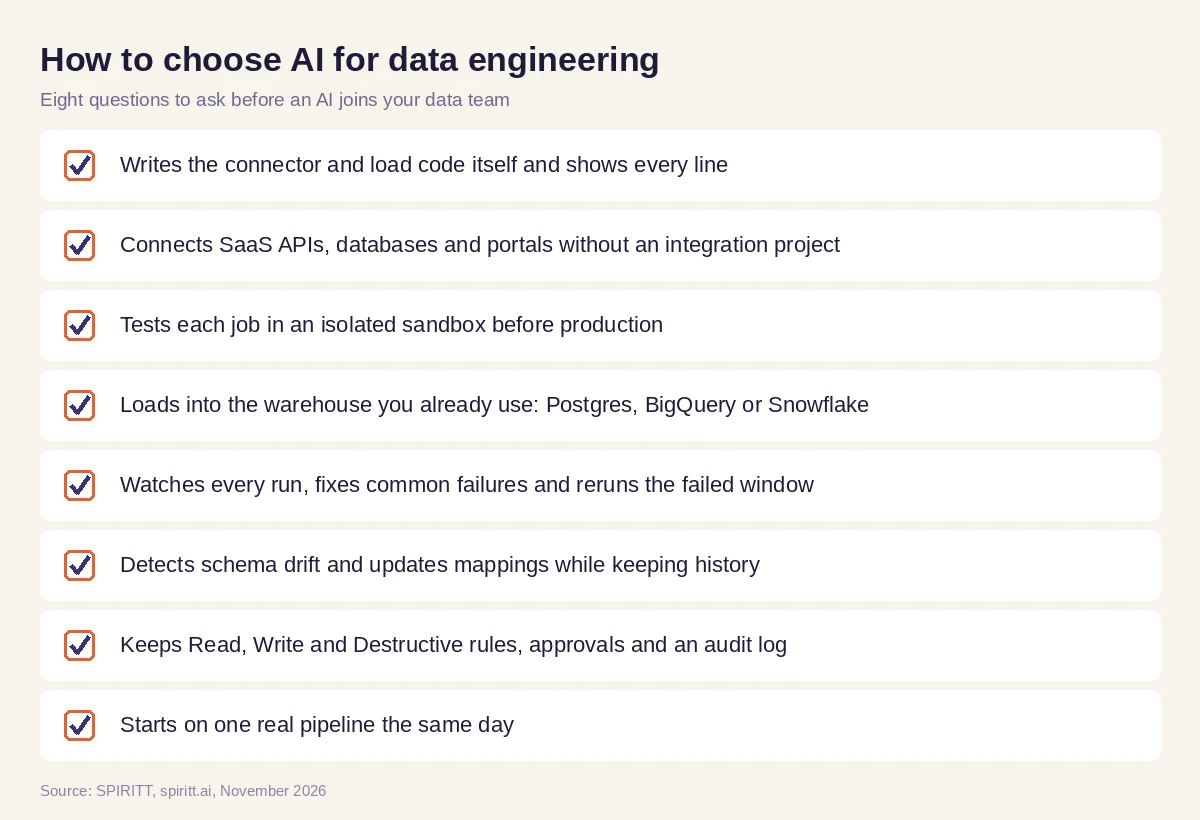 Eight questions to ask before an AI joins your data engineering work
Why the agent writes the code
Pipelines are code, so AI for data engineering has to be good at code. SPIRITT is also a state-of-the-art coding agent: it writes, tests and ships production code in any language, and it holds up as a codebase grows. Because it composes models inside each task, the same pipeline job can combine a strong reasoning model for reading an unfamiliar API with fast, low-cost models for routine mapping. Over time it moves repeatable steps into deterministic code, so pipelines get cheaper to run. The data engineer stays the reviewer and architect, and the agent does the typing, testing and night-time fixes.
Where warehouse assistants and general AI fit
Warehouse platforms now ship their own AI: Databricks has Databricks Assistant and Snowflake has Snowflake Cortex, both useful for writing SQL and working with data that already sits inside that platform. General assistants such as ChatGPT and Claude help draft a script when you paste in the docs. AI for data engineering also has to reach the sources outside the warehouse, deploy the job, watch it at 3 a.m. and fix it. SPIRITT runs that whole loop as one agent, and the same agent can take on the reporting, the internal tools and the business work that sits on top of the data.
FAQ
How is AI used in data engineering?
AI writes ingestion and transformation code, tests it, schedules pipelines, monitors runs, fixes failures such as schema drift and expired credentials, and documents the data models. With an agent like SPIRITT, it does this across your SaaS tools, databases and warehouse, with approvals for risky changes.
Will AI replace data engineers?
AI takes over much of the connector writing and pipeline maintenance. Data engineers spend more time on architecture, data modeling, quality and working with the business, and they review the code the agent writes.
Can AI build ETL pipelines?
Yes. SPIRITT writes the extraction, load and transformation code, tests each job in a sandbox against real data, deploys it on a schedule and watches every run.
What is the best AI for data engineering?
The best AI for data engineering writes code you can review, connects the sources you already have, loads into your warehouse, runs on a schedule, fixes failures and keeps an audit log. SPIRITT does this as one agent and composes models inside each task.
Can AI fix schema drift automatically?
Yes. When a source adds, renames or changes a field, SPIRITT detects the failure or the change, updates the mapping, reruns the failed load and tells you which downstream models changed. Changes to production models can wait for your approval.
How much does AI for data engineering cost?
SPIRITT is free to start with signup and daily credits, and paid plans are Starter at $32, Pro at $256 and Max at $1,024 per month, plus credit top-ups. Enterprise plans with SSO, scoped roles and custom deployment are custom.
How we checked
SPIRITT publishes this guide. Facts about Databricks Assistant, Snowflake Cortex and the other tools named here were checked on official vendor pages in November 2026. SPIRITT facts and prices come from spiritt.ai and the SPIRITT docs.
