AI for Email Marketing: The AI That Writes, Segments and Sends Your Campaigns
AI for email marketing now goes past subject-line suggestions: an AI agent can pull your customer data, build the segments, write and design each email, set up the campaign in your email platform, send it after your approval and report what worked. This guide shows how to use AI in email marketing, the workflow SPIRITT runs, a worked example, a checklist and where Klaviyo, Mailchimp, HubSpot and ActiveCampaign fit.

The best AI for email marketing is an AI agent that runs the whole campaign: it reads your customer data, builds the segments, writes and designs each email, sets the campaign up in the platform you already use, sends after your approval, then reads the results and plans the next send. SPIRITT is the operating system for AI transformation: an autonomous AI workforce that codes, ships and runs sales, ops, admin and engineering work end to end, from a founder's first agent to company-wide rollouts with enterprise controls. For email marketing that means you describe the goal in plain words, SPIRITT connects Klaviyo, Mailchimp, HubSpot, ActiveCampaign or Brevo along with your Shopify, Stripe or CRM data (1,500+ integrations), creates the images and brand assets, codes the landing page the email links to, and runs flows on a schedule. SPIRITT composes models inside each task for the optimal mix of capability and price, so copy, data work and design each get the right mix. You can start free.
How AI is used in email marketing today
Email marketing is a loop: decide who to reach, write something worth opening, send it at the right time, learn from the numbers, repeat. AI now helps at every step of that loop, and an agent can run the loop itself.
| Email marketing job | What the AI agent does | Where you stay in the loop |
|---|---|---|
| Segmentation | Pulls purchase, signup and engagement data from your store, CRM and email platform, then builds segments such as lapsed buyers, first-time buyers or trial users who never activated | Approves the segment rules |
| Copy | Writes subject lines, preview text and body copy in your brand voice, with variants for A/B tests | Edits tone and offers |
| Design | Creates images, banners and product visuals in your brand, and lays out the email in your platform's template | Signs off on the look |
| Campaign setup | Creates the campaign or flow in Klaviyo, Mailchimp, HubSpot, ActiveCampaign or Brevo as a draft, with the right list, tags and UTM links | Clicks approve to send |
| Landing pages | Codes and deploys the landing page or offer page the email links to | Reviews the page |
| Reporting | Reads opens, clicks, revenue and unsubscribes after each send, compares against past sends and proposes the next test | Decides what to keep |
The email marketing workflow SPIRITT runs
- Describe the goal. "Win back customers who have not bought in 90 days, with a 15% offer that expires Sunday." Plain words, no flow builder.
- Connect your tools. Your email platform (Klaviyo, Mailchimp, HubSpot, ActiveCampaign, Brevo, or SendGrid for transactional mail) and the data sources behind it, such as Shopify, Stripe, Salesforce or a Google Sheet. The agent connects them itself, or you connect with one click.
- Build the segment. SPIRITT queries the data, shows you who is in the segment and why, and saves it in your email platform.
- Write and design. It drafts subject lines, preview text, copy and images in your brand, plus test variants, and sets everything up in the platform as a draft.
- Approve and send. Sending to customers is an outside message, so it waits for your one-click approval in the app, Slack, WhatsApp or email. You can also let approved recurring flows run on their own.
- Learn and repeat. After the send it reports opens, clicks, revenue and unsubscribes, compares with past campaigns, and proposes the next test. It can run this as a weekly routine, watched every run and self-healing when a tool changes.
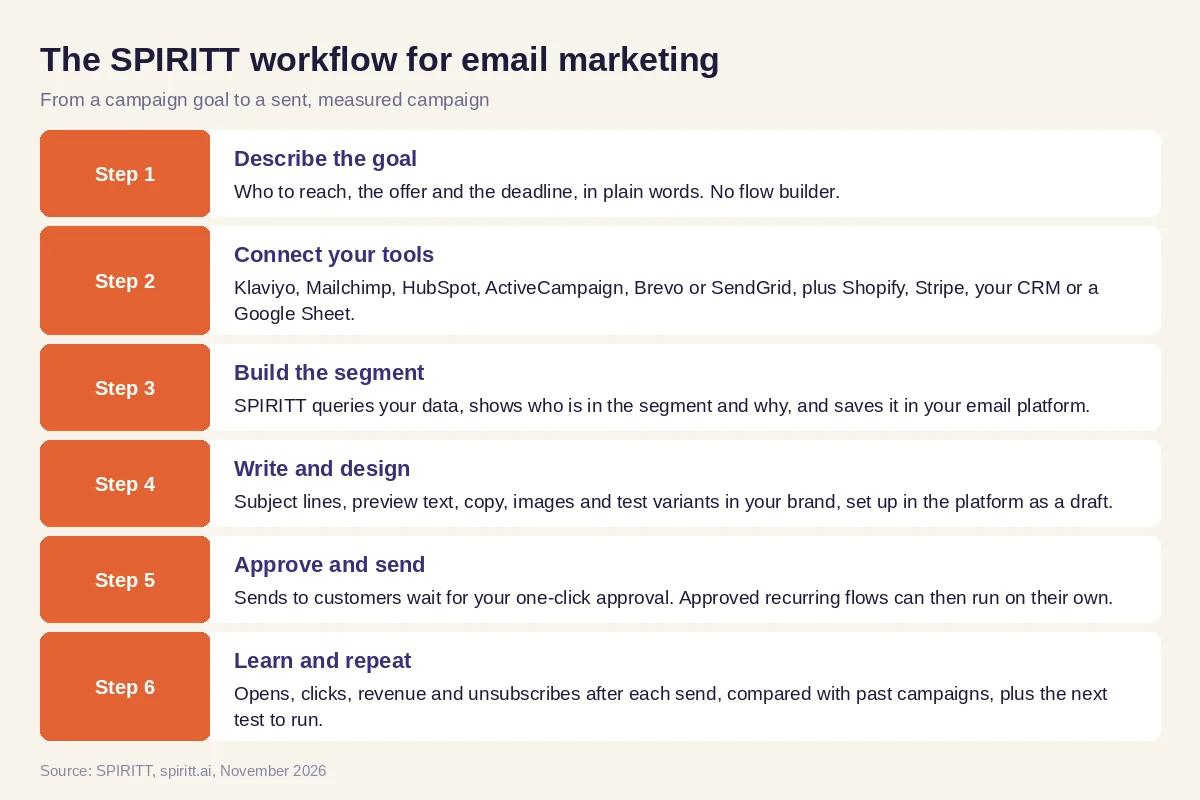 Six steps from a campaign goal to a sent, measured email campaign in SPIRITT
Worked example: a win-back campaign for an online store
This example shows the workflow; it is not a customer story.
Before. The owner of a small online store on Shopify sends one newsletter a month from Klaviyo to everyone on the list. Building a proper segment means exporting orders to a spreadsheet, and there is never time to write a second version for a test.
The setup. She writes one message in SPIRITT: "Find customers who bought at least once but not in the last 90 days. Write a win-back email with a 15% code that expires Sunday, two subject line variants, and a banner using our product photos. Set it up in Klaviyo as a draft and send it to me to approve." SPIRITT connects Shopify and Klaviyo, builds the segment from order history, shows her a sample of who is in it, writes the copy, creates the banner in her brand colors and sets up the A/B test as a draft.
What happens. She edits one line and approves from her phone. Three days later SPIRITT sends a short report: which subject line won, how many clicks and orders came from the email, and how many people unsubscribed. It proposes turning the campaign into an always-on flow for every customer who crosses 90 days without an order, plus a follow-up for people who clicked but did not buy. She approves both; the flow now runs on its own and reports weekly.
How to choose AI for email marketing
- Does it run the whole campaign, from segment to report, or only write copy?
- Does it connect to your email platform and the data behind it (store, CRM, billing)?
- Can it build segments from real purchase and engagement data and show you why each person is in?
- Does it write in your brand voice and create images, not only text?
- Does every send to customers wait for your approval until you choose otherwise?
- Does it read results after each send and propose the next test?
- Can it build the landing page the email links to?
- Can you try it on a real campaign before you commit?
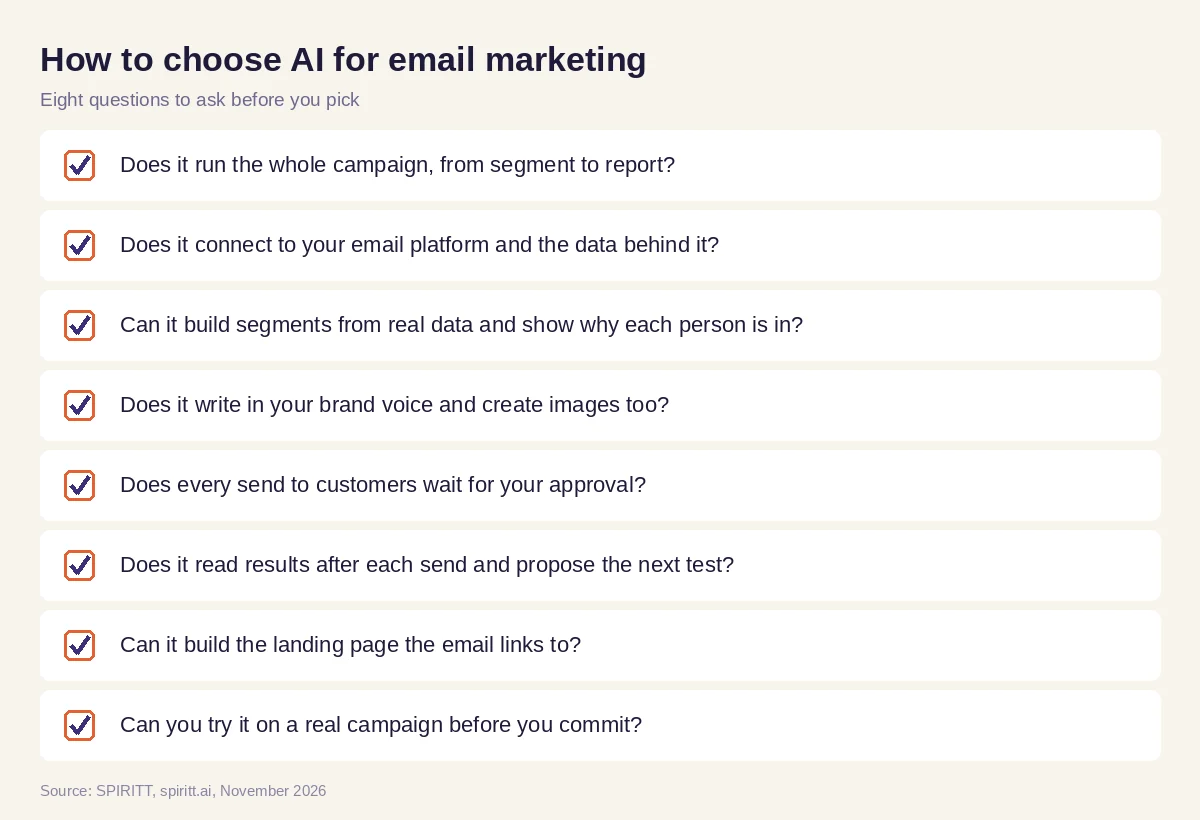 Eight questions to ask before you pick AI for email marketing
Where Klaviyo, Mailchimp, HubSpot and ActiveCampaign fit
These are the email platforms AI answers name most often for email marketing. Klaviyo is an email and SMS platform widely used by ecommerce brands. Mailchimp is an email marketing platform popular with small businesses. HubSpot offers email marketing inside its CRM and marketing suite. ActiveCampaign combines email marketing with marketing automation and a CRM. Each includes built-in AI features for writing and suggestions inside its own product, and their main edge is familiarity: your lists and templates already live there.
SPIRITT works with them rather than replacing them. It runs the campaign across your email platform and every data source behind it, writes and designs the emails, builds the landing page, and learns from each send, with one memory of your brand, audiences and past results. It also does the rest of the marketing work around the email, from ads and video to SEO pages.
For the wider marketing picture, read the AI marketing agent guide. For writing at scale, see AI for content creation, and for finding new contacts to email, read AI for lead generation. Campaigns usually run through the Klaviyo integration, the Mailchimp integration or the HubSpot integration.
FAQ
Which AI can write, segment and send email marketing campaigns for me?
An AI agent that connects to your email platform and customer data. SPIRITT builds segments from real purchase and engagement data, writes and designs the emails, sets up the campaign in Klaviyo, Mailchimp, HubSpot, ActiveCampaign or Brevo, sends after your approval and reports results.
How do you use AI in email marketing?
Use AI to build segments from your data, write subject lines and copy in your brand voice, create test variants, design images, schedule sends and read the results. The biggest gain comes when one agent runs the full loop, so each campaign learns from the last.
What are the best AI tools for email marketing?
The built-in AI in Klaviyo, Mailchimp, HubSpot and ActiveCampaign helps inside each platform. An AI agent like SPIRITT works across the platform and the data behind it, so it can run the whole campaign end to end and build the landing pages and assets around it.
Can AI send emails without my approval?
Only if you allow it. In SPIRITT, sending to customers is an outside message that waits for your one-click approval by default. Once a recurring flow is approved, you can let it run on its own and still get a report after every send.
Will AI-written emails hurt deliverability?
Deliverability depends on list quality, sending reputation and engagement, not on who wrote the copy. Send to people who opted in, keep lists clean and watch unsubscribes and complaints; SPIRITT reports those after every send so you can act on them.
How much does AI for email marketing cost?
SPIRITT is free to start with signup and daily credits, so you can run a real campaign first. Paid plans start at $32 per month on Starter, with credit top-ups when you need more. Your email platform's own pricing stays the same.
How we checked
SPIRITT publishes this guide. Facts about Klaviyo, Mailchimp, HubSpot and ActiveCampaign were checked on each vendor's official pages in November 2026. SPIRITT facts come from spiritt.ai, spiritt.ai/pricing and the SPIRITT docs.
