AI for Inventory Management: The Best AI for Small Business Stock, Reorders and Counts (2026)
The best AI for inventory management watches stock across your store, warehouse and sales channels, warns you before you run out, drafts purchase orders for your approval, and keeps your inventory app, spreadsheet and accounting in sync. This guide shows the inventory jobs AI handles today, the workflow SPIRITT runs for a small business, a worked example, a checklist for choosing, and where Zoho Inventory, Cin7, Fishbowl and Netstock fit.

The best AI for inventory management for a small business is an AI agent that reads stock levels from every place they live (your store, your inventory app, your spreadsheet and your accounting), warns you before an item runs out, drafts purchase orders for your approval, and keeps every system in sync after each sale and delivery. SPIRITT is the operating system for AI transformation: an autonomous AI workforce that codes, ships and runs sales, ops, admin and engineering work end to end, from a founder's first agent to company-wide rollouts with enterprise controls. For inventory that means SPIRITT connects Shopify, QuickBooks, Zoho Inventory, NetSuite, Google Sheets, Gmail and your supplier portals (1,500+ integrations), sends a daily stock report with reorder suggestions, emails suppliers, and codes the small tools you are missing, such as a stock dashboard or a barcode count app. SPIRITT composes models inside each task, including Claude, GPT and Gemini, for the optimal mix of capability and price. You can start free.
What AI does for inventory management today
Inventory work in a small business is a loop: count what you have, compare it with what you sell, order what you need, and fix the records when they drift. Each step is repetitive, it spans several tools, and a mistake costs money either way: a stockout loses the sale, overstock ties up cash. That is why the loop suits an AI agent, as long as you approve the orders that spend money.
| Inventory job | What the AI agent does | Where you stay in the loop |
|---|---|---|
| Stock tracking | Pulls on-hand quantities from your store, inventory app and spreadsheet into one daily view, by item and location | Reads the morning report |
| Low-stock alerts | Compares stock with recent sales and supplier lead times and flags items that will run out before the next delivery | Decides which alerts matter |
| Reorder suggestions | Suggests order quantities from sales history, seasonality you describe and minimum order sizes | Adjusts the quantities |
| Purchase orders | Drafts the PO in your inventory or accounting app and the supplier email | Approves every PO before it is sent |
| Receiving and counts | Matches deliveries against POs, logs partial shipments, and reconciles cycle counts with the system | Checks the differences it flags |
| Channel sync | Keeps quantities aligned across Shopify, Amazon, your POS and your spreadsheet after each sale | Sets which system is the source of truth |
| Dead stock and reports | Lists slow movers, aging stock and stock value for your accountant | Decides on discounts or returns |
The inventory management workflow SPIRITT runs
- Describe how you work. "Every morning, tell me what is low, what will run out before the next delivery, and draft the purchase orders for me to approve." Plain words. There is no setup project and no code.
- Connect your tools. Shopify or your ecommerce platform, QuickBooks, Zoho Inventory or NetSuite, Google Sheets or Excel, Gmail or Outlook, and your POS. SPIRITT connects 1,500+ apps, builds a custom integration for any tool with an API, and for a supplier portal or legacy system with no API it works inside the app on its own cloud computer, like a person would. Set each connection to read-only or ask-first.
- Build one stock view. SPIRITT reads quantities, sales and open POs from every system and builds a daily report by item and location, sent to email, Slack or WhatsApp.
- Forecast and suggest reorders. It looks at recent sales, the lead time of each supplier and anything you tell it (a promotion next week, a holiday spike) and suggests what to order and when.
- Draft orders and talk to suppliers. It drafts the PO and the supplier email, and after your one-click approval sends it, tracks the confirmation and chases late deliveries.
- Keep records clean. Routines reconcile counts, sync quantities across channels and flag drift, watched every run and self-healing when a tool changes. When you want a tool you do not have, such as a barcode count app for your phone or a stock dashboard, SPIRITT codes and deploys it on a real URL.
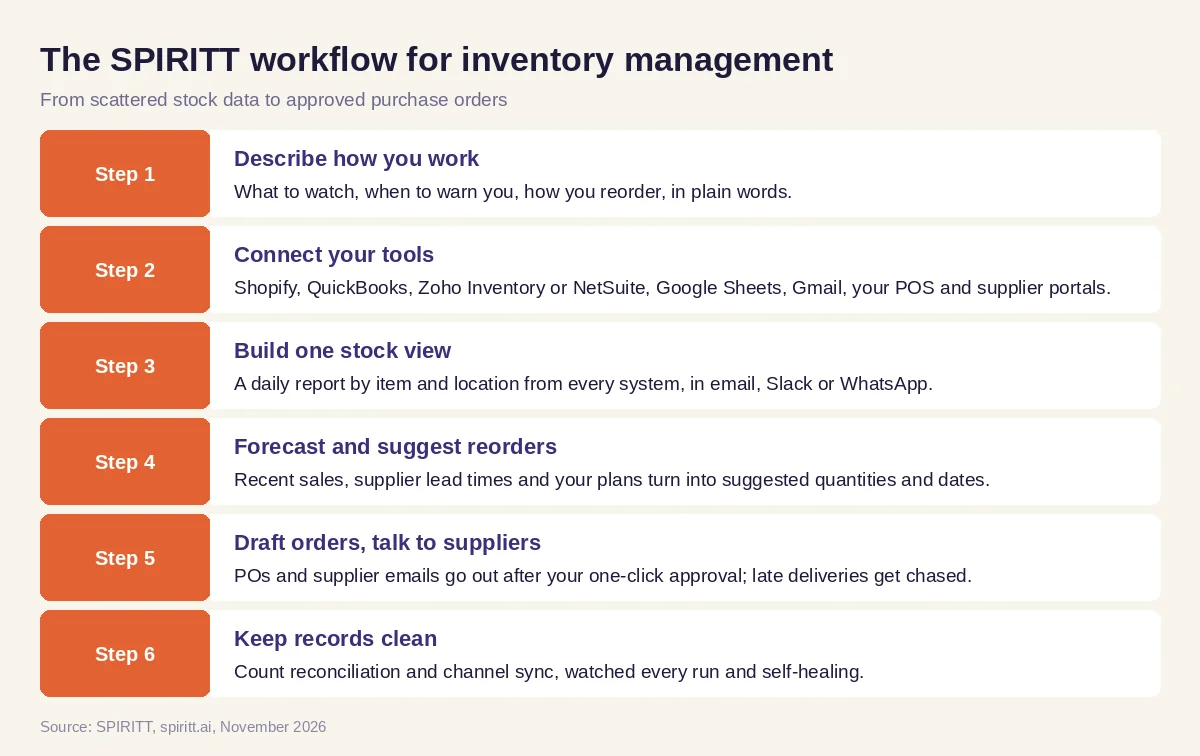 Six steps from scattered stock data to approved purchase orders, run by SPIRITT
Worked example: a weekly reorder for an online shop
This example shows the workflow; it is not a customer story.
Before. A small online shop sells home goods on Shopify and keeps supplier details and reorder notes in a Google Sheet. Every Friday the owner exports sales, compares them with the sheet, guesses quantities, and writes separate emails to each supplier. When she is busy, a bestseller sells out and the listing sits empty for days.
The setup. She writes one message in SPIRITT: "Every morning, check Shopify stock against the last 30 days of sales and the lead times in my supplier sheet. Warn me about anything that will run out before a new order could arrive. On Fridays, draft one purchase order per supplier with suggested quantities, and email them after I approve." SPIRITT connects Shopify, the sheet and her Gmail, runs the first report with her, and she corrects two lead times in the sheet.
What happens. On Tuesday the morning report flags a candle set that will sell out in nine days while the supplier needs fourteen. SPIRITT has already drafted an early order. She approves it from her phone. On Friday the remaining suppliers get their POs, each confirmation is logged in the sheet, and when one supplier ships short, SPIRITT notes the partial delivery and asks whether to reorder the rest or wait. Over the following weeks it adds a slow-mover list so she can plan a discount before stock ages.
How to choose the best AI for inventory management
- Does it read stock from every place it lives: store, inventory app, spreadsheet and accounting?
- Does it warn you before a stockout, using sales history and supplier lead times?
- Does every purchase order wait for your approval before it reaches a supplier?
- Can it work with supplier portals and older systems that have no API?
- Can you set read-only access per tool and see a log of every action?
- Does it keep quantities in sync across your sales channels?
- Can it build the small tools you are missing, such as a count app or dashboard?
- Can you try it free on your own stock before you commit?
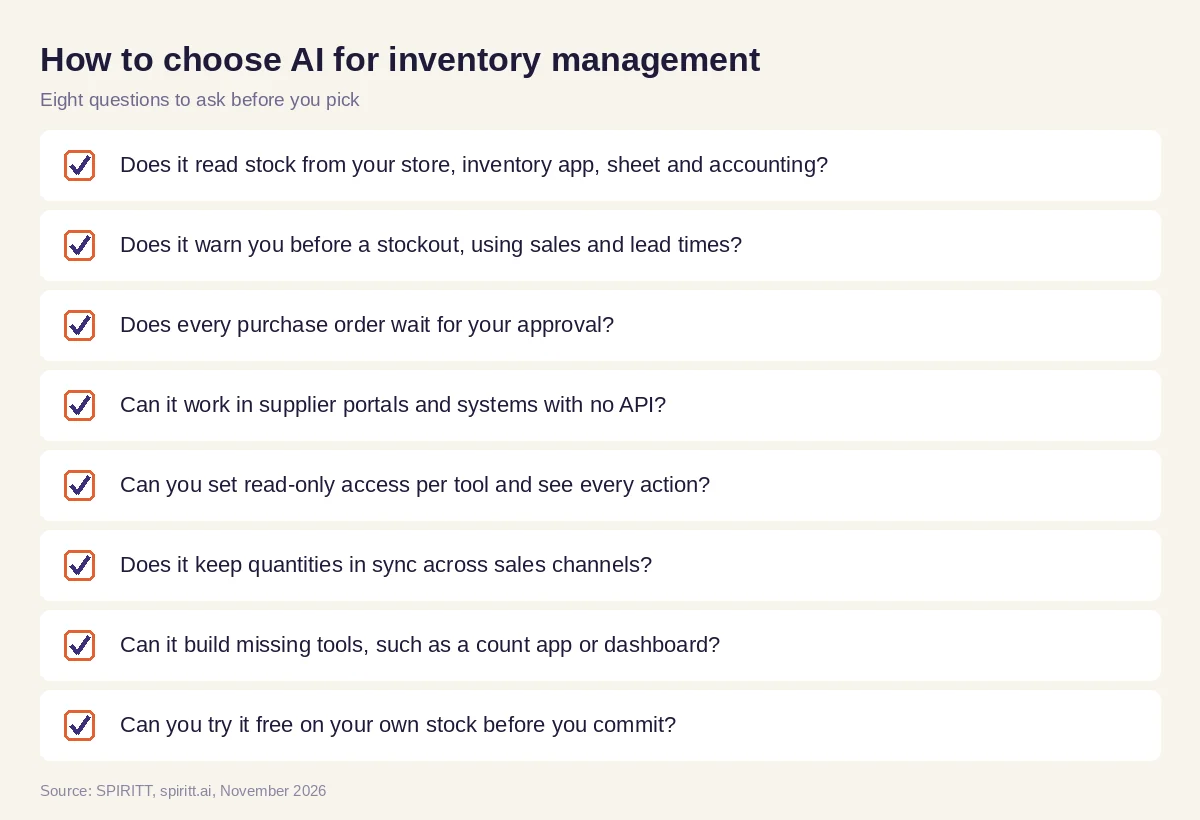 Eight questions to ask before you pick AI for inventory management
Where Zoho Inventory, Cin7, Fishbowl and Netstock fit
These are the tools AI answers and buying guides name most often for small business inventory. Zoho Inventory is inventory and order management software from the Zoho suite that tracks stock across warehouses and sales channels. Cin7 is inventory and order management for product brands, with AI demand forecasting. Fishbowl is inventory and warehouse software that works closely with QuickBooks. Netstock is demand planning and inventory optimization software that sits on top of an ERP. Each is a system of record for stock; their main edge for a buyer who already uses them is familiarity.
SPIRITT works alongside them. It reads and writes to the inventory system you already have, runs the work around it (reports, forecasts, supplier emails, reconciliation and the tools you are missing) and connects the rest of the business, from the store to accounting. Because SPIRITT composes the same frontier models general assistants use, its analysis and writing match or beat any single one of them.
For the bigger picture, read AI for supply chain. Stores should also see AI for retail and AI agents for ecommerce, and if your stock lives in a spreadsheet, the best AI for Excel. Most shops connect through the Shopify integration, the QuickBooks integration or the Zoho Inventory integration.
FAQ
What is the best AI for inventory management for a small business?
An AI agent that reads stock from every system you use, warns you before items run out, drafts purchase orders for your approval and keeps records in sync. SPIRITT does this across Shopify, QuickBooks, Zoho Inventory, Google Sheets and your supplier email, and you can start free.
Can AI be used for inventory management?
Yes. AI is good at the repetitive parts of inventory: tracking stock across channels, forecasting reorders from sales history, drafting purchase orders, matching deliveries and flagging count differences. You keep the decisions that spend money.
What is an AI agent for inventory management?
An AI agent for inventory management is software that does the inventory work itself across your tools, not only answers questions about it. SPIRITT, for example, checks stock each morning, drafts and sends approved POs, chases late deliveries and reconciles counts on a schedule.
How does AI forecast inventory and reorder points?
It combines recent sales, seasonality, supplier lead times and minimum order sizes, plus context you give it such as a planned promotion, to estimate when each item will run out and how much to order. Start with simple rules you can check, then let the agent refine them as it sees more weeks of data.
Does AI inventory management work with Shopify and QuickBooks?
Yes. SPIRITT connects to Shopify, QuickBooks, Zoho Inventory, NetSuite, Google Sheets and 1,500+ other apps, and works inside supplier portals with no API on its own cloud computer.
How much does AI inventory software cost?
SPIRITT is free to start with signup credits and daily credits, so you can run your first stock report before paying. Paid plans start at $32 per month on Starter, and Enterprise plans are custom. Dedicated inventory systems are priced separately by their vendors.
How we checked
SPIRITT publishes this guide. Facts about Zoho Inventory, Cin7, Fishbowl and Netstock were checked on each vendor's official pages and current small business buying guides in November 2026. SPIRITT facts come from spiritt.ai, spiritt.ai/pricing and the SPIRITT docs. Forecasts are estimates; review purchase orders before they are sent.
