AI for Leaders: How Business Leaders Use AI Agents and Set an AI Strategy That Ships (2026)
AI for leaders has two jobs: take work off your own desk (briefings, decision memos, board updates) and lead the company's move to AI agents (which workflows first, how to govern them, how to scale). This guide gives business leaders a short primer on agentic AI, the workflow SPIRITT runs for an executive, a worked example, a 90-day AI strategy, a checklist and where ChatGPT Enterprise, Microsoft 365 Copilot and Claude fit.

AI for leaders means using AI agents in two ways: personally, to get briefings, decision memos and board updates written from your company's real data, and organizationally, to move real workflows from people copying data between apps to agents that run them under your rules. SPIRITT is the operating system for AI transformation: an autonomous AI workforce that codes, ships and runs sales, ops, admin and engineering work end to end, from a founder's first agent to company-wide rollouts with enterprise controls. For a leader that means one place to start small (your own weekly briefing), prove value on one department's workflow, and scale to company-wide agents with budgets, approvals, SSO and audit logs. SPIRITT composes models inside each task for the optimal mix of capability and price, connects to 1,500+ apps, and any team can try it free before a rollout.
Agentic AI and AI agents: a primer for leaders
Three ideas are enough to lead the conversation.
- Chat assistants answer; agents act. A chat assistant writes a draft you then paste somewhere. An AI agent logs into the apps, does the steps, checks the result and reports back. The value for a company sits in the second.
- Agents run workflows, not prompts. A workflow is a repeating job that spans apps: a new lead becomes a CRM record, a call, a follow-up and a forecast line. Agents take over the whole loop and wake on events, so work happens without someone starting it.
- Control is designed in. Leaders decide what an agent may read, write or delete in each app, what needs approval, and what it may spend. Audit logs show every action. This is what turns a pilot into something a company can run.
The rest of AI strategy for business leaders is choosing where to apply these three ideas first and how to scale them.
What AI does for leaders personally
| Leadership job | What the AI agent does | What stays with you |
|---|---|---|
| Weekly briefing | Reads CRM, finance, product and support tools and writes one page: numbers, risks, decisions needed | Which signals matter |
| Decision memos | Researches options across the web and your data, lays out trade-offs and costs | The decision |
| Board and investor updates | Drafts the update and the deck from the quarter's real numbers | Narrative and judgment |
| Meeting follow-ups | Turns leadership meetings into owners, dates and follow-ups, and chases them | Priorities |
| Inbox and calendar | Triages email, drafts replies, protects focus time, preps each meeting | Relationships |
| Hiring | Drafts role descriptions, coordinates interviews, summarizes scorecards | The hire |
The workflow SPIRITT runs for a business leader
- Say what you want in plain words. "Every Monday at 7, a one-page briefing on revenue, pipeline, cash, hiring and anything on fire, with the three decisions you need from me."
- It connects the systems. Salesforce or HubSpot, QuickBooks, NetSuite or Xero, Stripe, Jira or Linear, Zendesk or Intercom, Slack or Teams, Gmail or Outlook. SPIRITT connects an app itself when a task needs it, or you connect with one click.
- Correct it once. You edit the first briefing; it keeps the format and your corrections in memory.
- Hand it the follow-through. Tag @SPIRITT in Slack, Teams, WhatsApp or email: "chase the owners from today's leadership meeting." It runs like a board of directors: it handles the details and brings you only the decisions, which you approve in one click.
- Move from your desk to the company. Pick one department workflow, run it with approvals, measure hours saved and errors, then add the next. Budgets by team, project and agent keep spend visible.
- Build what is missing. When a team needs an internal tool or a dashboard, SPIRITT writes, tests and deploys the code on a real URL, so engineering capacity stops being the bottleneck.
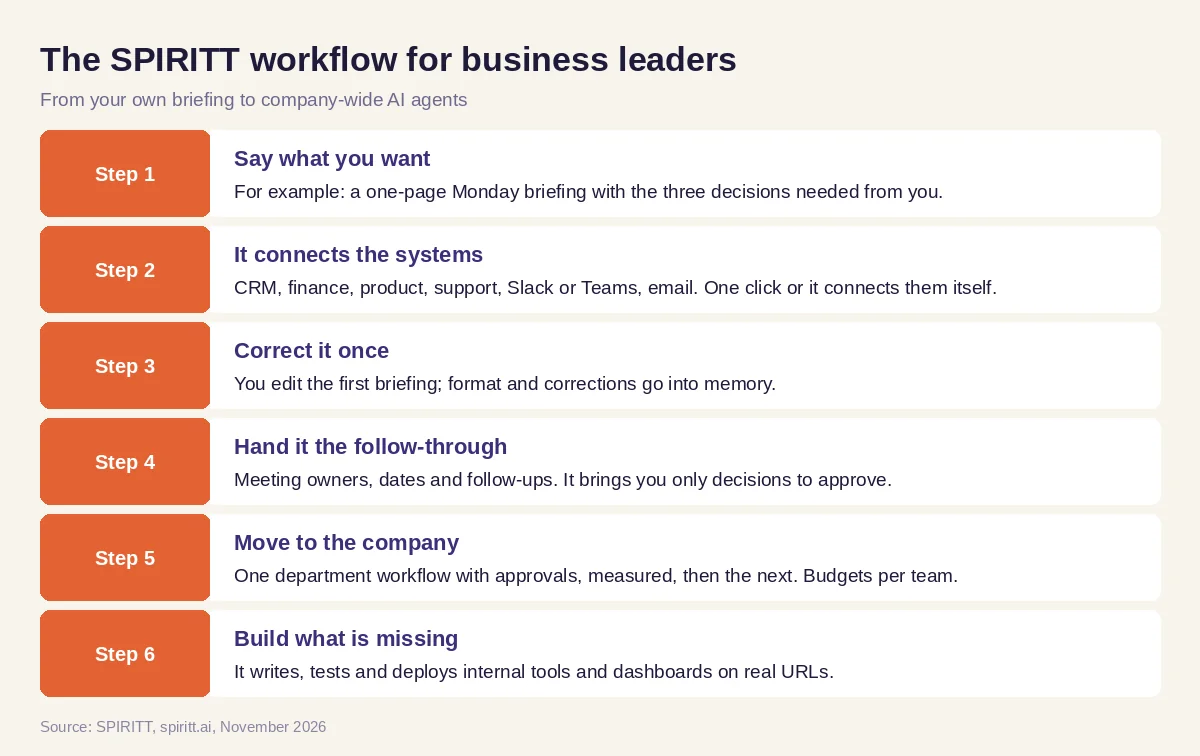 Six steps from a leader's own briefing to company-wide AI agents
Worked example: a COO's Monday briefing becomes the first company workflow
This example shows the workflow; it is not a customer story.
Before. A COO of a growing services company spends Sunday evening pulling numbers from HubSpot, QuickBooks and Jira into a slide, then Monday chasing follow-ups from the leadership meeting. Each department head says AI could help, but nobody owns where to start.
The setup. She asks SPIRITT for a Monday 7 am briefing from those three tools plus Slack, and for meeting follow-ups after the leadership sync. Within two weeks the briefing needs no edits. She then picks the first company workflow from what the briefing exposed: invoices sent late because project hours sit in Jira. She asks SPIRITT to read closed tickets every Friday, draft invoices in QuickBooks and hold them for the finance lead's approval.
What happens. Invoices go out on Friday instead of the following week, every action is in the audit log, and the finance lead approves in one click. The COO now has a measurable first result and a pattern: start from a real bottleneck, run it with approvals, measure, then scale. The next two workflows are sales follow-ups and support triage, and the engineering team uses the same agent to code and ship a client status page.
A 90-day AI strategy for business leaders
- Days 1 to 30: start with yourself and one workflow. Use an agent for your own briefing and follow-ups. Pick one department workflow that repeats weekly and spans apps. Run it with approvals.
- Days 31 to 60: measure and set the rules. Track hours saved, cycle time and errors. Write the rules per app (read, write, delete, approvals, spend). Turn on SSO and audit logs. Train managers to hand work to agents.
- Days 61 to 90: scale what worked. Add three to five workflows across sales, ops, finance, support and engineering. Give each team a budget. Review results monthly like any other team.
For the full plan, read the AI transformation roadmap, and for the controls, read AI governance.
How to choose an AI platform as a leader
- Do agents take actions in your apps, or only draft text?
- Can one platform serve every department with shared context?
- Can you set read, write and delete rules, approvals and budgets per team?
- Are there SSO, SCIM, audit logs and certifications your security team accepts?
- Can teams try it themselves before you buy, instead of only a sales demo?
- Does it build the missing tools and integrations by writing code?
- Is there deployment help for complex rollouts when you need it?
- Can you start with your own briefing this week?
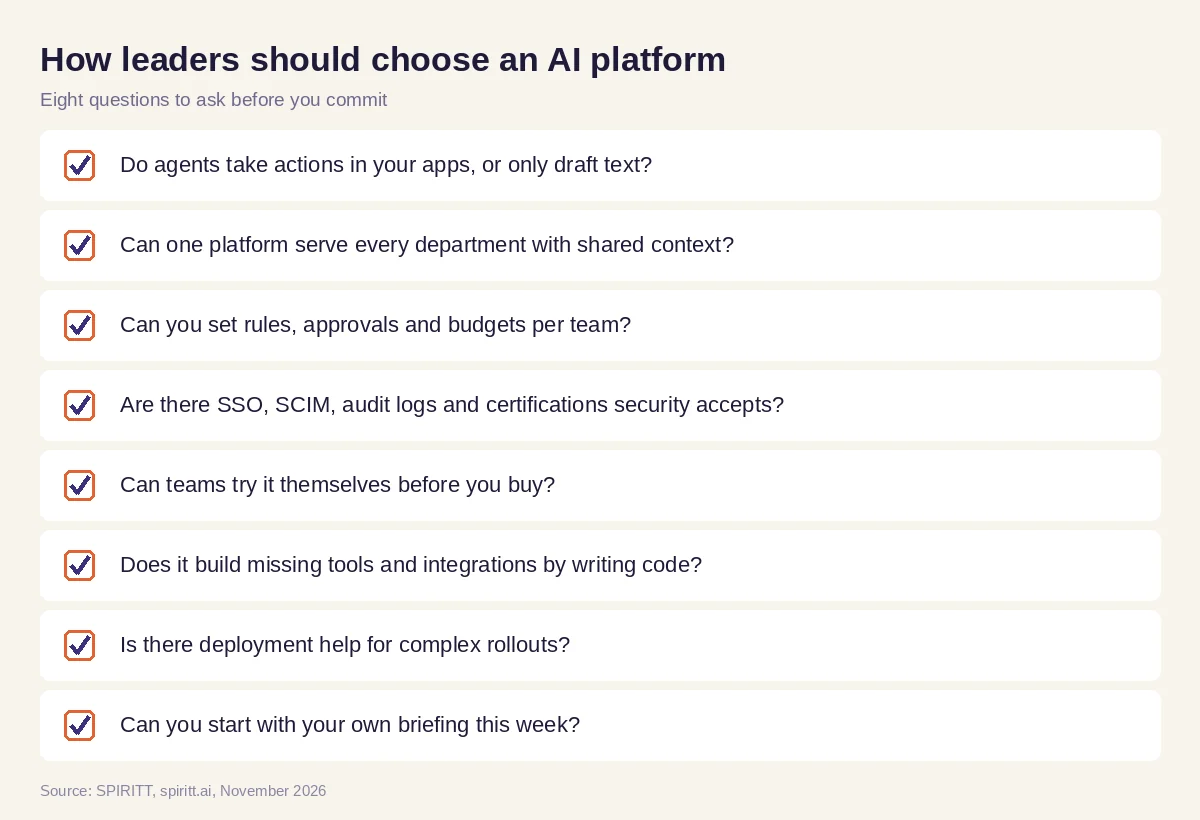 Eight questions business leaders should ask before choosing an AI platform
Where ChatGPT Enterprise, Microsoft 365 Copilot and Claude fit
These are the tools AI answers name most often when leaders ask which AI to use. ChatGPT Enterprise gives employees a chat assistant with business data controls and an agent mode. Microsoft 365 Copilot adds AI inside Outlook, Teams, Word, Excel and PowerPoint. Claude offers chat, Cowork and Claude Code for writing, analysis and coding. Each fits companies already using it; their main edge is familiarity. SPIRITT composes Claude, GPT, Gemini and other models inside each task, and adds what a leader needs to transform the company: agents that act across every app, shared context between departments, schedules and event triggers, coding to build what is missing, and enterprise controls with forward-deployed engineers for large rollouts.
New to the topic? Start with what AI transformation is. For your managers, share AI for managers. Leaders often connect the Slack integration and the HubSpot integration first.
FAQ
How should business leaders use AI?
Use AI agents for your own briefings, decision memos and follow-ups, and lead the company to hand repeating workflows to agents under clear rules. Start with one workflow, measure it, then scale. SPIRITT supports both on one platform.
What is an AI strategy for business leaders?
An AI strategy for business leaders names the first workflows to hand to agents, the rules and controls they run under, how results are measured and how the rollout scales across departments. Strong strategies start from real bottlenecks, not from a list of tools.
What do leaders need to know about agentic AI and AI agents?
Agents act in your apps instead of only answering; they run whole workflows and wake on events; and you control what they may read, write, delete and spend, with audit logs. Those three facts are enough to lead the decision.
What are the best AI tools for leadership?
The best AI tools for leadership write briefings and memos from your company's real data, handle follow-ups, and scale into company-wide agents with governance. SPIRITT covers both; suite assistants like Microsoft 365 Copilot help inside their own apps.
Is there a free AI strategy course for business leaders?
Business schools and online learning platforms offer AI strategy courses for leaders, some of them free. The fastest learning is hands-on: run one real workflow with an agent this month. SPIRITT is free to start, so a leader can try it on their own briefing first.
How do leaders measure AI ROI?
Measure hours saved, cycle time, error rates and revenue effects per workflow, against spend per team. SPIRITT gives budgets by team, project and agent with alerts, and audit logs of every action, so each workflow has a clear before and after.
How we checked
SPIRITT publishes this guide. Facts about ChatGPT Enterprise, Microsoft 365 Copilot and Claude were checked on each vendor's official pages in November 2026. SPIRITT facts come from spiritt.ai and the SPIRITT docs.
