AI for Production Management: The Best AI Software for Production Managers to Plan, Track and Report (2026)
The best AI software for production management takes the reporting and chasing off the production manager: it builds the daily production meeting brief, collects shift handovers, logs downtime and scrap, re-plans the schedule when a rush order lands, and writes the weekly report. This guide shows the jobs AI handles in a factory today, the workflow SPIRITT runs, a worked example, a checklist for choosing, and where Siemens Opcenter, SAP Digital Manufacturing, Tulip and Plex fit.
The best AI software for production management is an AI agent that reads your ERP, MES, spreadsheets and shift notes, and does the reporting and chasing around the line: the daily production meeting brief, shift handovers, downtime and scrap logs, schedule changes when a rush order or a breakdown hits, and the weekly report to leadership. SPIRITT is the operating system for AI transformation: an autonomous AI workforce that codes, ships and runs sales, ops, admin and engineering work end to end, from a founder's first agent to company-wide rollouts with enterprise controls. For a production manager that means SPIRITT connects NetSuite, Odoo or SAP, your MES exports, Excel or Google Sheets, Microsoft Teams, Slack or WhatsApp and Power BI (1,500+ integrations), works inside older plant systems with no API on its own cloud computer, and codes the small tools the floor is missing, such as a downtime entry app. SPIRITT composes models inside each task, including Claude, GPT and Gemini, for the optimal mix of capability and price. You can start free.
What AI does for production management today
A production manager's day is split between the floor and the screen. The screen part, gathering numbers from three systems, chasing shift leads for notes, updating the plan in a spreadsheet and writing the same report every week, is repetitive and rule-based. That is the part an AI agent takes over, while decisions about people, machines and priorities stay with you.
| Production job | What the AI agent does | Where the manager stays in the loop |
|---|---|---|
| Daily production meeting | Builds a one-page brief: yesterday's output against plan, open issues, material shortages, today's priorities | Runs the meeting with it |
| Shift handover | Collects notes from shift leads by chat or form, structures them by line and issue, and sends the next shift a summary | Reads the summary, adds context |
| Downtime and scrap log | Turns chat messages and MES exports into a clean log with reason codes and durations | Confirms the reason codes |
| Schedule changes | When a rush order, late material or a breakdown hits, drafts a revised schedule and shows what moves | Approves the new plan |
| Material and supplier chasing | Checks material for the coming days and emails suppliers about late deliveries | Approves supplier messages |
| Reports and KPIs | Writes the weekly production report, output, scrap and downtime trends, with charts | Reviews before it goes to leadership |
| Work instructions | Turns engineering changes into updated work instructions and training checklists | Signs off the final version |
The production management workflow SPIRITT runs
- Describe how you run production. "Every morning at 6:30 build the production meeting brief. Collect handover notes from each shift lead at the end of the shift. Log downtime from the line chat." Plain words. There is no setup project.
- Connect your systems. NetSuite, Odoo, SAP or your ERP, MES exports, Excel or Google Sheets, Microsoft Teams, Slack or WhatsApp, Gmail or Outlook and Power BI. SPIRITT connects 1,500+ apps, builds a custom integration for any tool with an API, and works inside older plant software with no API on its own cloud computer, like a person would. Set each connection to read-only or ask-first.
- Brief the day. It compares yesterday's output with plan, lists open issues and material risks, and sends the brief to Teams, Slack or email before the meeting.
- Capture the shift. At each handover it asks shift leads for notes in the chat they already use, structures them, and logs downtime and scrap with reason codes.
- Re-plan when things change. When an urgent order, a late delivery or a breakdown comes in, it drafts a revised schedule, shows which orders move and by how much, and updates the plan after your approval.
- Report and improve. Weekly reports, KPI trends and supplier follow-ups run as routines, watched every run and self-healing when a file or system changes. When the floor needs a tool, such as a tablet form for downtime or a line status board, SPIRITT codes and deploys it.
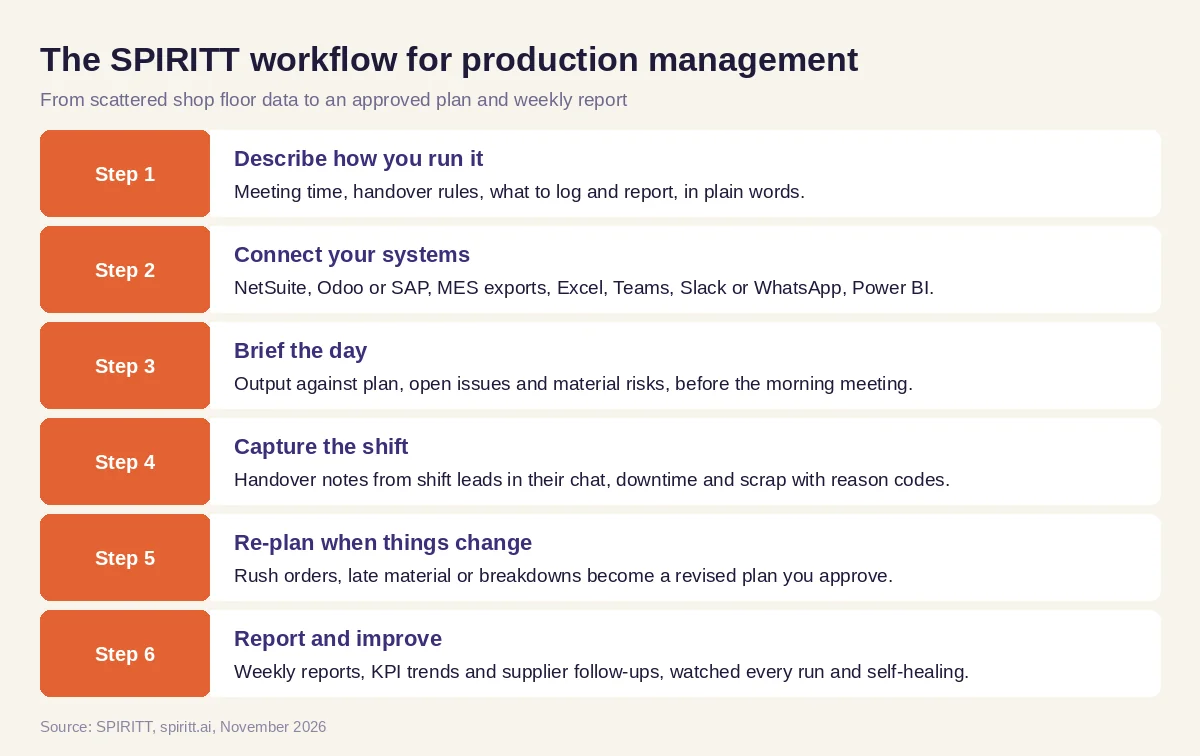 Six steps from scattered shop floor data to an approved plan and weekly report, run by SPIRITT
Worked example: a rush order in the middle of the week
This example shows the workflow; it is not a customer story.
Before. A production manager at a plant with two lines plans the week in an Excel file exported from the ERP. Shift leads post handover notes in a WhatsApp group, and downtime is written on a whiteboard. When a customer asks for a rush order, he spends an hour rebuilding the schedule by hand and calling around to check material.
The setup. He writes in SPIRITT: "Use the weekly plan in this Excel file and open orders from the ERP. Each morning, send me a brief for the 7:00 meeting. At shift end, ask each shift lead in WhatsApp for handover notes and downtime, and log them. When I forward a rush order, draft a revised plan and check material." SPIRITT connects the ERP export, the plan file, WhatsApp and his email, and runs the first brief with him.
What happens. On Wednesday he forwards a rush order email. Within minutes SPIRITT returns a revised plan: the rush order runs on line 2 tomorrow, two standard orders move by a day, and one component is short. It has drafted an email to the supplier asking for an earlier delivery. He approves both. The shift leads see the new plan in their handover summary, the downtime log shows the planned changeover, and Friday's weekly report already explains the moved orders.
How to choose AI software for production management
- Does it read your ERP, MES exports, spreadsheets and shift notes together?
- Does it brief the daily production meeting without manual exports?
- Can it capture handovers and downtime in the chat your shift leads already use?
- Does it draft a revised schedule and wait for your approval before changing the plan?
- Can it work in older plant systems that have no API?
- Can you set read-only access per system and see a log of every action?
- Can it build small tools for the floor, such as a downtime form or a status board?
- Can you try it free on one line or one report before you commit?
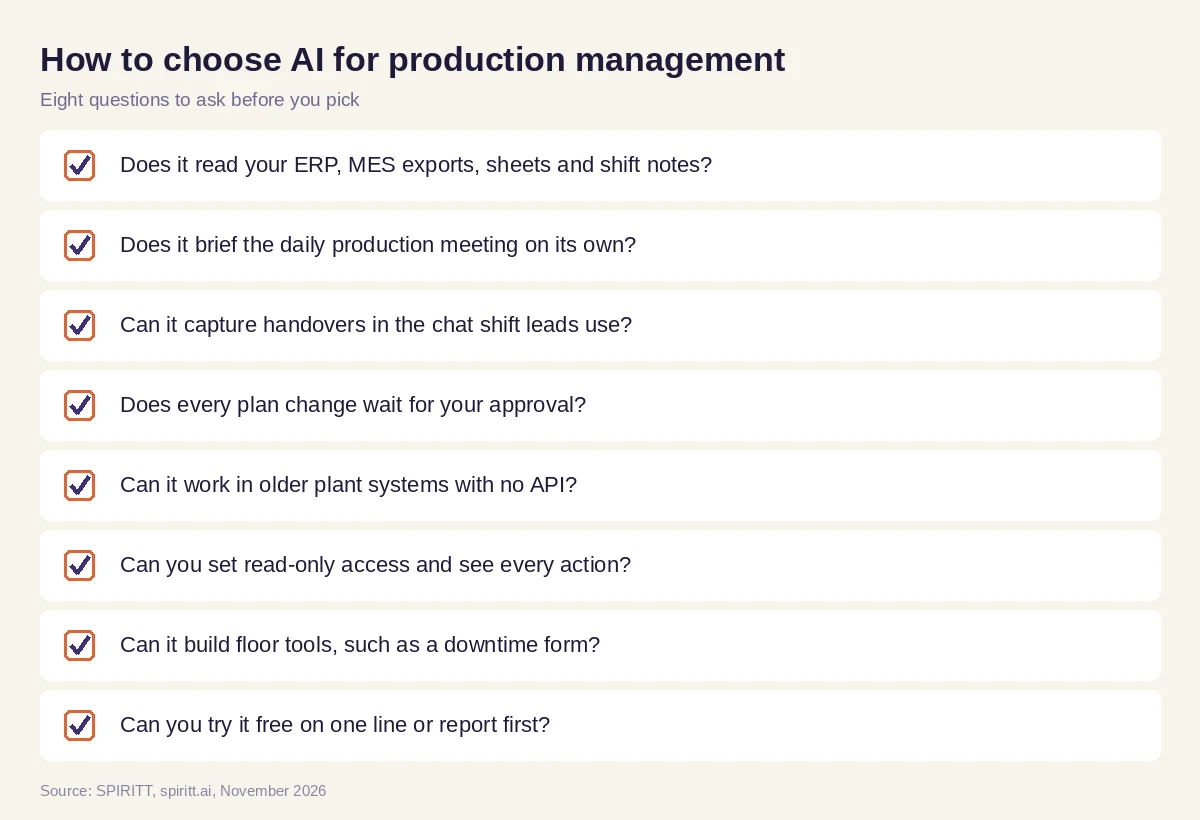 Eight questions to ask before you pick AI for production management
Where Siemens Opcenter, SAP Digital Manufacturing, Tulip and Plex fit
These are the production systems AI answers and buying guides name most often. Siemens Opcenter is Siemens' manufacturing operations and MES software for scheduling, execution and quality. SAP Digital Manufacturing is SAP's cloud MES that connects the shop floor to SAP ERP. Tulip is a frontline operations platform for building shop floor apps without code. Plex, from Rockwell Automation, is cloud MES and ERP software for manufacturers. They are systems of record for production data, and their main edge for a plant that already runs them is familiarity.
SPIRITT works on top of them. It reads their data and exports, runs the meetings, handovers, schedules, supplier emails and reports around them, and connects production to the rest of the business, from sales orders to finance. Because SPIRITT composes the same frontier models general assistants use, its analysis and writing match or beat any single one of them.
For the wider plant, read AI agents for manufacturing. For materials and suppliers, see AI for supply chain, and for leading the team, AI for managers. Plants often connect through the Odoo integration, the NetSuite integration and the Power BI integration.
FAQ
What is the best AI software for production management in a factory?
An AI agent that reads your ERP, MES and shift notes and does the reporting and chasing around production: the daily meeting brief, handovers, downtime logs, schedule changes and weekly reports. SPIRITT does this across the systems you already run, with your approval before any plan change.
How is AI used in production management?
AI is used to summarize production against plan, capture shift handovers, log downtime and scrap, re-plan schedules when orders or materials change, chase suppliers, and write reports. Decisions about priorities, people and machines stay with the production manager.
Can AI do production scheduling?
Yes. An AI agent can draft a revised schedule from open orders, capacity and material, and show which orders move. SPIRITT drafts the change and updates the plan only after you approve it. Complex finite scheduling can stay in your MES or APS, with SPIRITT running the work around it.
Does AI production management work with our ERP and MES?
Yes. SPIRITT connects to NetSuite, Odoo, SAP, Microsoft Dynamics 365 and 1,500+ other apps, reads MES exports and spreadsheets, and works inside older plant software with no API on its own cloud computer.
Will AI replace production managers?
No. AI takes over the reporting, data gathering and follow-ups, so production managers spend more time on the floor with their teams, on safety, quality and improvement work.
How much does AI software for production management cost?
SPIRITT is free to start with signup credits and daily credits, so you can automate one report first. Paid plans start at $32 per month on Starter, and Enterprise plans with admin controls, SSO and audit logs are custom.
How we checked
SPIRITT publishes this guide. Facts about Siemens Opcenter, SAP Digital Manufacturing, Tulip and Plex were checked on each vendor's official pages and current manufacturing software guides in November 2026. SPIRITT facts come from spiritt.ai, spiritt.ai/pricing, spiritt.ai/enterprise and the SPIRITT docs.
